X7056_Operating manual_en.pdf - 第123页
Software Automatic mode 123 Inspection system X7056 | Operating manual | Version 3.1 Rev.006| 2016-01-06 | 30.009.1930a Defect statistics The file tab D EFECT S TATISTIC display s the insp ection de fect stat is- tics. T…
Software
Automatic mode
122
Inspection system X7056 | Operating manual |
Version 3.1 Rev.006| 2016-01-06 | 30.009.1930a
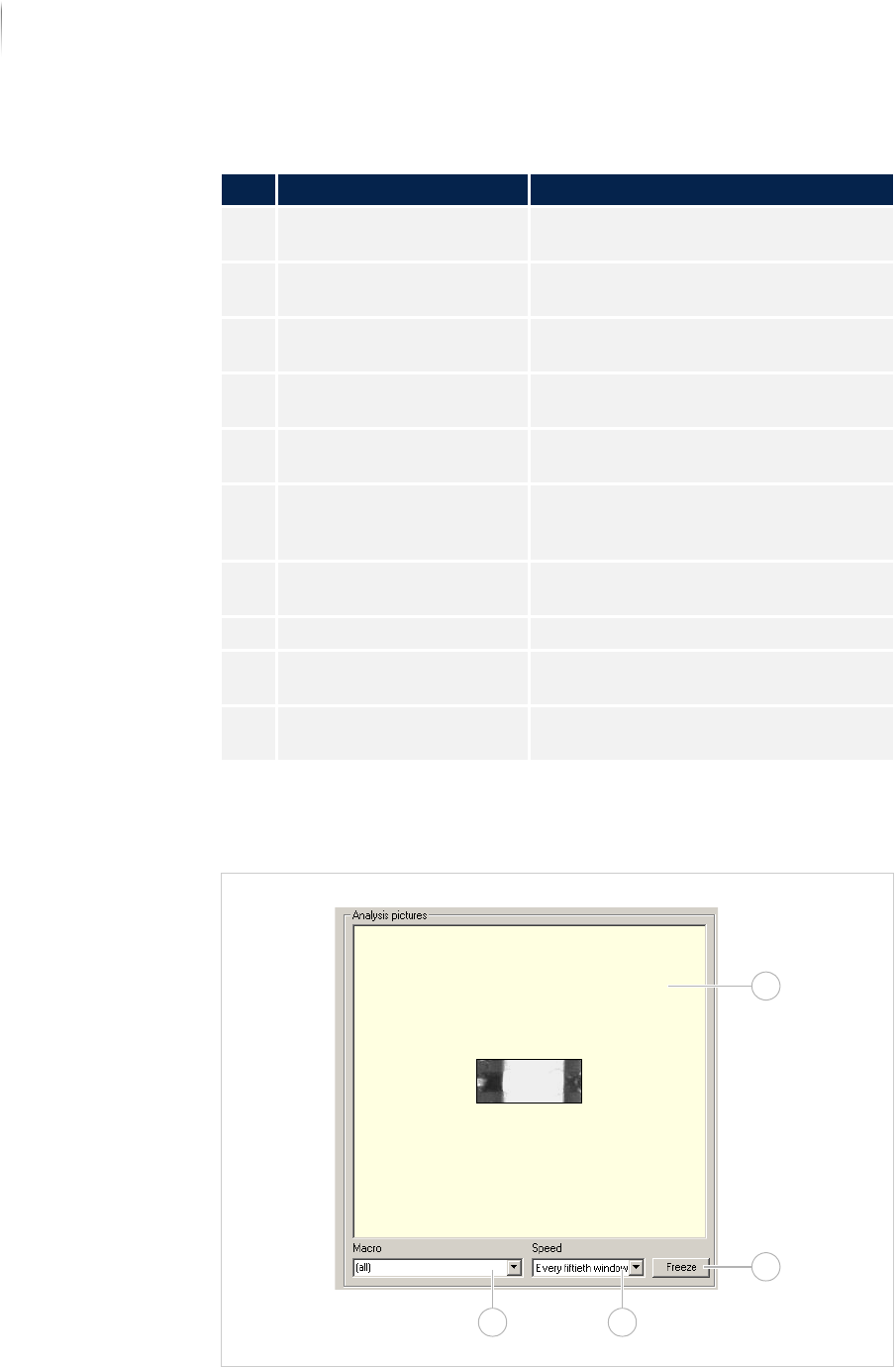
The field ANALYSIS PICTURES displays the individual defect images
for which more settings are available.
Field ANALYSIS IMAGES
Description of the field "Defect details"
No. Name Description
1 PATTERN Displays the name of the inspection
pattern.
2 IDENTIFICATION Displays the ID of the corresponding
component.
3 CODE Displays the component article
number.
4 MACRO NAME Displays the name of the macro the
component is inspected with.
5 AOI RESULT Displays the result from the inspection
system.
6 ERROR TEXT Text that can be transferred to the
verification station, where it can be
modified.
7 ANALYSIS Displays the analysis process being
used.
8 WINDOW Displays the window number.
9 CAMERA Displays the camera that captured the
image.
10 ILLUMINATION Displays the illumination the image
was captured with.
1
2
34
Software
Automatic mode
123
Inspection system X7056 | Operating manual |
Version 3.1 Rev.006| 2016-01-06 | 30.009.1930a
Defect statistics
The file tab DEFECT STATISTIC displays the inspection defect statis-
tics.
The following elements are described:
T
EST HISTORY (Page 125)
S
ERIAL DEFECT (Page 126)
D
EFECT DISTRIBUTION (Page 127)
P
ARETO DISPLAY (Page 128)
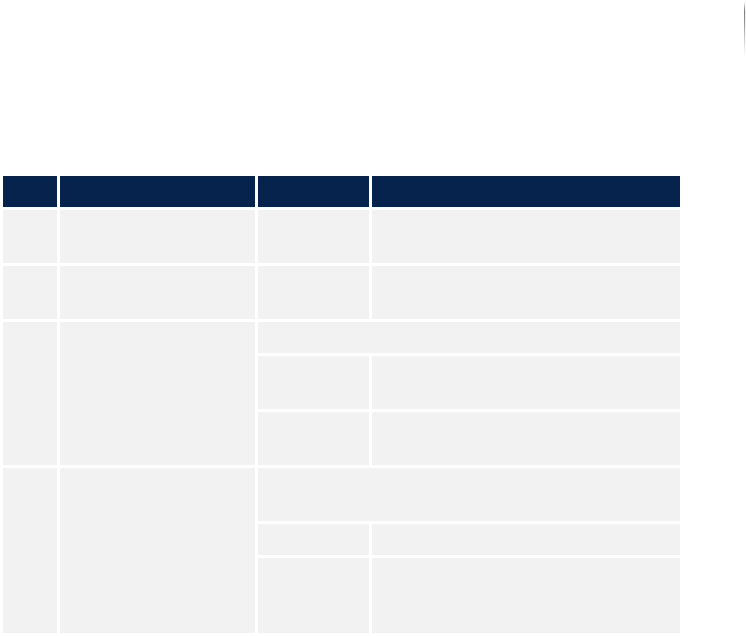
Description of the field "Analysis pictures"
No. Name Value Description
1 ANALYSIS PICTURES - Displays all the individual anal-
ysis images.
2 FREEZE - Holds the current captured
image. The inspection continues.
3 SPEED (configu-rable) Selects the speed for the display.
Every
image
Displays every analysis image.
Every 5th
image...
Displays every 5th analysis
image.
4 MACRO (configu--
rable)
Displays only the images that are inspected
with the selected macro.
All Displays all the analysis images.
c0805_me
ni_9_0...
Displays only the analysis
images that are inspected with
the selected macro.
Software
Automatic mode
124
Inspection system X7056 | Operating manual |
Version 3.1 Rev.006| 2016-01-06 | 30.009.1930a
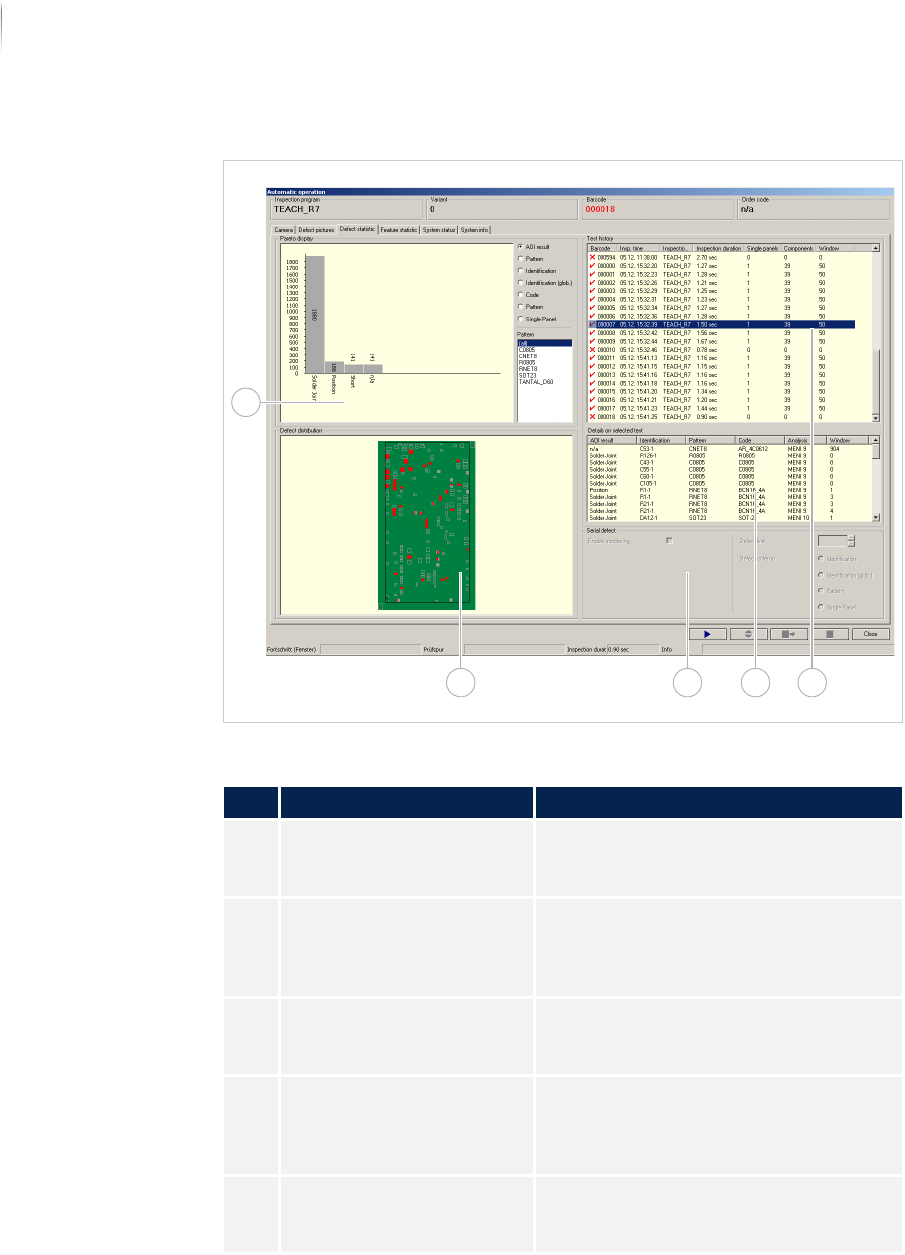
Overview
File tabDEFECT STATISTIC
Description of the fields
No. Name Description
1 TEST HISTORY Displays the last 50 inspected PCBs
(can be configured). See „Test history“
(Page 125)
2 INSPECTION DETAILS Displays the details for the inspection
history selected in the field "Test
history". See „Inspection details“
(Page 126)
3 SERIAL DEFECT This field is first available as of soft-
ware version 7.38. See „Serial defect“
(Page 126)
4 DEFECT DISTRIBUTION Displays the entire PCB, all compo-
nents, the cameras and the defect
frequency. See „Defect distribution“
(Page 127)
5 PARETO DISPLAY Displays a configurable Top Ten
Statistic. See „Pareto display“ (Page
128)
134
5
2