X7056_Operating manual_en.pdf - 第114页
Software Automatic mo de 114 Inspection system X7056 | Operating manual | Version 3.1 Rev.006| 2016-01-06 | 30.009.1930a Automatic mode The automatic PCB inspection i s done during automatic operation. The following elem…
Software
Automatic mode
114
Inspection system X7056 | Operating manual |
Version 3.1 Rev.006| 2016-01-06 | 30.009.1930a
Automatic mode
The automatic PCB inspection is done during automatic operation.
The following elements are described:
User interface (Page 114)
Information bar (Page 115)
Status bar (Page 115)
Operation bar (Page 116)
User interface
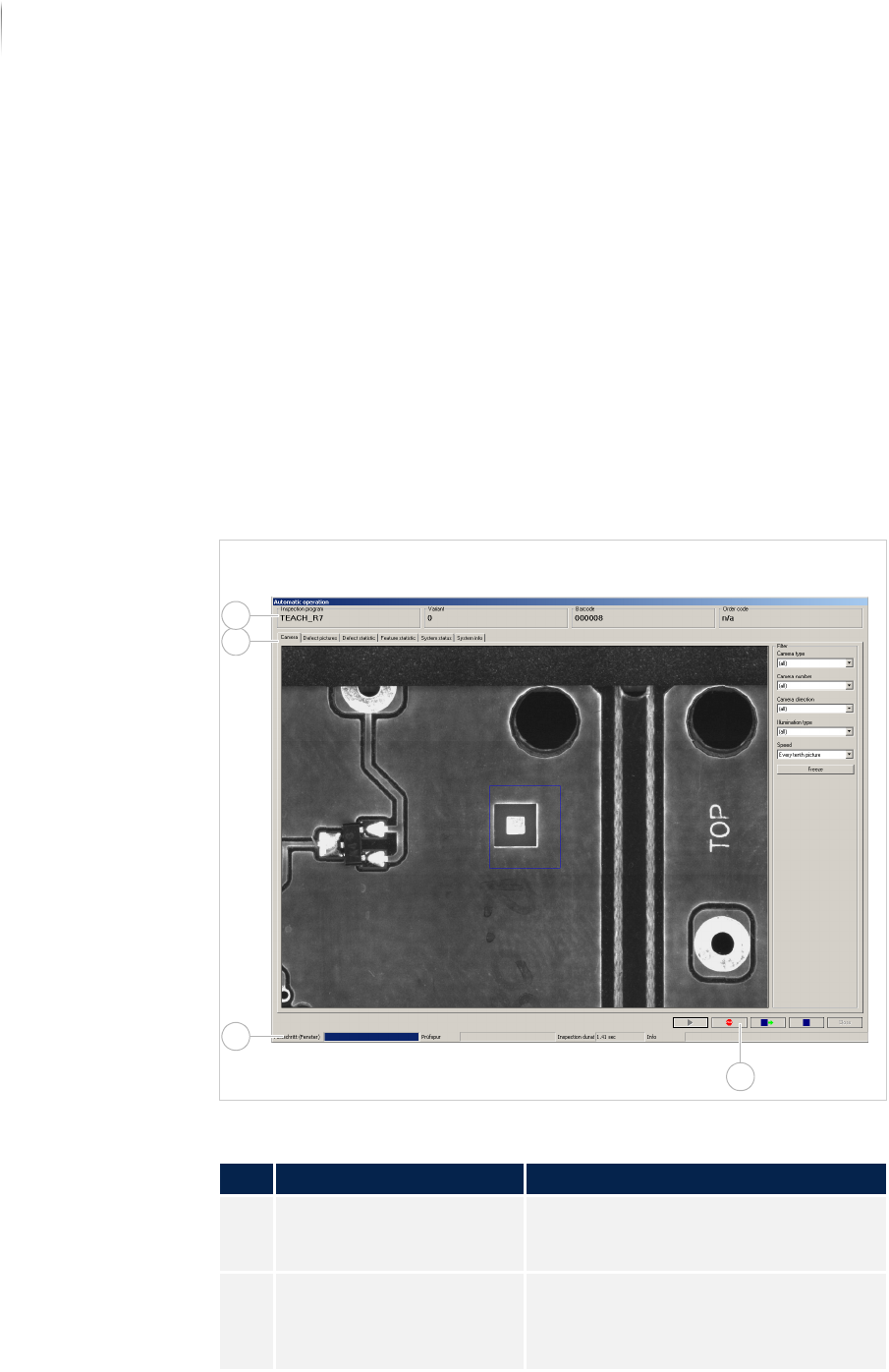
The user interface in automatic operation is divided into different
areas.
Automatic operation window
Description of the areas
No. Area Description
1 Information bar Shows general information for the
inspection in progress. See „Informa-
tion bar“ (Page 115)
2 User interface Displays defect images and statistics
for the current inspection as well as
system status and information. See
„User interface“ (Page 117)
4
2
3
1
Software
Automatic mode
115
Inspection system X7056 | Operating manual |
Version 3.1 Rev.006| 2016-01-06 | 30.009.1930a
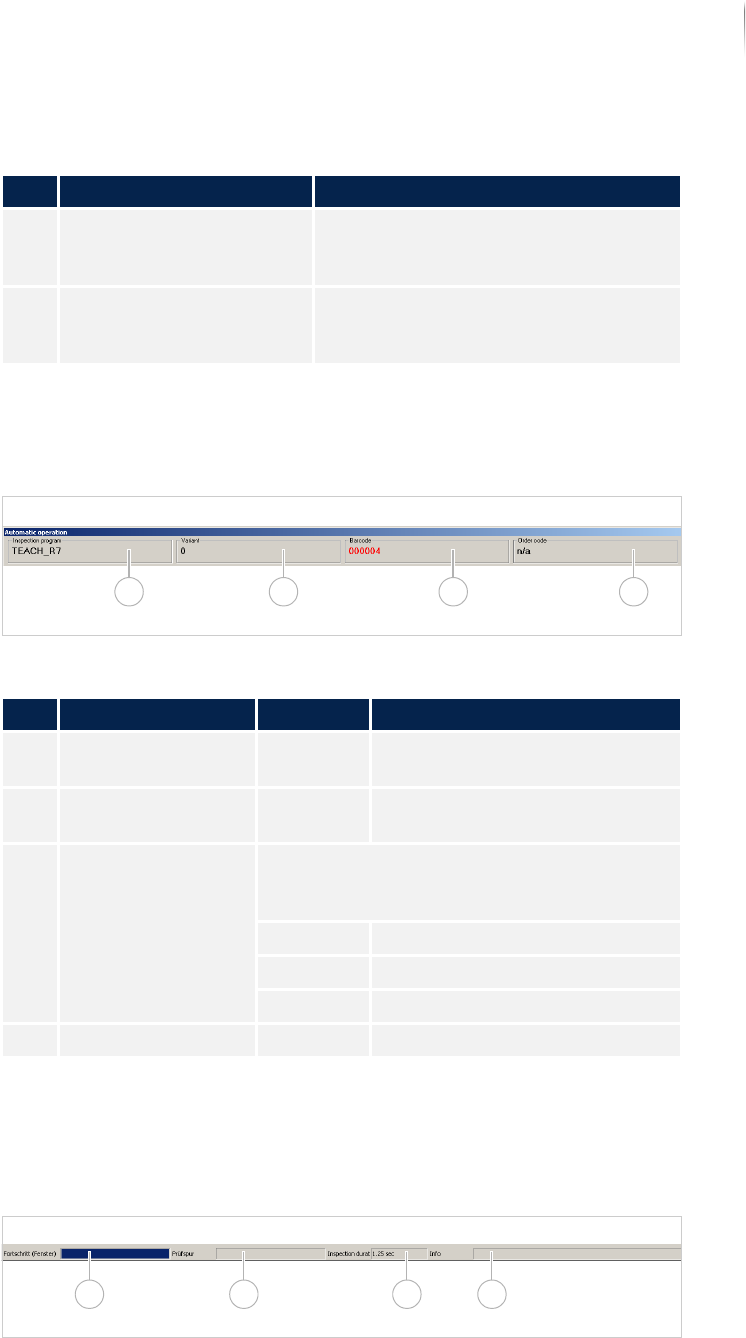
Information bar
The information bar contains the most important PCB information.
Information bar
Status bar
The status bar contains information about the status of the inspec-
tion.
Status bar
3 Status bar Displays the current status of the
inspection. See „Status bar“ (Page
115)
4 Operation bar Contains basic operation elements for
the automatic operation. See „Status
bar“ (Page 115).
Description of the fields
No. Name Value Description
1 INSPECTION PROGRAM - Displays the currently loaded
inspection plan.
2 VARIANT - Displays the variant of the PCB
that is currently being inspected.
3 BARCODE Displays the barcode of the PCB currently
being inspected. The color indicates the
status of the inspection.
Black PCB inspection is running.
Red PCB with defects.
Green PCB without defects.
4 ORDER CODE - Displays the job order number.
Description of the areas
No. Area Description
1 2 3 4
1 2 3 4