X7056_Operating manual_en.pdf - 第127页
Software Automatic mode 127 Inspection system X7056 | Operating manual | Version 3.1 Rev.006| 2016-01-06 | 30.009.1930a Defect distri- bution In the field D EFECT D ISTRIB UTION , the entire PCB, all components, the came…
Software
Automatic mode
126
Inspection system X7056 | Operating manual |
Version 3.1 Rev.006| 2016-01-06 | 30.009.1930a
Inspection
details
When one of the inspections in the field TEST HISTORY are chosen,
its details are displayed:
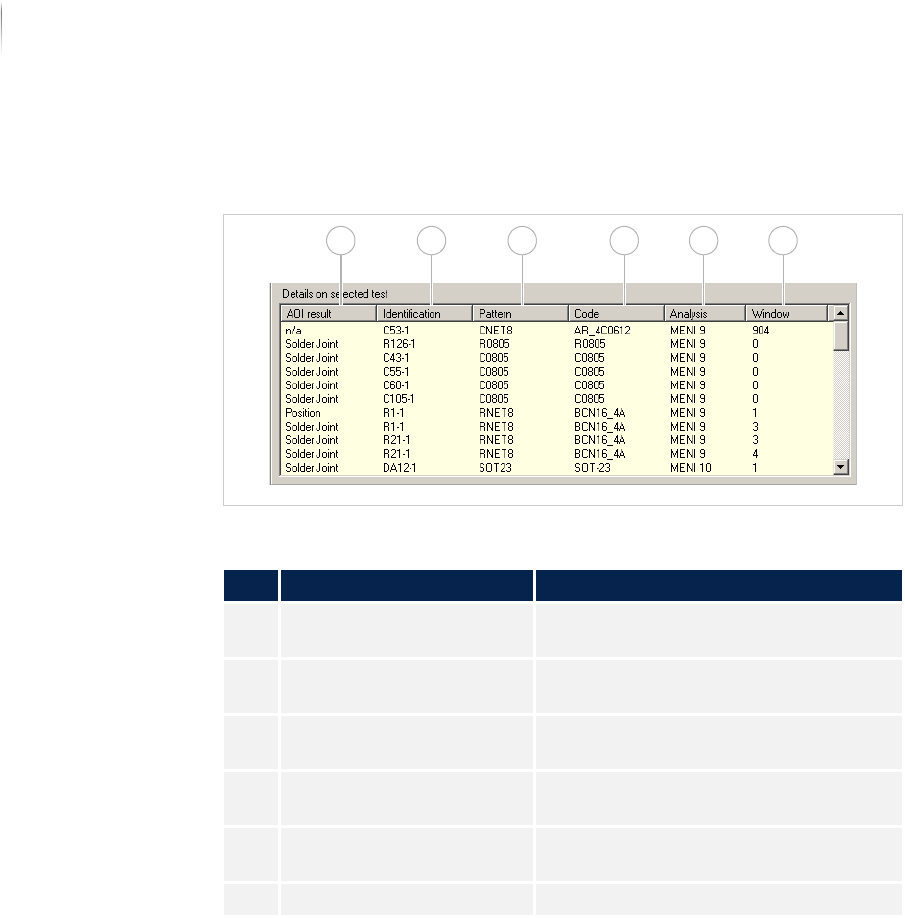
FieldINSPECTION DETAILS
Serial defect
The field SERIAL DEFECT is first available as of Version 7.38.
Description of the field "Inspection Details"
No. Name Description
1 AOI RESULT Displays the result from the inspection
system.
2 IDENTIFICATION Displays the ID of the corresponding
component.
3 PATTERN Displays the name of the component
type.
4 CODE Displays the component article
number.
5 ANALYSIS Displays the analysis process being
used.
6 WINDOW Displays the window number.
1 2 3 4 5 6
Software
Automatic mode
127
Inspection system X7056 | Operating manual |
Version 3.1 Rev.006| 2016-01-06 | 30.009.1930a
Defect distri-
bution
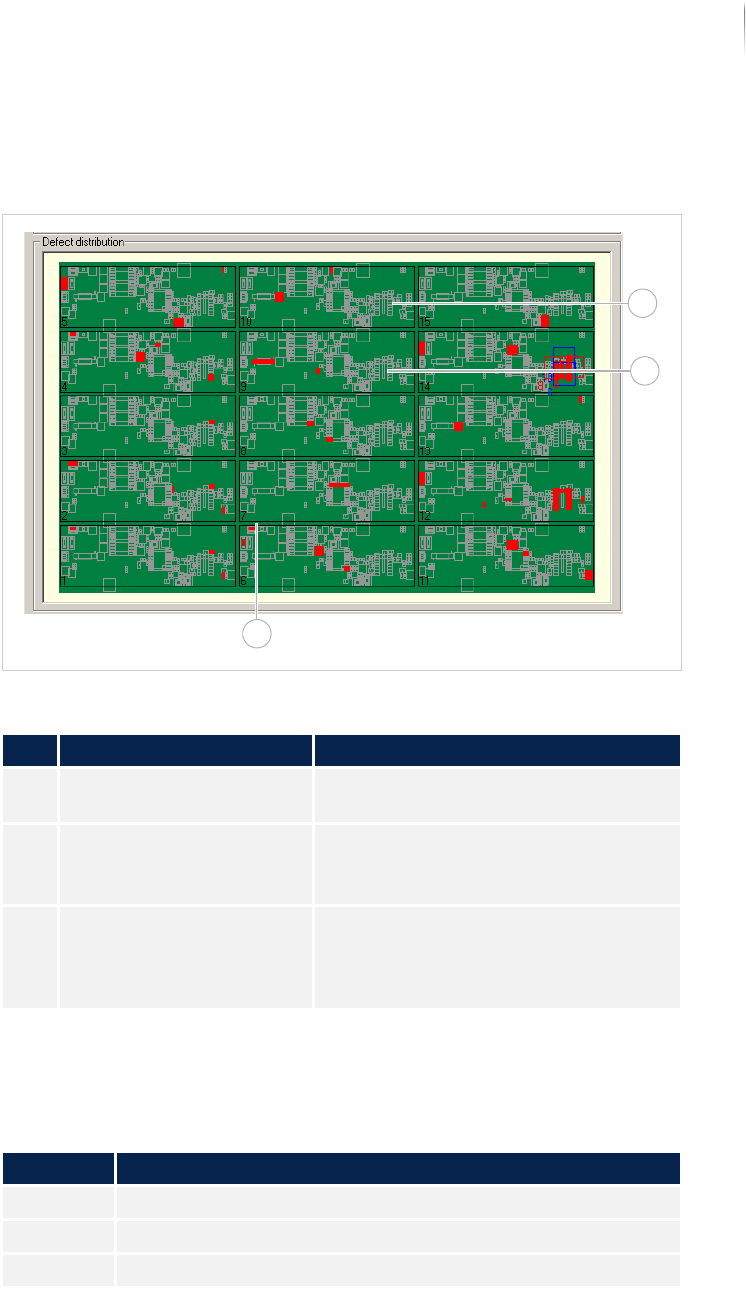
In the field DEFECT DISTRIBUTION, the entire PCB, all components,
the cameras and the defect frequency are displayed.
Field DEFECT DISTRIBUTION
The following keyboard commands are possible in the field DEFECT
D
ISTRIBUTION.
Description of the field "Defect Distribution"
No. Name Description
1 Display of the PCB Displays the schematic representation
of the PCB.
2 Cameras (can be config-
ured)
Displays the available cameras.
Active cameras are displayed in red;
inactive in blue
3 Defect distribution The colored-in components indicate
the frequency distribution.
White indicates the lowest defect
frequency, red indicates the highest.
Keyboard commands
Key Description
<NUM+> Enlarge overview image.
<NUM-> Shrink overview image.
<NUM*> Restore overview image.
1
2
3
Software
Automatic mode
128
Inspection system X7056 | Operating manual |
Version 3.1 Rev.006| 2016-01-06 | 30.009.1930a
Pareto display
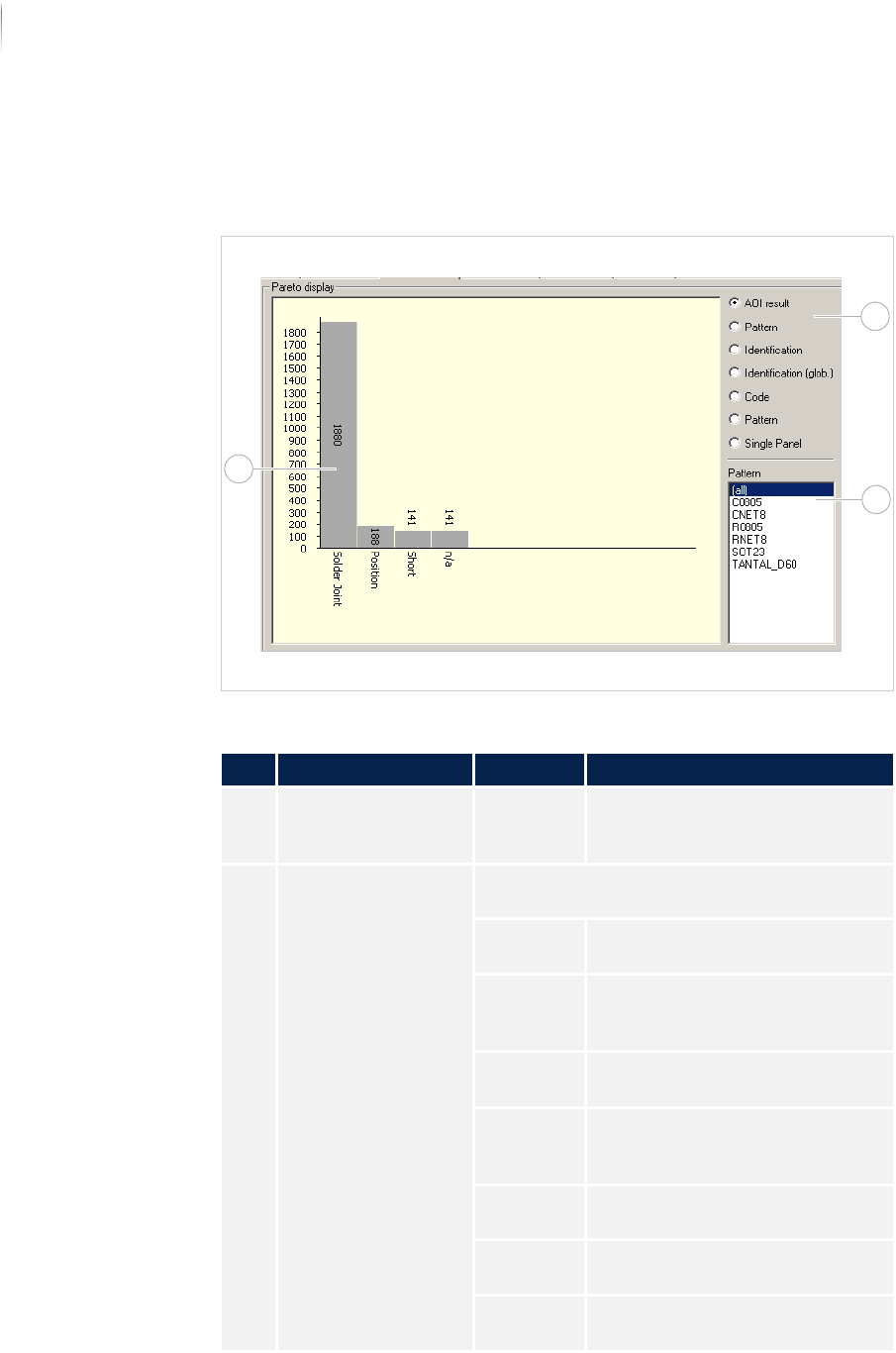
The field PARETO DISPLAY displays a configurable Top Ten Statistic.
The statistics refer to the inspection indicated in the field T
EST
H
ISTORY. See „Test history“ (Page 125)
Field PARETO DISPLAY
Description of the field PARETO DISPLAY
No. Name Value Description
1 TOP TEN STATISTICS - Displays the top ten most
frequent defects according to the
selected criterion.
2 CRITERIA Selects the criterion for the display of the Top
Ten Statistics.
AOI
R
ESULT
Displays the Top Ten Statistics
related to the AOI result.
PATTERN Displays the Top Ten Statistics
related to the component body
type.
IDENTIFICA-
TION
Displays the Top Ten Statistics
related to the component ID.
IDENTIFICA-
TION
(
GLOBAL)
Displays the Top Ten Statistics
related to the component ID,
globally.
CODE Displays the Top Ten Statistics
related to the component ID.
PATTERN Displays the Top Ten Statistics
related to the inspection pattern.
SINGLE
P
ANEL
Displays the Top Ten Statistics
related to the single panel.
1
2
3