X7056_Operating manual_en.pdf - 第222页
Maintena nce Maintenance of th e sealed X-ray tube 222 Inspection system X7056 | Operating manual | Version 3.1 Rev.006| 2016-01-06 | 30.009.1930a Reconditioning of sealed X-ray tube Viscom and the manufacturer of t he s…
Maintenance
Maintenance of the sealed X-ray tube
221
Inspection system X7056 | Operating manual |
Version 3.1 Rev.006| 2016-01-06 | 30.009.1930a
Remove the
battery
DANGER
Beryllium is poisonous!
The X-ray output window of the sealed X-ray tube contains Beryl-
lium.
After removing the sealed X-ray tube, a protective cover has to
be attached to the X-ray window.
Perform the following work steps:
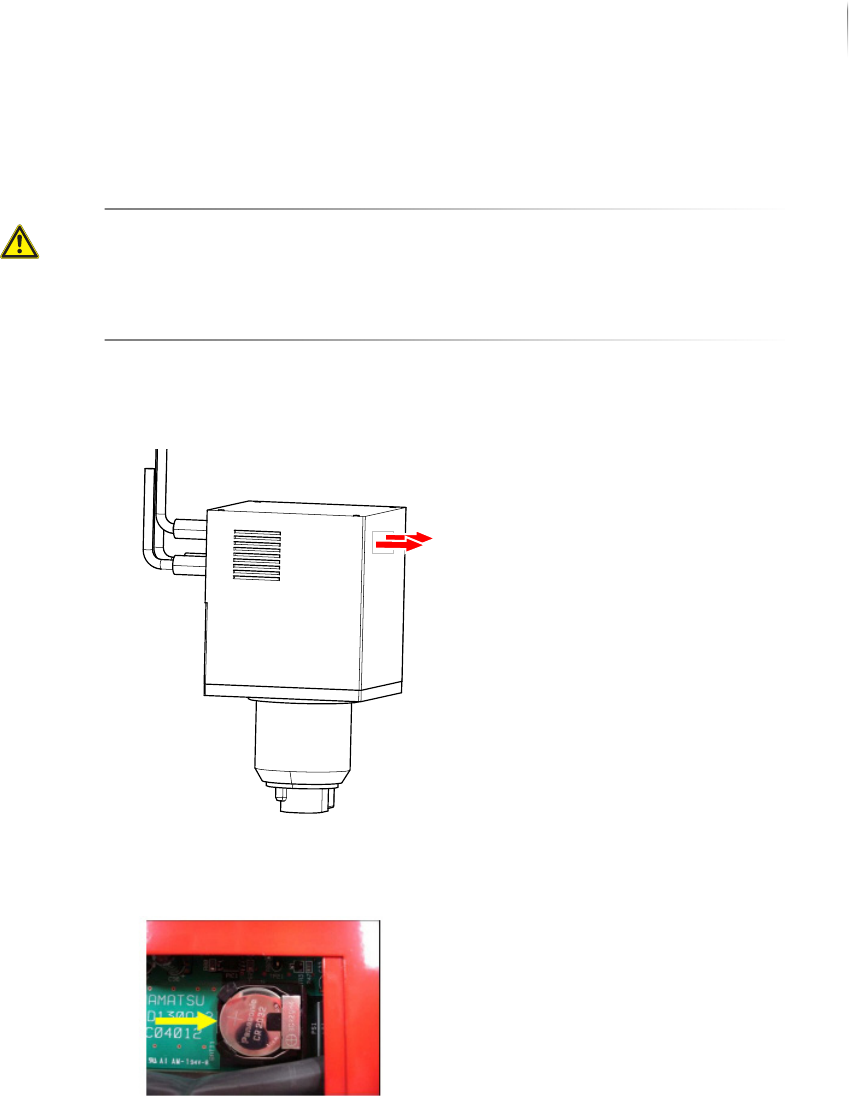
1. Loosen the screws of the battery cover.
2. Press the battery in direction of the arrow and carefully lift it on
the left side and remove it from the bracket.
The battery is removed.
Inserting the
battery
Perform the following work steps:
1. Insert the new battery.
The battery positive terminal points upwards.
2. Fasten the cover of the battery compartment.
The battery is inserted
The battery is replaced.

Maintenance
Maintenance of the sealed X-ray tube
222
Inspection system X7056 | Operating manual |
Version 3.1 Rev.006| 2016-01-06 | 30.009.1930a
Reconditioning of sealed X-ray tube
Viscom and the manufacturer of the sealed tube offer a recondi-
tioning of the tube within the first 3 years as of delivery date.
Reconditioning includes exchanging the vacuum piston of the tube.
The vacuum piston restricts the life span of the tube since cathode,
vacuum and anode of the tube deteriorate during operation.
Because the reconditioning of the system's tube at the manufac-
turer's takes too long, Viscom offers an exchange for one that has
already been reconditioned. The warranty period of the recondi-
tioned tube is 18 months.
The exchange of the tube takes approx. 8 working hours.
Please consider, that the reconditioning or exchange with a recon-
ditioned tube is only possible within the first 3 years as of delivery
date!
Maintenance
Exchanging filter mat on AOI system computer
223
Inspection system X7056 | Operating manual |
Version 3.1 Rev.006| 2016-01-06 | 30.009.1930a
Exchanging filter mat on AOI system
computer
In the ventilators on the system computer, there are filter mats to
filter the air that comes into the system computer. These filter
mats must be exchanged yearly; if there is heavy contamination,
every three months.
Required: Cross-tip screwdriver
Allen (hex) key 3 mm
Filter mat
Perform the following work steps:
1. Open the front lift door of the inspection system.
You have free access to the system computer.
2. Remove system computer; if necessary, detach cable.
The rear side of the system computer is open.
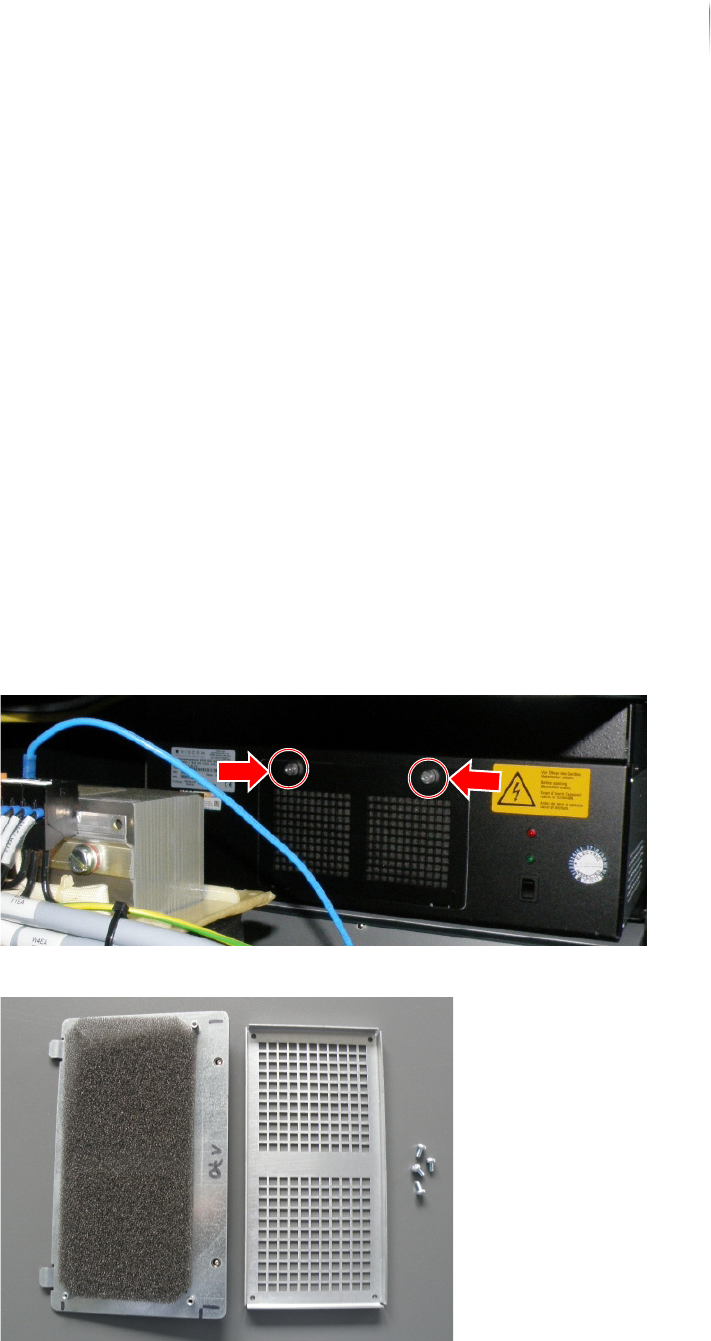
3. Loosen the knurled screws of the ventilator housing and
remove them.
4. Remove the 4 screws from the rear side of the housing.