X7056_Operating manual_en.pdf - 第66页
Delivery Unpacking the in spection system 66 Inspection system X7056 | Operating manual | Version 3.1 Rev.006| 2016-01-06 | 30.009.1930a 2. Pu ll out the transport cla mp. 3. Repeat steps 1 to 2 for the other 3 transport…
Delivery
Unpacking the inspection system
65
Inspection system X7056 | Operating manual |
Version 3.1 Rev.006| 2016-01-06 | 30.009.1930a
6. Remove the bubble wrap.
The covering layers are removed.
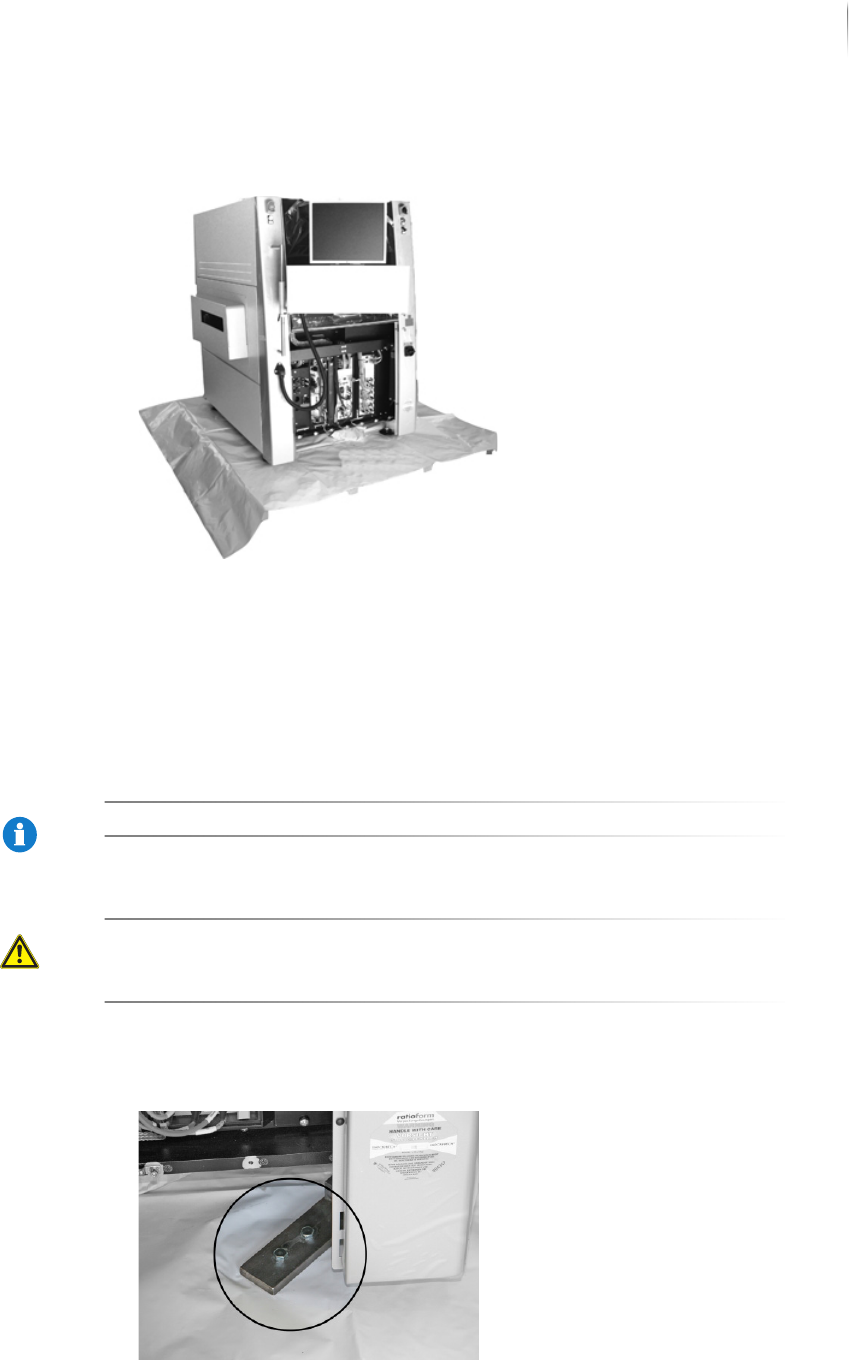
Removing the transport clamps
Four transport clamps secure the inspection system to the pallet.
Remove the clamps before lifting the inspection system from the
pallet.
NOTE
Store the transport clamps and screws for later use.
CAUTION
Hazard of injury from impact with the monitor
Fold the monitor and keyboard bracket to the inspection
system before removing the transport clamps.
Perform the following work steps:
1. Remove the transport clamp screws.
Delivery
Unpacking the inspection system
66
Inspection system X7056 | Operating manual |
Version 3.1 Rev.006| 2016-01-06 | 30.009.1930a
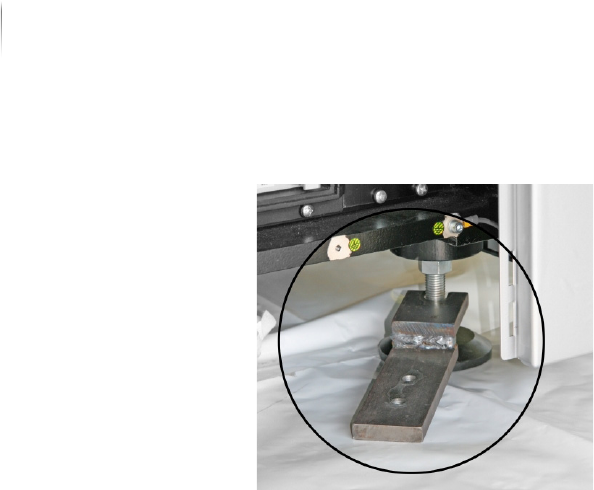
2. Pull out the transport clamp.
3. Repeat steps 1 to 2 for the other 3 transport clamps.
The transport clamps are removed. The inspection system can
now be taken to its final usage site.

Installation 67
Inspection system X7056 | Operating manual |
Version 3.1 Rev.006| 2016-01-06 | 30.009.1930a
Installation
This chapter describes the proper way to install the inspection
system.
It contains the following sections:
Safety (Page 68)
Mechanical installation (Page 69)
Electrical installation (Page 78)
Integrating the inspection system into the line (Page 82)
First use (Page 91)