X7056_Operating manual_en.pdf - 第50页
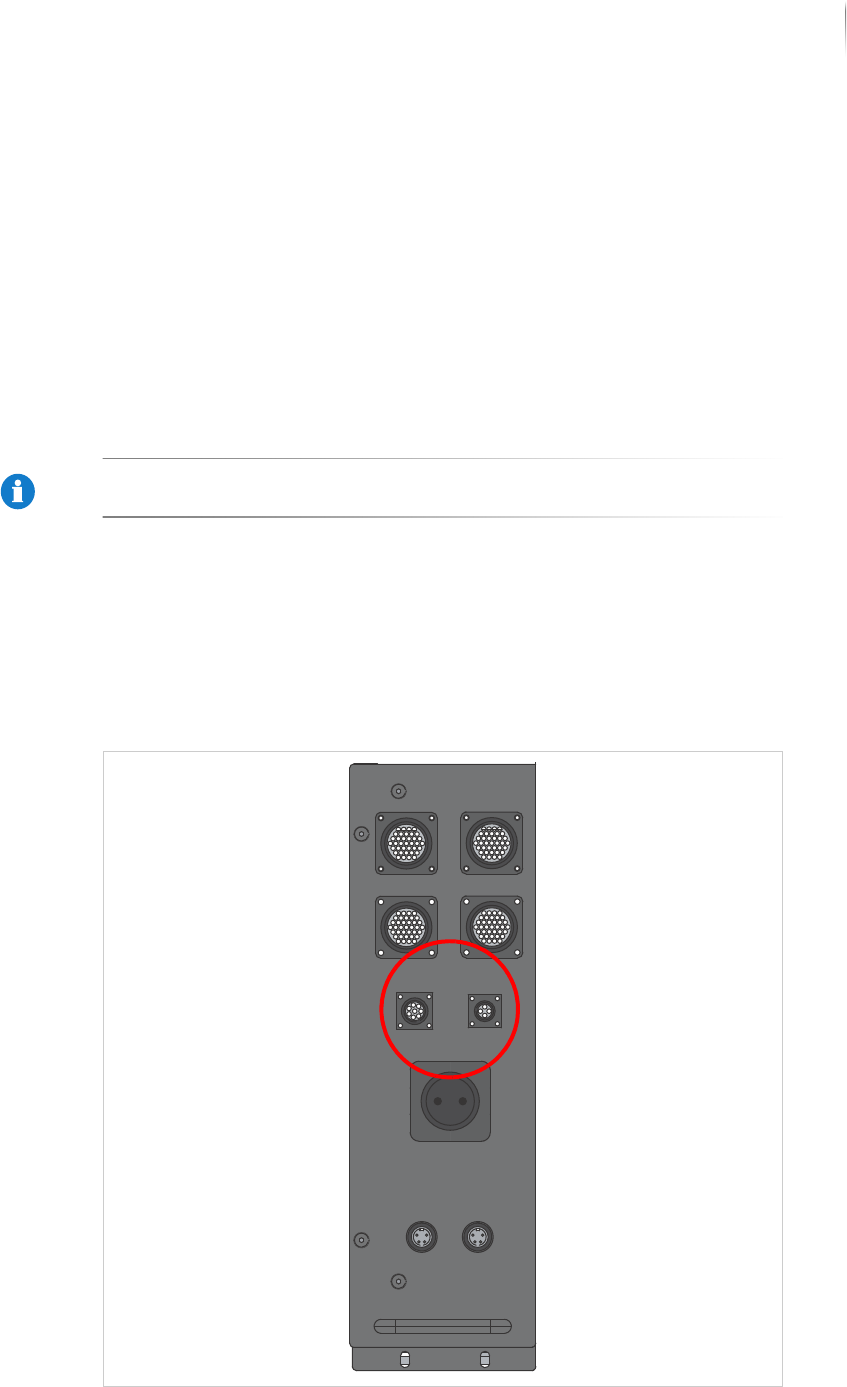
Product description Energy supply and interfaces 50 Inspection system X7056 | Operating manual | Version 3.1 Rev.006| 2016-01-06 | 30.009.1930a The connections for the Interlock l inkage are equipped with jumpers.
Product description
Energy supply and interfaces
49
Inspection system X7056 | Operating manual |
Version 3.1 Rev.006| 2016-01-06 | 30.009.1930a
The communication is ended when the acceptance is successful.
Configurable
additional
signals
Some of the signals described are available optionally and must
correspondingly be configured. Additional signals may be present.
Product change signal: notifies the next device about a product
change. The inspection system waits until the next device
acknowledges the product change.
Malfunction loop: signals preceding devices that there is a
malfunction in the system and that a PCB might not be
accepted. The specific design of the malfunction loop is a
customer-specific configuration.
NOTICE
Setting the additional signals may only be done by Viscom service
technicians.
Interlock linkage
The Interlock chain ensures the inspection is stopped as soon as
an adjacent system interrupts the Interlock circuit.
The Interlock connection plugs are located behind the front door of
the system.
Interlock connection plugs?

Product description
Energy supply and interfaces
50
Inspection system X7056 | Operating manual |
Version 3.1 Rev.006| 2016-01-06 | 30.009.1930a
The connections for the Interlock linkage are equipped with
jumpers.

Product description
Safety Features
51
Inspection system X7056 | Operating manual |
Version 3.1 Rev.006| 2016-01-06 | 30.009.1930a
Safety Features
This section explains the inspection system's safety features.
The following safety features are described:
STOP mode (Page 51)
EMERGENCY STOP (Page 51)
X-ray system (Page 52)
Safety features (Page 53)
STOP mode
The STOP mode switches off the current to the system drive
elements. This deactivates all hazardous movements of the axes
and the transport system and switches off the X-ray tube. The
system computers remain ready for operation.
During STOP mode, some system components still carry current.
These components are indicated by safety and warning labels.
The STOP mode is actuated when
the front lift door
or the front door
or the rear swing doors are opened
To allow safe access into the inspection system for setup, mainte-
nance, or troubleshooting, actuate the STOP mode.
EMERGENCY STOP
The EMERGENCY STOP button switches off all the energy and
potential risks in the system.
power to the inspection system is switched off,
the PCB clamping opens.
The monitor is switched off.
The UPS ensures the regulated shutdown of the system
computer.
The UPS maintains a power supply of 230 V to the system
computer, take appropriate measures.