X7056_Operating manual_en.pdf - 第145页
Software Ending 145 Inspection system X7056 | Operating manual | Version 3.1 Rev.006| 2016-01-06 | 30.009.1930a Ending The VVP is ended through the button E ND . The following elements are described: E ND PROGRAM VVP…
Software
Advanced menu
144
Inspection system X7056 | Operating manual |
Version 3.1 Rev.006| 2016-01-06 | 30.009.1930a
Maintenance/diagnosis
In the MAINTENANCE/DIAGNOSIS, all the menu points relevant for
maintenance and diagnosis are displayed.
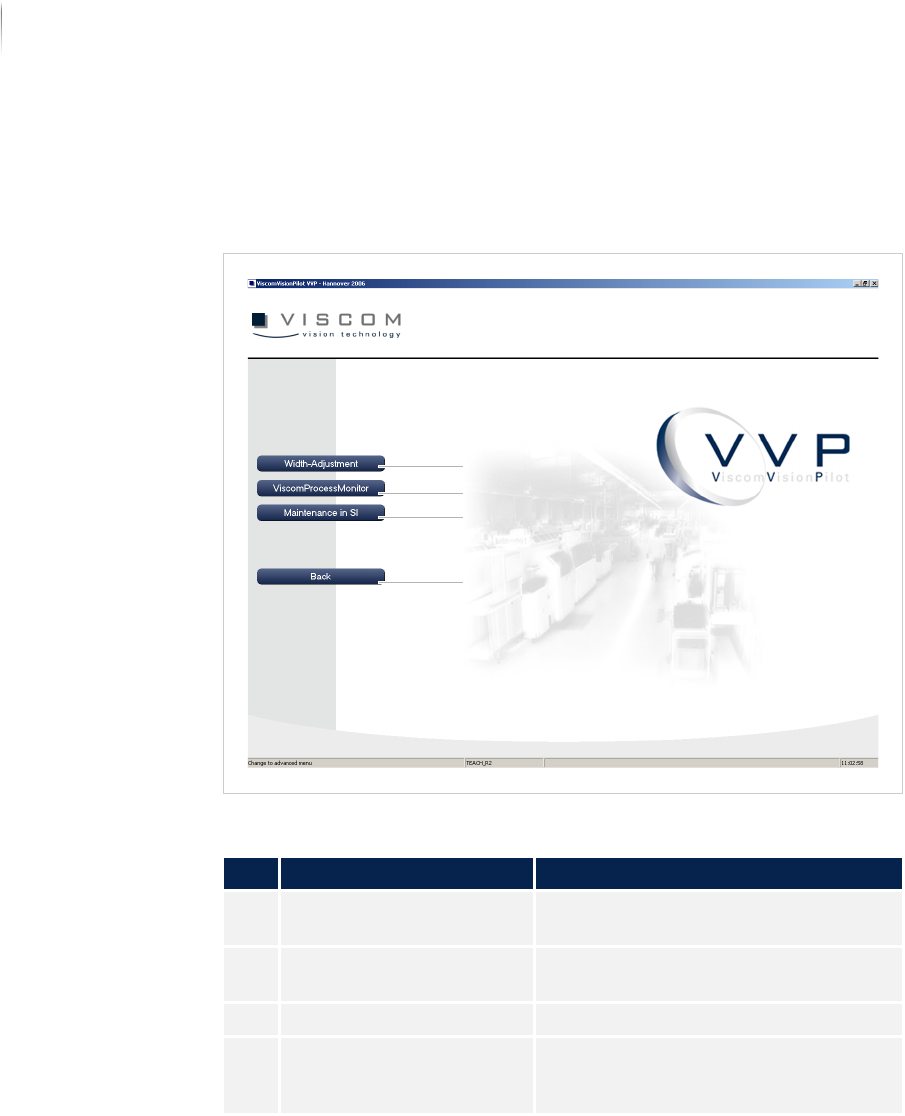
Window MAINTENANCE MENU
Description of the buttons of the "Maintenance menu" window
No. Name Description
1 WIDTH ADJUSTMENT Opens the dialog window TRANSPORT
MAINTENANCE.
2 VISCOM PROCESS
M
ONITOR
Opens the dialog window VPM.
3 MAINTENANCE IN SI Opens the SI software interface.
4 BACK Returns to the start page of the
advanced menu. See „Start display“
(Page 110)
4
2
1
3
Software
Ending
145
Inspection system X7056 | Operating manual |
Version 3.1 Rev.006| 2016-01-06 | 30.009.1930a
Ending
The VVP is ended through the button END.
The following elements are described:
E
ND PROGRAM
VVP INFORMATION
End program
Perform the following work steps:
1. Click E
ND in the Viscom Vision Pilot start display.
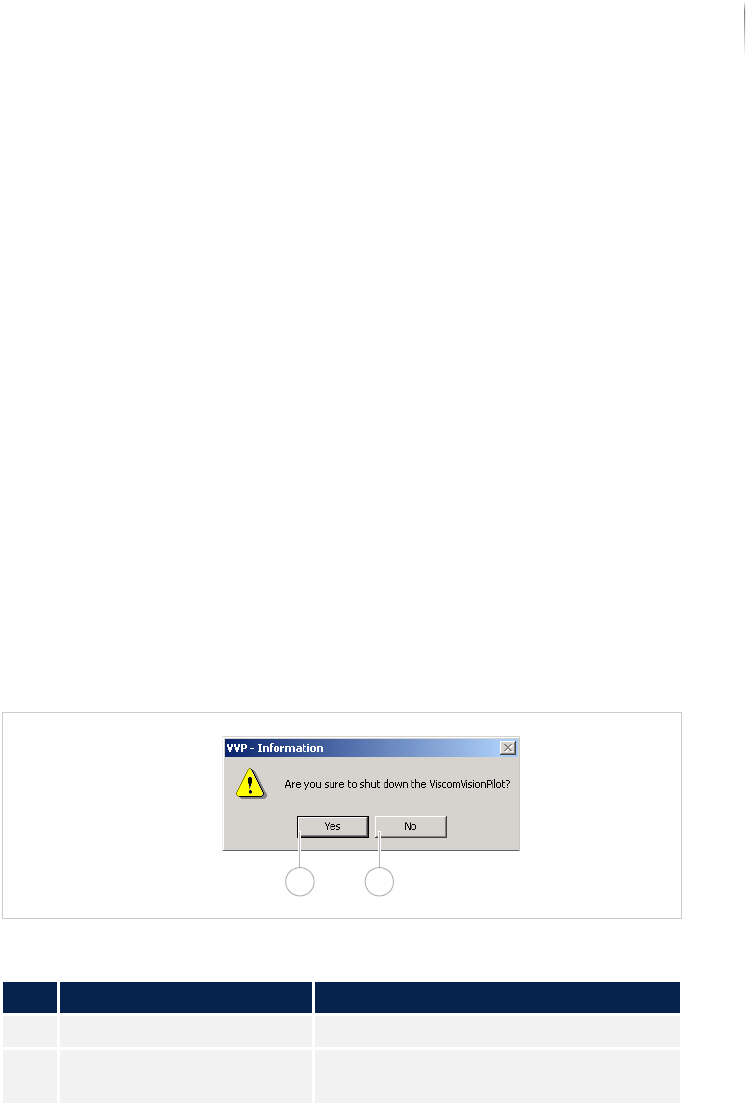
The window VVP INFORMATION is displayed.
2. Click Y
ES.
The program is ended.
VVP information
Window VVP INFORMATION
Description of the window "VVP information"
No. Name Description
1 YES Shuts down the VISCOM VISION PILOT.
2 NO Opens the VISCOM VISION PILOT start
display.
1 2

Software
Ending
146
Inspection system X7056 | Operating manual |
Version 3.1 Rev.006| 2016-01-06 | 30.009.1930a