X7056_Operating manual_en.pdf - 第141页
Software Changing inspection plans 141 Inspection system X7056 | Operating manual | Version 3.1 Rev.006| 2016-01-06 | 30.009.1930a Changing inspection plans The window C HANGING INSP ECTION PLANS opens. Window C HANGE OF…
Software
Automatic mode
140
Inspection system X7056 | Operating manual |
Version 3.1 Rev.006| 2016-01-06 | 30.009.1930a
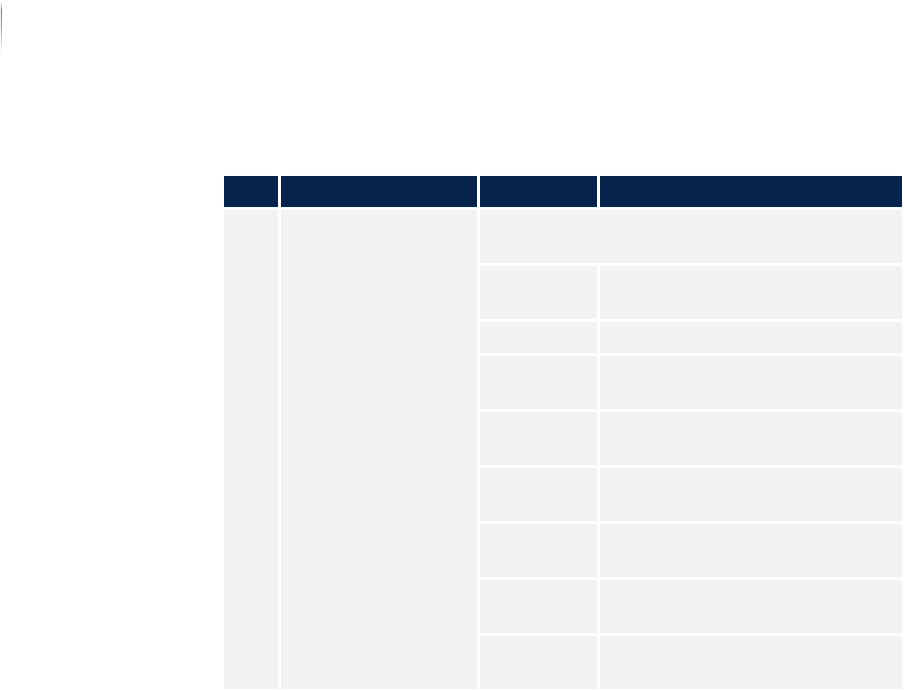
Description of the field "Windows information"
No. Name Value Description
1 WINDOWS INFORMA-
TION
Contains the most important information
about the operating system.
COMPUTER
N
AME
Displays the name of the
computer.
USER NAME Displays the registered user.
WINDOWS
V
ERSION
Displays the Windows version
number.
WINDOWS
BUILD
Displays the number of the
Windows Build.
SERVICE
P
ACK
Displays the version of the
service pack.
COMCTL32.D
LL
Displays the version of the
comctl32.dll.
SHELL32.DLL Displays the version of the
shell32.dll.
SHLWAPI.DLL Displays the version of the
shlwapi.dll.
Software
Changing inspection plans
141
Inspection system X7056 | Operating manual |
Version 3.1 Rev.006| 2016-01-06 | 30.009.1930a
Changing inspection plans
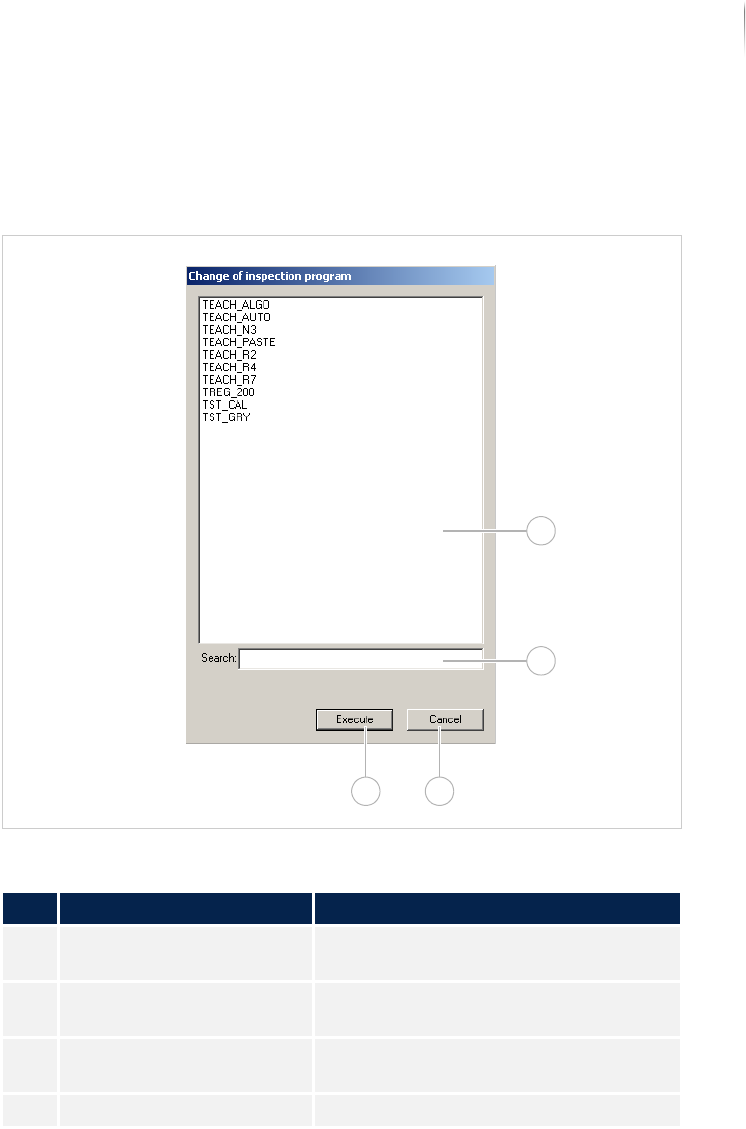
The window CHANGING INSPECTION PLANS opens.
Window CHANGE OF INSPECTION PROGRAM
Description of the window "Changing inspection plans"
No. Name Description
1 Inspection program
display
Displays all the inspection programs
available on the system.
2 SEARCH Searches for the inspection program
selected in no. 1.
3 CANCEL Closes the window without an inspec-
tion program change.
4 EXECUTE Loads the selected inspection program.
1
2
34
Software
Advanced menu
142
Inspection system X7056 | Operating manual |
Version 3.1 Rev.006| 2016-01-06 | 30.009.1930a
Advanced menu
The "Advanced menu" contains all the menu items relevant for
programming and maintenance/diagnosis of the inspection system.
Since programming and maintenance/diagnose should not be
performed by the user, this software description does not cover
them. Thus, the advanced menu should be used only by program-
mers and setup personnel.
The following elements are described:
S
TART DISPLAY (Page 142)
P
ROGRAMMING OPERATION (Page 143)
M
AINTENANCE/DIAGNOSIS (Page 144)
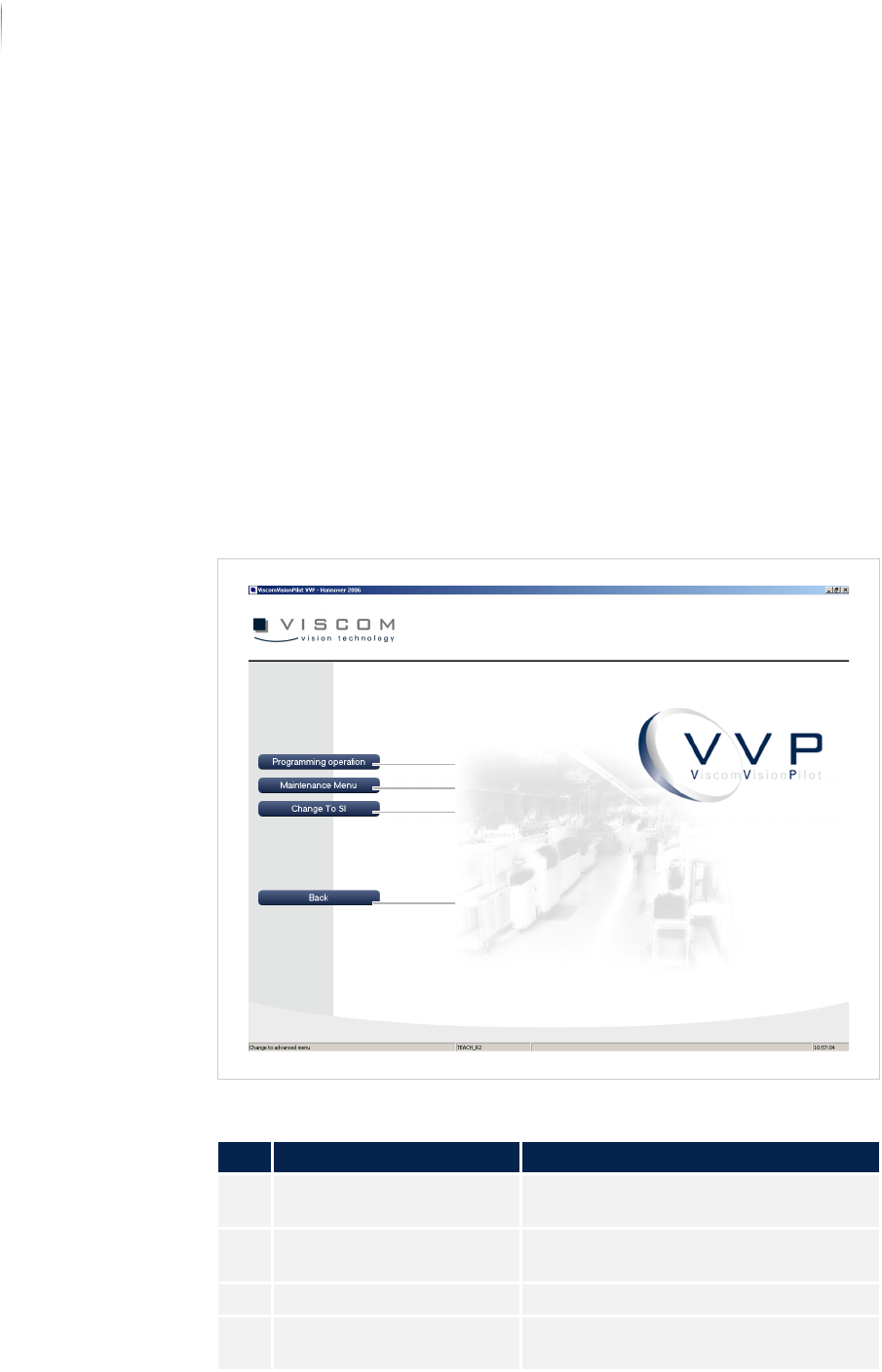
Start display
Start display of the advanced menu
Description of the start page of the advanced menu
No. Name Description
1 PROGRAMMING OPERA-
TION
Changes to programming operation
„Programming operation“ (Page 143).
2 MAINTENANCE MENU Changes to maintenance operation
„Maintenance/diagnosis“ (Page 144).
3 CHANGE TO SI Changes to the SI software interface
4 BACK Returns to the VVP interface. See
„Start display“ (Page 110)
4
3
2
1