X7056_Operating manual_en.pdf - 第60页
Delivery Transportation safety devices 60 Inspection system X7056 | Operating manual | Version 3.1 Rev.006| 2016-01-06 | 30.009.1930a Transportation safety devices The inspection system is provided with various transport…
Delivery
Transport indicators
59
Inspection system X7056 | Operating manual |
Version 3.1 Rev.006| 2016-01-06 | 30.009.1930a
Transport indicators
The transport indicators monitor the inspection system during
transport.
The transport case and the inspection system are equipped with
the following transport indicators:
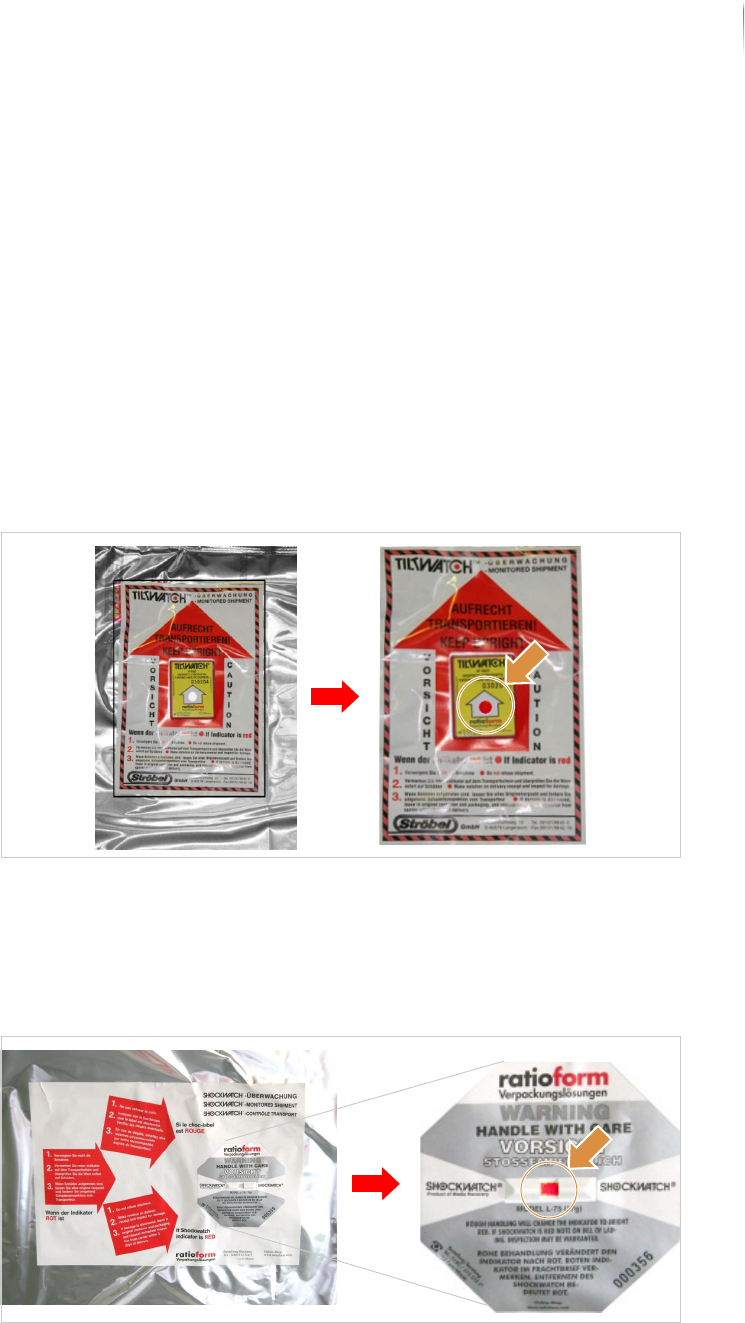
Tiltindicator
Impact indicator
Tiltindicator
The tilt indicator changes from white to red if the case is tipped
past a certain angle, which may damage the inspection system.
Tilt indicator: triggered indicator on the right
Impact indicator
The impact indicator changes from white to red when the case
undergoes strong shaking or impact during transport.
Impact indicator: triggered indicator on the right
Delivery
Transportation safety devices
60
Inspection system X7056 | Operating manual |
Version 3.1 Rev.006| 2016-01-06 | 30.009.1930a
Transportation safety devices
The inspection system is provided with various transportation
safety devices to protect it against damage caused by sudden
movement of the positioning unit components during transport.
The inspection system has the following transportation safety
devices:
Foot reinforcements (Page 60)
Transport clamps (Page 60)
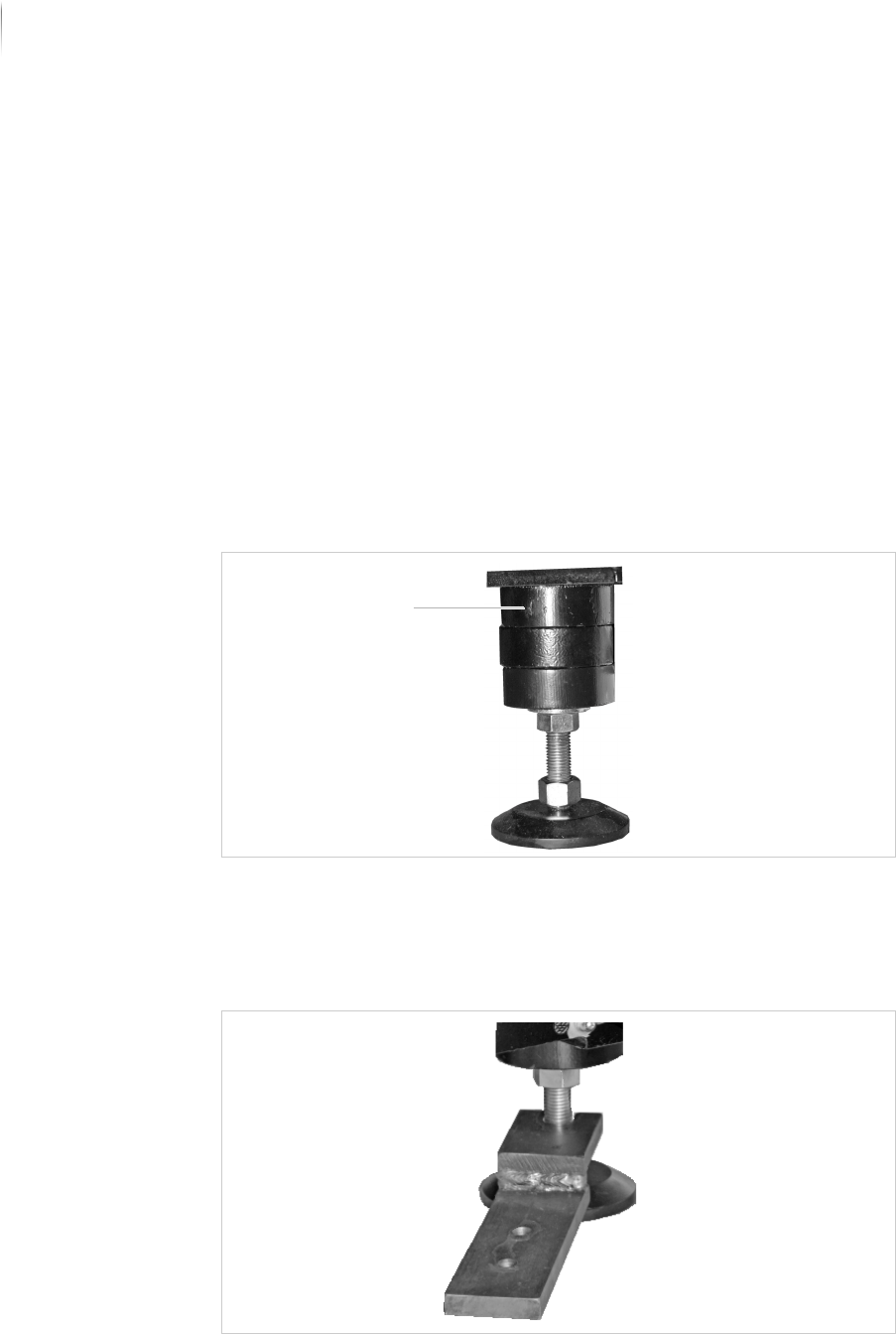
Foot reinforcements
Reinforcement rings protect the system feet from potential
damage during transport with a forklift.
Foot reinforcement
Transport clamps
Four transport clamps secure the inspection system to the pallet.
Transport clamp
Reinforcement rings

Delivery
Unpacking the inspection system
61
Inspection system X7056 | Operating manual |
Version 3.1 Rev.006| 2016-01-06 | 30.009.1930a
Unpacking the inspection system
This section describes how to unpack the inspection system, step
by step. If the inspection system was not delivered in a transport
case, proceed with step „Removing the covering films“ (Page 63).
The work steps in detail:
Checking the transport indicators (Page 61)
Opening the transport case (Page 61)
Removing the covering films (Page 63)
Removing the transport clamps (Page 65)
Checking the transport indicators
The inspection system and the transport case each have two trans-
port indicators. Check them before unpacking the system.
Perform the following work steps:
1. Check the transport indicators. See „Transport indicators“
(Page 59)
? Has an indicator been triggered?
Do not refuse the delivery.
Note the red transport indicator on the delivery receipt.
2. Check the delivery for damage immediately.
? Is there any damage?
Leave everything in its original packaging and require an
immediate damage inspection from the transport company.
Contact the Viscom AG immediately, see „Contact“ (Page
16).
Transport indicators are checked.
Opening the transport case
Precondition: 2 persons are required.
Required: Cordless screwdriver
NOTE
Store the transport case for later use.