X7056_Operating manual_en.pdf - 第140页
Software Automatic mo de 140 Inspection system X7056 | Operating manual | Version 3.1 Rev.006| 2016-01-06 | 30.009.1930a Description of the field "Windows information" No. Name Va l u e Description 1 W INDOWS I…
Software
Automatic mode
139
Inspection system X7056 | Operating manual |
Version 3.1 Rev.006| 2016-01-06 | 30.009.1930a
Windows
information
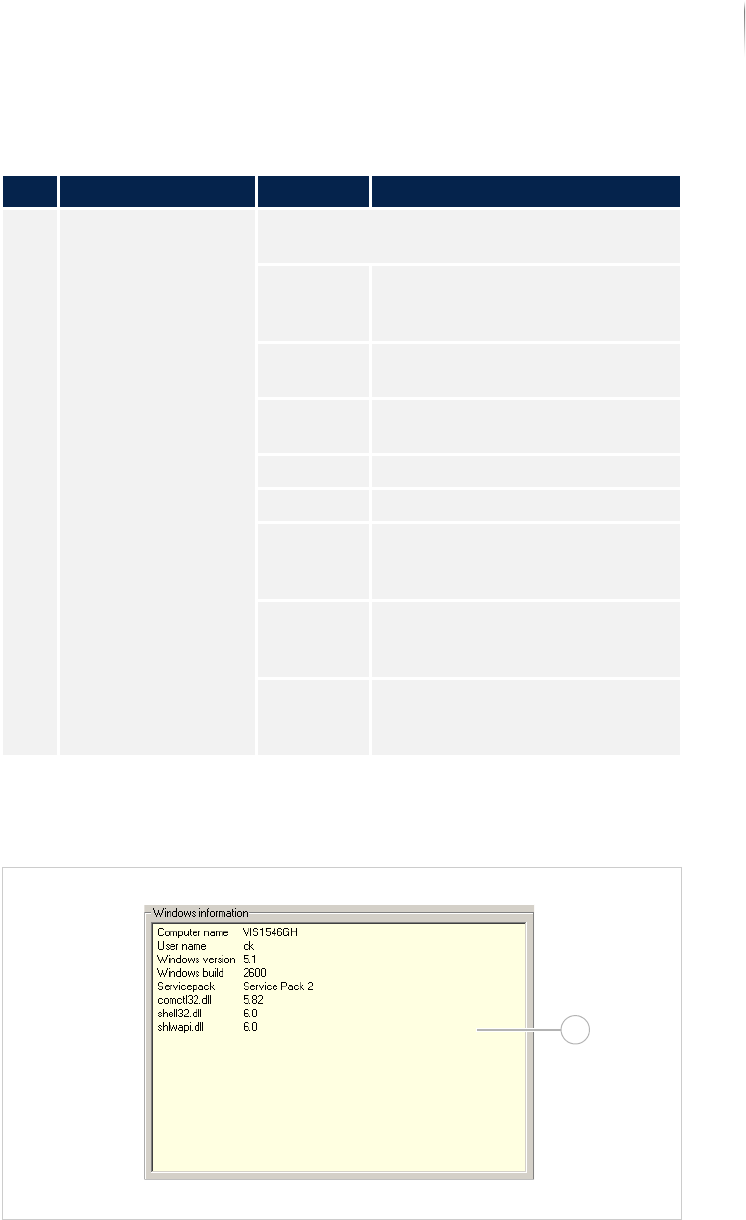
The field WINDOWS INFORMATION contains the most important infor-
mation about the operating system.
Field WINDOWS INFORMATION
Description of the field "System information"
No. Name Value Description
1 SYSTEM INFORMATION Contains information about the inspection
system.
APPLICA-
TION
Displays which computer the
application software runs on
(always master).
MACHINE
T
YPE
Displays the system type.
SENSOR
HEAD
Displays the type of the camera
head installed.
LANGUAGE Displays which language is used.
HARD DISK Displays which hard disk is used.
COMPUTER
BUILT BY
V
ISCOM
Displays the version number of
the Viscom computer.
SERIAL
N
UMBER OF
COMPUTER
Displays the computer serial
number.
SERIAL
N
UMBER OF
MACHINE
Displays the inspection system
serial number
1
Software
Automatic mode
140
Inspection system X7056 | Operating manual |
Version 3.1 Rev.006| 2016-01-06 | 30.009.1930a
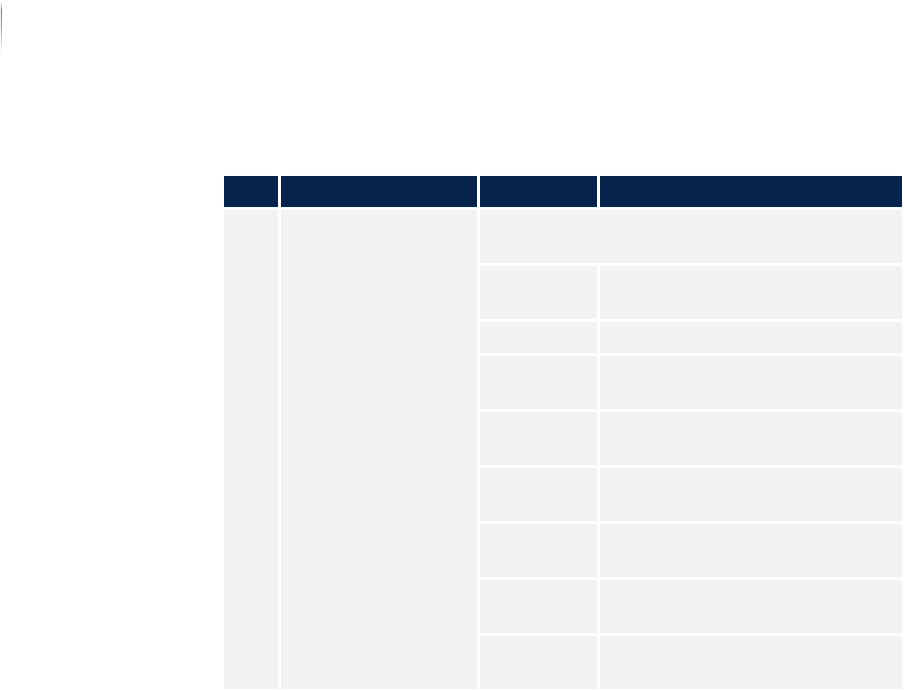
Description of the field "Windows information"
No. Name Value Description
1 WINDOWS INFORMA-
TION
Contains the most important information
about the operating system.
COMPUTER
N
AME
Displays the name of the
computer.
USER NAME Displays the registered user.
WINDOWS
V
ERSION
Displays the Windows version
number.
WINDOWS
BUILD
Displays the number of the
Windows Build.
SERVICE
P
ACK
Displays the version of the
service pack.
COMCTL32.D
LL
Displays the version of the
comctl32.dll.
SHELL32.DLL Displays the version of the
shell32.dll.
SHLWAPI.DLL Displays the version of the
shlwapi.dll.
Software
Changing inspection plans
141
Inspection system X7056 | Operating manual |
Version 3.1 Rev.006| 2016-01-06 | 30.009.1930a
Changing inspection plans
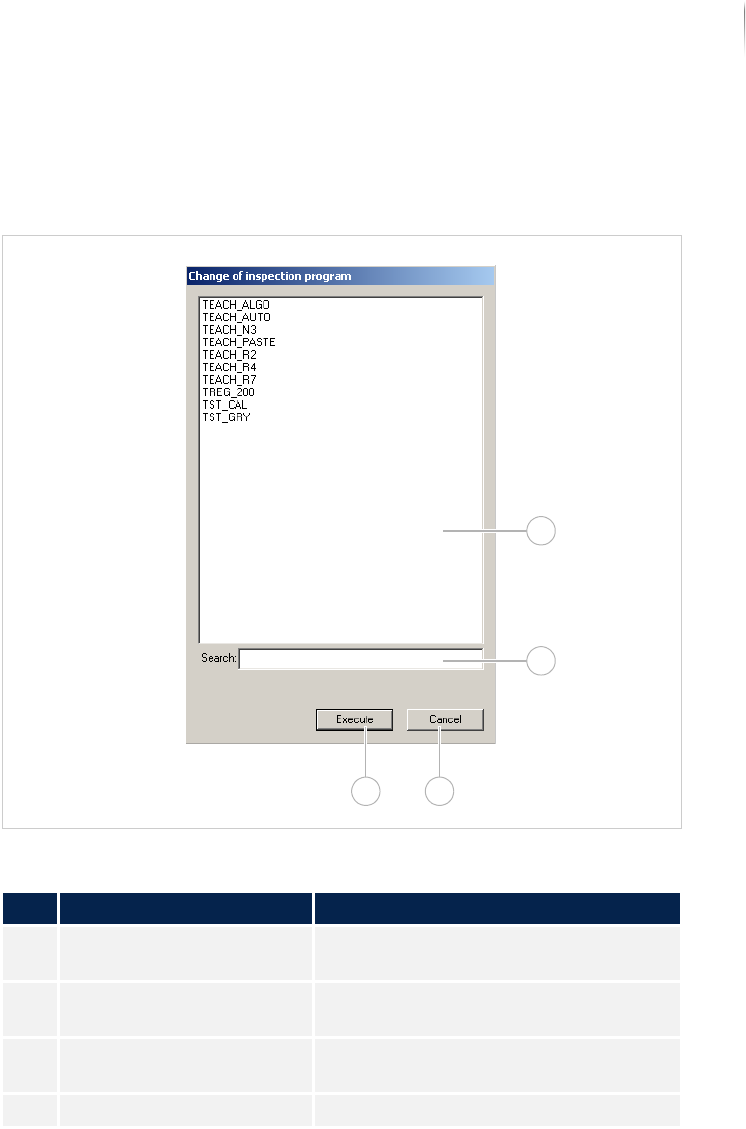
The window CHANGING INSPECTION PLANS opens.
Window CHANGE OF INSPECTION PROGRAM
Description of the window "Changing inspection plans"
No. Name Description
1 Inspection program
display
Displays all the inspection programs
available on the system.
2 SEARCH Searches for the inspection program
selected in no. 1.
3 CANCEL Closes the window without an inspec-
tion program change.
4 EXECUTE Loads the selected inspection program.
1
2
34