X7056_Operating manual_en.pdf - 第120页
Software Automatic mo de 120 Inspection system X7056 | Operating manual | Version 3.1 Rev.006| 2016-01-06 | 30.009.1930a Defect images This tab monitors the current insp ection and cont ains the f ollowing elements: File…
Software
Automatic mode
119
Inspection system X7056 | Operating manual |
Version 3.1 Rev.006| 2016-01-06 | 30.009.1930a
3 CAMERA DIRECTION Selects the camera direction.
All Selects all available camera
directions.
Orthogonal Selects only the orthogonal
camera.
0°, 45°,
90°...
Selects the angles for the avail-
able angled camera(s).
4 ILLUMINATION TYPE Selects the illumination type.
All Selects all available illumination
types.
ILL_DIFF... Selects the corresponding illumi-
nation.
5 SPEED Selects the speed for the display of the
camera images.
Every
image
Displays every image in the
camera image window.
Every 5th
image...
Displays every 5th image in the
camera image window.
6 FREEZE - Holds the current captured
image. The inspection continues.
Description of the field "Filter"
No. Name Value Description
Software
Automatic mode
120
Inspection system X7056 | Operating manual |
Version 3.1 Rev.006| 2016-01-06 | 30.009.1930a
Defect images
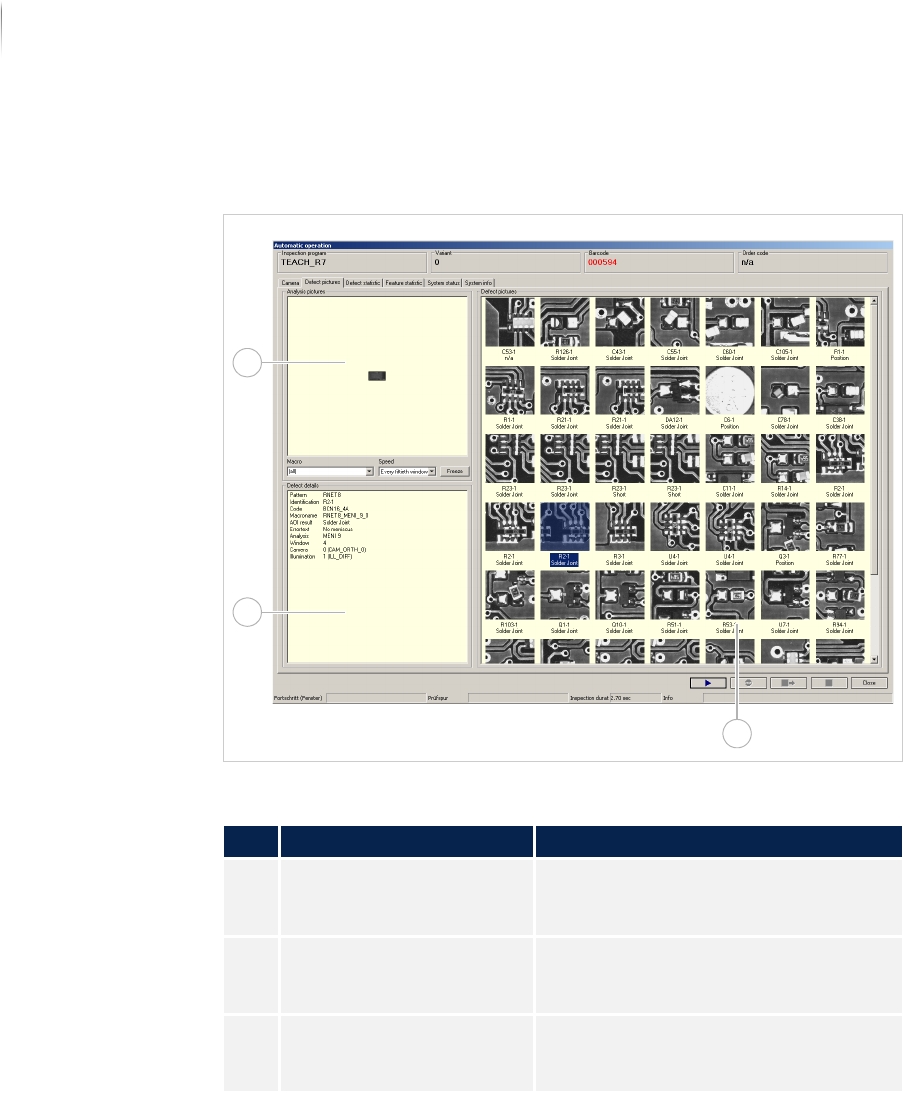
This tab monitors the current inspection and contains the following
elements:
File tab DEFECT PICTURES
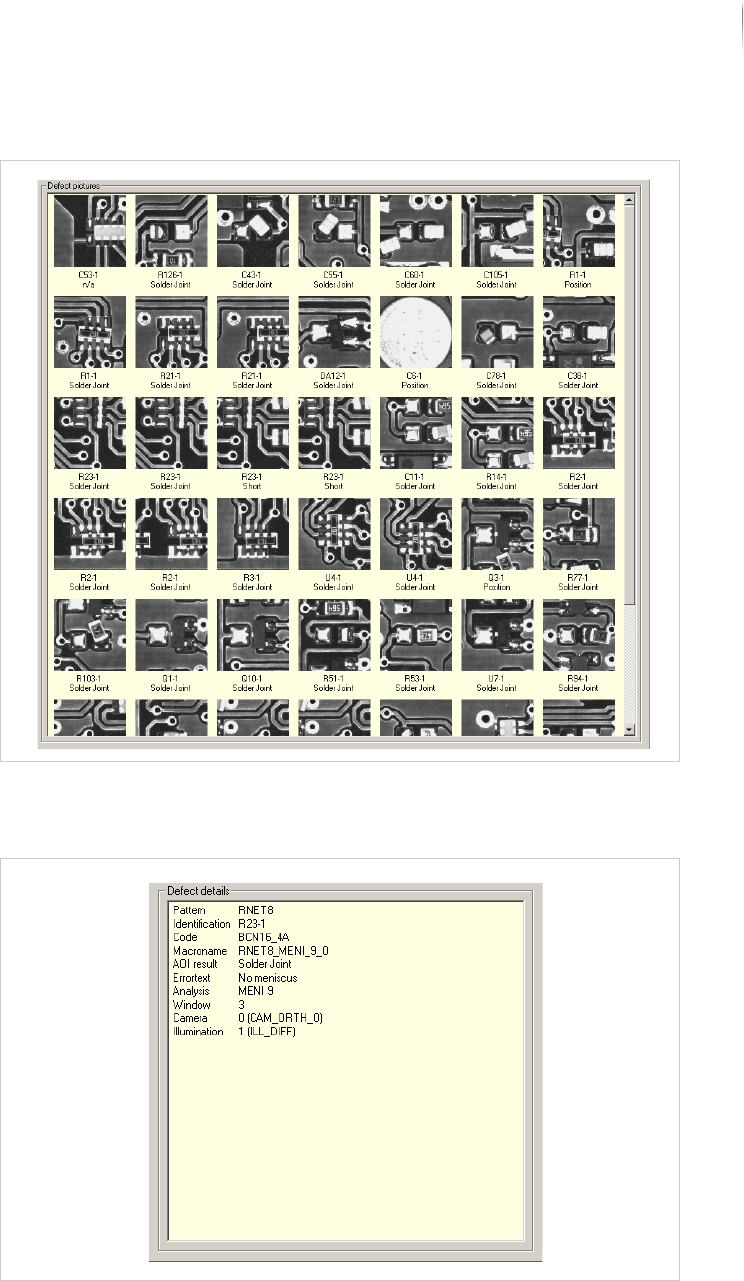
All the captured defect images are displayed in the field DEFECT
P
ICTURES. Clicking on a defect image displays the corresponding
defect details. See „Field D
EFECT DETAILS“ (Page 121)
Description of the fields
No. Name Description
1 DEFECT PICTURES Displays all the captured defect
images. See „Defect images“ (Page
120)
2 DEFECT DETAILS Displays important information for the
selected defect image. See „Field
D
EFECT DETAILS“ (Page 121)
3 ANALYSIS PICTURES Displays all analyzed defect images for
which more settings are available. See
„Field A
NALYSIS IMAGES“ (Page 122)
1
3
2
Software
Automatic mode
121
Inspection system X7056 | Operating manual |
Version 3.1 Rev.006| 2016-01-06 | 30.009.1930a
Field DEFECT PICTURES
Additional information for the selected defect images is displayed
in the field D
EFECT DETAILS.
Field DEFECT DETAILS