1OM-1075-002.pdf - 第103页
AHB01EOPP (3) Set the power breaker to "ON". Power is supplied to the machine. T o re-power the machine, shut down the main breaker and wait for about 10 seconds. After that, turn on the main breaker . If the m…
AHB01EOPP
1.2 Preparation before Operation
1.2.1 Power ON Operation
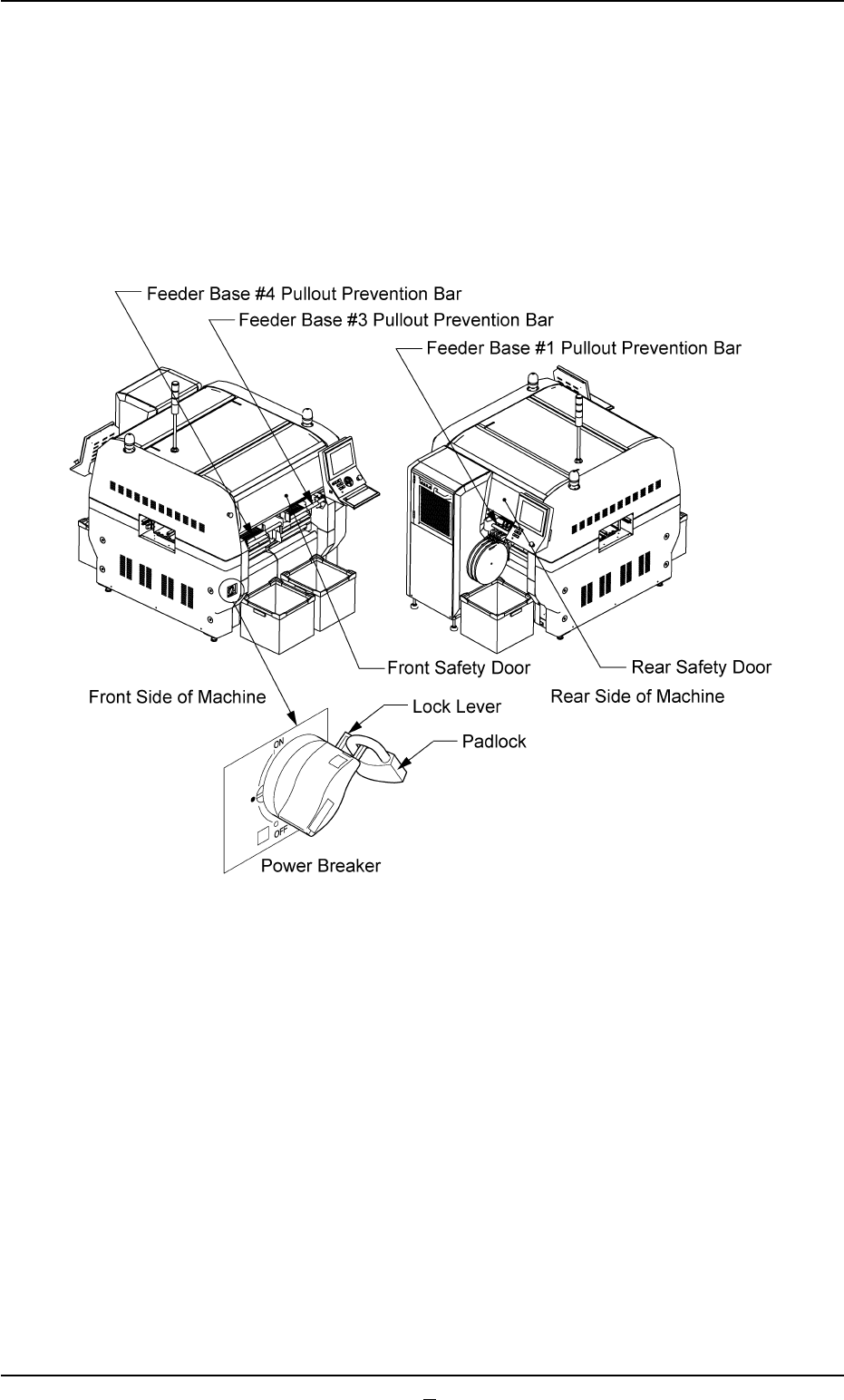
(1) Reconfirm that the safety doors and the feeder base pullout preven-
tion bars are closed.
(2) Remove the padlock from the lock lever of the power breaker.
Fig. 1C5
0308-004 3-5
1.2 Preparation before Operation
AHB01EOPP
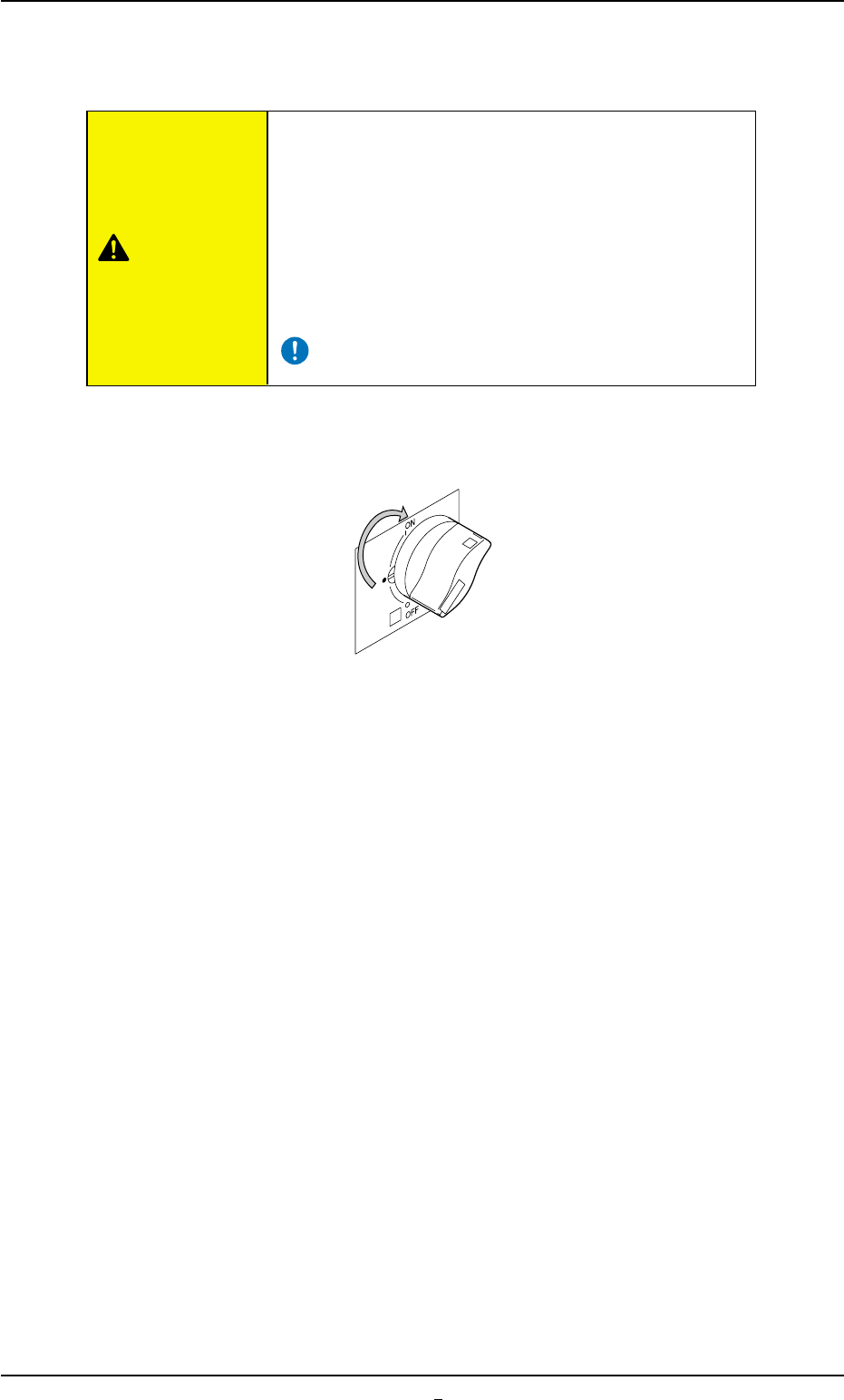
(3) Set the power breaker to "ON".
Power is supplied to the machine.
To re-power the machine, shut down the main breaker
and wait for about 10 seconds. After that, turn on the
main breaker.
If the main breaker is turned on immediately after it
was shut down, the previous data (the data retained
before the current is intercepted) will not be reset, lead-
ing to a rare malfunction in the breaker.
Fig. 1C6
1.2 Preparation before Operation
CAUTION
0308-001 3-5-1
AHB01EOPP
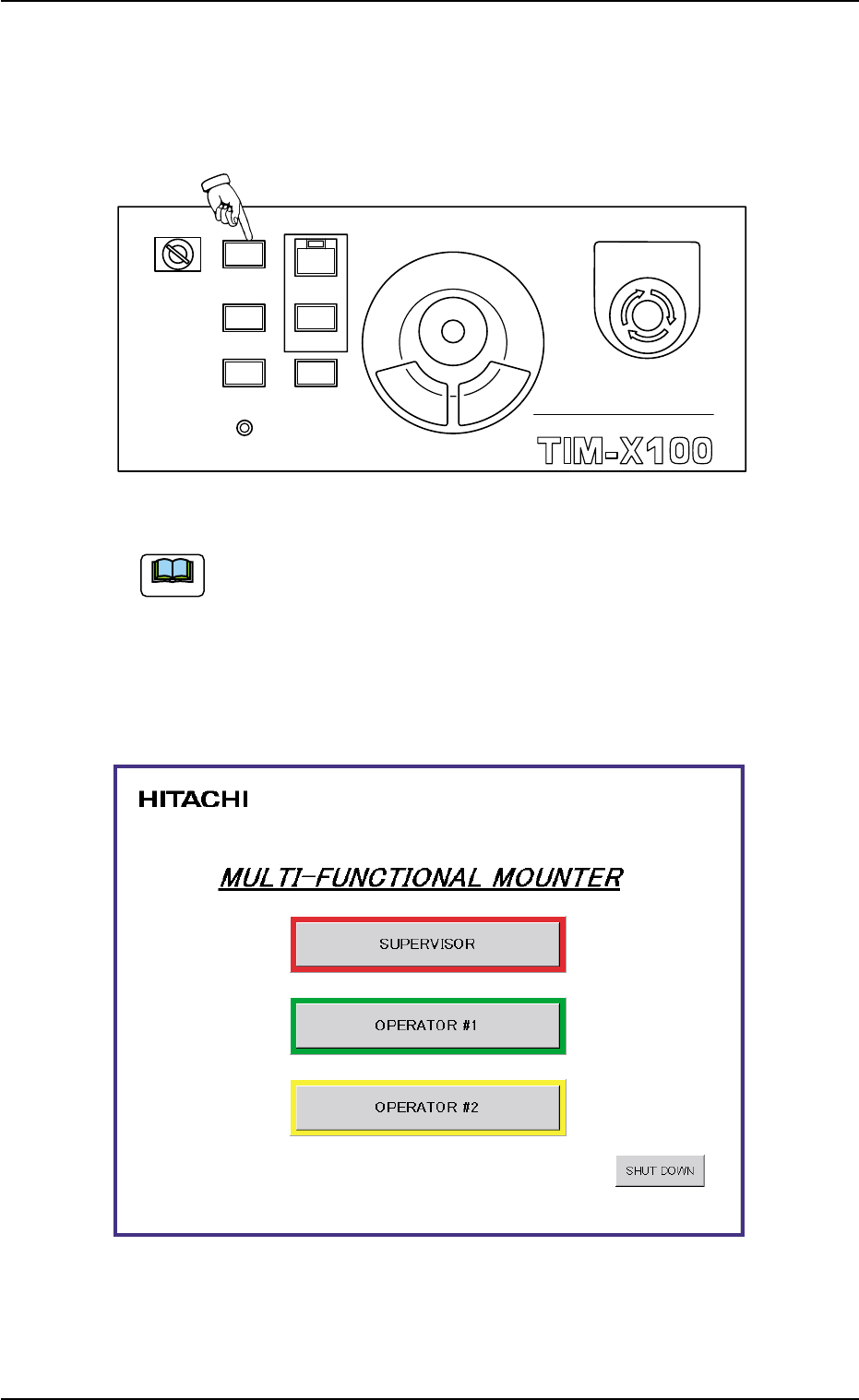
(4) Hold down the [POWER ON] button on the operation panel for more
than 1 second.
The lamp of the [POWER ON] button illuminates in red and the self-
diagnostics function starts.
Fig. 1C7
It takes 2 to 3 minutes until the self-diagnostics operation is
completed. Please wait for a while.
When the self-diagnostics operation is completed, the lamp of the
[POWER ON] button changes in yellow and "Login Type Selection" win-
dow appears on the touch screen.
Fig. 1C8
1.2 Preparation before Operation
Note
0308-003 3-6
MULTI FUNCTIONAL MOUNTER
STOP
LOCK
OPERATION
RUN SETUP
START
ENABLE
PNL CHANGE
READY
POWER ON
EMERGENCY