1OM-1075-002.pdf - 第69页
0308-004 1-24 AHB01EOPP 2.3.8 Service Panel Fig. 1A18 *1 Floppy Disk Drive The floppy disk drive is used to write data such as the device data, a pattern program on a floppy disk (FD). The data on the floppy disk can als…

*9 [EMERGENCY STOP] Switch
• This switch is used to stop the machine immediately in an emer-
gency.
• When this switch is pressed, the power is turned off and the ma-
chine stops immediately.
When the power is turned off, the LED of the [POWER ON] but-
ton on the operation panel illuminates in red.
*10 Rear Touch Screen
• The operation windows will be displayed on the rear touch screen
as well as the front one.
Various types of operations become available by touching the but-
tons and tabs on the screen.
*11 Working Lamp Switch
• This switch is used to turn on or off the working lamp on the rear
side.
*12 Cycle Counter
• This counter counts how many times (cycles) the machine has
worked.
0308-003 1-23
AHB01EOPP
2.3 Equipment for Operations
0308-004 1-24 AHB01EOPP
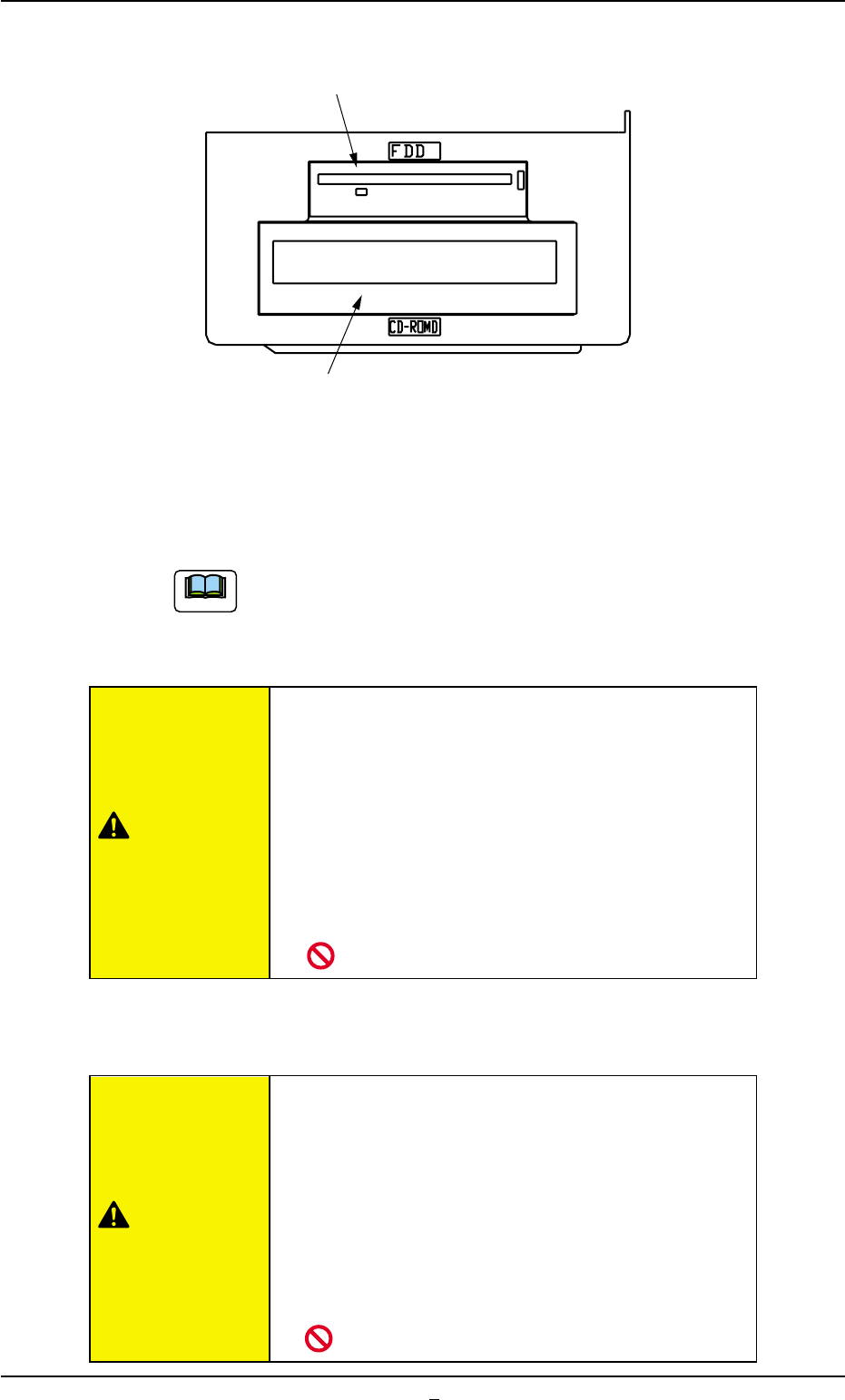
2.3.8 Service Panel
Fig. 1A18
*1 Floppy Disk Drive
The floppy disk drive is used to write data such as the device data,
a pattern program on a floppy disk (FD). The data on the floppy disk
can also be loaded onto the machine.
Do not press the eject button of the disk drive when the
access lamp is ON. Otherwise, the data stored on the in-
serted floppy disk may be corrupted, causing a mechanical
breakdown.
• Do not use the floppy disk drive for any func-
tions other than the specified ones.
Otherwise, the machine may break down because
the program in the hard disk may be changed due
to computer viruses or worms.
• Do not press the eject button of the disk drive
when the access lamp is ON.
Otherwise, the data may be corrupted, causing the
machine to break down.
*2 CD-ROM Drive
This is a device that can only read information from CD-ROM disk.
This is used to upgrade the system program.
• Do not use any CDs other than the provided
ones.
Otherwise, the machine may break down because
the program in the hard disk may be changed due
to computer viruses or worms.
• Do not remove the inserted CD from the drive
while the lamp is "ON".
Otherwise, the data may be corrupted, causing the
machine to break down.
*1 Floppy Disk Drive
*2 CD-ROM Drive
2.3 Equipment for Operations
Note
CAUTION
CAUTION
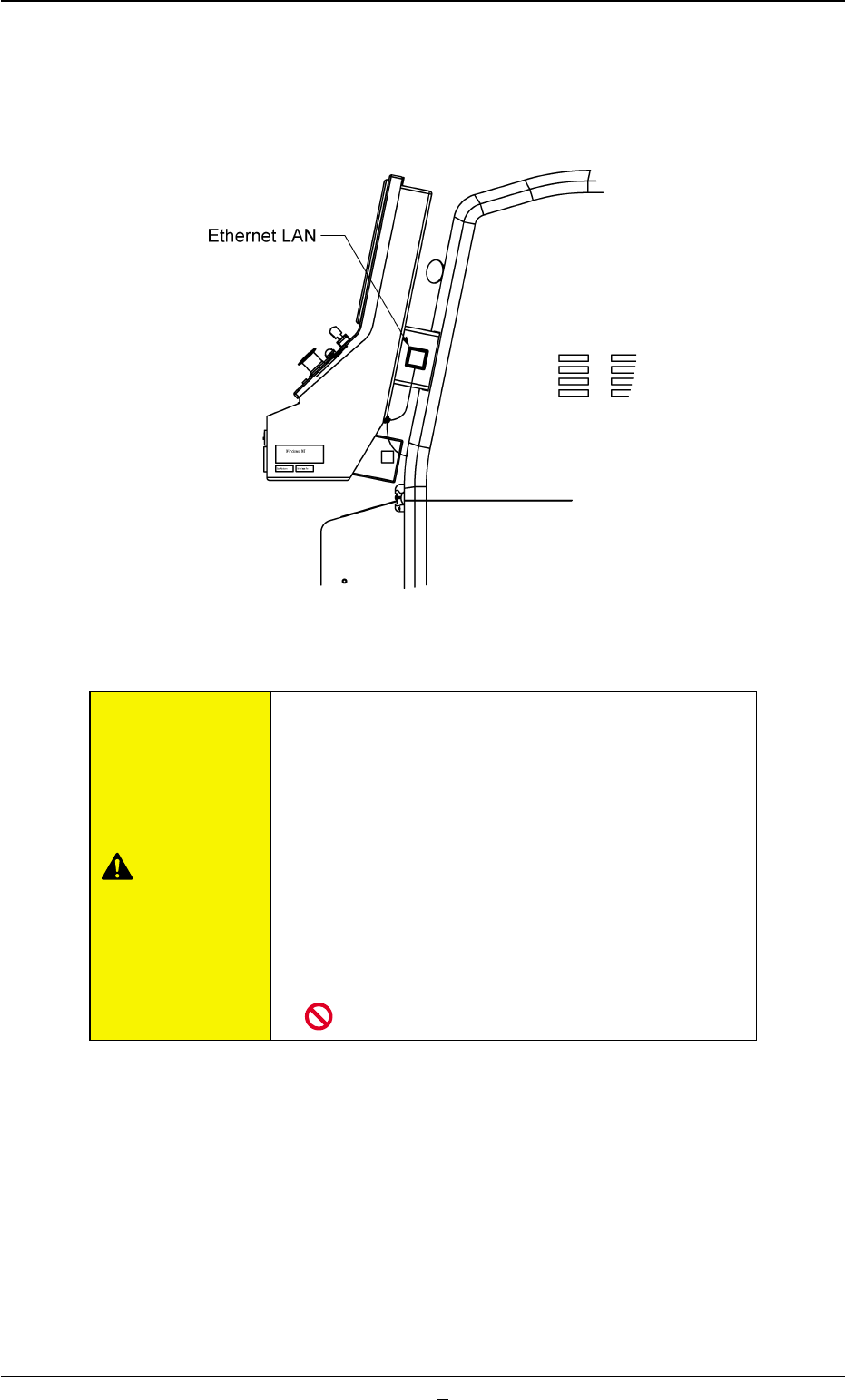
2.3.9 Ethernet LAN
Data can be exchanged between the network terminal (option) and the
machine in the Ethernet LAN system.
Fig. 1A18-1 Side View of Front Operation Panel
• Do not exchange data through Ethernet cabling
(Local Area Network) between the system and
a computer that is not provided with any viral
strategies.
Otherwise, viruses might enter the network, caus-
ing the machine to malfunction.
• Isolate the system, using Ethernet cabling (Lo-
cal Area Network) except for the specified func-
tional operations.
Otherwise, the machine will break down.
2.3 Equipment for Operations
0308-003 1-24-1 AHB01EOPP
CAUTION