1OM-1075-002.pdf - 第53页
2.3.2 Light T ower Fig. 1A9 The light tower indicates the condition of the machine with the lamps and buzzer sounds. Lamp Colors The machine is factory-adjusted upon shipment. T able 1A2 Lamp Colors Machine Condition Red…
2.3 Equipment for Operations
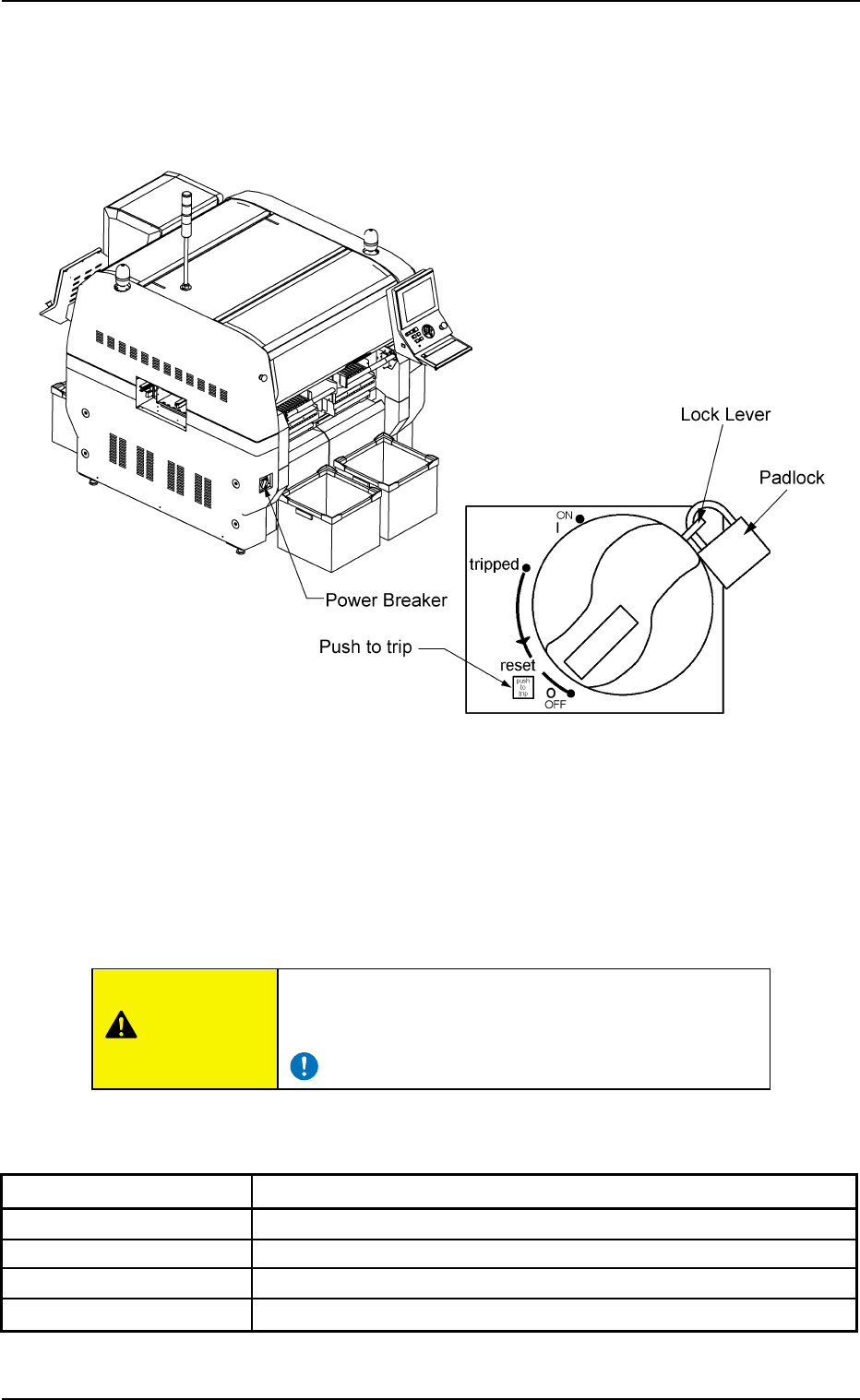
2.3.1 Power Breaker
Fig. 1A8
The power breaker is provided to supply or shut off power to the ma-
chine.
The power breaker can be locked with a padlock.
Refer to "1.7.2 Locking the Power Breaker with the Padlock" in "Section
3 Scope of Automatic Operation" for the procedure to lock the breaker.
Before maintenance, etc., be sure to turn off the power
breaker and lock it with the padlock for safety purposes.
Table 1A1
Symbols/Names Functions
{ (OFF) Power OFF (Fig. 1A8)
tripped Power Interception due to Overcurrent
| (ON) Power Supply
Push to trip Test Button for Power Interception (caused by overcurrent)
2.3 Equipment for Operations
0308-004 1-9 AHB01EOPP
CAUTION
2.3.2 Light Tower
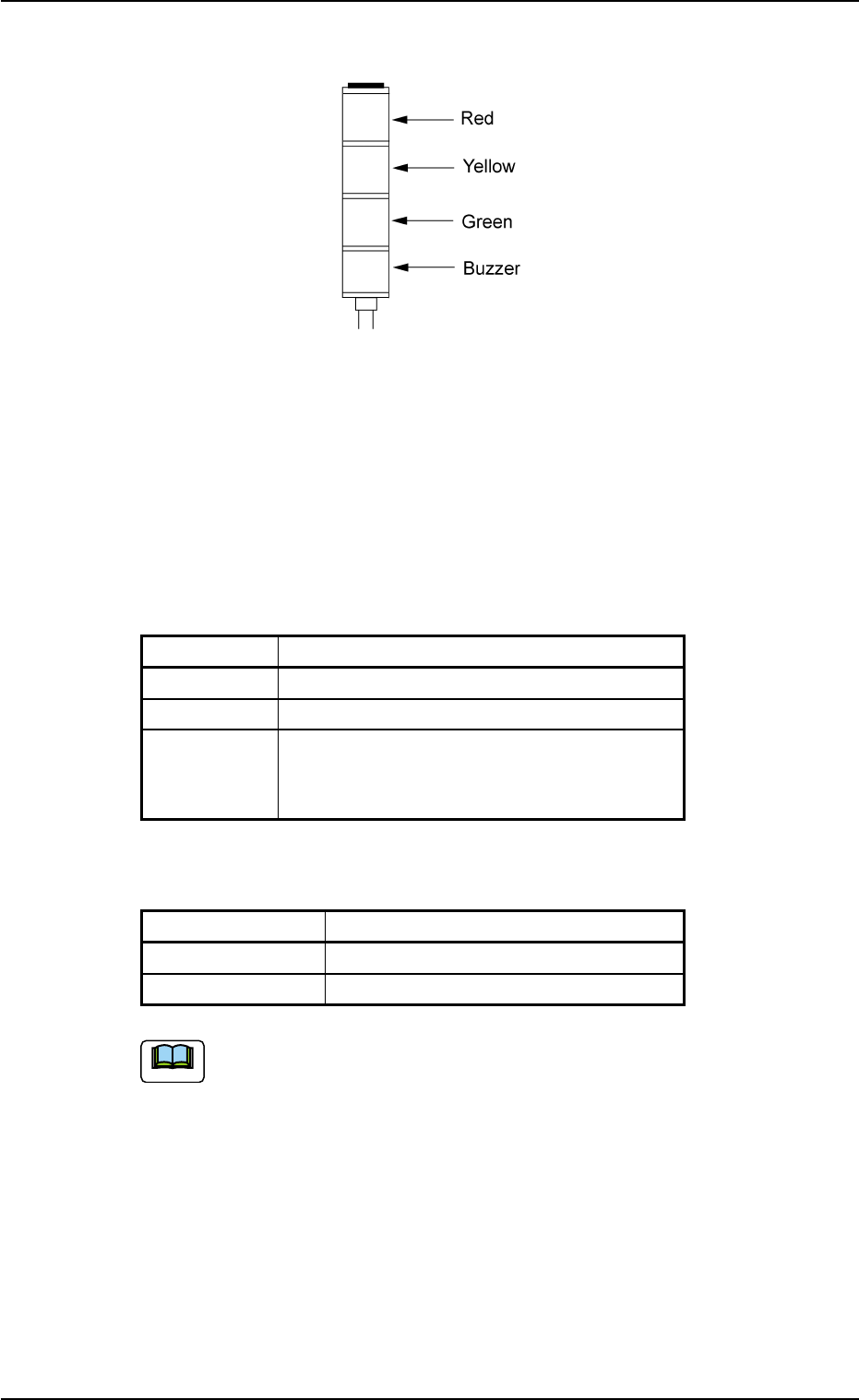
Fig. 1A9
The light tower indicates the condition of the machine with the lamps
and buzzer sounds.
Lamp Colors
The machine is factory-adjusted upon shipment.
Table 1A2
Lamp Colors Machine Condition
Red Error (Machine Stop)
Yellow Component Shortage (Warning)
Green Automatic Operation
Note: When the machine is in the standby
mode, this lamp flashes.
Buzzer
Table 1A2-1
Buzzer Machine Condition
Continuous Sound Emergency Stop
Intermittent Sound Error Occurrence
The condition of the machine corresponding to the parameters
specified for each lamp color can be changed at the "MACH
SETUP" window.
Refer to "2.3 "Configuration Setup" Tab" of "Section 5" in "Vol. 3:
Programming and Machine Data" for details.
0206-002 1-10 AHB01EOPP
2.3 Equipment for Operations
Note
2.3.3 Component Shortage Lamps
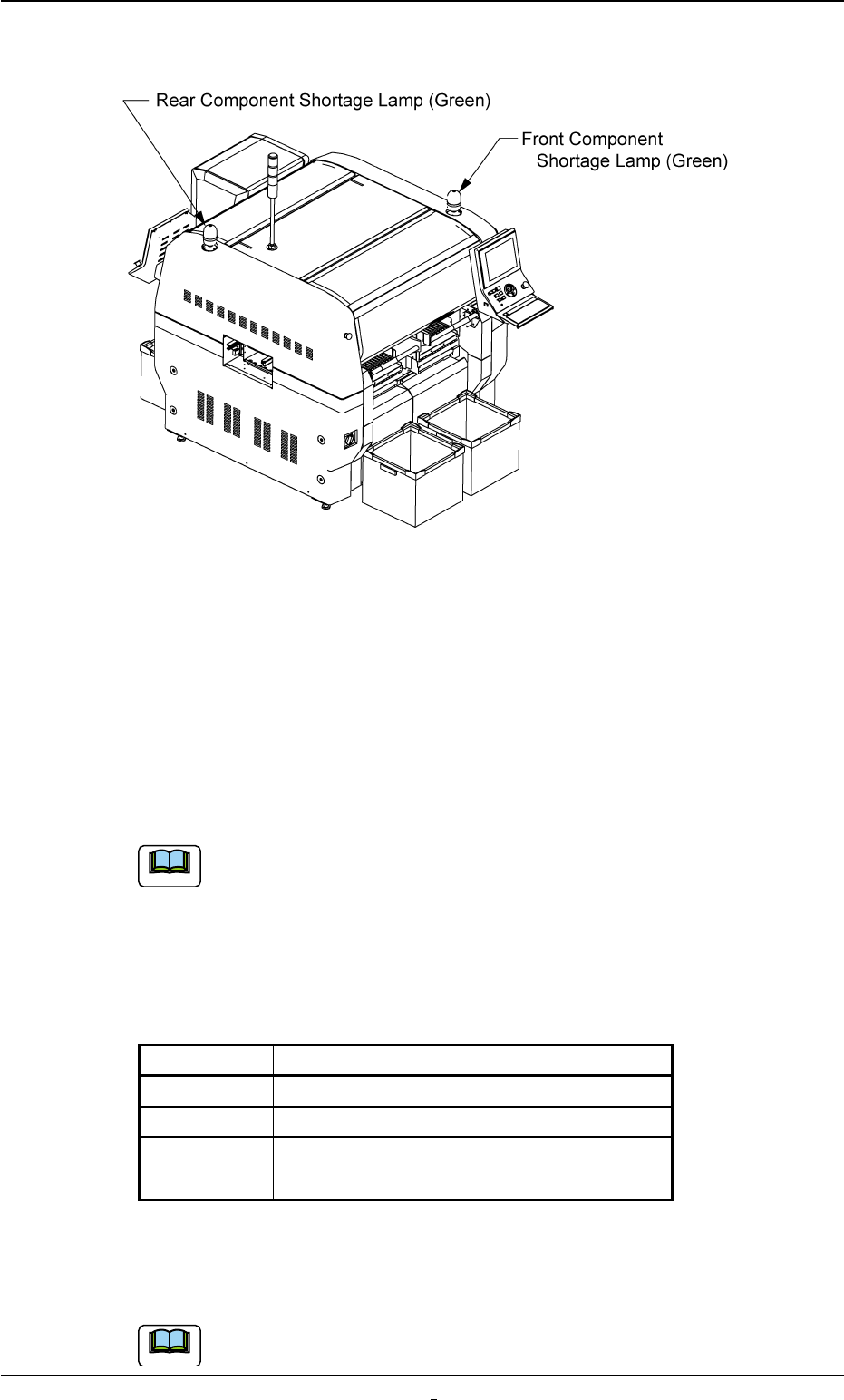
Fig. 1A10
When either one of the component shortage lamps illuminate, it indi-
cates that there is a feeder in short of components on the pertinent
feeder base.
The front component shortage lamp indicates the condition of the feed-
ers on the front feeder bases (#3 and #4).
The rear component shortage lamp indicates the condition of the feed-
ers on the rear feeder bases (Feeder Base #1 and Tray #2).
When the machine is equipped with Feeder Base #2 (op-
tion),
the rear component shortage lamp indicates the condition of
the feeders on the rear feeder bases (#1 and #2).
Lamp ON/OFF Condition
Table 1A3
Mode Condition of Feeder Base
ON No tape feeder is in component shortage.
ON and OFF A tape feeder is in component shortage.
OFF There is no tape feeder which can be used
in the current pattern program.
When the "Component Shortage" lamp flickers, replenish the compo-
nent supply.
Refer to "1.4.1 Replenishment of Components" in "Section 3"
for the detailed information on the replenishment of components.
0206-003 1-11 AHB01EOPP
2.3 Equipment for Operations
Note
Note