1OM-1075-002.pdf - 第14页
2.2 Precautionary Items before Operation • Only qualified personnel should come within the operating area of the machine. • Inspect the devices before starting the automatic operation. • In principle, the buttons on the …
2.2 Precautionary Items before Operation
2.2 Precautionary Items before Operation
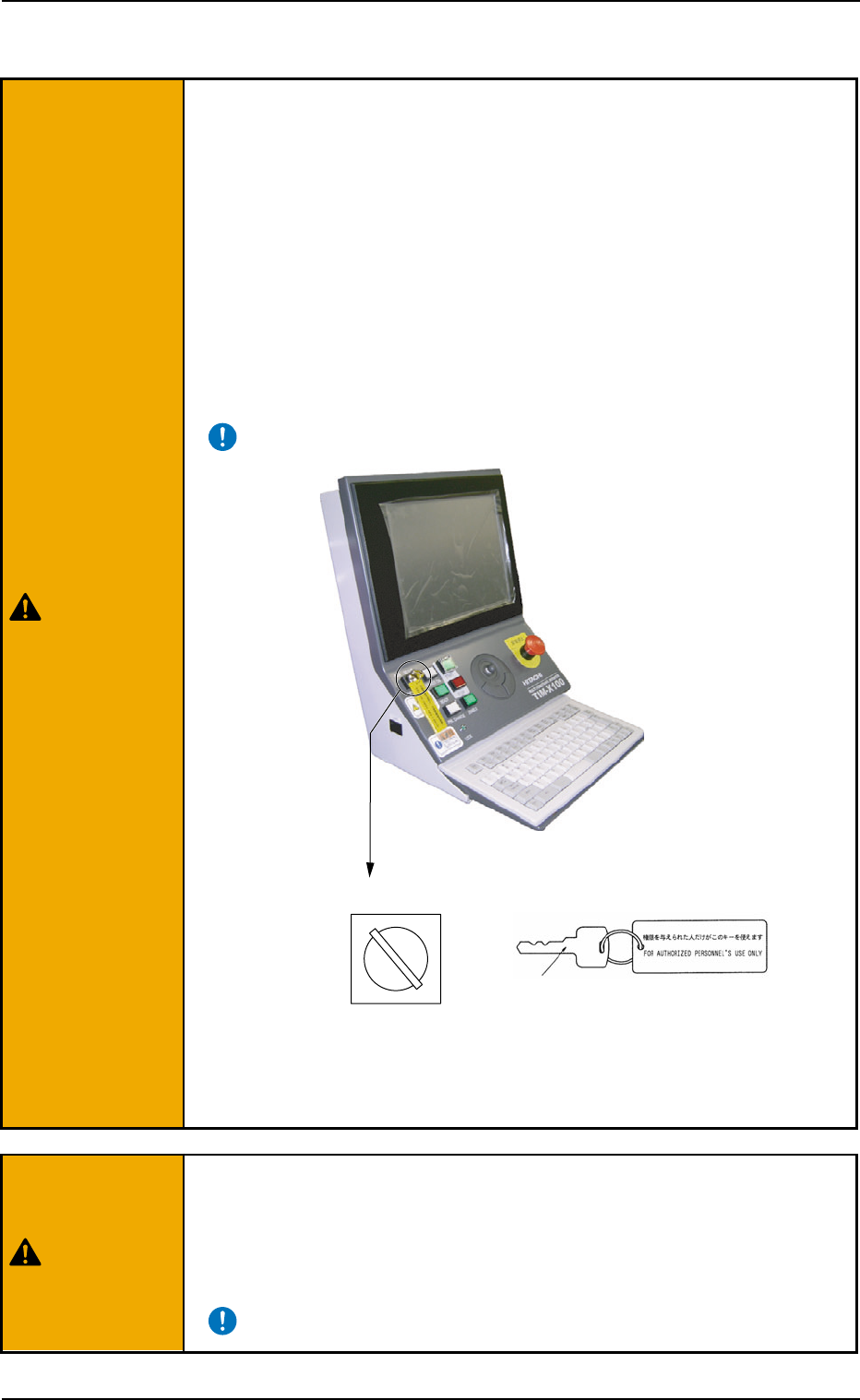
• Remove the selection key of the [OPERATION] switch before
operating the machine automatically.
The selection key must be used to set the [OPERATION] switch to the
"SETUP" mode and kept by the person in charge. In other cases, the key
should not be kept inserted.
• Do not set the [OPERATION] switch to the "SETUP" side un-
less any setup operations are performed.
When the [OPERATION] switch is set to the "SETUP" side, setup opera-
tions become possible with the front safety door being open. It is very
dangerous to operate the machine without safety check. Be sure to pay
a special caution while operating the machine.
Fig. 1X10
• Make certain that no one (or only part of body and clothes) or foreign
objects remain within the moving parts of the machine. Check safety
and power up the machine to start operating the machine.
Do not start the machine unless those working in the immedi-
ate area of the machine are aware of hazards from moving parts.
0308-003 1 2 AHB01EOPP
RUN SETUP
Front Operation Panel
OPERATION
[OPERATION] Switch
Selection Key
WARNING
WARNING
2.2 Precautionary Items before Operation
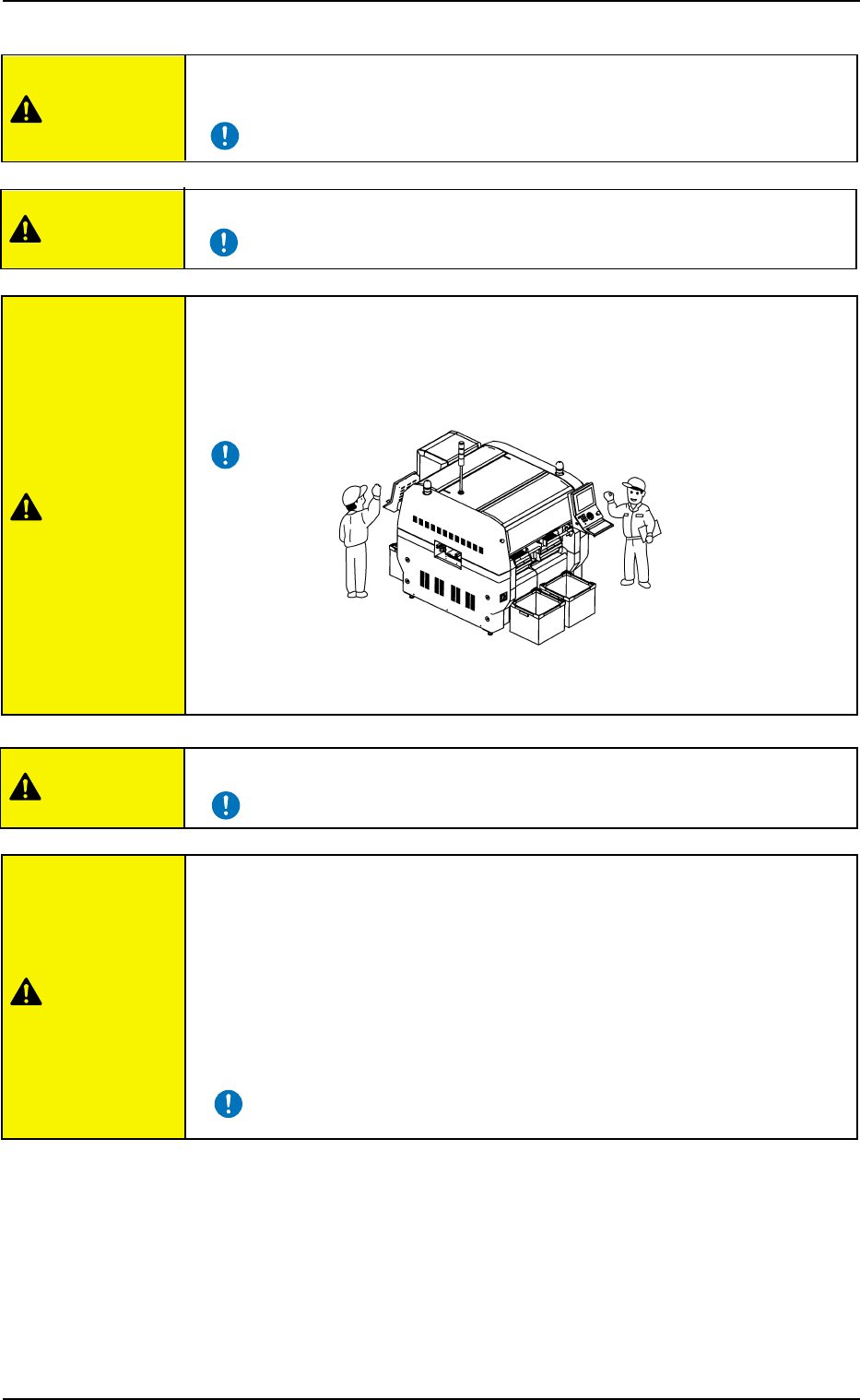
• Only qualified personnel should come within the operating area of the
machine.
• Inspect the devices before starting the automatic operation.
• In principle, the buttons on the operation panel and the keys
on the touch screen must be operated by only one person.
If there are more than one, ensure good communication by giving loud
verbal instructions.
• Do not use any unspecified tape and vibratory stick feeders.
0308-004 1 3
AHB01EOPP
• After the machine has been stopped for a long period of time, follow the
steps below to smoothly start up the machine.
• Secure stable environmental condition (room temperature, etc.) for the
machine.
• Perform a running-in operation for approx. 30 minutes.
Refer to "8. Running-In Operation" in "Section 5" of "Vol. 2: Operation
(Supervisor)" for the detailed information on the running-in operation.
CAUTION
CAUTION
CAUTION
CAUTION
CAUTION
Fig. 1X11
2.3 Precautionary Items during Operation
2.3 Precautionary Items during Operation
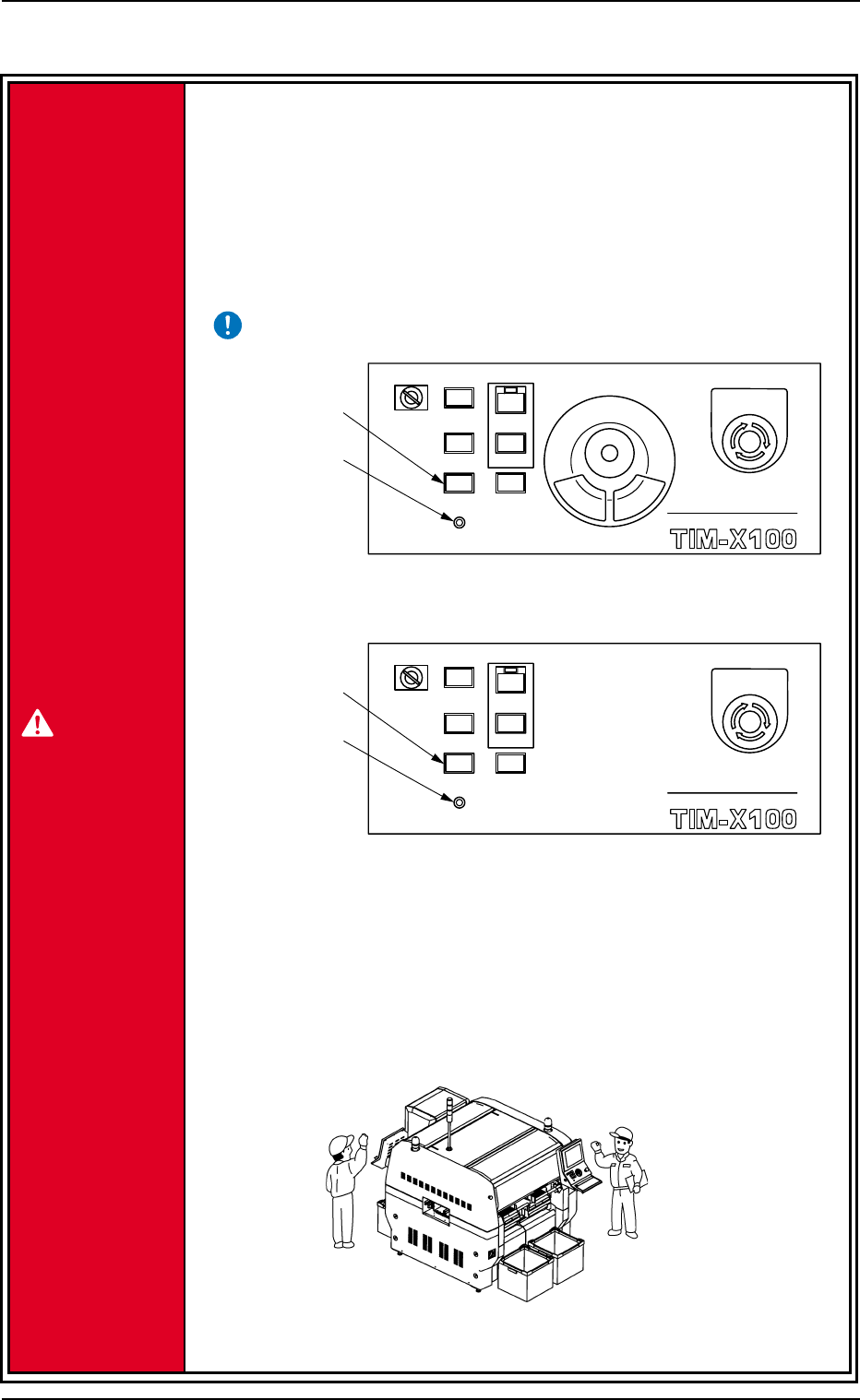
• Be sure to turn on the "LOCK" lamp before working.
Before operating the machine or performing any maintenance work with
the machine being powered up, turn on the [PNL CHANGE] switch and
the "LOCK" lamp on the front or the rear operation panel.
If the "LOCK" lamp (green) on the operation panel is not turned on, the
machine can be operated at any time from both front and rear sides,
endangering the operators around the machine.
• In principle, the buttons on the operation panel must be operated by only
one person.
If there are more than one, ensure good communication by giving loud
verbal instructions.
Fig. 1X11-1
0308-004 1 4
AHB01EOPP
MULTI FUNCTIONAL MOUNTER
STOP
LOCK
OPERATION
RUN SETUP
START
ENABLE
PNL CHANGE
READY
POWER ON
MULTI FUNCTIONAL MOUNTER
OPERATION
RUN SETUP
READY
POWER ON
STOP
LOCK
START
ENABLE
PNL CHANGE
[PNL CHANGE]
Switch
"LOCK" Lamp
"LOCK" Lamp
[PNL CHANGE]
Switch
Rear Operation Panel
Front Operation Panel
EMERGENCY
EMERGENCY
Fig. 1X11-2
DANGER