1OM-1075-002.pdf - 第51页
2.2.4 Feeder Base Pullout Prevention Bars Fig. 1A7-1 These bars are used to prevent the operator from taking out any feeder during operation, so that any collision between a head and a feeder can be avoided. Each feeder …
ON and OFF :
This indicates that the button is being changed from "OFF" to
"ON".
This condition remains until the electromagnet lock of the
safety door is activated, the power to drive the X/Y beam,
etc., is supplied, and the servomotor is excited.
• Do not open the safety door while the [READY] but-
ton is flickering.
If the door is opened forcibly, the machine will break
down.
0308-003 1-7
AHB01EOPP
2.2 Safety Devices
CAUTION
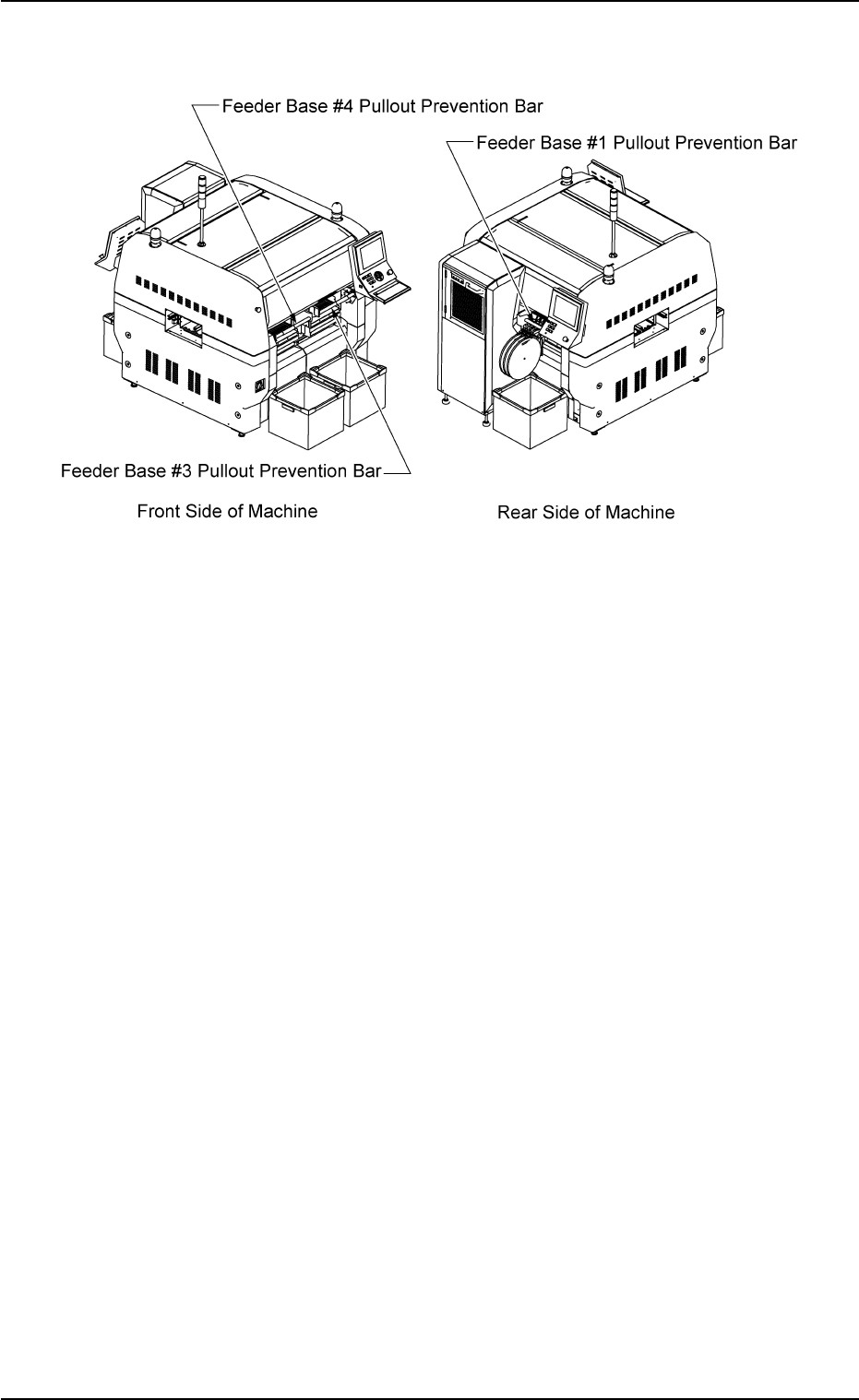
2.2.4 Feeder Base Pullout Prevention Bars
Fig. 1A7-1
These bars are used to prevent the operator from taking out any feeder
during operation, so that any collision between a head and a feeder can
be avoided. Each feeder base is provided with a bar.
The bar is automatically locked as soon as the machine starts running.
It is unlocked when the machine is stopped temporarily or completely.
No operation is available with the bar disengaged.
• Automatic Locking of Feeder Base Pullout Prevention Bar
The bar is automatically locked when the feeder base pullout preven-
tion bar is lifted and pushed and the machine starts running after it is
confirmed that the [READY] button is "ON" (Lamp: ON).
• Automatic Unlocking of Feeder Base Pullout Prevention Bar
The bar is automatically unlocked when the machine stopped tem-
porarily or completely, making it possible to pull and push down the
feeder base pullout prevention bar.
01 12-002 1-8
AHB01EOPP
2.2 Safety Devices
2.3 Equipment for Operations
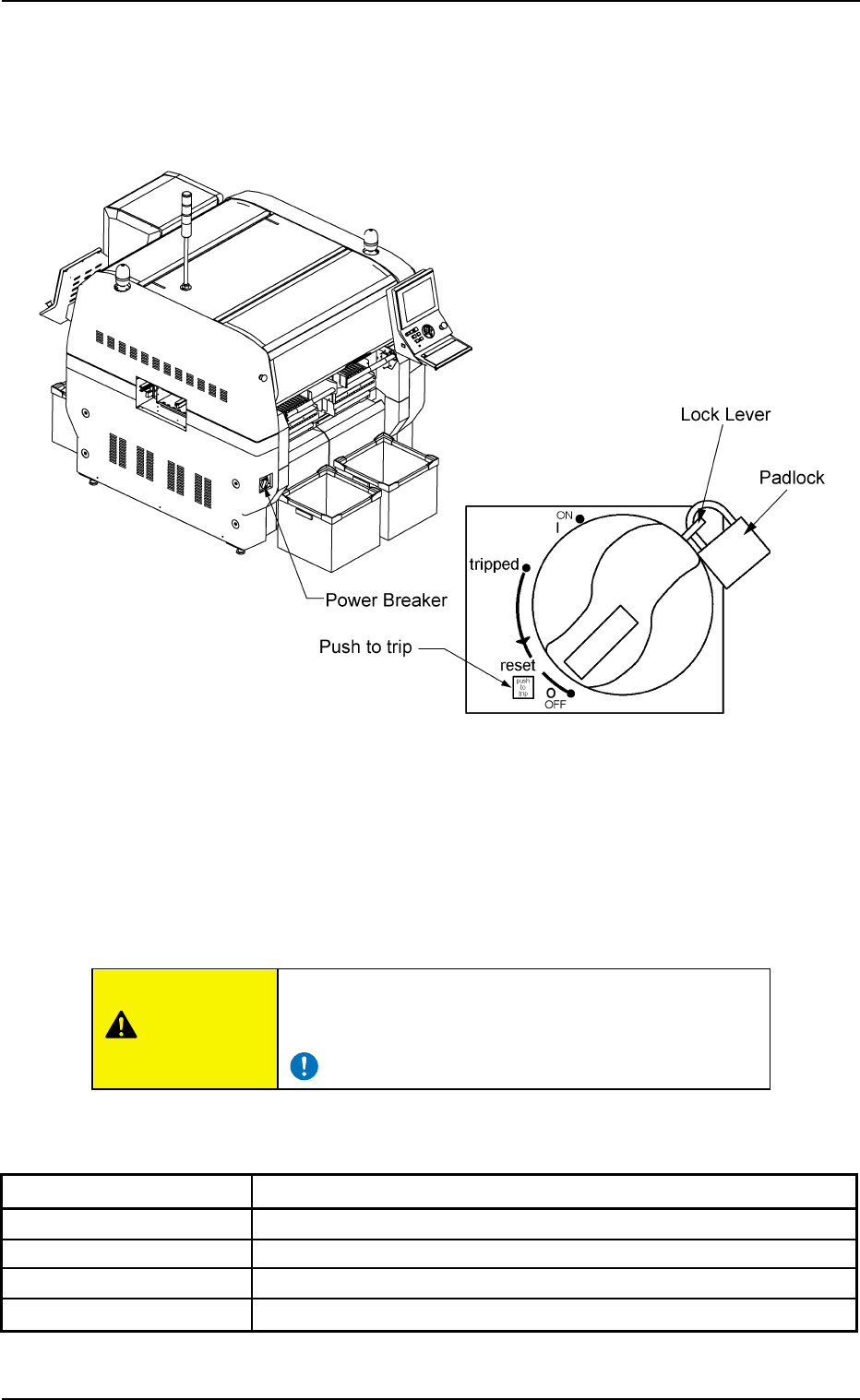
2.3.1 Power Breaker
Fig. 1A8
The power breaker is provided to supply or shut off power to the ma-
chine.
The power breaker can be locked with a padlock.
Refer to "1.7.2 Locking the Power Breaker with the Padlock" in "Section
3 Scope of Automatic Operation" for the procedure to lock the breaker.
Before maintenance, etc., be sure to turn off the power
breaker and lock it with the padlock for safety purposes.
Table 1A1
Symbols/Names Functions
{ (OFF) Power OFF (Fig. 1A8)
tripped Power Interception due to Overcurrent
| (ON) Power Supply
Push to trip Test Button for Power Interception (caused by overcurrent)
2.3 Equipment for Operations
0308-004 1-9 AHB01EOPP
CAUTION