1OM-1075-002.pdf - 第116页
AHB01EOPP 0107-001 3 - 1 7 1.4.2 Replenishment of P .C.B.’ s When the machine gets short of P .C.B.’s during automatic operation, the input machine produces an error alarm or the machine stops auto- matically . Correct c…

AHB01EOPP
(b) Refer to the instruction manual of feeders for the detailed
information on how to install or remove the feeders.
• The feeders should be seated securely. Otherwise,
a collision with the head section or a pick-up error
will occur.
• Be sure to install the feeders on the correct feeder
slot Nos. (Fdr. No.). Otherwise, some components
may be trapped between the heads.
(8) After the feeder replacement, confirm that the "AUTO OPN." win-
dow (main menu) is active on the touch screen.
To restart the operation when the lamp of the [READY] button is
OFF, press the [START] button while the lamp is flickering after the
[READY] button.
• Intentional Component Replenishment during Automatic Opera-
tion
(1) Press the [STOP] button on the operation panel to stop the ma-
chine temporarily.
(2) Detach the feeder base pullout prevention bar of the feeder base
where a feeder in short of components is located.
(3) Detach the feeder in short of components.
(4) Load the feeder with new components and attach it to the feeder
base.
(5) Attach the feeder base pullout prevention bar.
(6) Press the [START] button. The automatic operation re-starts.
0308-004 3-16
1.4 Temporary Stop and Restart of Automatic Operation
CAUTION

AHB01EOPP0107-001 3-17
1.4.2 Replenishment of P.C.B.’s
When the machine gets short of P.C.B.’s during automatic operation,
the input machine produces an error alarm or the machine stops auto-
matically.
Correct countermeasures are required.
When the input machine has issued an error alarm, follow the step
below.
(1) Replenish the input machine with P.C.B.’s and re-start the auto-
matic operation.
When the machine has stopped automatically, follow the step be-
low.
(1) The input machine has stopped automatically in a normal condition.
In normal cases, it means that the production is completed.
1.4 Temporary Stop and Restart of Automatic Operation
AHB01EOPP
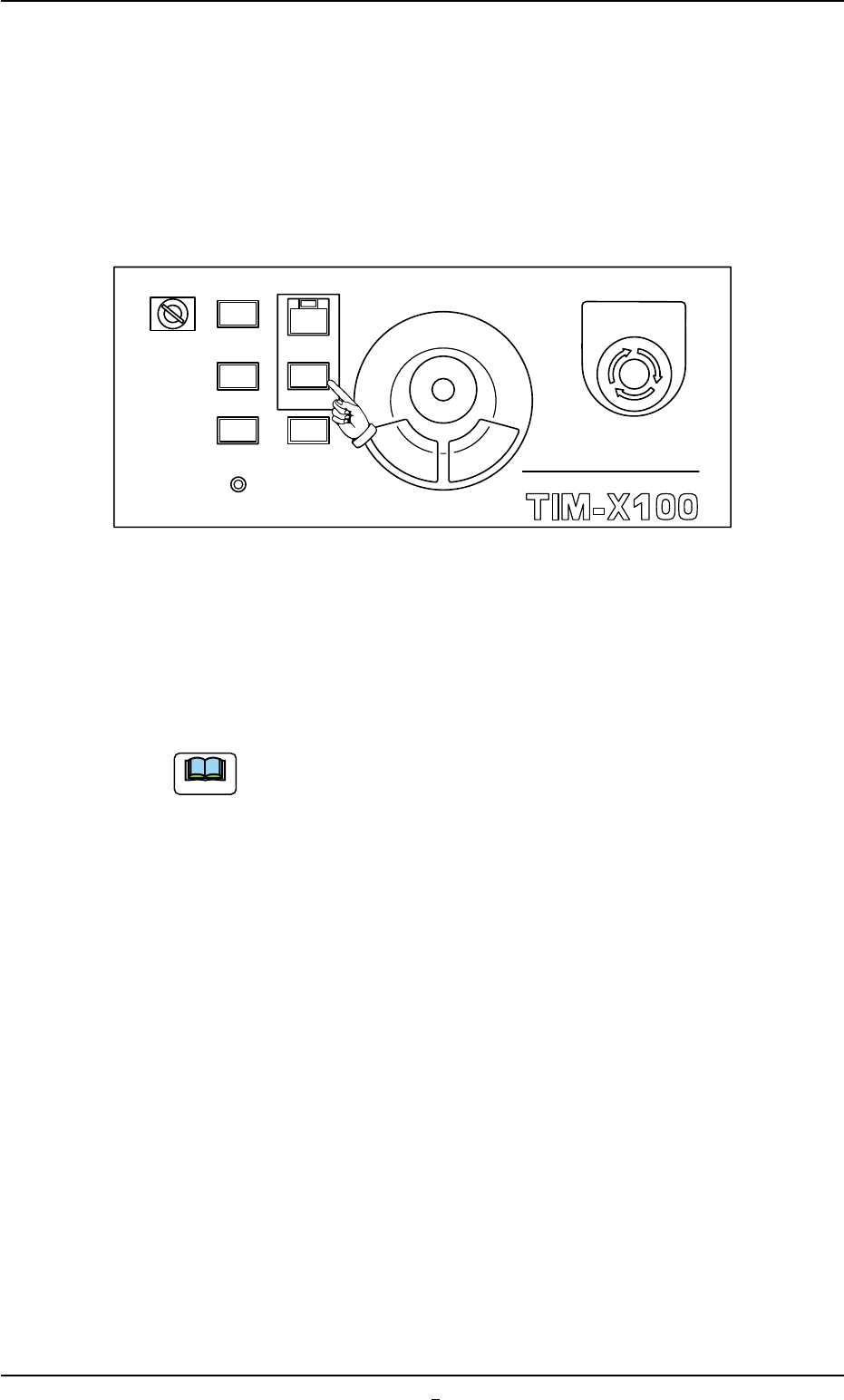
1.4.3 [STOP] and [ON] (entitled "STOP") Buttons
• Temporary Stop (Pause) with [STOP] Button
Press the [STOP] button on the front or the rear operation panel to tem-
porarily stop the automatic operation whenever it is found that a wrong
production model is applied or the placement condition should be
checked after the machine has started the automatic operation.
Fig. 1C20
(1) When the [STOP] button is pressed, the automatic operation stops
temporarily.
(2) When the [START] button is pressed after the placement condition
is checked, the automatic operation re-starts.
When the lamp of the [READY] button is OFF, press the
[READY] button and wait until the lamp illuminates. After
that, press the [START] button while it is flickering.
(3) When a wrong pattern program is specified as the current one (pro-
duction model), press the [STOP] button to temporarily stop the
automatic operation and follow the instructions described in "1.5
Interruption of Automatic Operation" to interrupt the automatic op-
eration.
0308-004 3-18
1.4 Temporary Stop and Restart of Automatic Operation
MULTI FUNCTIONAL MOUNTER
STOP
LOCK
OPERATION
RUN SETUP
START
ENABLE
PNL CHANGE
READY
POWER ON
EMERGENCY
Note