1OM-1075-002.pdf - 第111页
AHB01EOPP 1 . 3 Start of Automatic Operation Operation Procedure (1) Check the surroundings of the machine and confirm safety before starting the automatic operation. Check carefully that there is no person around the mo…
AHB01EOPP
• Preparation for P.C.B.’s
In the case of normal automatic operation, confirm that P.C.B.’s are
prepared in the input machine.
When this machine is operated singly (actual placement test,
etc.), follow the steps below.
(1) Set the [OPERATION] switch to "SETUP" and open the safety
door.
Fig. 1C14
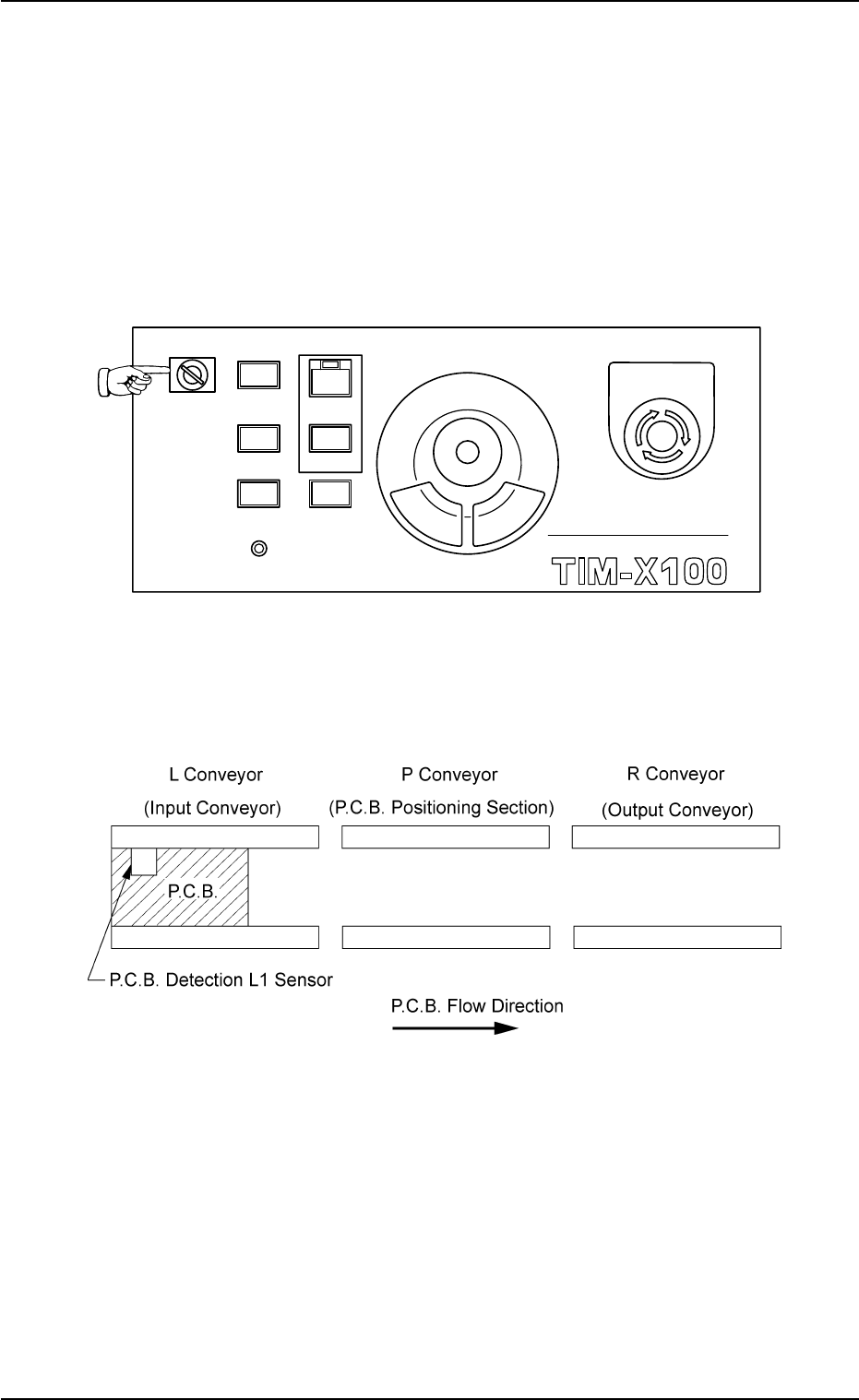
(2) Set a P.C.B. on the L conveyor (input conveyor) such that the
P.C.B. detection sensor is turned on (in red) as shown below.
Fig. 1C15 P.C.B. Flow Direction (Left Rear Reference): From Left to Right
0308-003 3-11
1.2 Preparation before Operation
MULTI FUNCTIONAL MOUNTER
STOP
LOCK
OPERATION
RUN SETUP
START
ENABLE
PNL CHANGE
READY
POWER ON
EMERGENCY
AHB01EOPP
1.3 Start of Automatic Operation
Operation Procedure
(1) Check the surroundings of the machine and confirm safety before
starting the automatic operation.
Check carefully that there is no person around the
moving mechanisms of the machine. (Especially, the
other side of machine operation).
Make sure that no objects (tools, parts, etc.) remain
within the moving mechanisms of the machine.
(2) Confirm that the front and rear safety doors and the feeder base
pullout prevention bars are closed.
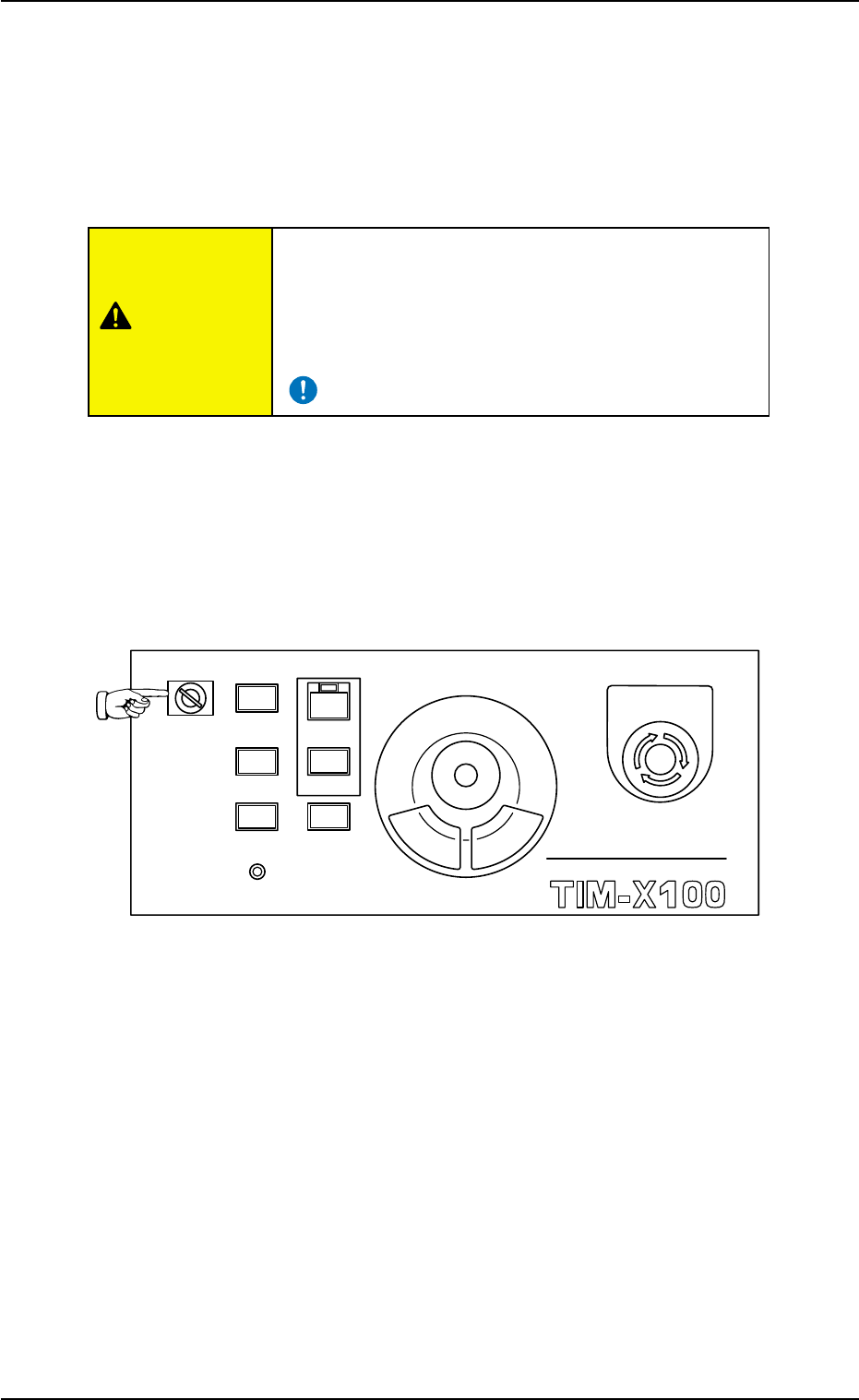
(3) Confirm that the [OPERATION] switch on the front operation panel
is set to the "RUN" side and be sure to remove the selection key
from the machine.
Fig. 1C16
1.3 Start of Automatic Operation
0308-003 3-12
MULTI FUNCTIONAL MOUNTER
STOP
LOCK
OPERATION
RUN SETUP
START
ENABLE
PNL CHANGE
READY
POWER ON
EMERGENCY
CAUTION
AHB01EOPP
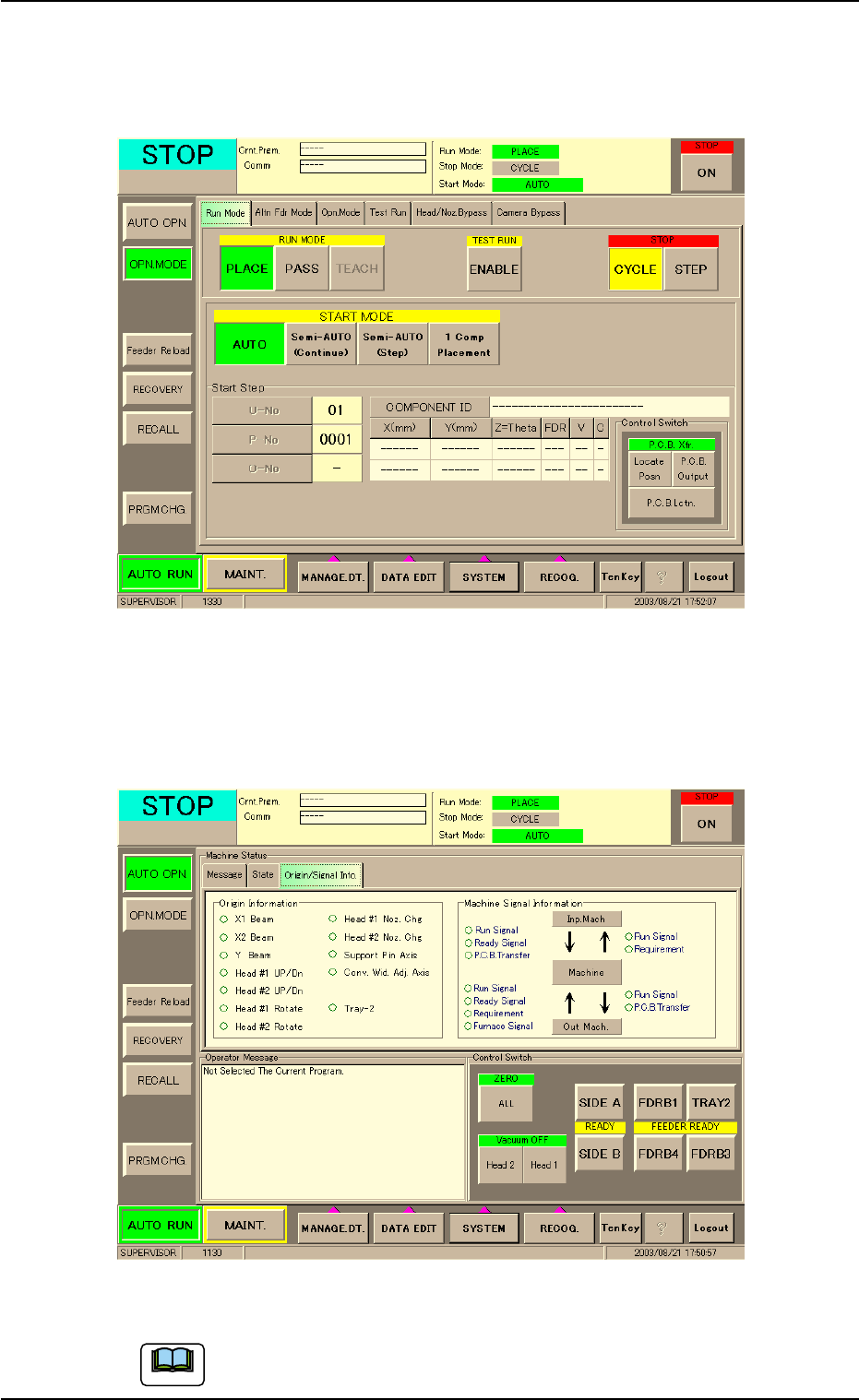
(4) Press the [OPN. MODE] button on the submenu bar on the touch
screen. The "OPN. MODE" window opens. Press the [PLACE] but-
ton (entitled "RUN MODE") in the "Run Mode" tab sheet.
Fig. 1C17
(5) Press the "Origin/Signal Info." tab in the "AUTO OPN." window
(submenu). The "Origin/Signal Info." tab sheet opens. Check the
origin marks.
Fig. 1C18 "Origin/Signal Info." Tab Sheet (Provided with Multi-Layer Tray Feeder 2)
The tab sheet may look different, depending on which options
are selected.
0308-004 3-13
1.3 Start of Automatic Operation
Note