1OM-1075-002.pdf - 第47页
2 .2 Safety Devices 2.2.1 [EMERGENCY STOP] Switches Fig. 1A4 Use one of the [EMERGENCY STOP] switches to immediately stop the machine in an emergency . When a switch is pressed, all power is shut off and the machine stop…
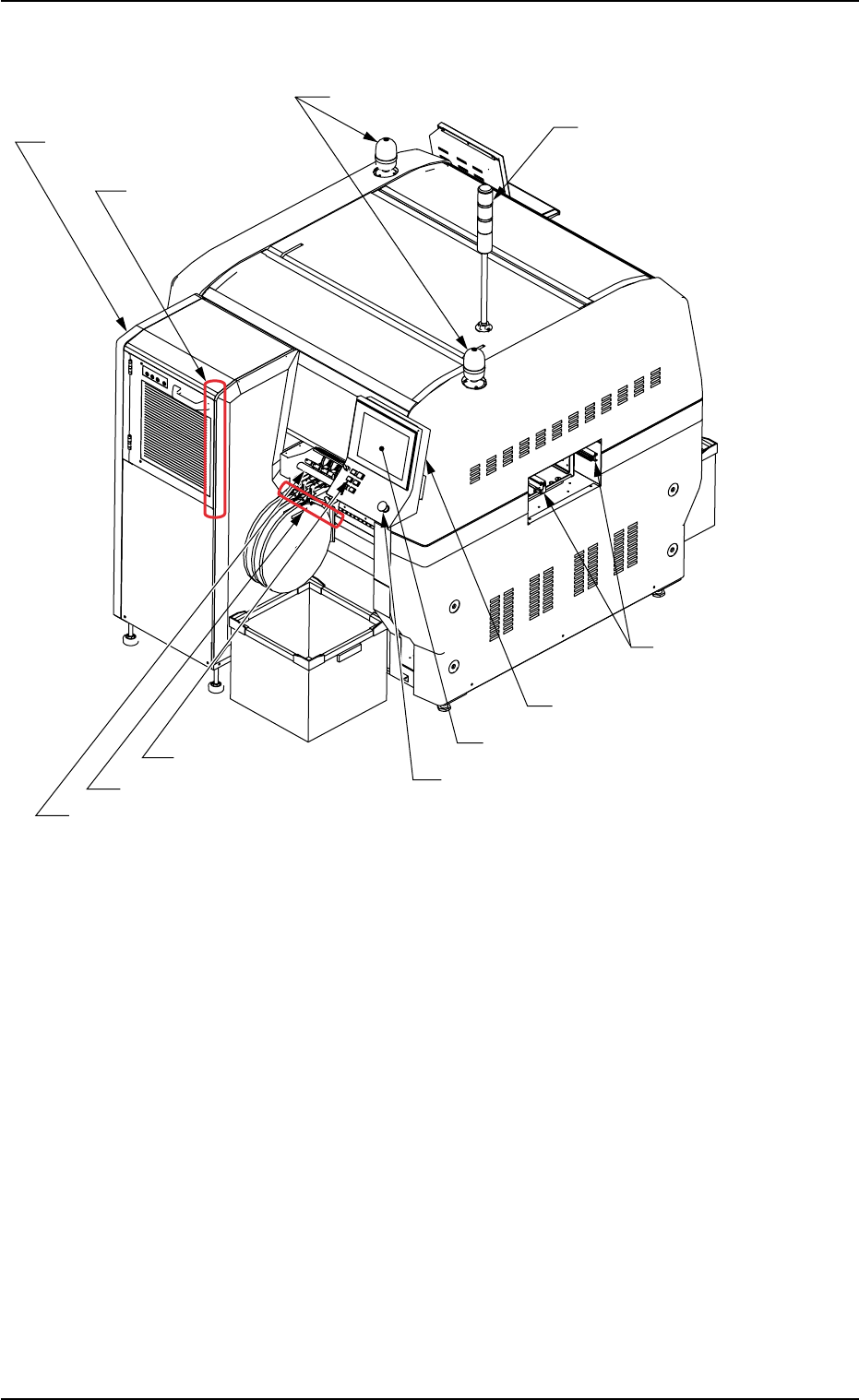
2.1.2 Rear Side of Machine
Fig. 1A3 Rear Side of Machine
2.1 General View
Component Shortage Lamps
Multi-Layer Tray Feeder
(Option)
Rear Operation Panel
Rear Touch Screen
[READY] Button
Light Tower
Feeder Base #1
Pullout Prevention Bar
R Conveyor
(Left Side: L Conveyor)
[EMERGENCY STOP?Switch
[TRAY LOAD] Switch
(Inside)
Status Indicator
0308-004 1-3 AHB01EOPP
2.2 Safety Devices
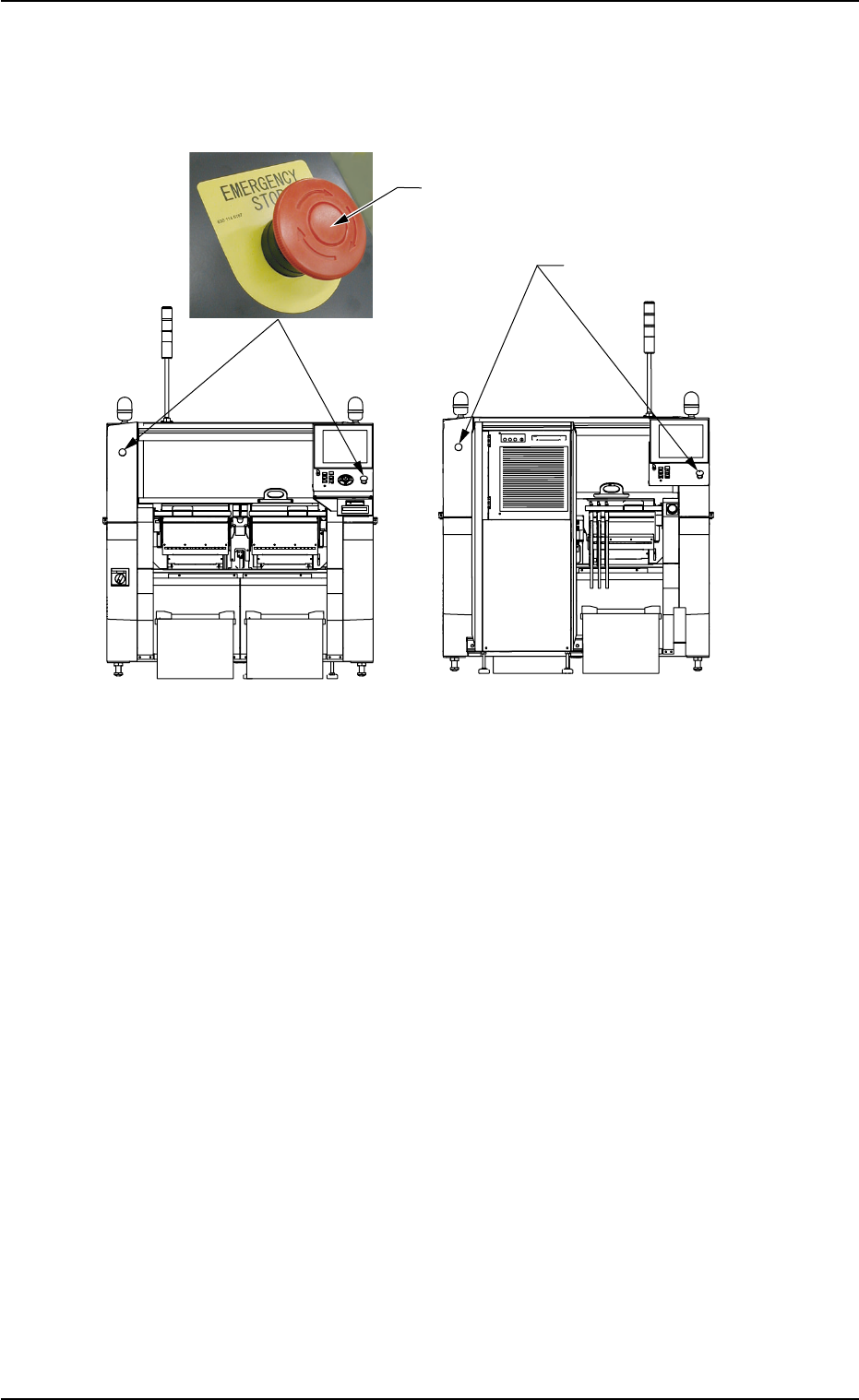
2.2.1 [EMERGENCY STOP] Switches
Fig. 1A4
Use one of the [EMERGENCY STOP] switches to immediately stop the
machine in an emergency.
When a switch is pressed, all power is shut off and the machine stops
running immediately.
When the power is shut off, the LED of the [POWER ON] button on the
operation panel illuminates in red.
• Locking the [EMERGENCY STOP] Switch
When an [EMERGENCY STOP] switch is pressed, all power is shut
off, the machine stops running, and the [EMERGENCY STOP] switch
is locked to avoid any careless power re-supply to the machine.
• Unlocking the [EMERGENCY STOP] Switch
Before re-supplying power to the machine, check and remove the
cause of emergency stop and inspect each section of the machine.
Then, unlock the [EMERGENCY STOP] switch.
To unlock the switch, turn the switch clockwise and pull it out.
2.2 Safety Devices
[EMERGENCY STOP] Switch
[EMERGENCY STOP]
Switches
Front Side of Machine
Rear Side of Machine
0308-004 1-4 AHB01EOPP
2.2.2 Safety Doors
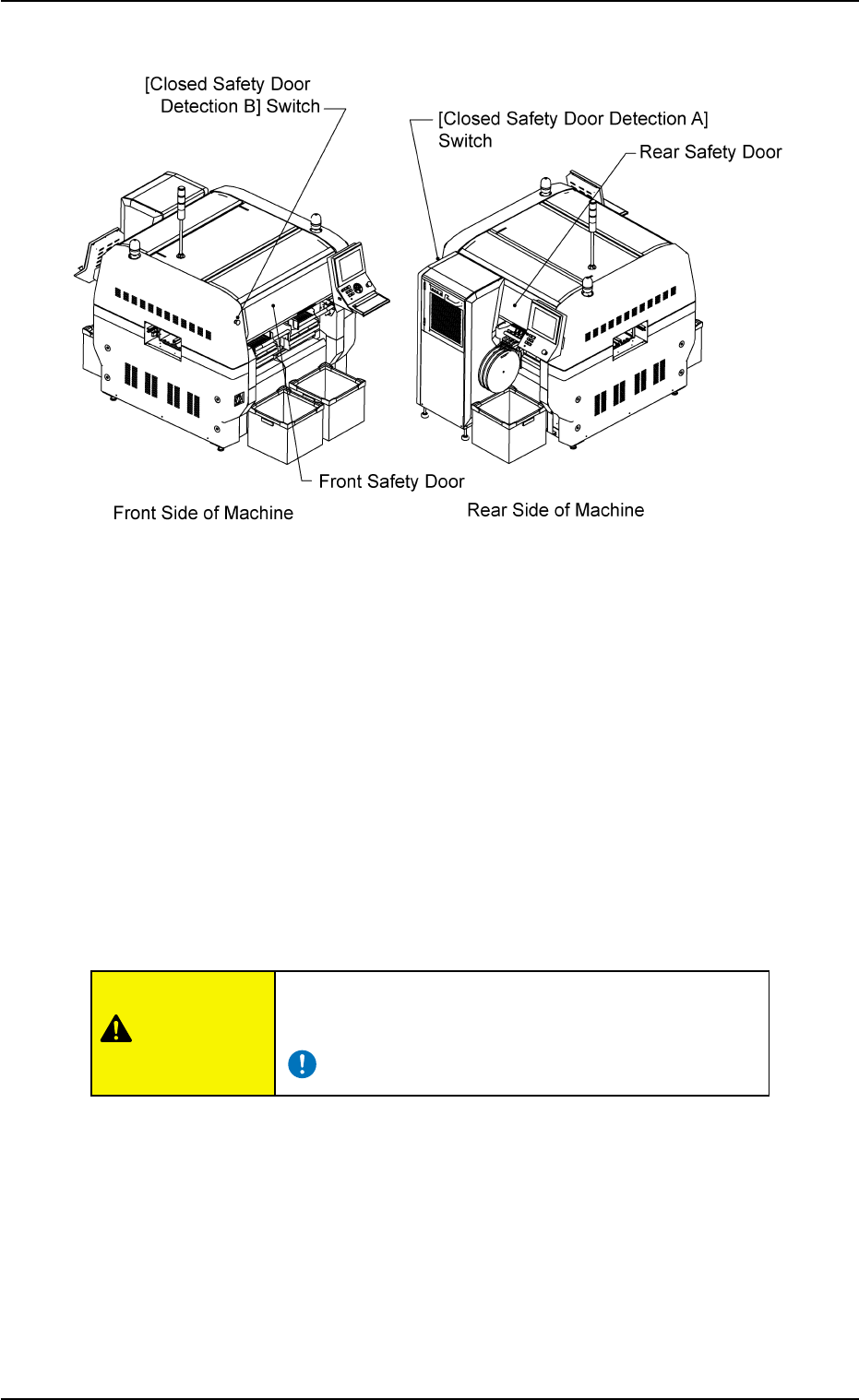
Fig. 1A5
The machine is provided with safety doors on the front and rear sides of
the machine to keep any part of body and clothes and any object away
from the moving parts of the machine.
It is also provided with [Closed Safety Door Detection (A and B)] switches
to detect whether the safety doors are open or closed.
When the front or the rear safety door is opened with the [OPERATION]
switch (provided on the front or the rear operation panel) set to the "RUN"
side, this switch is activated, causing an error.
When the [OPERATION] switch is set to "SETUP", the [Closed Safety
Door Detection] switch is not activated.
Keep the safety doors closed during automatic opera-
tion to avoid any danger.
0308-003 1-5 AHB01EOPP
2.2 Safety Devices
CAUTION