1OM-1075-002.pdf - 第128页
AHB01EOPP (7) When the [ST ART] button on the front operation panel is pressed while it is flickering, the pass operation starts. When the input machine is not set ready , this machine stays in the "W AIT" mode…
AHB01EOPP
(a) The tab sheet may look different, depending on which op-
tions are selected.
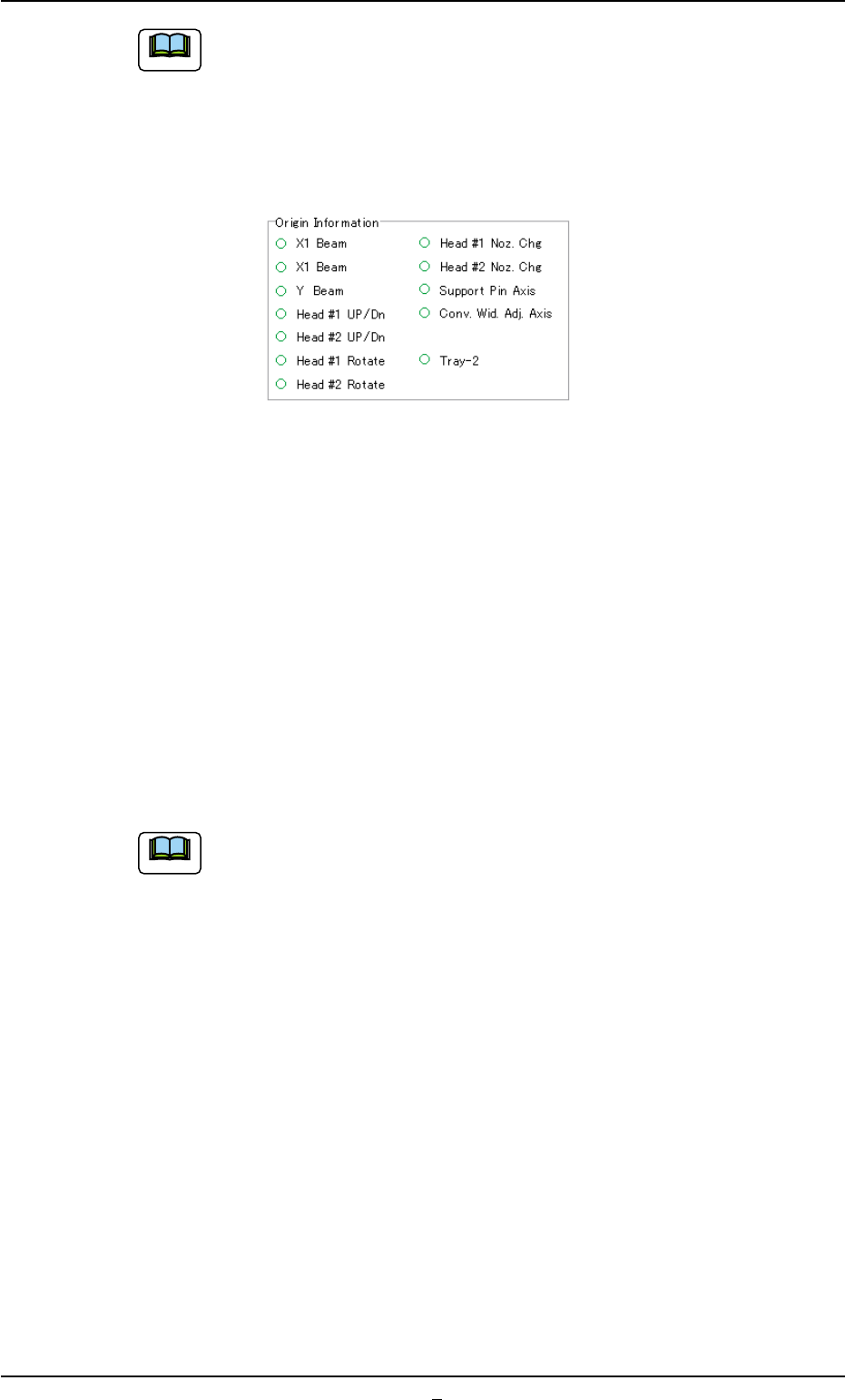
(b) When "z" marks are not displayed for all devices other
than "Conv. Wid. Adj. Axis" in the "Origin Information" group
box of the "Origin/Signal Info." tab sheet, the pass opera-
tion cannot be started.
Fig. 1C31 Origin Information (Provided with Multi-Layer Tray Feeder #2)
When "z" mark is not displayed for a device (s) other than "Conv. Wid.
Adj. Axis", follow the operation procedure below to perform a zeroing
operation for the device (s).
Operation Procedure
1. Confirm that the machine is set in the "STOP" mode.
2. Confirm that the front and rear safety doors are closed.
3. When the [ALL] button (entitled "ZERO") is pressed, all devices ex-
cept "Conv. Wid. Adj. Axis" (one of the devices displayed in the "Ori-
gin Information" group box of the "Origin/Signal Info." tab sheet) are
zeroed.
The tab sheet may look different, depending on which options
are selected.
(6) Confirm that the lamp of the [READY] button illuminates in green.
Otherwise, press the [READY] button and wait until the lamp illumi-
nates.
0206-003 3-27
2.1 Start of "PASS" Operation
Note
Note
AHB01EOPP
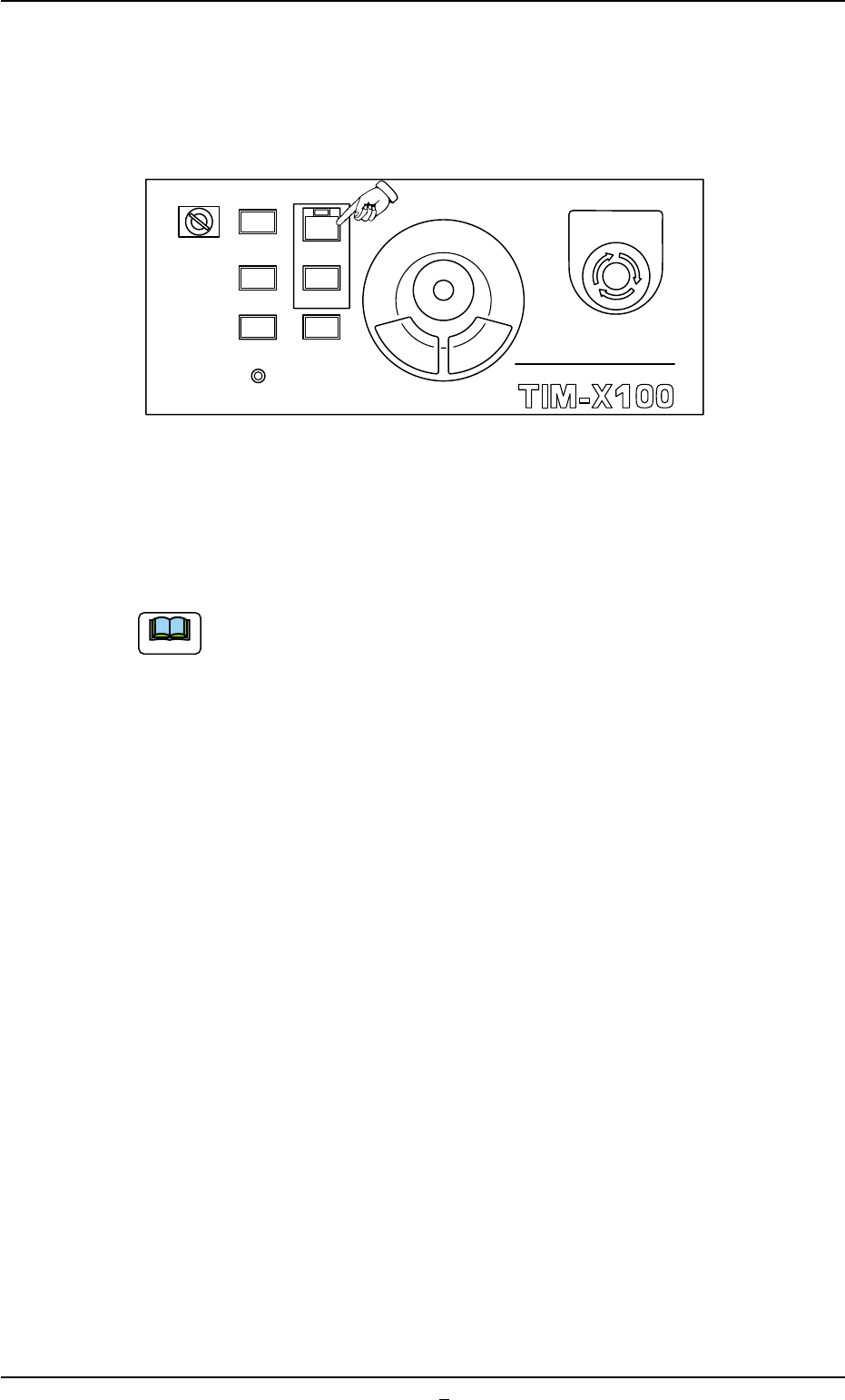
(7) When the [START] button on the front operation panel is pressed
while it is flickering, the pass operation starts.
When the input machine is not set ready, this machine stays in the
"WAIT" mode.
Fig. 1C32
When the pass operation starts, the lamp of the [START] button on the
front operation panel illuminates in green and the green lamp of the light
tower illuminates.
(a) When a window other than the "AUTO OPN." one (main
menu) is active, it is impossible to start the automatic op-
eration because the lamp of the [START] button does not
flicker.
(b) When a P.C.B. already exists in the P.C.B. positioning sec-
tion, it is discharged.
2.1 Start of "PASS" Operation
0308-002 3-27-1
MULTI FUNCTIONAL MOUNTER
STOP
LOCK
OPERATION
RUN SETUP
START
ENABLE
PNL CHANGE
READY
POWER ON
EMERGENCY
Note
AHB01EOPP
2.2 Temporary Stop of Pass Operation
2.2.1 Temporary Stop (Pause) with [STOP] Button
When the [STOP] button on the front operation panel is pressed, each
device returns to its stationary position and the "PASS" operation stops
temporarily.
2.3 Interruption of "PASS" Operation
2.3.1 Interruption with [CANCEL] Button
When the machine is set in the "PAUSE" mode, an [CANSEL] button
appears in the "Run Mode" tab sheet. (Operation Sequence: "[OPN.
MODE] Button on Submenu Bar" Æ "Run Mode" Tab Sheet).
When the [CANSEL] button is pressed, the machine is set in the "STOP"
mode.
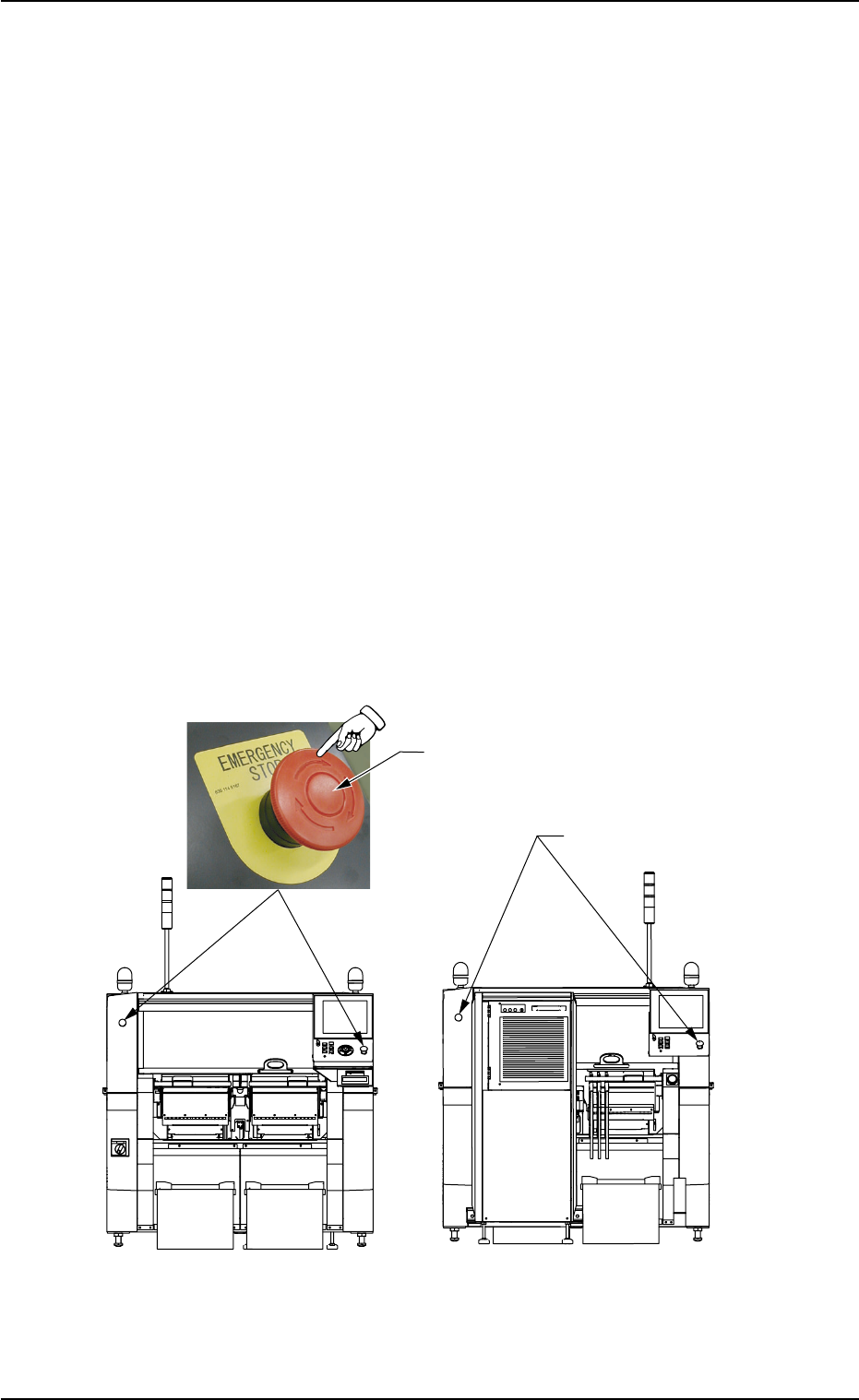
2.3.2 Interruption with [EMERGENCY STOP] Switch
Use an [EMERGENCY STOP] switch to immediately stop the machine
in an emergency.
Fig. 1C33
0308-004 3-28
2.2 Temporary Stop of Pass Operation
[EMERGENCY STOP] Switch
[EMERGENCY STOP]
Switches
Front Side of Machine
Rear Side of Machine