1OM-1075-002.pdf - 第122页
AHB01EOPP 1. 7 Shut-Down Operation 1.7.1 Procedure for Shut-Down Operation The following explains how to shut down the power to the machine. Be sure to log out from an operation window to open the "Login T ype Selec…
AHB01EOPP
1.6 End of Automatic Operation
1.6.1 Stop of Automatic Operation
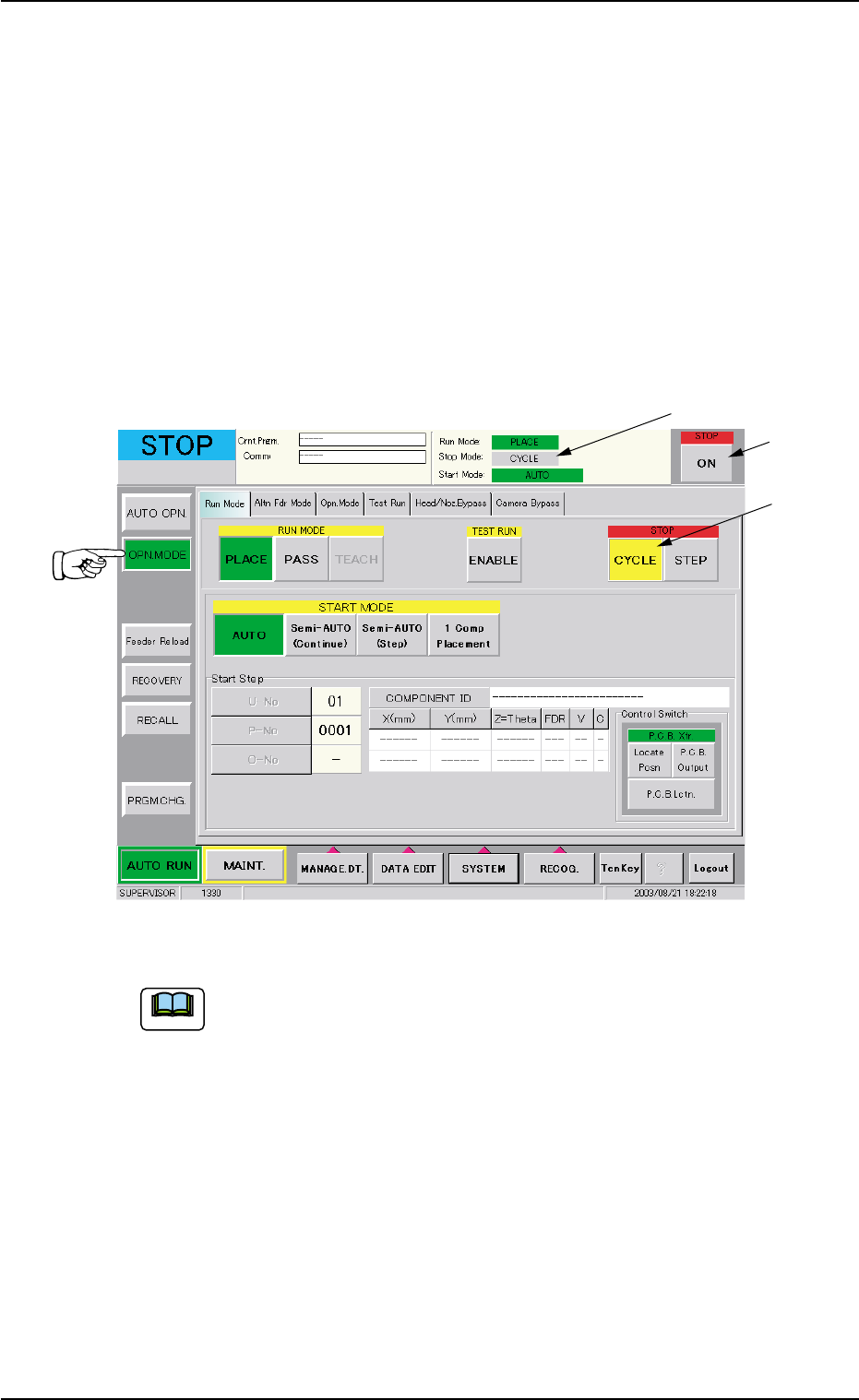
(1) Confirm that the [CYCLE] button (*1, entitled "STOP") is selected.
(2) When the [ON] button (*3, entitled "STOP") is pressed, each device
returns to its stationary position after the machine has placed com-
ponents on the P.C.B.’s inside the machine.
The LED of the [START] button and the green lamp (tower light)
extinguish and the automatic operation stops.
Fig. 1C22-1
When "STEP" is set as "Stop Mode" (*1), select the [CYCLE]
button (*2, entitled "STOP") in the "Run Mode" tab sheet.
"CYCLE" is set as "Stop Mode" (*1).
0308-004 3-21
1.6 End of Automatic Operation
Note
*3
*2
*1
AHB01EOPP
1.7 Shut-Down Operation
1.7.1 Procedure for Shut-Down Operation
The following explains how to shut down the power to the machine.
Be sure to log out from an operation window to open
the "Login Type Selection" window and go through the
shutdown procedure by pressing the [SHUT DOWN]
button before turning off the power to the machine.
• When the power is shut down at a window other
than the "Login Type Selection" window, the save
data (the management data, various data on the
hard disk, etc.) may be deleted.
Operation Procedure
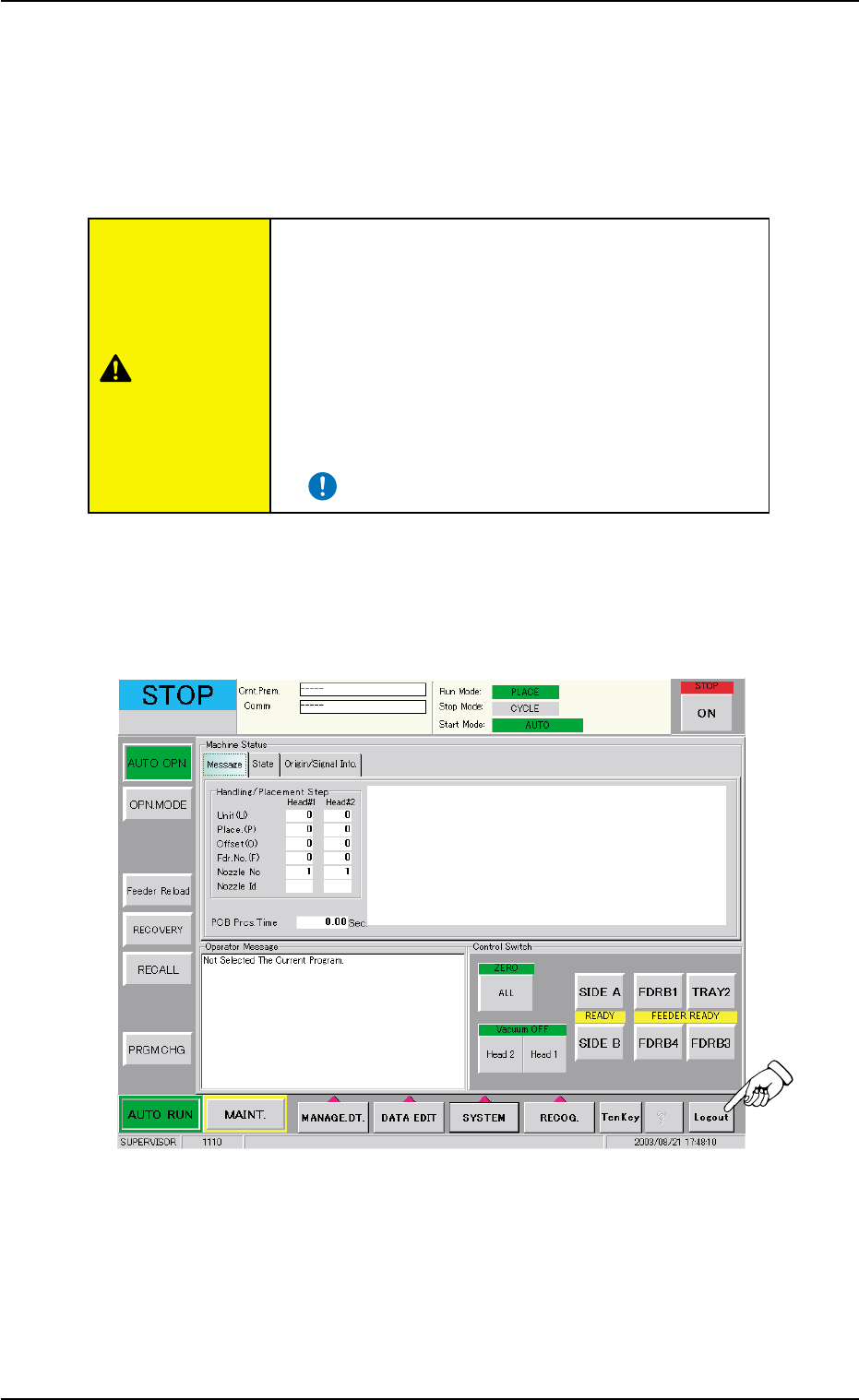
(1) Press the [Logout] button on the main menu bar.
Fig. 1C23
0308-004 3-22
1.7 Shut-Down Operation
CAUTION
AHB01EOPP
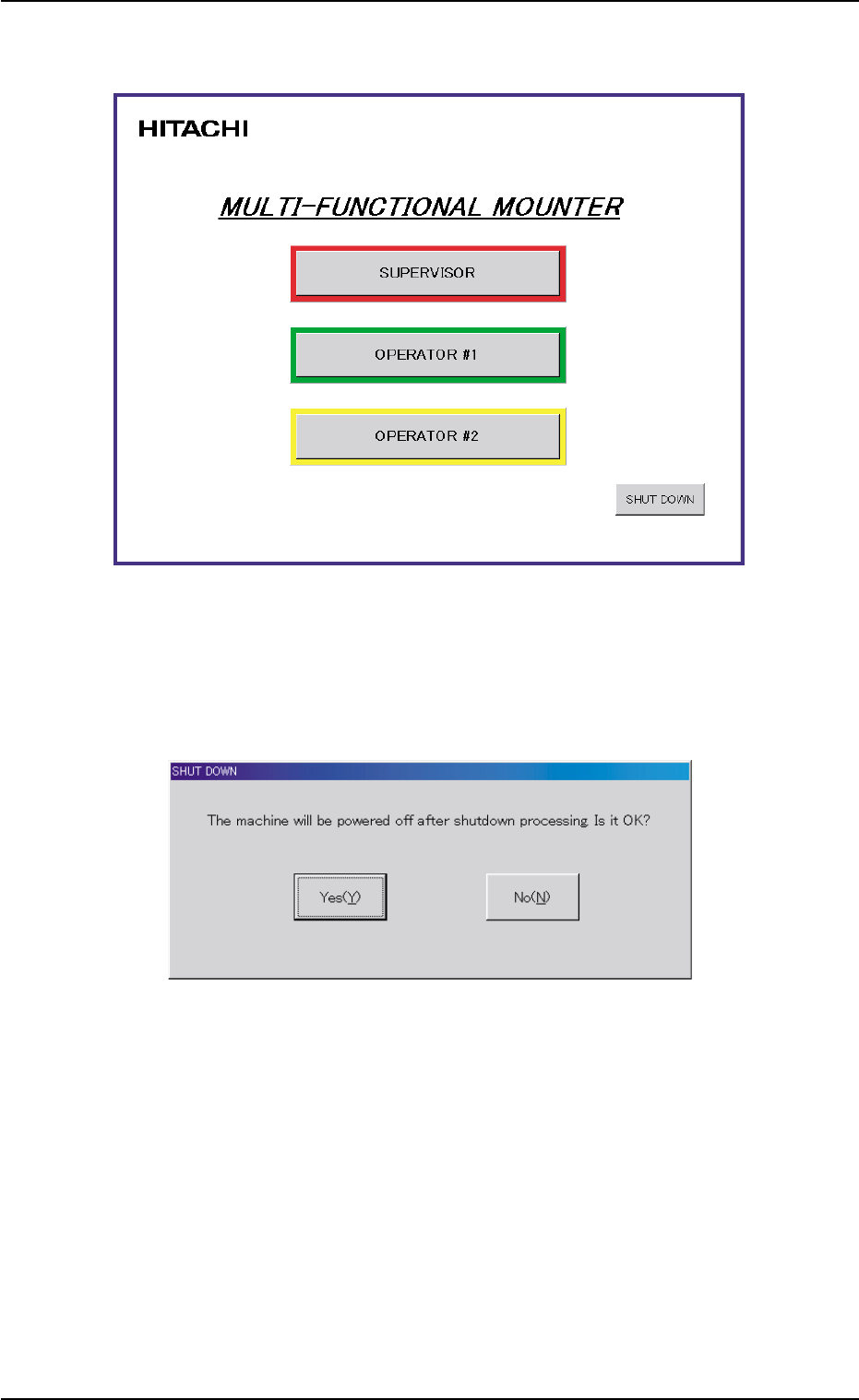
(2) The "Login Type Selection" window opens.
Fig. 1C24
(3) When the [SHUT DOWN] button is pressed in the "Login Type Se-
lection" window, the "SHUT DOWN" dialog box opens for the confir-
mation.
Fig. 1C25 "SHUT DOWN" Window for Confirmation
(4) When the [Yes(Y)] button is pressed, the power to the machine is
turned off after the shutdown processing.
Pressing the [No(N)] button cancels the shutdown operation.
0308-002 3-23
1.7 Shut-Down Operation