1OM-1075-002.pdf - 第106页
AHB01EOPP 0308-003 3-8 1.2.2 "AUTO OPN." Windows and Zeroing of Each Device (1) Enter the password and press the [OK] button. Main menu bar and "AUTO OPN." window are displayed in the touch screen. Fi…
AHB01EOPP
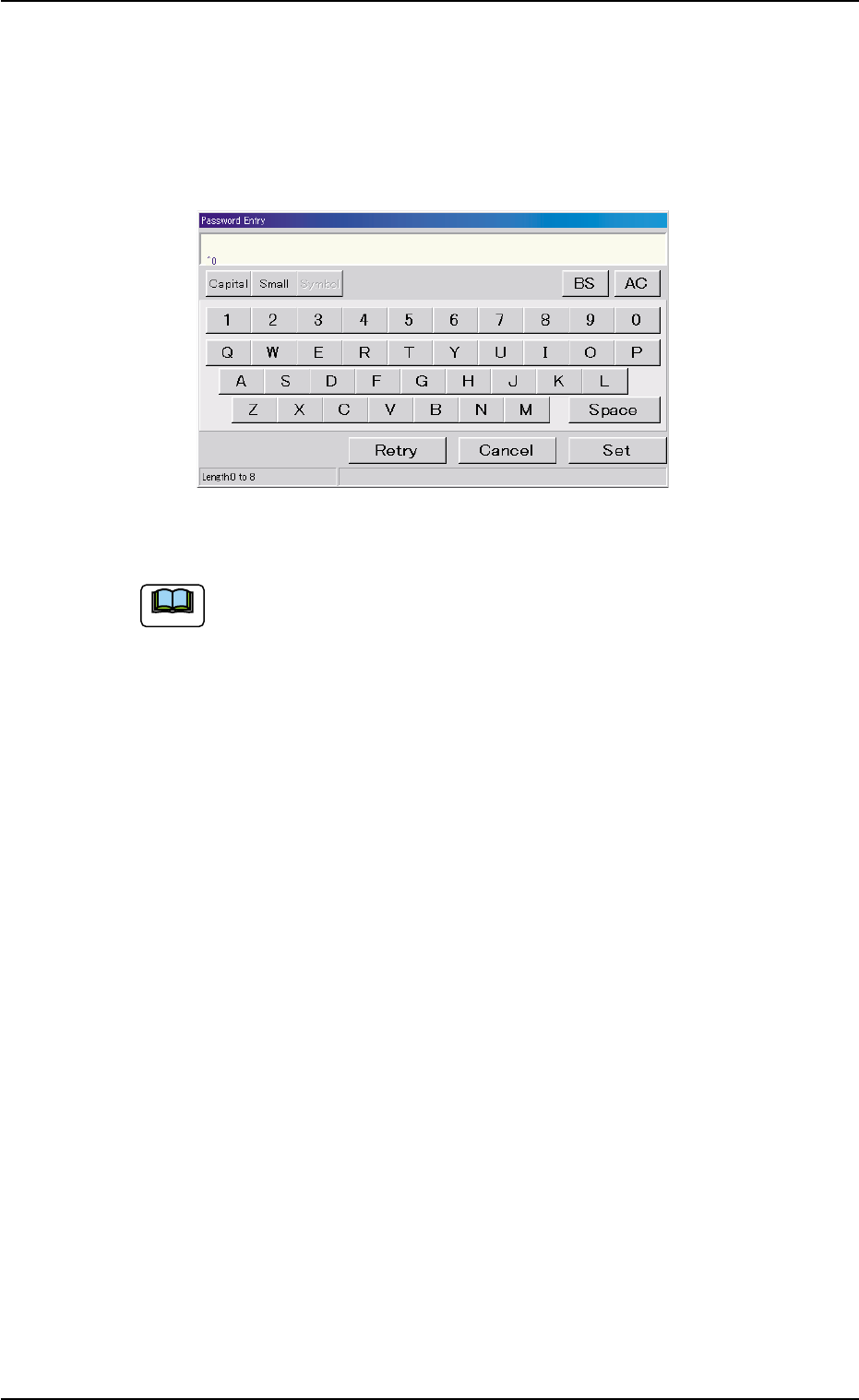
(5) Press the [SUPERVISER], the [OPERATOR #1], or the [OPERA-
TOR #2] button according to the given authority.
The "Password Entry" window opens.
When a password is already set, the "Password Entry" window
opens.
Fig. 1C9
This machine is provided with a password function which pre-
vents various types of data groups from being deleted by mis-
take and keeps unauthorized user (third party) from operating
the machine.
The following three kinds of passwords are available and each
gives individually approved user’s access to the computer sys-
tem of the machine.
Refer to "4.2 "Password" Tab" in "Section 5" of "Vol. 3: Pro-
gramming and Machine Data" for details.
[SUPERVISOR] : Access can be gained by only the person
identified as "Supervisor".
[OPERATOR #1] : Access can be gained by only the person
identified as "Operator #1". For example, the
person identified as "Operator #1" is given
a permission to all machine operations in-
cluding data editing.
[OPERATOR #2] : Access can be gained by only the person
identified as "Operator #2".
For example, the person identified as "Op-
erator #2" is limited to only the operations
related to the automatic operation.
1.2 Preparation before Operation
Note
0206-003 3 - 7
AHB01EOPP0308-003 3-8
1.2.2 "AUTO OPN." Windows and Zeroing of Each Device
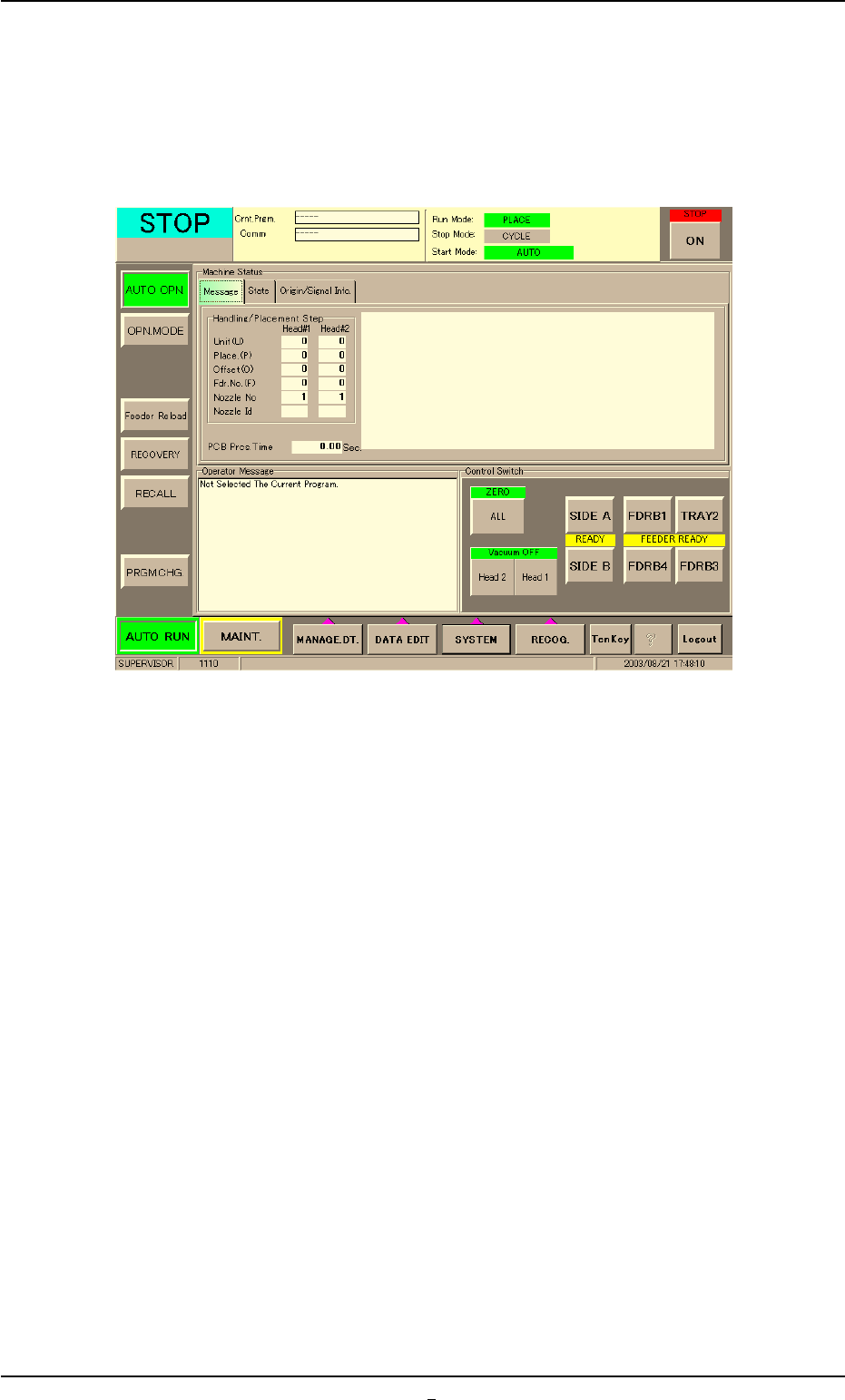
(1) Enter the password and press the [OK] button.
Main menu bar and "AUTO OPN." window are displayed in the touch
screen.
Fig. 1C10
(2) Wait for a few seconds until the lamp of the [READY] button illumi-
nates in green.
1.2 Preparation before Operation
AHB01EOPP
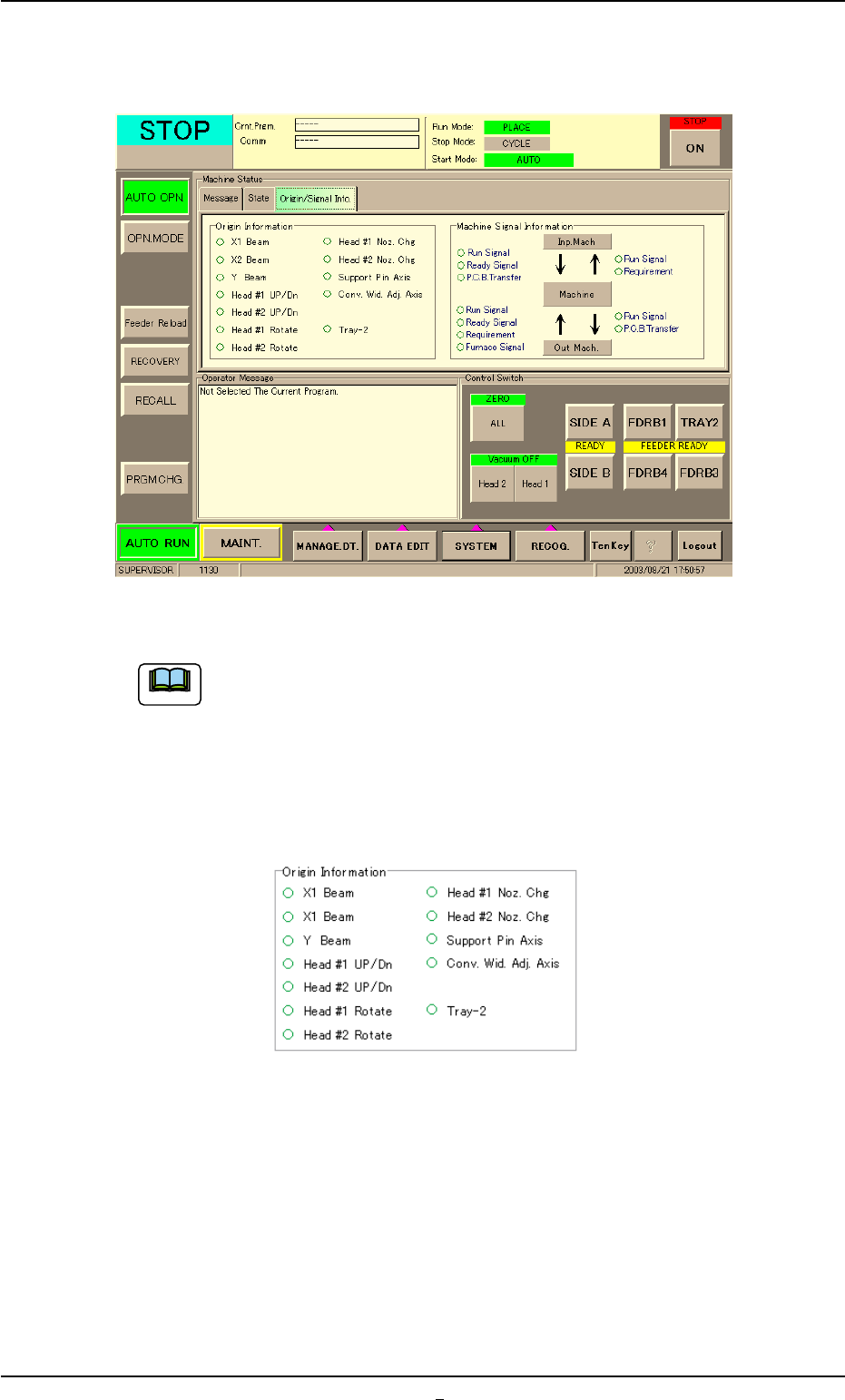
(3) Press the [Origin/Signal Info.] tab to open the [Origin/Signal Info.]
tab sheet and perform the zeroing operations.
Fig. 1C11 "Origin/Signal Info." Tab Sheet (Provided with Multi-Layer Tray Feeder #2)
(a) The tab sheet may look different, depending on which op-
tions are selected.
(b) When "z" marks are not displayed for all devices other than
"Conv. Wid. Adj. Axis" in the "Origin Information" group box
of the "Origin/Signal Info." tab sheet, the automatic opera-
tion of the machine cannot be started.
Fig. 1C12 Origin Information (Provided with Multi-Layer Tray Feeder #2)
When "z" mark is not displayed for a device (s) other than "Conv. Wid.
Adj. Axis", follow the operation procedure below to perform a zeroing
operation for the device (s).
1.2 Preparation before Operation
0308-003 3-8-1
Note