1OM-1075-002.pdf - 第129页
AHB01EOPP 2 . 2 T emporary Stop of Pass Operation 2.2.1 T emporary Stop (Pause) with [STOP] Button When the [STOP] button on the front operation panel is pressed, each device returns to its stationary position and the &q…
AHB01EOPP
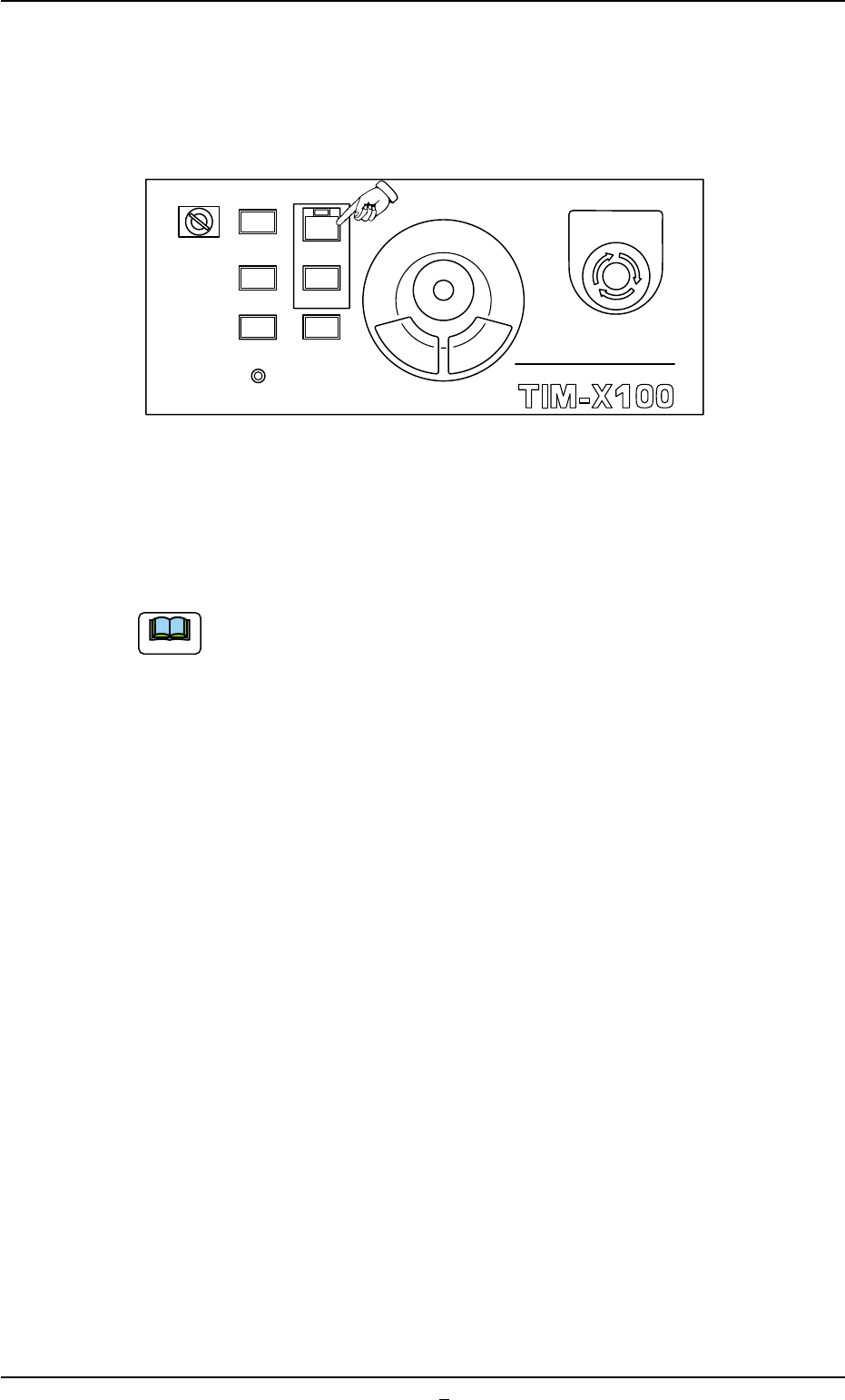
(7) When the [START] button on the front operation panel is pressed
while it is flickering, the pass operation starts.
When the input machine is not set ready, this machine stays in the
"WAIT" mode.
Fig. 1C32
When the pass operation starts, the lamp of the [START] button on the
front operation panel illuminates in green and the green lamp of the light
tower illuminates.
(a) When a window other than the "AUTO OPN." one (main
menu) is active, it is impossible to start the automatic op-
eration because the lamp of the [START] button does not
flicker.
(b) When a P.C.B. already exists in the P.C.B. positioning sec-
tion, it is discharged.
2.1 Start of "PASS" Operation
0308-002 3-27-1
MULTI FUNCTIONAL MOUNTER
STOP
LOCK
OPERATION
RUN SETUP
START
ENABLE
PNL CHANGE
READY
POWER ON
EMERGENCY
Note
AHB01EOPP
2.2 Temporary Stop of Pass Operation
2.2.1 Temporary Stop (Pause) with [STOP] Button
When the [STOP] button on the front operation panel is pressed, each
device returns to its stationary position and the "PASS" operation stops
temporarily.
2.3 Interruption of "PASS" Operation
2.3.1 Interruption with [CANCEL] Button
When the machine is set in the "PAUSE" mode, an [CANSEL] button
appears in the "Run Mode" tab sheet. (Operation Sequence: "[OPN.
MODE] Button on Submenu Bar" Æ "Run Mode" Tab Sheet).
When the [CANSEL] button is pressed, the machine is set in the "STOP"
mode.
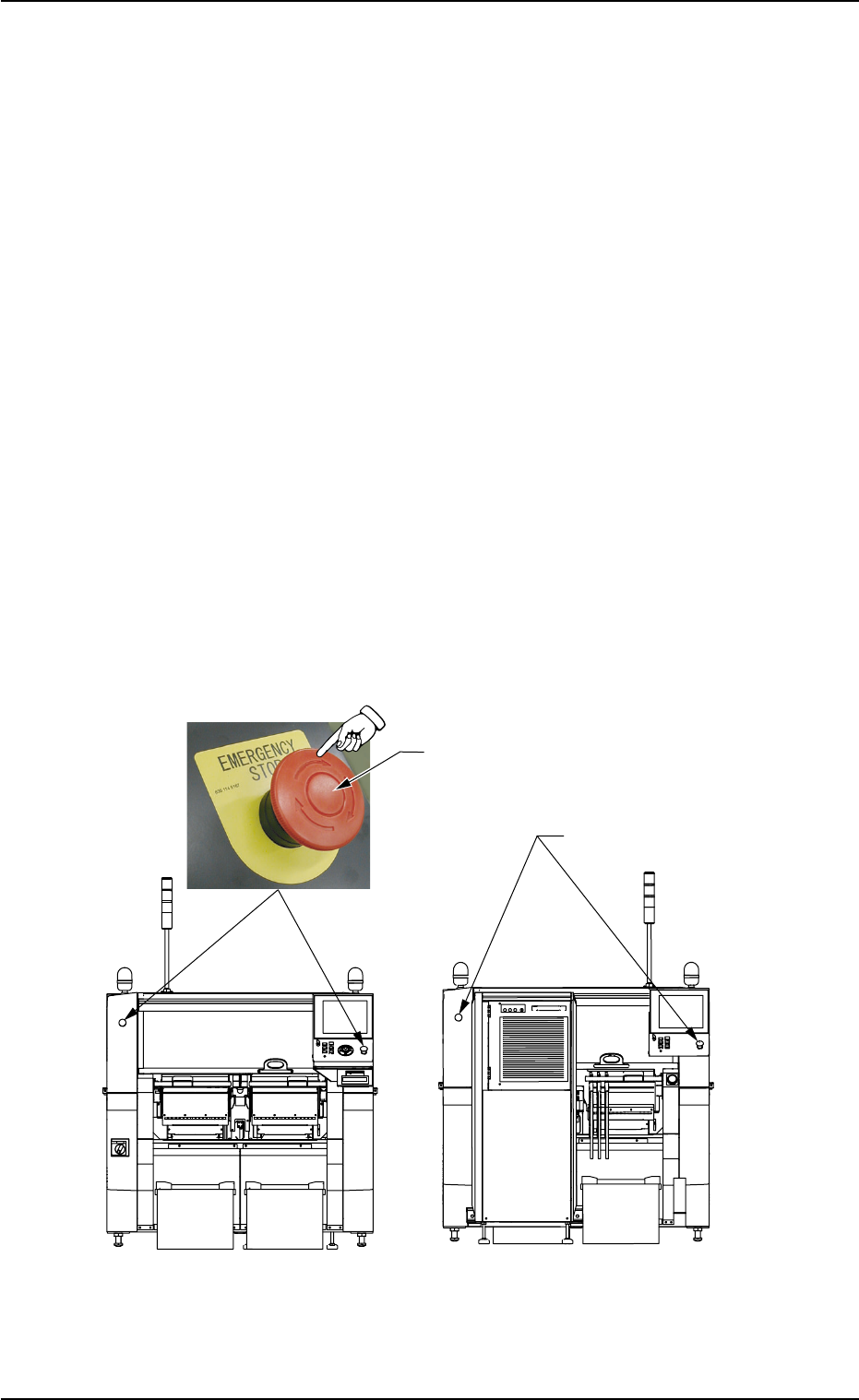
2.3.2 Interruption with [EMERGENCY STOP] Switch
Use an [EMERGENCY STOP] switch to immediately stop the machine
in an emergency.
Fig. 1C33
0308-004 3-28
2.2 Temporary Stop of Pass Operation
[EMERGENCY STOP] Switch
[EMERGENCY STOP]
Switches
Front Side of Machine
Rear Side of Machine

AHB01EOPP0206-002 3-29
••
••
• Stop Operation
(1) Press an [EMERGENCY STOP] button.
The machine stops running, an error alarm is issued, and the LED
of the [POWER ON] button illuminates in red.
Refer to "Section 4 Remedy of Simple Trouble" for the proce-
dures to reset the machine to the normal condition from an emer-
gency stop.
2.4 End of "PASS" Operation
Refer to "1.6 End of Automatic Operation" in "Section 2" for details.
2.4.1 Stop of "PASS" Operation
(1) Press the [STOP] button on the operation panel.
The LED of the [START] button and the green lamp of the light tower
extinguish and the automatic operation stops.
Remove the P.C.B. in the middle of passing inside the machine
if any.
(2) Press the [ALL] button (entitled "ZERO") in the "AUTO OPN." win-
dow. In 2 seconds, press the [ENABLE] button on the operation panel.
2.4.2 Shut-Down Operation
Follow the procedure in "1.7 Shut-Down Operation" and shut down the
power supply.
2.3 Interruption of Automatic Operation
Note
Note