1OM-1075-002.pdf - 第95页
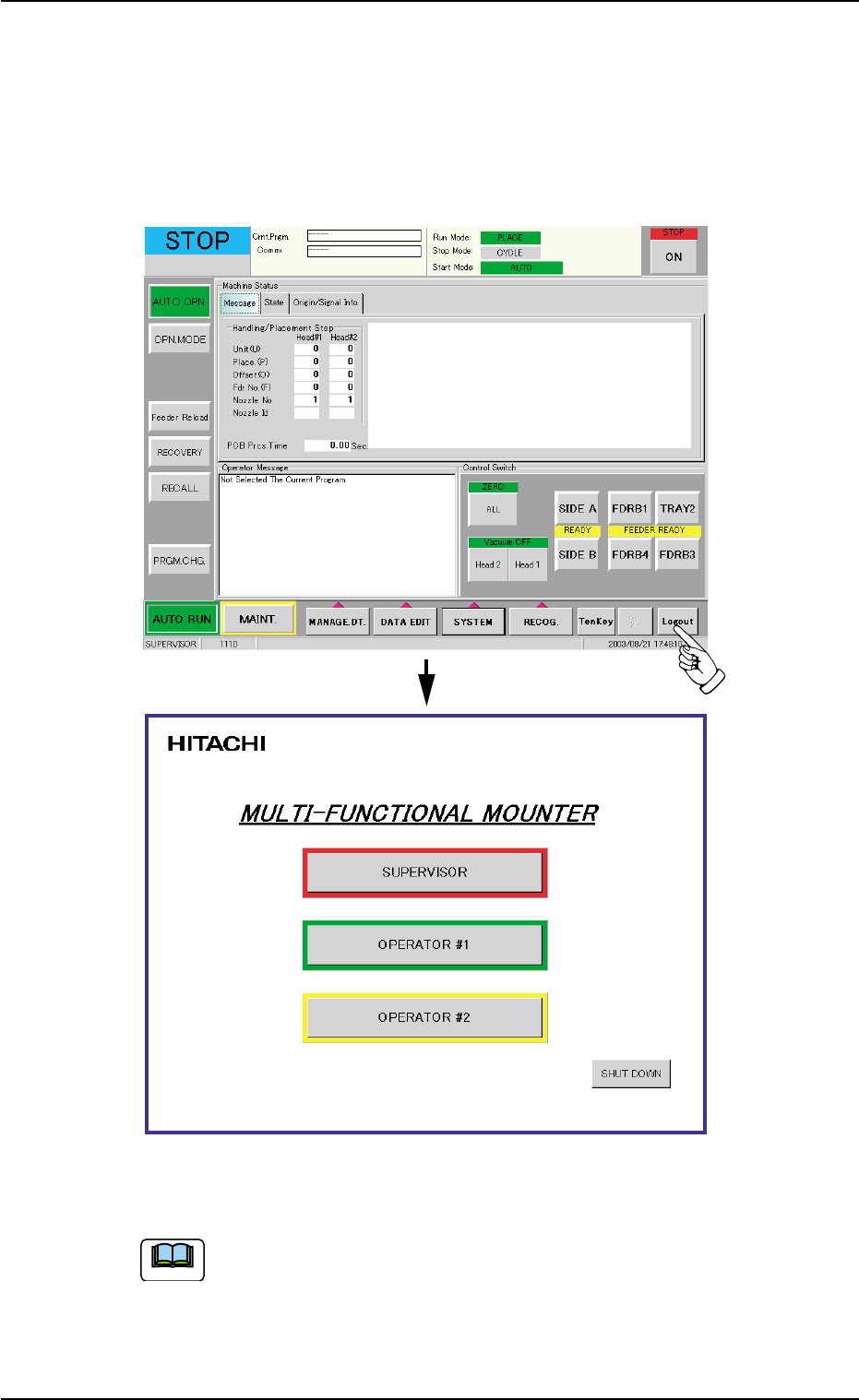
2 . 3 Exiting from Operation Window (1) T o exit from the "AUTO OPN." window or the "MAINT ." window , just press the [Logout] button on the main menu bar . The "Login T ype Selection" windo…

*3 Tabs
When a window is composed of several sheets, all sheets are pro-
vided with extensions called "Tab" and laid on top of each other so
that the tab of each is visible.
Refer to "Section 4 Navigation on Touch Screen" in "Vol. 2: Opera-
tion (Supervisor)" for the detailed information on the tabs.
*4 Operation Window
This window is provided with main menus related to the automatic
operation of the machine.
All operations required for automatic operation are included in this
window.
When the [MAINT.] button on the main menu bar is pressed, the
"MAINT." window opens.
Refer to "Section 5 Menus for Automatic Operation" and "Section 6
Menus for Maintenance" of "Vol. 2: Operation (Supervisor)" for the
structures of the "AUTO OPN." and "MAINT." windows.
*5 Current Mode
The current machine status is indicated at real time.
"RUN" : This indicates that the machine is running.
"PAUSE" : This indicates that the machine is stopped tempo-
rarily.
"WAIT" : This indicates that the machine is in the standby mode.
"STOP" : This indicates that the machine is stopped.
"TEACH": The machine is performing a teaching operation.
"RUN" : The machine is being activated (zeroing and manual
operations, etc.).
"TEST" : The machine is performing a device test, using one
of the tabs in the "DEVICE TEST" window (submenu).
*6 Supplementary Explanation
Indicated are the "LOGIN" type, the window No., and the current
date & time.
2.2 Structure of Operation Windows
0206-003 2-7 AHB01EOPP
2.3 Exiting from Operation Window
(1) To exit from the "AUTO OPN." window or the "MAINT." window, just
press the [Logout] button on the main menu bar. The "Login Type
Selection" window opens.
Fig. 1B5
Whenever an edit window such as the "Pattern Program Data"
window is active, follow the specified steps to close the window
beforehand.
2.3 Exiting from Operation Window
0308-003 2-8 AHB01EOPP
Note

AHB01EOPP
Section 3
Scope of Automatic Operation
0308-002 3-A
This section outlines the items to be prepared and confirmed
before automatic operation and how to start or end the opera-
tion.