SYS-CP842-1.1E.pdf - 第102页
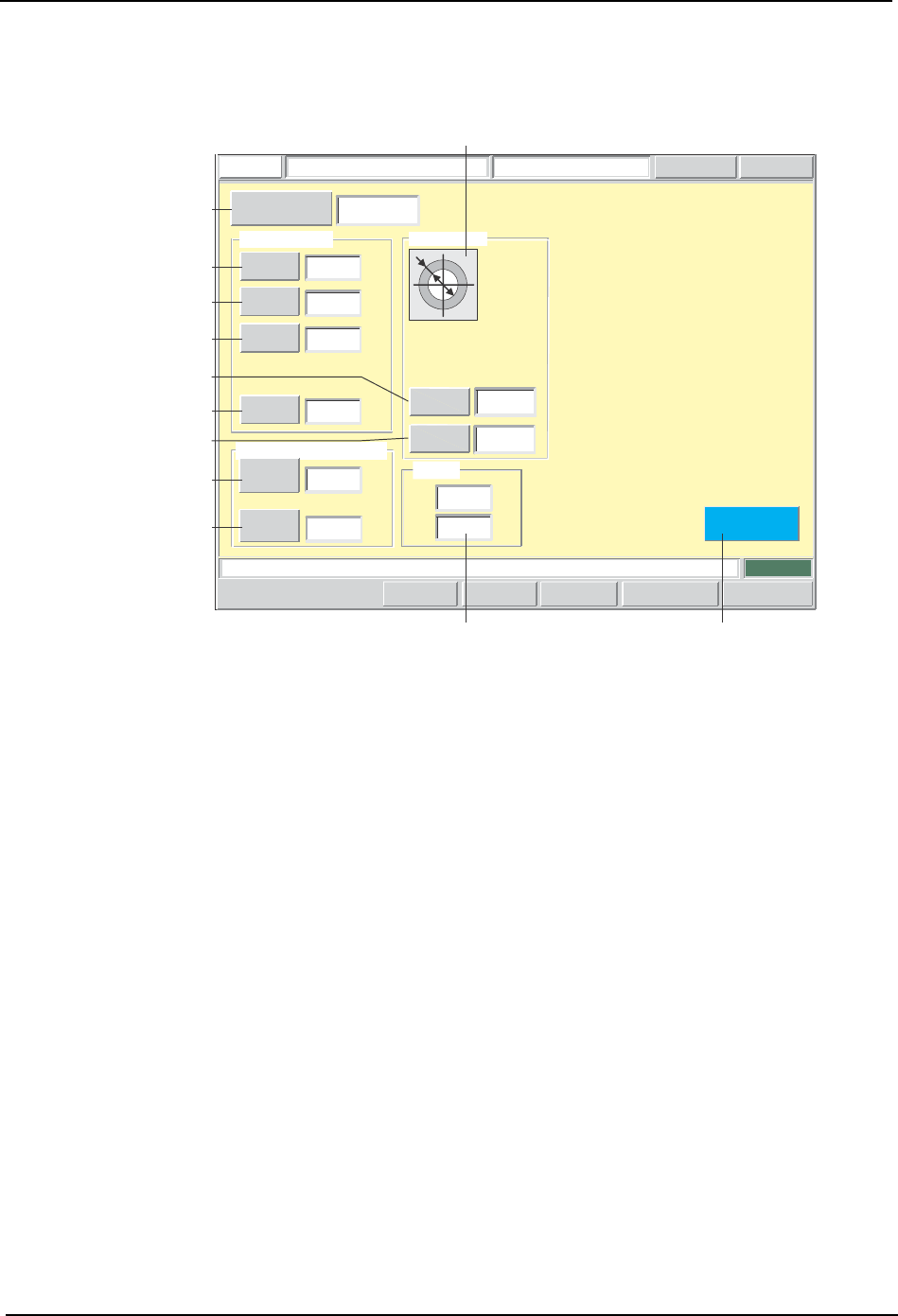
SYS-CP842-1.1E 3.Machine System CP-842E / CP-842ME System Reference 93 F-Mark Data Editing Screen Fiducial mark data editing can be performed from this screen. Press the START button. FUJI Error Operator JOG:X Y CAM Serv…

3.Machine System SYS-CP842-1.1E
92 CP-842E / CP-842ME System Reference
Editing Operation
The following editing operations are possible from this screen.
Sequence Type
F-mark sequence
BS-mark sequence
Placement sequence
Problem
The panel's F-mark pattern and
the wire frame are not centered
on the monitor.
Panel's BS-mark pattern is
deviated from the wire frame.
Panel's part pattern is deviated
from the wire frame.
Editing Operation
If the F-mark reading position is
incorrect, edit the X and Y
coordinate values.
If the BS-mark reading position
is incorrect, edit the X and Y
coordinate values.
If the placement position is
incorrect, edit the X and Y
coordinate values.
Deviation in 90-degree units
between panel's part pattern
and wire frame.
If the rotation deviation can be
confirmed, edit the rotation angle
or the direction.
Panel's part pattern differs from
the wire frame's part pattern.
If the correct part has not been
set as the pickup destination, use
the pickup destination setting
button to edit the stage number
and the slot number (the group
number and sub-slot number are
set to "0").
T001E
SYS-CP842-1.1E 3.Machine System
CP-842E / CP-842ME System Reference 93
F-Mark Data Editing Screen
Fiducial mark data editing can be performed from this screen.
Press the START button.
FUJI
Error
Operator
JOG:X Y CAM
Servo CountGEMCCD Monitor
F-Mark Data Editor
FUJI_CP7_2001
Front
Close
1
40
50
0.0000
Mark reading tolerance value
Reading
Deviation
Pitch
[mm]
[mm]
a
c
Size C
Scan Area
0.9000
1.2000
0.0000
[mm]
[mm]
[mm]
8.0000
[mm]
Mark Data
Size A
Size B
Sequence number
0.2620
0.1870
Result
X
Y
[mm]
[mm]
Mark Data
Set Switch
0.0000
CP7S2014E
A
B
C
D
E
F
G
H
I
J2
1
1
Color
Shape
2
Shape : Circle
Color : White

3.Machine System SYS-CP842-1.1E
94 CP-842E / CP-842ME System Reference
Screen Button Explanations
Display Item Descriptions
1. [Shape]:Displays a graphical representation of the fiducial mark shape.
2. [Result]:Displays the correction amount for the fiducial mark vision processing result.
Editing Operations
The following editing operations can be performed from this screen.
A. [Sequence No.]: Switches to the sequence search screen.
B. [Size A]: Changes the mark size “A” (GMKSIZA) which is specified in
the production program’s mark data (MARKDT).
C. [Size B]: Changes the mark size “B” (GMKSIZB) which is specified in
the production program’s mark data (MARKDT).
D. [Size C]: Changes the mark size “C” (GMKSIZC) which is specified in
the production program’s mark data (MARKDT).
E. [Scan Area]: Changes the mark reading area (GMKSCAN) which is
specified in the production program’s mark data (MARKDT).
F. [Shape]: Changes the fiducial mark shape (GMKPTN) which is
specified in the production program’s mark data (MARKDT).
G. [Color]: Changes the mark color (GMKBORW) which is specified in
the production program’s mark data (MARKDT). An input
dialog box displays.
H. [Reading Deviation]: Changes the mark reading deviation range tolerance
(GPBCOMAT) which is specified in the production program’s
program data (PGHEAD).
I.[Pitch]: Changes the mark pitch tolerance (GPBCOMPT) which is
specified in the production program’s program data
(PGHEAD).
J. [Close]: Returns to the production program editing screen.