SYS-CP842-1.1E.pdf - 第120页
SYS-CP842-1.1E 3.Machine System CP-842E / CP-842ME System Reference 111 Editing Operations The following editing operations ca n be performed at th is screen. Problem Editing Operation A vision processing error occurs du…
3.Machine System SYS-CP842-1.1E
110 CP-842E / CP-842ME System Reference
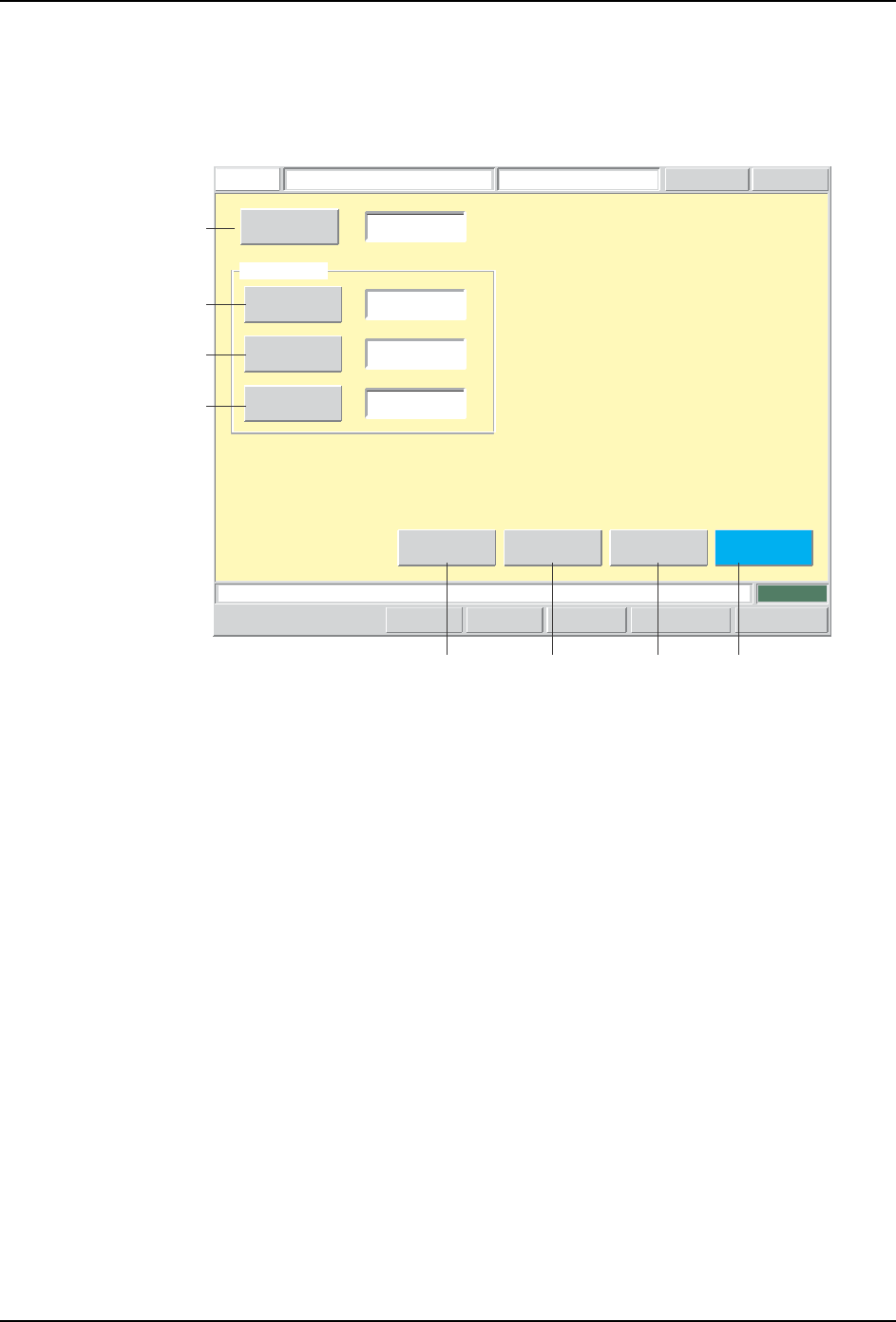
Lead Data Editing Screen
Lead data can be edited from this screen. For lead data details, refer to the SMD3
Operation Manual.
Screen Button Explanations
Push the START button.
FUJI
ErrorOperator
JOG:X Y CAM
Servo CountGEM
CCD Monitor
Lead Data Editor
FUJI_CP7_2001
Front
Lead Data
[%]
123
40
25
0
Sequence Number
Detection Point
Check
Limit
Brightness
Body
Element
Vision
Type
[%]
Set Switch
Close
CP7S2021E
A
B
C
D
E FGH
A. [Sequence No.]: Switches to the sequence search screen.
B. [Detection Position]: Changes the lead check position (PGDELW) which is
specified in the production program’s part shape data
(VISION).
C. [Pitch Deviation Tolerance]: Changes the lead pitch error tolerance (PTPVIPL)
which is specified in the production program’s part
shape data (VISION).
D. [Luminosity]: Changes the frontlight luminosity threshold for lead
identification (PTPVILB) which is specified in the
production program’s part shape data (VISION).
E. [Vision Type]: Switches to the vision type editing screen.
F. [Element]: Switches to the element data editing screen.
G. [Body]: Switches to the body data editing screen.
H. [Close]: Returns to the production program editing screen.

SYS-CP842-1.1E 3.Machine System
CP-842E / CP-842ME System Reference 111
Editing Operations
The following editing operations can be performed at this screen.
Problem Editing Operation
A vision processing error occurs during test
placement.
Error code: 0x1CAA000C
Body edge could not be detected.
If the lead data is incorrect, edit the detection
position item.
A vision processing error occurs during test
placement.
Error code: 0x1CAA0010
Rough positioning cannot be performed.
If the lead data is incorrect (image brightness
is unsuitable), edit the "luminosity" item.
A vision processing error occurs during test
placement.
Error code: 0x1CAA000D
Part size differs (excessively) from the size
specified in part data.
If the lead data is incorrect, edit the pitch
deviation tolerance item.
T009E
3.Machine System SYS-CP842-1.1E
112 CP-842E / CP-842ME System Reference
3.3 Administrative Functions
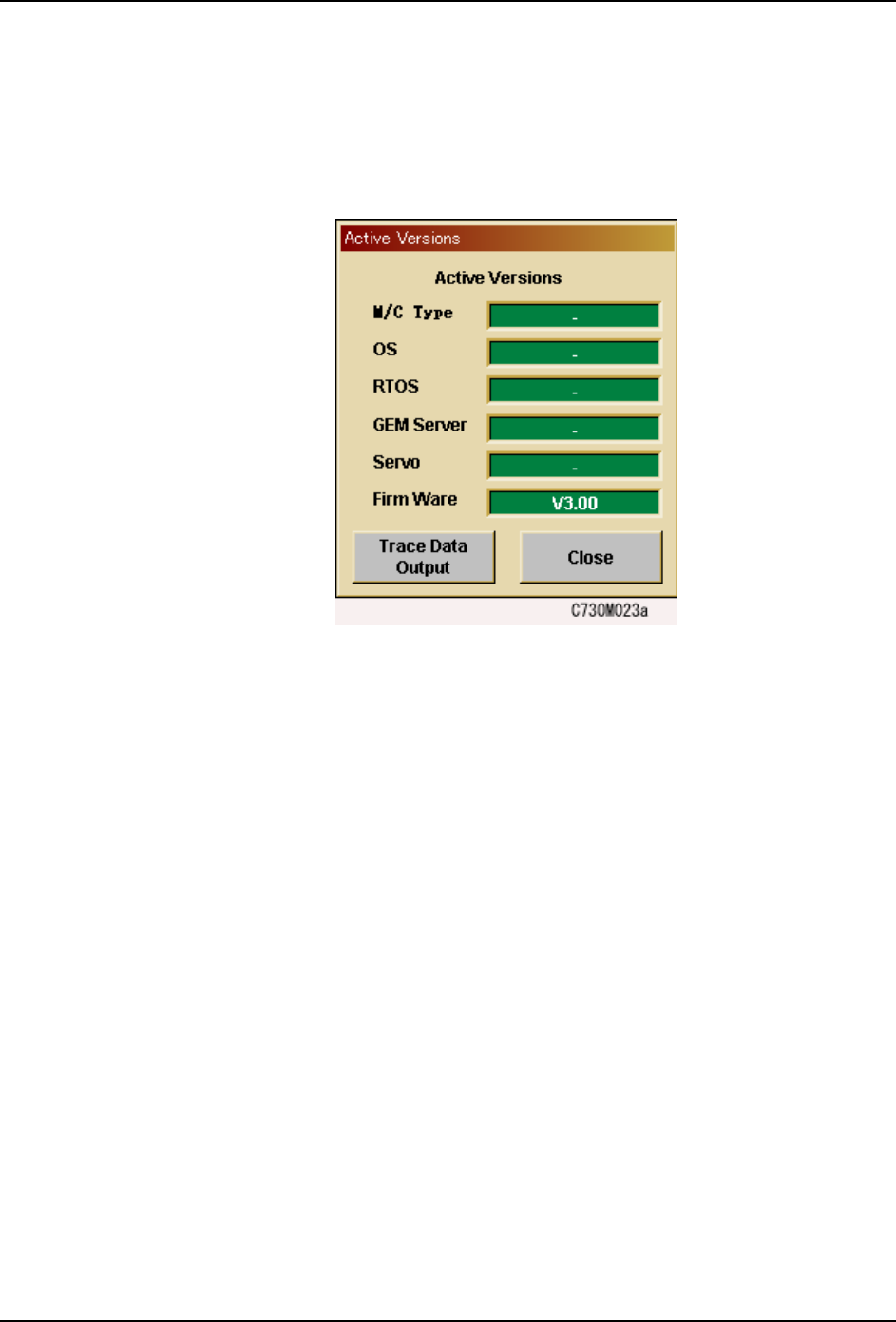
3.3.1 Displaying the Software Versions
Users can access the following dialog box by pressing the [FUJI] button in the top left of the
touch panel. Press [Close] to clear the version display.