SYS-CP842-1.1E.pdf - 第48页
SYS-CP842-1.1E 3.Machine System CP-842E / CP-842ME System Reference 39 3.1.4 Parts Error Handling Setting Error Handling The machine can be set to react differently to a parts error. Parts error refers to parts pick- up …
3.Machine System SYS-CP842-1.1E
38 CP-842E / CP-842ME System Reference
4. Press [Close] to return to the [Main] screen.
5. Press [Production] to enable the START button.
Setting the Production Mode
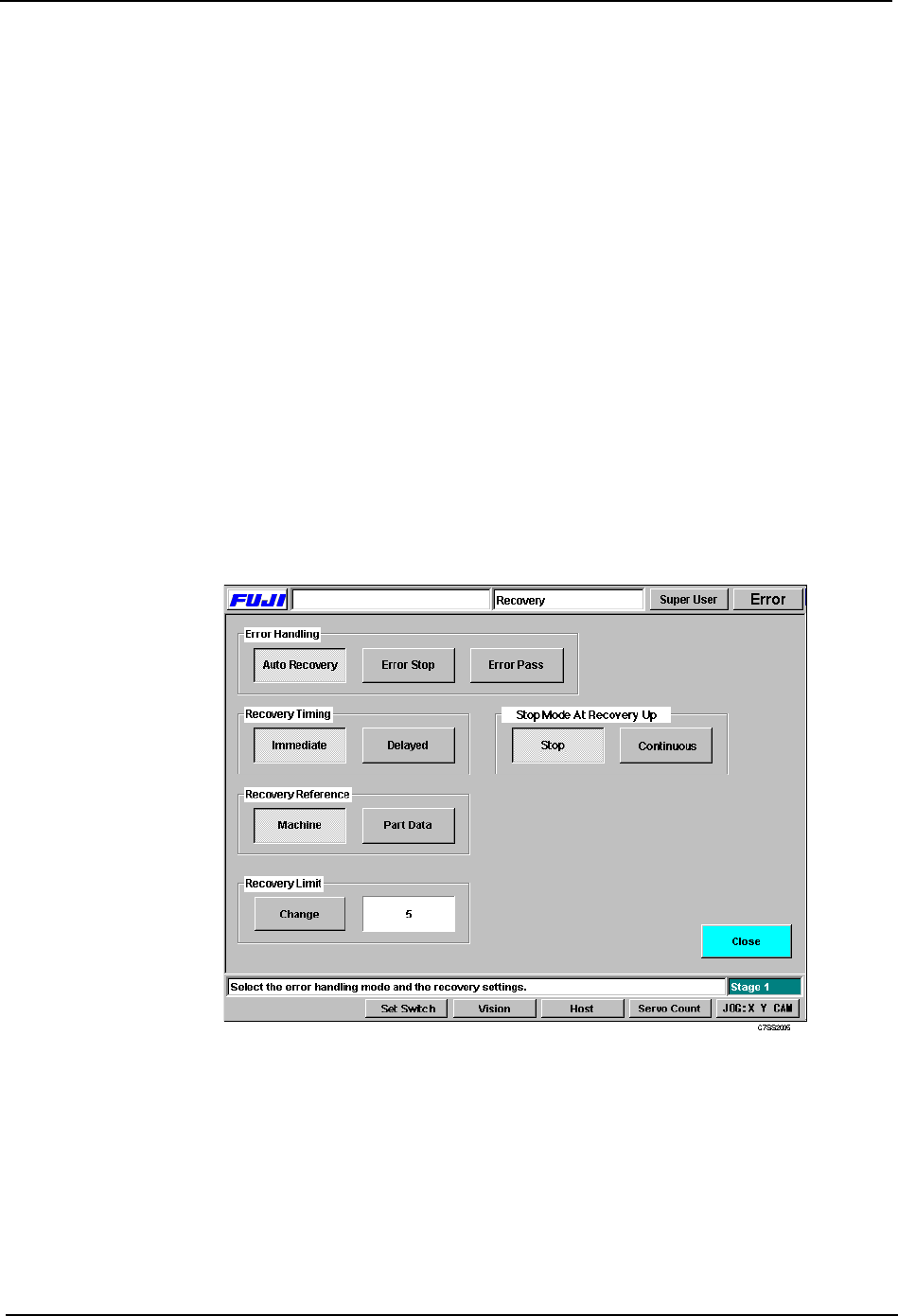
Production programs can be run in either Automaticor Step operation modes.
Procedure
1. Press [Production] at the [Main] screen.
2. Select the mode of production in the Production Mode section.
3. Press [Close] to return to the [Main] screen.
Loader
Idle 2
No Pickup
C7SS2004
Automatic: Use Automatic for assembly. In this mode the machine operates
continuously, performing each of the sequences defined in the program.
Step: Use Step to test the operation of the machine. In this mode the machine
performs one sequence at a time, and the START button must be pressed
to perform the next sequence.
SYS-CP842-1.1E 3.Machine System
CP-842E / CP-842ME System Reference 39
3.1.4 Parts Error Handling
Setting Error Handling
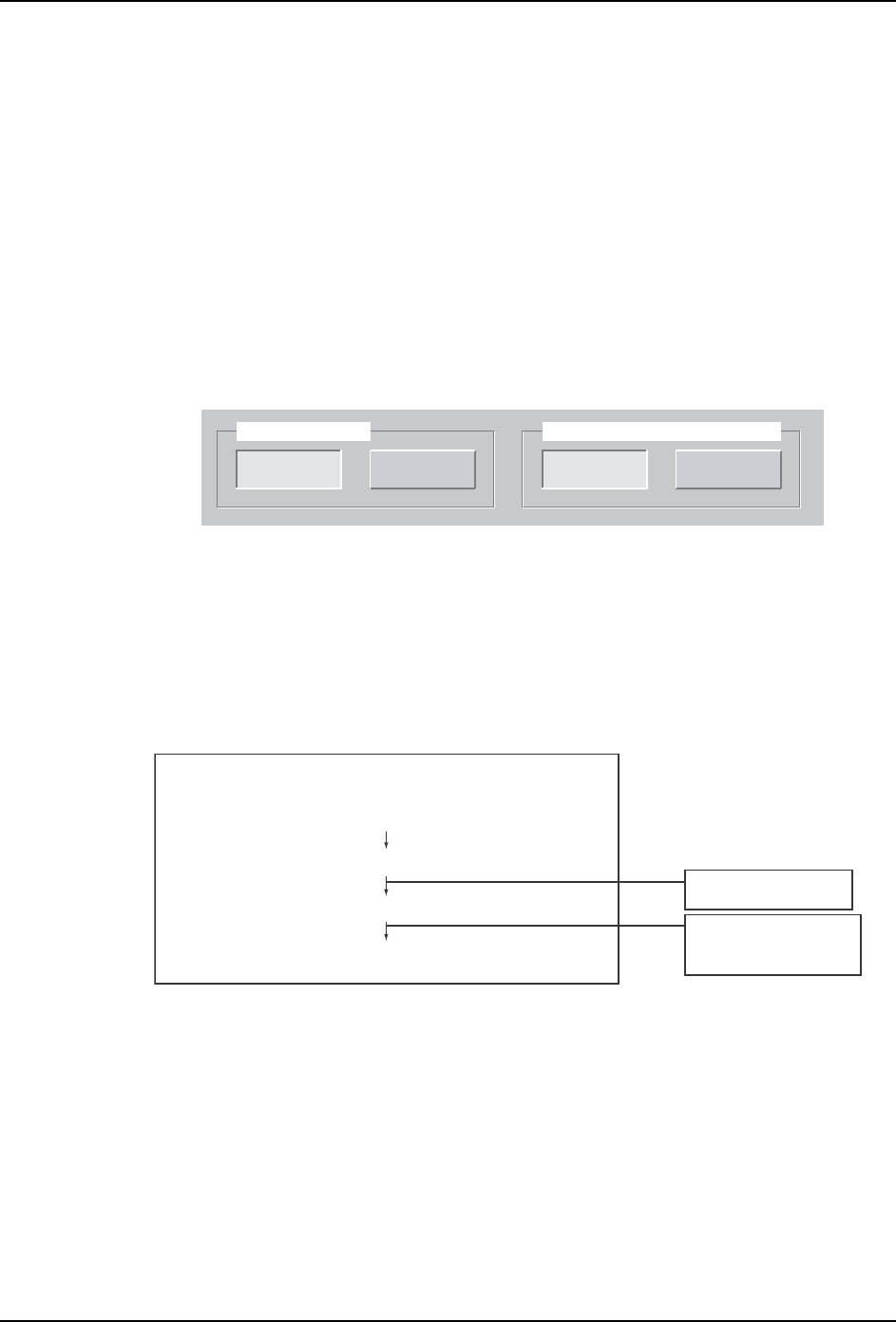
The machine can be set to react differently to a parts error. Parts error refers to parts pick-
up and parts inspection errors. There are three modes of operation triggered by a parts
error, Auto Recovery, Error Stop and Error Pass which can be changed by the operator.
Auto Recovery:The machine will repeat a sequence it failed to carry out (due to a pick-up
miss or part inspection error) up to the specified number of times (this is referred to as the
Recovery Limit).
Error Stop:The machine stops if a pick-up miss or part inspection error occurs.
Error Pass:The machine ignores pick-up miss or part inspection errors, and continues
operation.
Procedure
1. Press [Recovery] at the [Main] screen.
2. At the [Recovery] screen, select the error handling from [Auto Recovery], [Error Stop] or
[Error Pass].
3. Make any other settings at this screen and press [Close] to return to the [Main] screen.
3.Machine System SYS-CP842-1.1E
40 CP-842E / CP-842ME System Reference
Setting the Recovery Timing
Users can specify when Recovery is carried out, if an error occurs during part inspection.
There are four modes available, [Immediate Stop], [Delayed Stop], [Immediate
Continuous], and [Delayed Continuous]. The key differences between these modes is
when recovery is performed, and what action is taken in response to the recovery limit for
a part being reached.
Procedure
1. Press [Recovery] at the [Main] screen, the [Recovery] screen displays.
2. [Immediate], [Delayed], can be selected from the Recovery Timing section. Select
either [Stop] or [Continuous] at the “Stop Mode At Recovery Up” section of the screen.
3. Press [Close] to enter the setting and return to the [Main] screen.
Immediate Stop
Immediate Stop will reallocate the placement sequence for which an error occurred as soon
as possible. If the recovery limit for a part is reached, the machine stops. In this case, the
set order of the sequences is disturbed by the insertion of recovery sequences.
The flow of processing is shown in the following diagram.
Delayed
Immediate
Recovery Timing
Continuous
Stop
Stop Mode At Recovery Up
C7SS2006
Immediate Stop
Recovery occurs
Recovery sequence immediately allocated for placement
Recovery limit reached
Machine stops
Standard sequences
also allocated
Operation continues if
a next device
has been set.
C73OM025a