SYS-CP842-1.1E.pdf - 第132页
SYS-CP842-1.1E 3.Machine System CP-842E / CP-842ME System Reference 123 1 A gre en indicator appears over th e [Use Upper ID Reade r] button when on (upper ID reader “ Used”). 2 Dep ressed when “Used ” setting is specifi…
3.Machine System SYS-CP842-1.1E
122 CP-842E / CP-842ME System Reference
3.5.4 Settings for Panel ID (1D Code) Reading by Dedicated Barcode
Reader
Setting the Connection Port No. For Barcode Reader Communication
Note: On machines equipped with barcode readers, this setting is specified at the factory, and does not
require setting by the user.
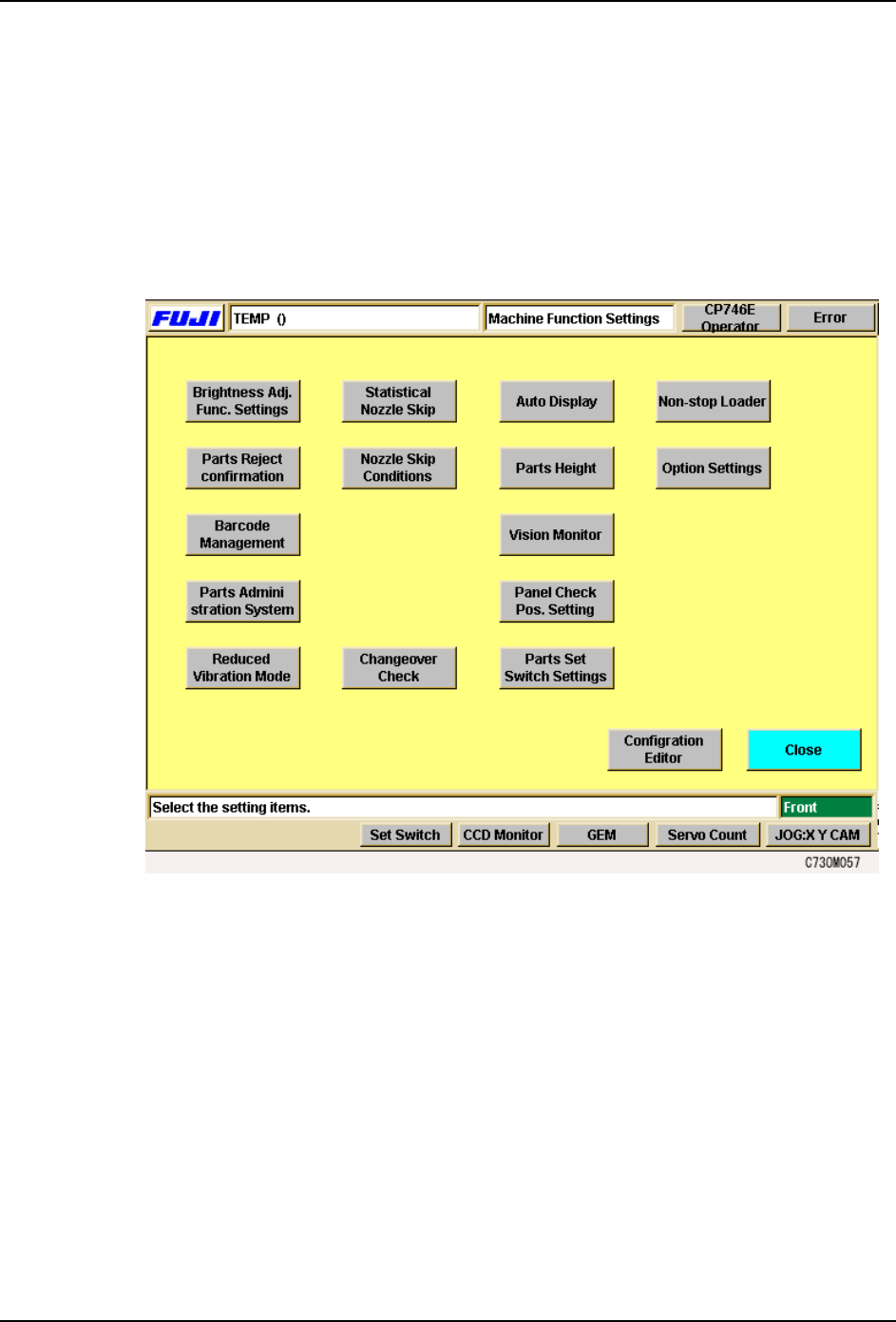
Select the [Maintenance] - [Configuration] commands to display the [Barcode
Management] setting screen.
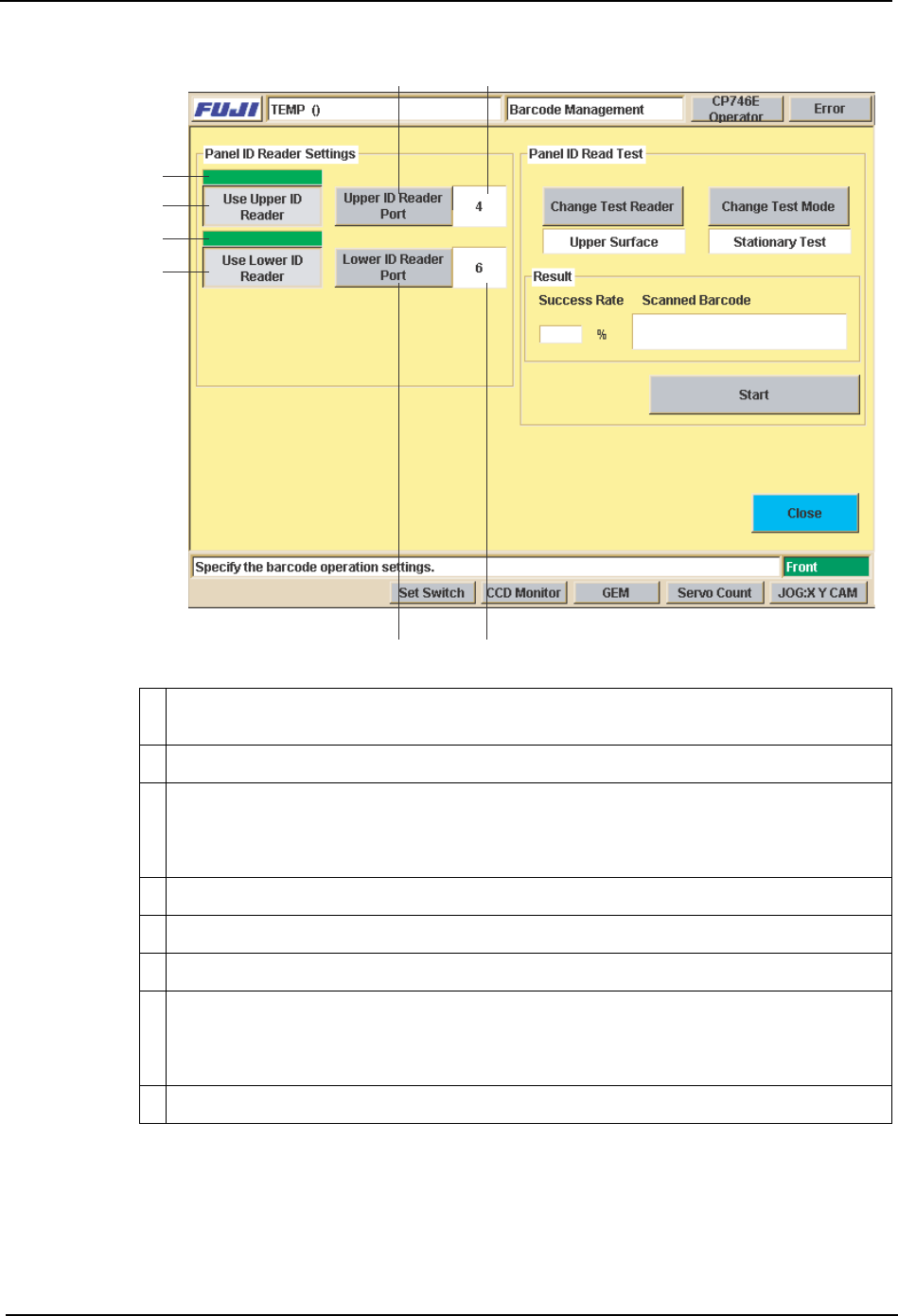
The communication port to be used for the panel ID reader connection can be specified at
the [Barcode Management] screen. ID reading tests can also be performed here.
SYS-CP842-1.1E 3.Machine System
CP-842E / CP-842ME System Reference 123
1 A green indicator appears over the [Use Upper ID Reader] button when on (upper ID
reader “Used”).
2 Depressed when “Used” setting is specified.
3 Sets the Upper ID Reader’s connection port No. Press to display a ten-key pad, then
enter the port No. to which the Upper ID Reader is to be connected. Use care to avoid
entering a vacant port No. or a port No. in use by another device. This port No. setting
is a factory setting, and does not normally require changing.
4 “Port No.” display area.
5 On/off indicator for the [Use Lower ID Reader] button.
6 Depressed when “Used” setting is specified.
7 Sets the Lower ID Reader’s connection port No. Press to display a ten-key pad, then
enter the port No. to which the Lower ID Reader is to be connected. Use care to avoid
entering a vacant port No. or a port No. in use by another device. This port No. setting
a factory setting, and does not normally require changing.
8 “Port No.” display area.
43
1
2
5
6
78
C73OM0045
3.Machine System SYS-CP842-1.1E
124 CP-842E / CP-842ME System Reference
Fujitrax-Profiler Settings
Perform the same setting procedures for code reading by the mark camera.
Barcode Reader Adjustment
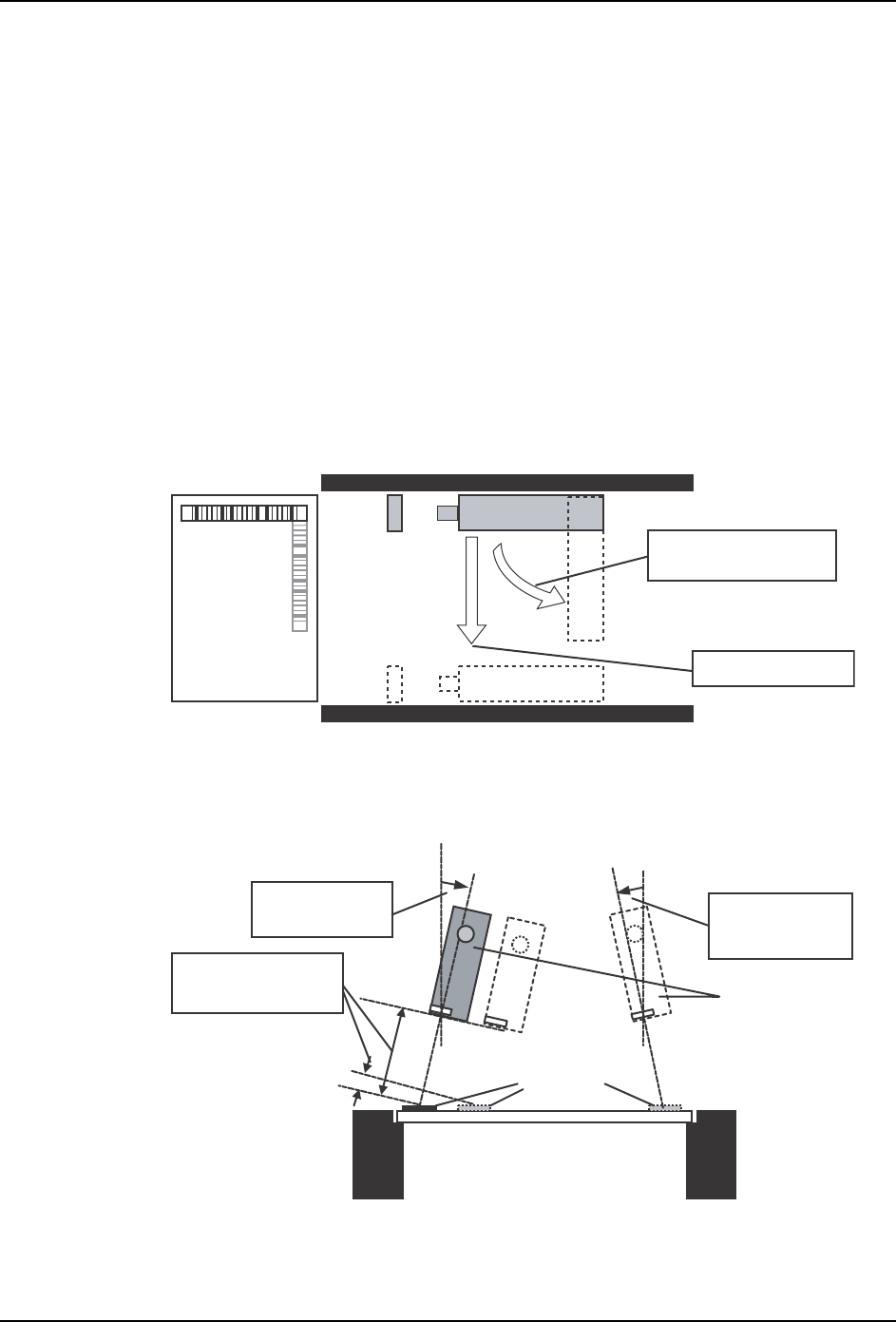
The barcode reader position must be adjusted to accommodate a production panel change,
or changes in the panel ID barcode position. In such cases, adjust the reader to a position
where normal reading can occur.
Adjust the following as necessary:
Position (Y-direction), Height (33 mm 5 mm)
Barcode reader tilt
(A tilt of 10~40 degrees, 15~40 degrees is required. See the illustration below.)
Barcode reader orientation (parallel or perpendicular to conveyance direction).
View from above in-conveyor
View of in-conveyor from left side of machine
Barcode Reading Test
After adjusting the barcode reader to its approximate position, open the [Barcode
Barcode reader
orientation adjustment
Position adjustment
Barcode reader
Trigger sensor
In-conveyor
In-conveyor
Production panel
Barcodes
Barcode reader
Tilt adjustment
(15 ~ 40 deg.)
Tit adjustment
(10 ~ 40 deg.)
Height adjust
(33 mm ± 5 mm)