SYS-CP842-1.1E.pdf - 第130页
SYS-CP842-1.1E 3.Machine System CP-842E / CP-842ME System Reference 121 Items Explanation Host name This button is used to set the F ujitrax-Profiler ho st name. Spec ify either a host name or an IP address. IP Address T…
3.Machine System SYS-CP842-1.1E
120 CP-842E / CP-842ME System Reference
3.5.3 Settings for Panel ID (2D Code) Reading by Mark Camera
Fujitrax-Profiler Settings
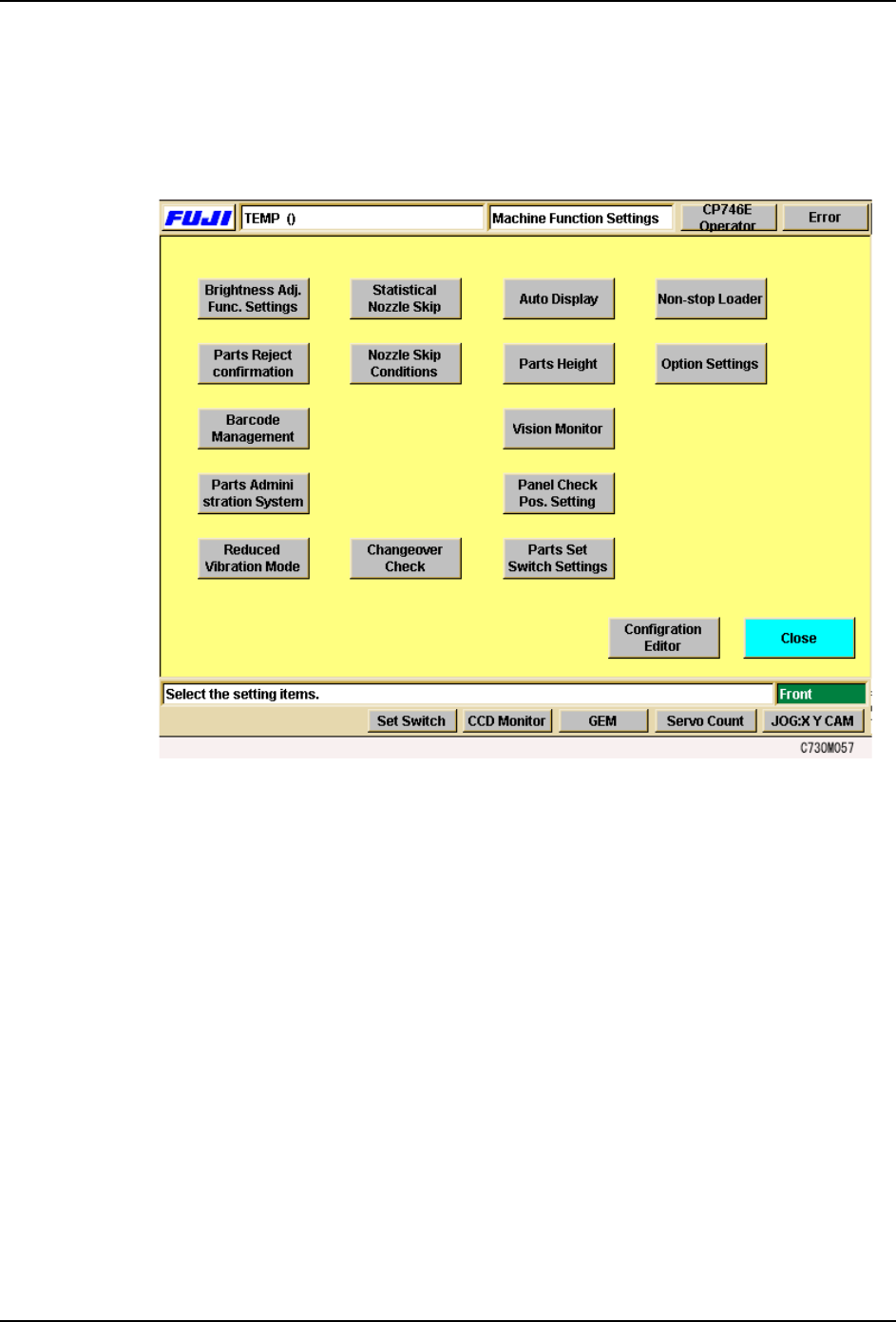
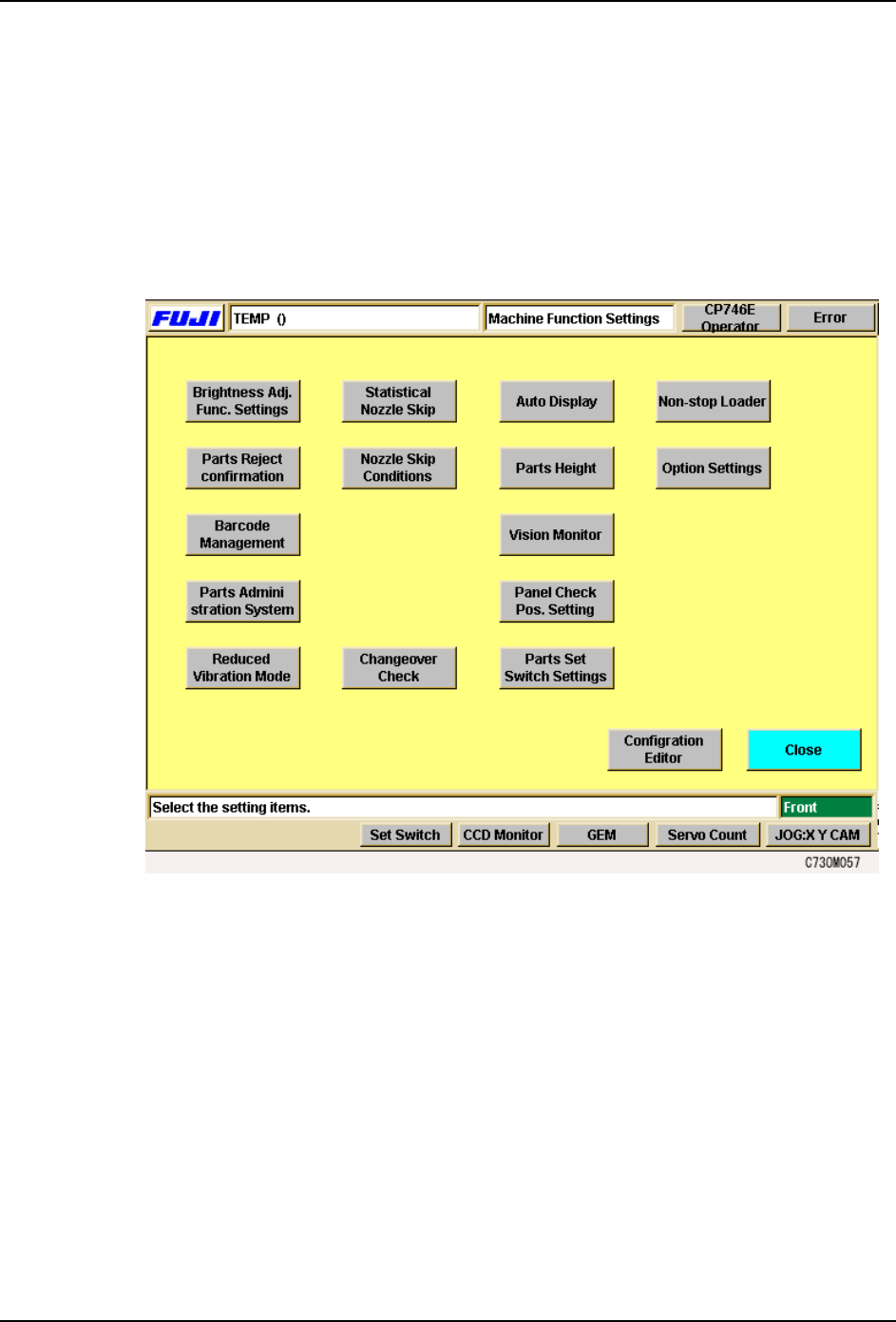
Select the [Maintenance] - [Configuration] - [Machine Function Settings] commands to
display the [Parts Administration System] setting screen.
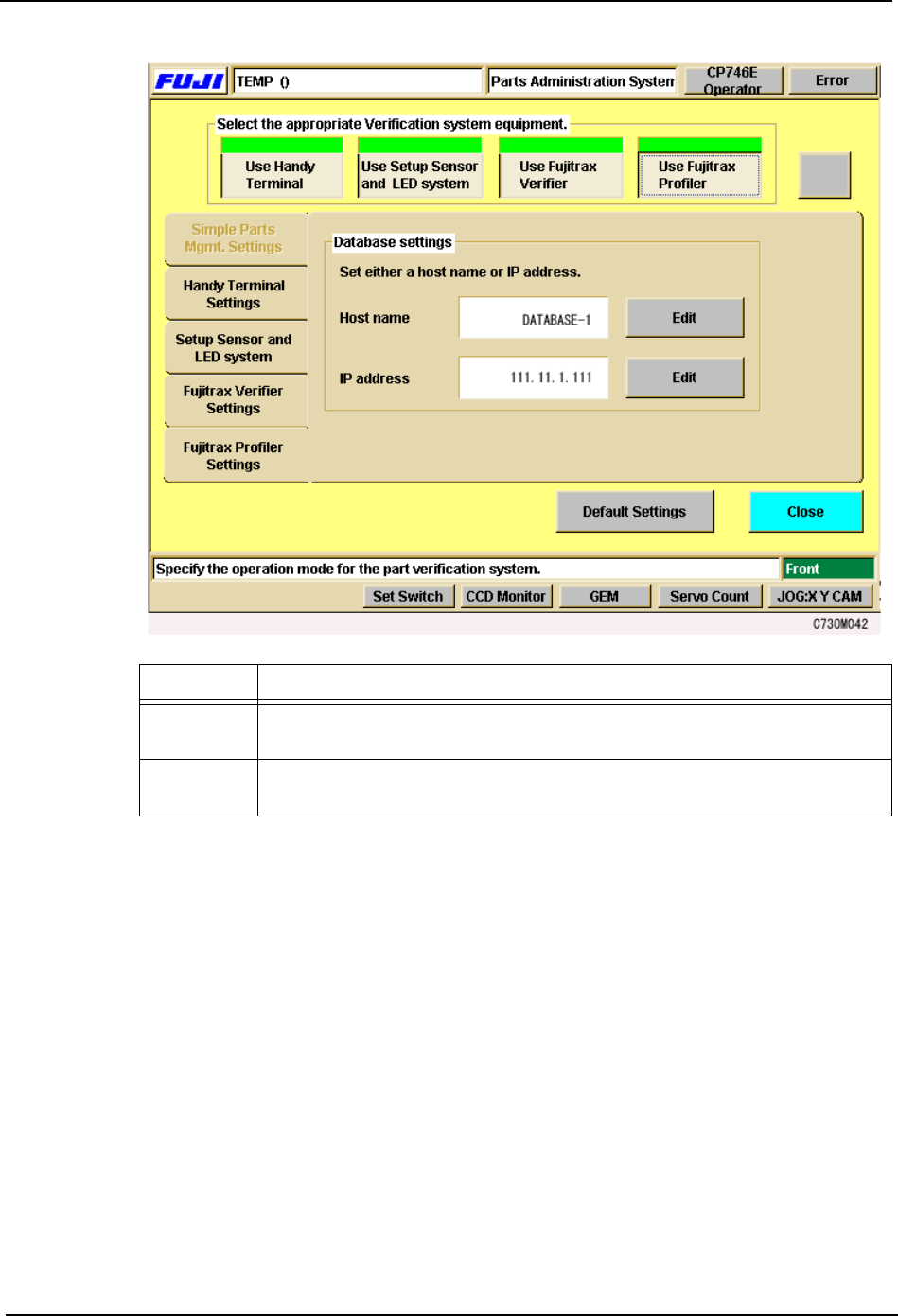
Click on the [Fujitrax-Profiler Settings] tab of the [Parts Administration System] setting
screen, then enter the host name and the IP address.
SYS-CP842-1.1E 3.Machine System
CP-842E / CP-842ME System Reference 121
Items Explanation
Host name This button is used to set the Fujitrax-Profiler host name. Specify either a
host name or an IP address.
IP Address This button is used to set the IP address for the Fujitrax-Profiler host.
Specify either a host name or an IP address.
3.Machine System SYS-CP842-1.1E
122 CP-842E / CP-842ME System Reference
3.5.4 Settings for Panel ID (1D Code) Reading by Dedicated Barcode
Reader
Setting the Connection Port No. For Barcode Reader Communication
Note: On machines equipped with barcode readers, this setting is specified at the factory, and does not
require setting by the user.
Select the [Maintenance] - [Configuration] commands to display the [Barcode
Management] setting screen.
The communication port to be used for the panel ID reader connection can be specified at
the [Barcode Management] screen. ID reading tests can also be performed here.