SYS-CP842-1.1E.pdf - 第52页
SYS-CP842-1.1E 3.Machine System CP-842E / CP-842ME System Reference 43 2. Select [M achine] at the Recove ry Reference section to use the Recovery L imit set below, or select [Part Data] to use the limit set for each par…
3.Machine System SYS-CP842-1.1E
42 CP-842E / CP-842ME System Reference
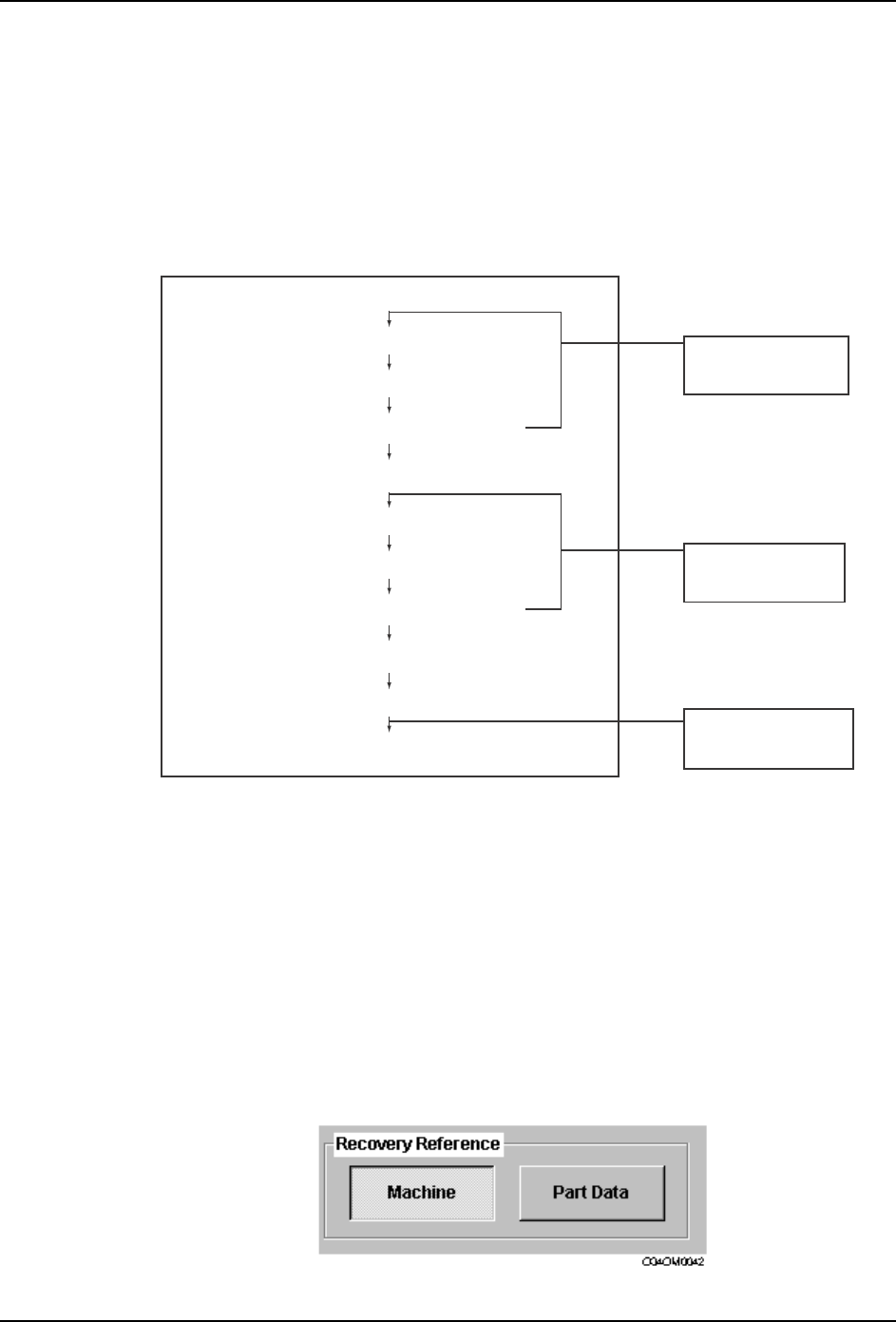
Delayed Continuous
DelayedContinuous mode works in the same manner as the Delayed Stop mode, except
for when a recovery limit is reached. Instead of stopping, the machine attempts those
sequences missed for the recovery limit part, after the rest of the sequences are complete.
If the recovery limit is reached again after attempting those remaining sequences for a
second time, then the machine is stopped by a recovery limit error.
The flow of processing is shown in the following diagram.
Changing the Recovery Limit Reference
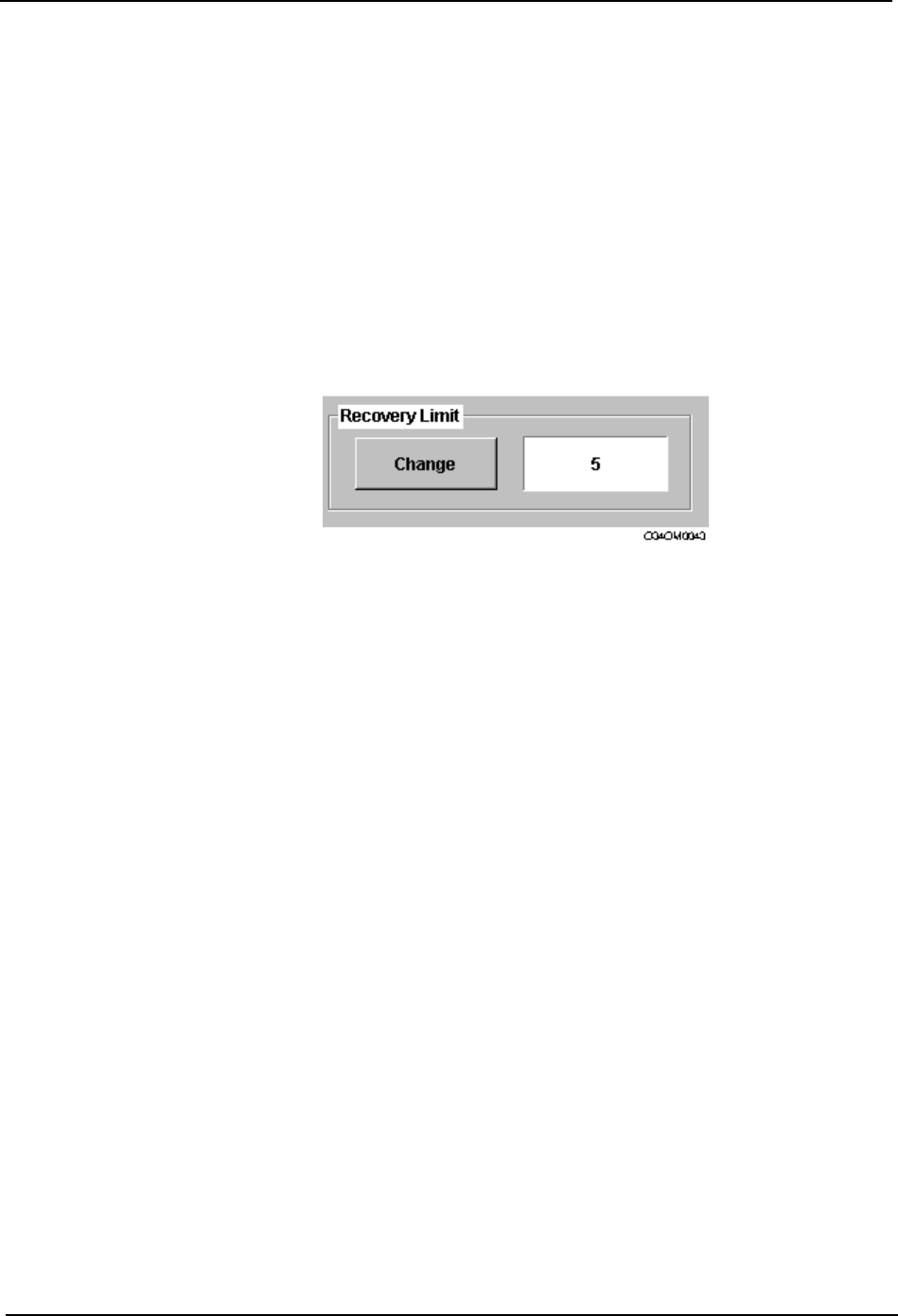
Users can specify whether the Recovery Limit set at the machine, or the limit set in part
data, is used during automatic operation. Set the machine data item Recovery Times to 0
to use the recovery limit set at the machine, or set 1 to use the recovery limit specific to each
part set in part data (refer to your host system documentation for an explanation of part data
settings). Alternatively, this setting can be changed at the machine using the following
procedure.
Procedure
1. Press [Recovery] at the [Main] screen to display the [Recovery] screen.
Delayed Continuous
Recovery occurs
Placement of parts
Recovery sequence is put to the end
Recovery limit reached
Recovery sequences are allocated
Standard sequences are completed
Machine stops
Recovery sequences are allocated
Recovery limit part is put to the end
Recovery limit reached
Operation continues if
a next device
has been set.
Repeated until
standard sequences
are complete.
Repeated until
recovery sequences
are complete.
C73OM028a
SYS-CP842-1.1E 3.Machine System
CP-842E / CP-842ME System Reference 43
2. Select [Machine] at the Recovery Reference section to use the Recovery Limit set
below, or select [Part Data] to use the limit set for each part in part data (refer to your
host system documentation for an explanation of part data settings).
3. Press [Close] to return to the [Main] screen.
Changing the Recovery Limit
Settings for Recovery Limit can be made in part data or at the machine. This value is used
for the limit of consecutive recovery attempts in response to pick-up or part inspection
errors.
Procedure
1. Press [Recovery] at the [Main] screen to display the [Recovery] screen.
2. By default, the Recovery Reference is set to Machine. This indicates that the Recovery
Limit set at the machine is used. The Recovery Limit item is not available, if the
Recovery Reference is set to Part Data.
3. Press [Change] to display the numeric keypad, enter the desired number of recovery
attempts and press [OK].
4. Press [Close] to return to the [Main] screen.
3.Machine System SYS-CP842-1.1E
44 CP-842E / CP-842ME System Reference
3.1.5 Nozzle Related Functions
Performing a Nozzle Check
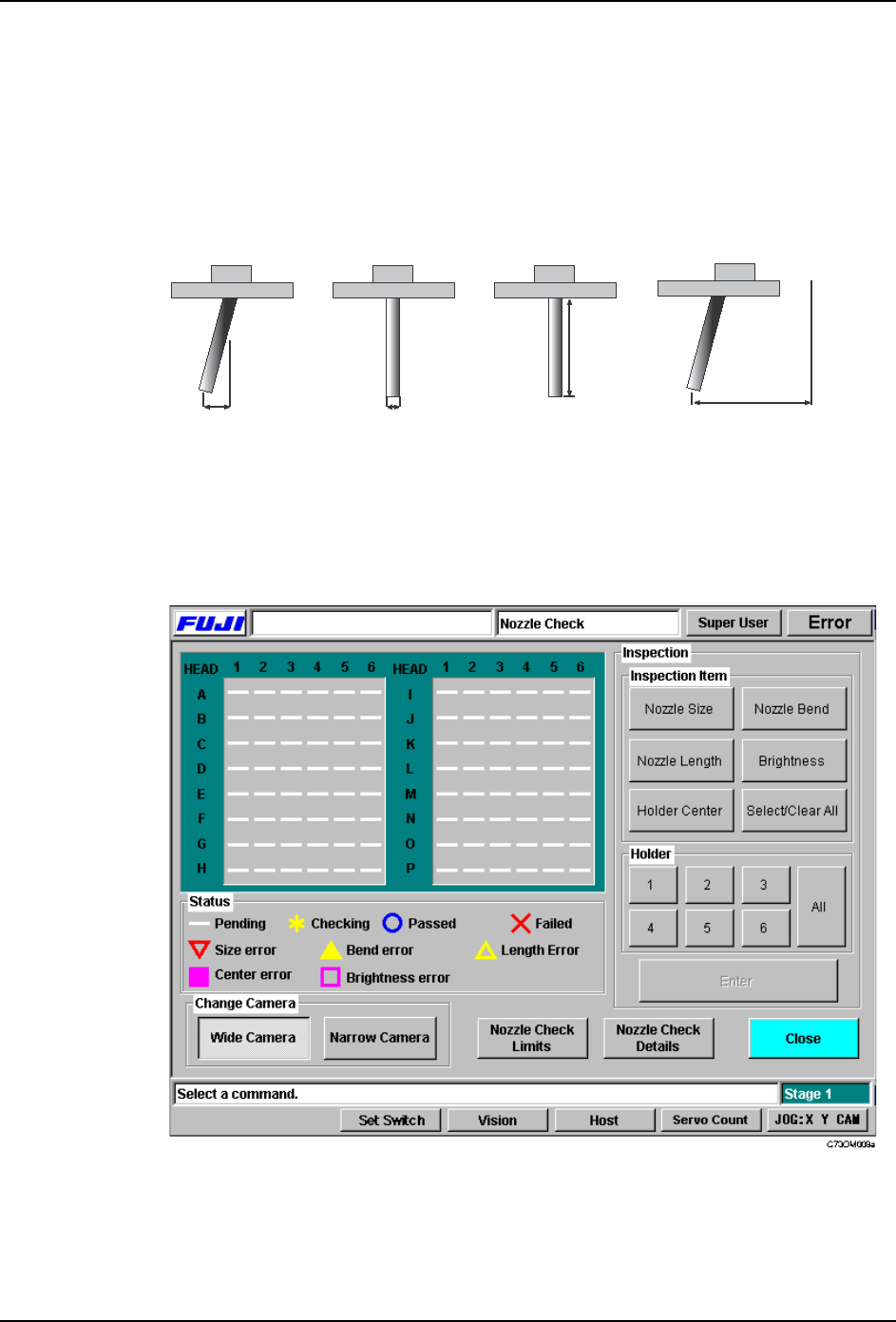
A nozzle check is performed to determine the condition of the nozzles on the placing heads.
The following four types of nozzle check are available, nozzle bend check, nozzle diameter
check, nozzle length check, and the nozzle holder center check.
Procedure
1. At the [Main] window, select [Nozzle Check]. The [Nozzle Check] screen displays.
2. From the “Inspection Item” section, select which of the nozzle checks you wish to carry
out. Select [Select All] to choose all tests as a batch.
3. At the “Holder” section, select which of the nozzles positions (1 to 6) will be checked.
Select [All] to choose all six holders as a batch.
Bend Diameter Length
Holder center
End of
nozzle
Inspection
origin
C73OM001a