SYS-CP842-1.1E.pdf - 第68页
SYS-CP842-1.1E 3.Machine System CP-842E / CP-842ME System Reference 59 Stopping After the Curren t Panel To stop the machine when the panel curren tly being produced is finish ed and unloaded to the next machine, use the…
3.Machine System SYS-CP842-1.1E
58 CP-842E / CP-842ME System Reference
3.1.9 Display During Production
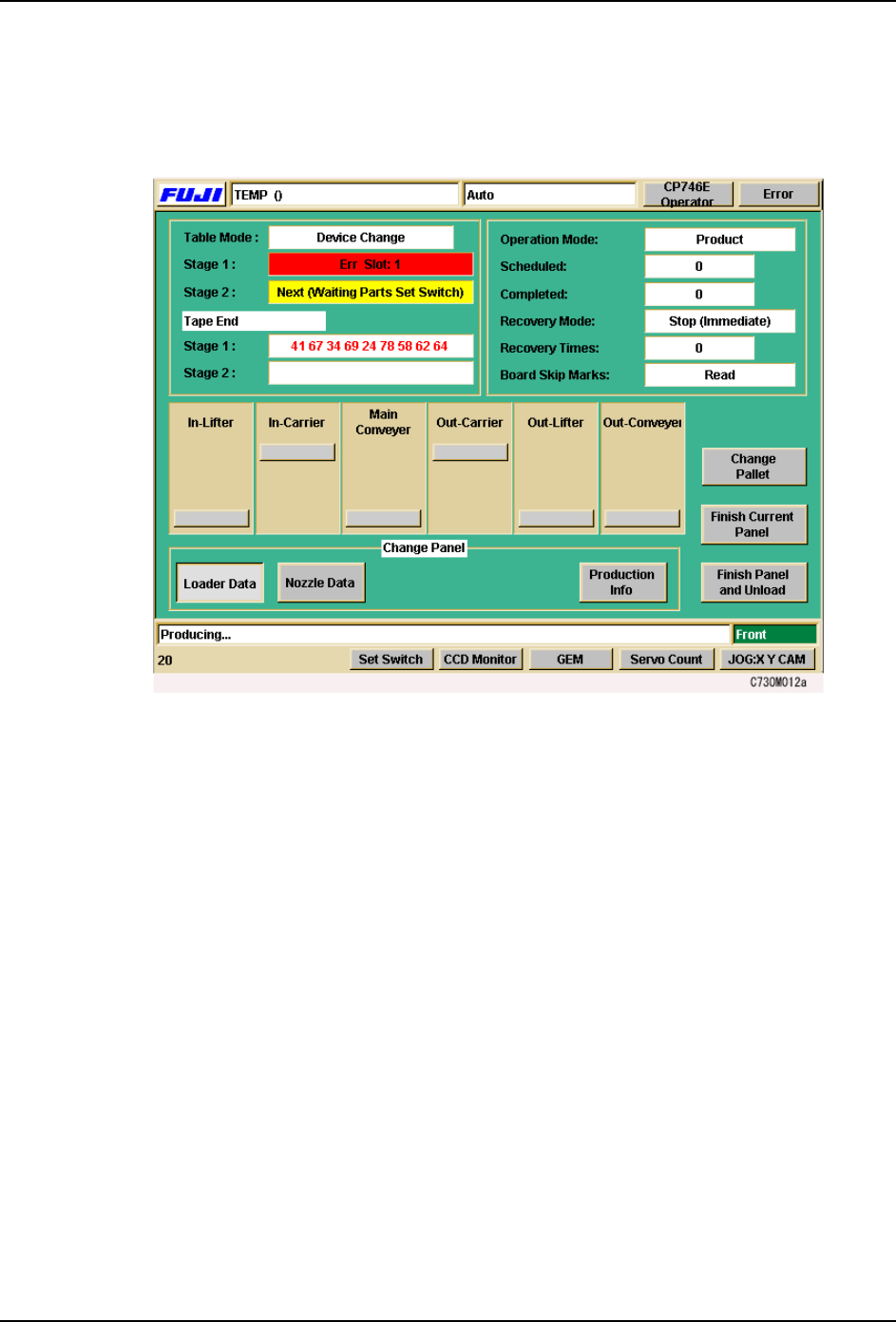
Pressing [Production] at the [Main] screen enables the START button.
The following screen displays when production is started.
The operator can access four different production displays during operation. These
displays are changed using the buttons under Display at the bottom of the screen.
[Loader Data] The default screen is the loader data (shown above).
[Nozzle Data] The status of all the nozzles on the machine, including those
currently held by the placing head is shown at this screen.
[Production Info] Select to display production data for the current program.

SYS-CP842-1.1E 3.Machine System
CP-842E / CP-842ME System Reference 59
Stopping After the Current Panel
To stop the machine when the panel currently being produced is finished and unloaded to
the next machine, use the [Finish Current Panels] command at the [Production] screen.
Finishing current panel ... displays in the information bar while the processing for the for the
[Finish Current Panels] command is being carried out. The START button is enabled when
this operation is complete. Press the START button to restart production. The operation
can be canceled by pressing the [Finish Current Panels] command again.
Note: This function applies to panels currently on the main conveyor. If there are no panels on the main
conveyor, and the advance pick-up of parts has not begun, the machine stops before loading another
panel to the main conveyor.
Stopping After All Panels are Complete
The [Finish All Panels] command allows you to finish all panels currently loaded on the
machine, including panels currently being assembled, and panels held by the in-carrier (the
carrier loader on the in-conveyor side of the machine). The machine stops loading panels
from the previous machine in the line, when this command is executed. When all these
panels are complete and unloaded, the machine stops (and the START button is enabled).
The [Finish All Panels] command is available during automatic operation. Press this
command to enable the START button, and press START to begin the operation
(Completing and unloading all current panels ... displays at the information bar).
The operation can be canceled by pressing the [Finish All Panels] command again.
The START button is enabled again when the operation is complete. This time, press the
START button to restart production.
3.Machine System SYS-CP842-1.1E
60 CP-842E / CP-842ME System Reference
3.1.10 Loading and Unloading Panels
Automatic Panel Conveyance
The machine automatically loads and unloads panels during production. When production
is started, the machine loads panels to the main conveyor (XY-table) for assembly. When
assembly is complete, the panels are unloaded and conveyed to the next machine. A
carrier loader system is used on CP-842E/842ME to reduce loading and unloading time.
The action of the carrier loader system is shown below.
Loading and Unloading Panels Manually
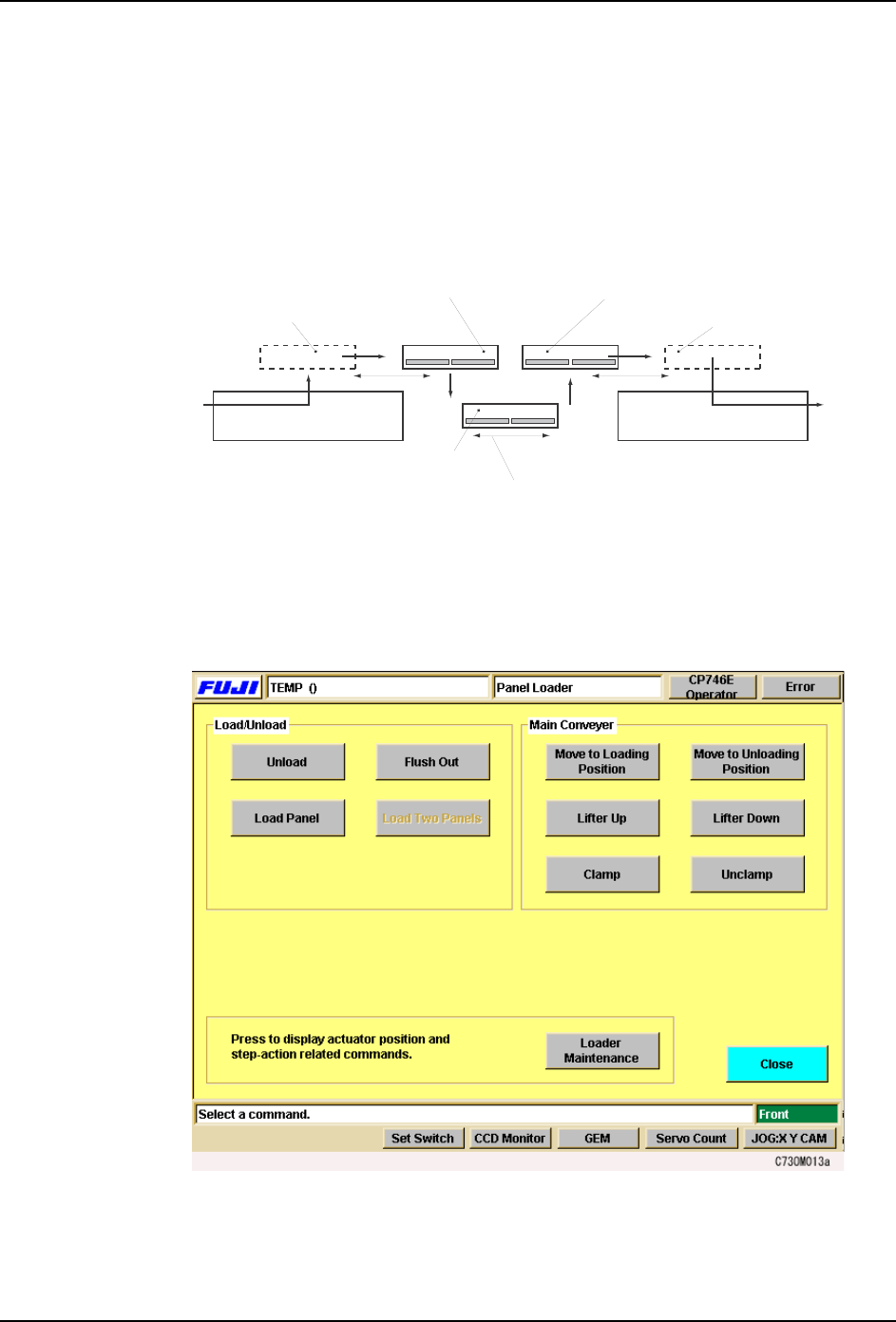
The operator can unload or load panels using commands at the machine.
Procedure
1. Press [Panel Loader] at the [Main] screen. The [Panel Loader] screen displays.
2. To load a new panel, select [Load Panel] from the “Load/ Unload” section. To unload a
panel from the machine, select [Unload]. After selecting one of these commands, the
START button is enabled.
In-carrier
In-conveyor
Main conveyor
Main conveyor movement
Out-conveyor
Out-carrier
Production standby
position
Panel receiving
position
From
previous
machine To next
machine
C73OM003