SYS-CP842-1.1E.pdf - 第133页
3.Machine System SYS-CP842-1.1E 124 CP-842E / CP-842ME System Reference Fujitrax-Profile r Settings Perform the same setting pr ocedures for code rea ding by the mark camera. Barcode Reader Adjustment The barcod e reader…
SYS-CP842-1.1E 3.Machine System
CP-842E / CP-842ME System Reference 123
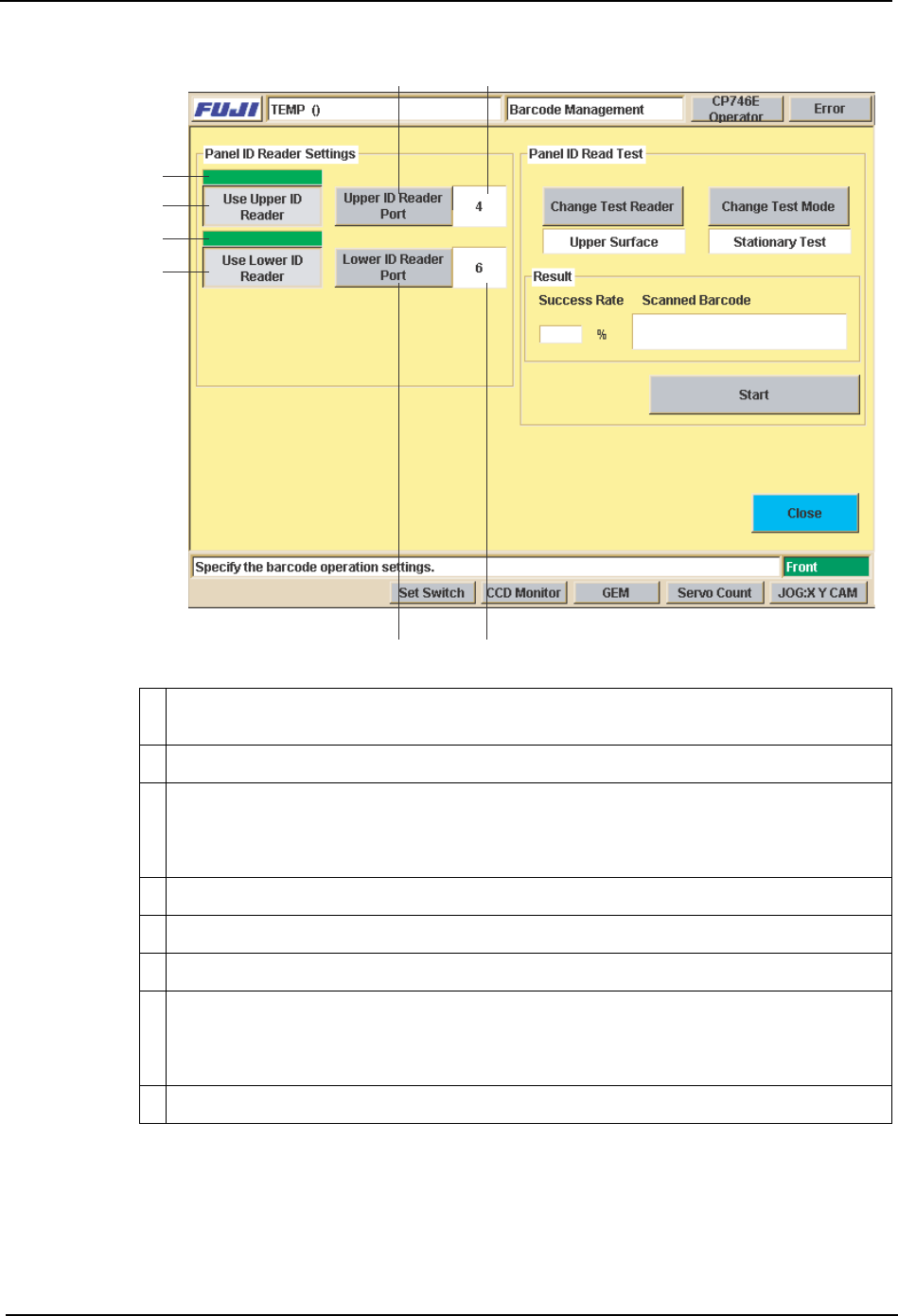
1 A green indicator appears over the [Use Upper ID Reader] button when on (upper ID
reader “Used”).
2 Depressed when “Used” setting is specified.
3 Sets the Upper ID Reader’s connection port No. Press to display a ten-key pad, then
enter the port No. to which the Upper ID Reader is to be connected. Use care to avoid
entering a vacant port No. or a port No. in use by another device. This port No. setting
is a factory setting, and does not normally require changing.
4 “Port No.” display area.
5 On/off indicator for the [Use Lower ID Reader] button.
6 Depressed when “Used” setting is specified.
7 Sets the Lower ID Reader’s connection port No. Press to display a ten-key pad, then
enter the port No. to which the Lower ID Reader is to be connected. Use care to avoid
entering a vacant port No. or a port No. in use by another device. This port No. setting
a factory setting, and does not normally require changing.
8 “Port No.” display area.
43
1
2
5
6
78
C73OM0045
3.Machine System SYS-CP842-1.1E
124 CP-842E / CP-842ME System Reference
Fujitrax-Profiler Settings
Perform the same setting procedures for code reading by the mark camera.
Barcode Reader Adjustment
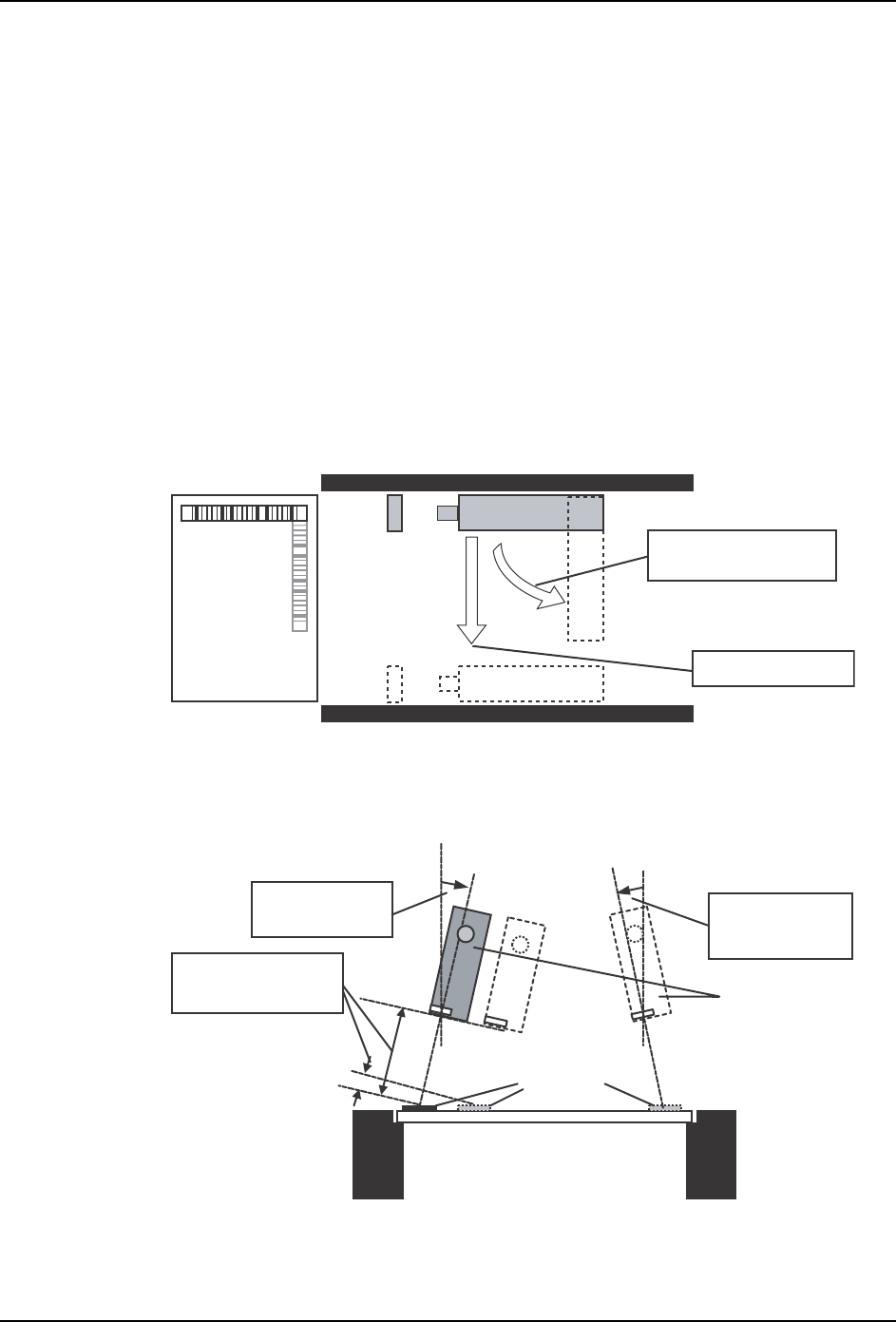
The barcode reader position must be adjusted to accommodate a production panel change,
or changes in the panel ID barcode position. In such cases, adjust the reader to a position
where normal reading can occur.
Adjust the following as necessary:
Position (Y-direction), Height (33 mm 5 mm)
Barcode reader tilt
(A tilt of 10~40 degrees, 15~40 degrees is required. See the illustration below.)
Barcode reader orientation (parallel or perpendicular to conveyance direction).
View from above in-conveyor
View of in-conveyor from left side of machine
Barcode Reading Test
After adjusting the barcode reader to its approximate position, open the [Barcode
Barcode reader
orientation adjustment
Position adjustment
Barcode reader
Trigger sensor
In-conveyor
In-conveyor
Production panel
Barcodes
Barcode reader
Tilt adjustment
(15 ~ 40 deg.)
Tit adjustment
(10 ~ 40 deg.)
Height adjust
(33 mm ± 5 mm)
SYS-CP842-1.1E 3.Machine System
CP-842E / CP-842ME System Reference 125
Management] screen and perform a test reading of the panel ID barcode, and fine-adjust
the barcode reader position until the barcode is being read properly.
Place a panel on the conveyor, then press [Test Start or End]. Fine-adjust the reader
position until the reading success rate is high (approx. 100%).
Reading Trigger Sensor Adjustment
When the position of the panel ID changes due to a production panel change, etc., the
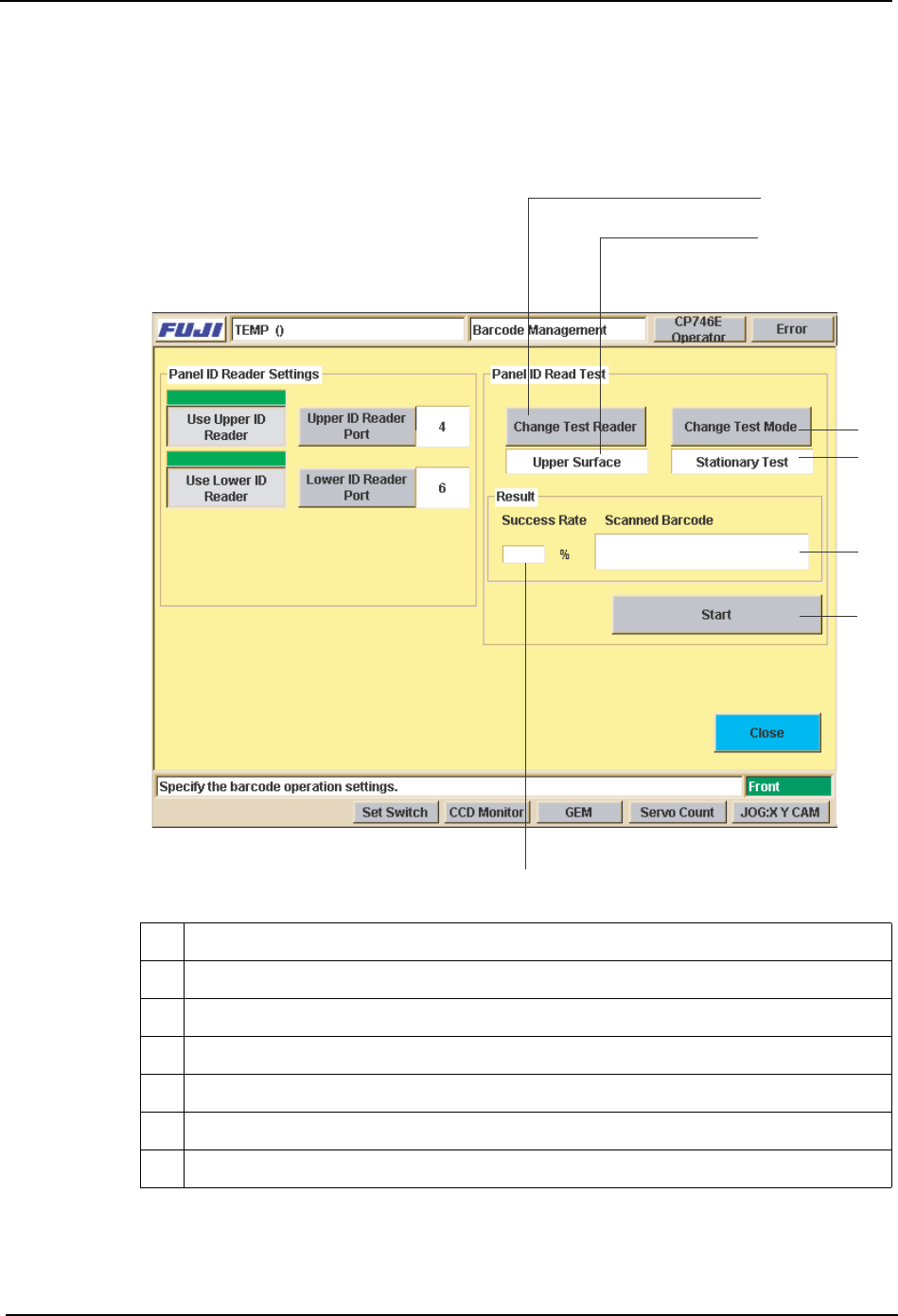
9 Selects the reader (upper or lower) to be used for reading test
10 Indicates the reader (upper or lower) being used for reading test.
11 Switches the test mode being used for reading test.
12 Indicates the current test mode being used for reading test.
13 Starts and stops the test.
14 Display area for reading success rate / success count.
15 Display area for content of barcode which was read.
9
10
11
12
13
14
15
%1/