SYS-CP842-1.1E.pdf - 第99页
3.Machine System SYS-CP842-1.1E 90 CP-842E / CP-842ME System Reference Sequence Editing Screen Sequence dat a can be edited fro m this screen. Press the START button. FUJI Error Operator JOG:X Y CAM Servo Count GEM CCD M…
SYS-CP842-1.1E 3.Machine System
CP-842E / CP-842ME System Reference 89
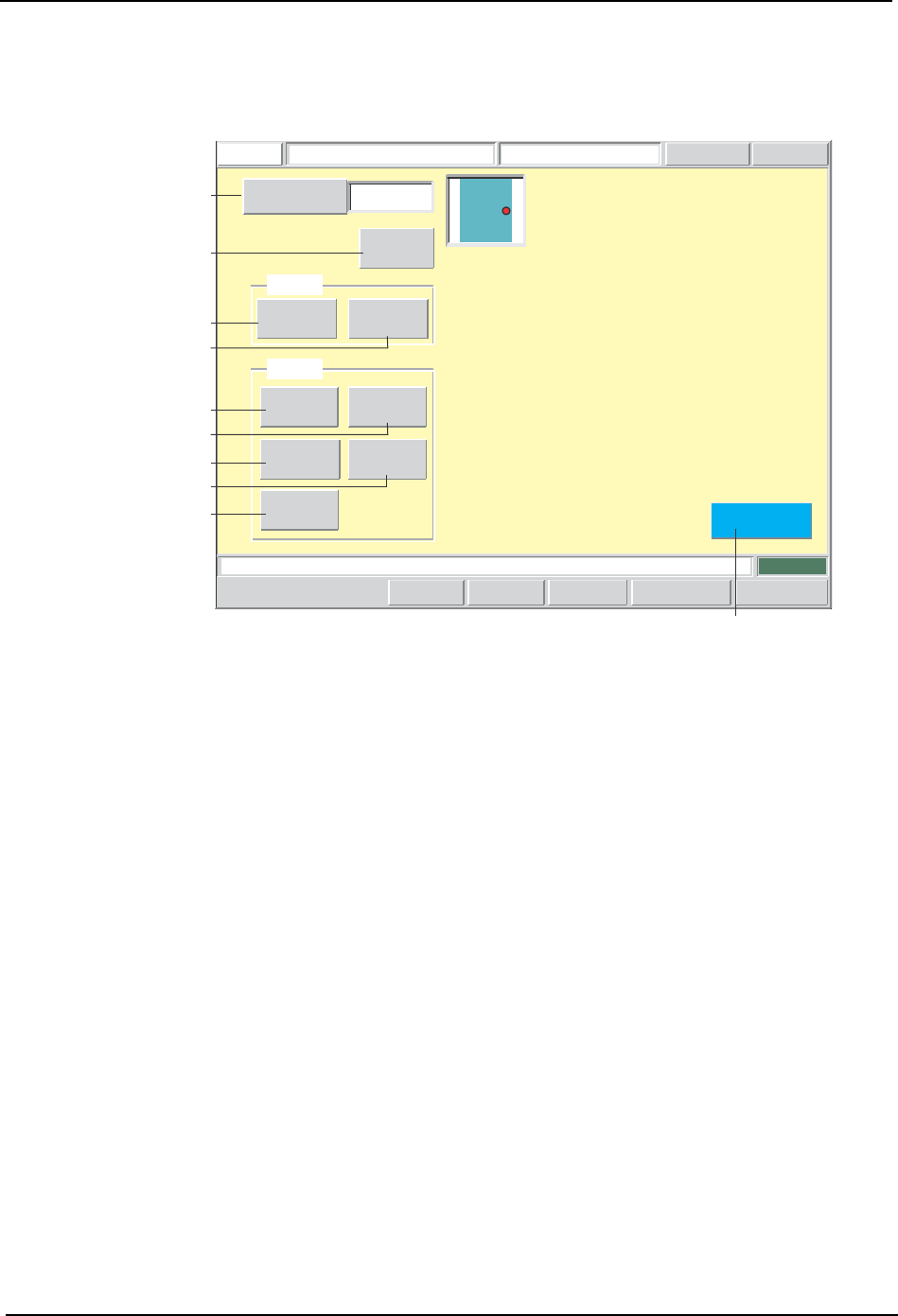
Production Program Editing Screen
Production programs can be edited from this screen.
Screen Button Explanations
Press the START button.
FUJI
Error
Operator
JOG:X Y CAM
Servo CountGEMCCD Monitor
Production Program EditorFUJI_CP7_2001
Front
Close
1
Sequence Number
Pickup
Sequence
Body
Lead
Element
Vision
BS Mark
F Mark
Mark
Set
Set Switch
CP7S2012E
A
C
D
F
B
E
H
G
I
J
A. [Sequence No.]: Switches to the sequence search screen.
B. [Sequence]: Switches to the sequence data editing screen.
C. [Fiducial]: Switches to the F-mark data editing screen.
D. [Block Skip]: Switches to the BS-mark data editing screen.
E. [Body]: Switches to the body data editing screen.
F. [Lead]: Switches to the lead data editing screen.
G. [Element]: Switches to the element data editing screen.
H. [Vision Type]: Switches to the vision type editing screen.
I. [Pickup]: Switches to the pickup data editing screen.
J. [Close]: Returns to either the simulation or the test placement screen
(returns to the screen from which this screen was accessed).
3.Machine System SYS-CP842-1.1E
90 CP-842E / CP-842ME System Reference
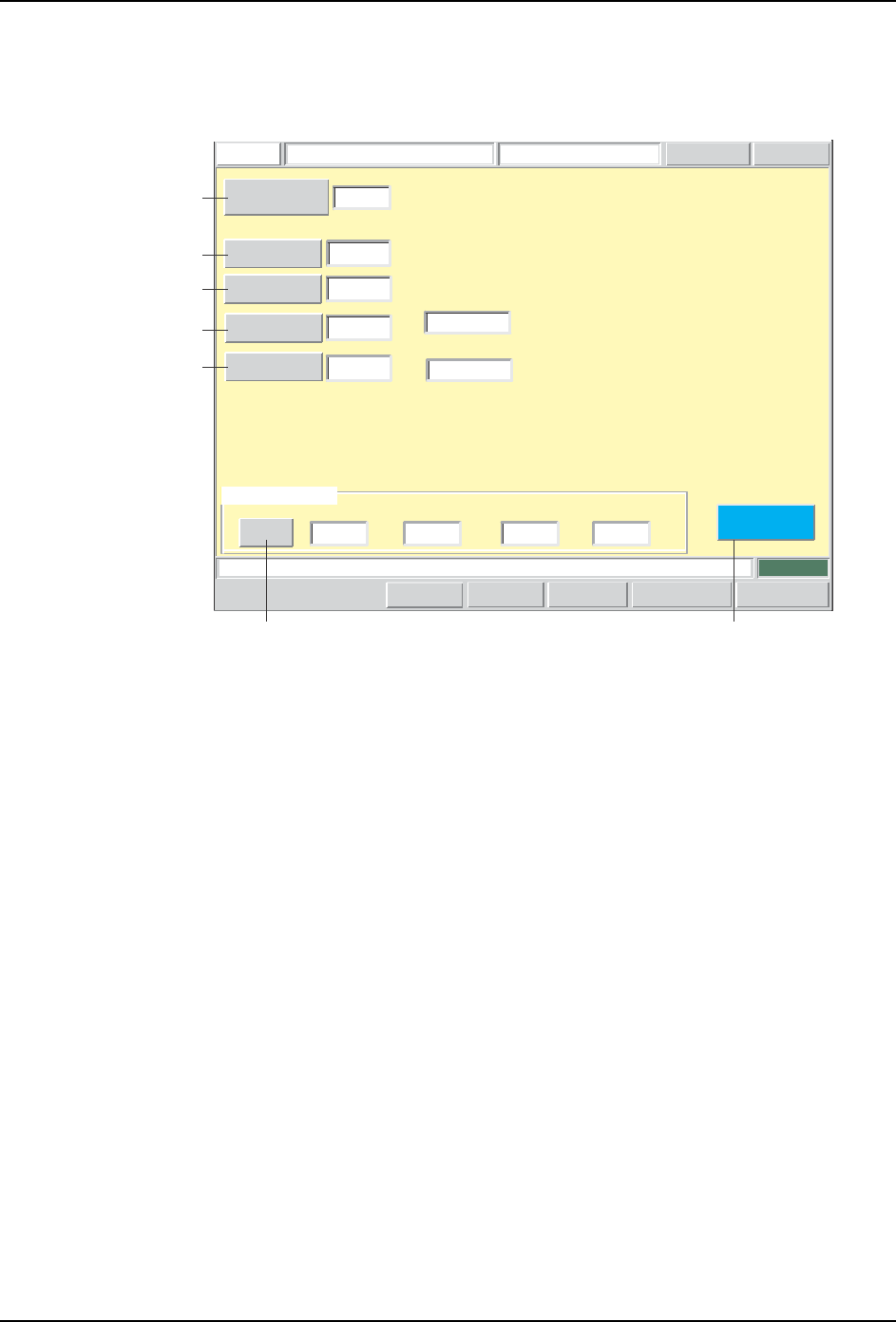
Sequence Editing Screen
Sequence data can be edited from this screen.
Press the START button.
FUJI
ErrorOperator
JOG:X Y CAM
Servo CountGEM
CCD Monitor
Sequence Data EditorFUJI_CP7_2001
Front
Close
123
Pickup Location
Stage number
Group number
Slot number
Sub-slot number
X-coordinate
Y-coordinate
Q-rotation
-93.5000
52.0000
90.0000
[mm]
[mm]
[deg]
Direction
0
Sequence Type
D
Comment
MINI1220122
Sequence Number
1 0 13 0
-- -
Set Switch
Setup
1
2
CP7S2013E
A
B
C
D
E
GF

SYS-CP842-1.1E 3.Machine System
CP-842E / CP-842ME System Reference 91
Screen Button Explanations
Display Item Explanations
A. [Sequence No.]: Switches to the sequence search screen.
B. [Coordinate X]: Changes the coordinates (GSQX) for the X-axis
specified in the production program’s sequence data
(SEQUENCE).
C. [Coordinate Y]: Changes the coordinates (GSQY) for the Y-axis
specified in the production program’s sequence data
(SEQUENCE).
D.[Rotation Angle]: Changes the placement angle (GSQQ) which is
specified in the production program’s sequence data
(SEQUENCE).
E. [Direction]: Changes the part supply direction (PMADC) which is
specified in the production program’s part data
(PRTIDDT).
Setting examples:
0: Supplied at 0 degrees.
1: Supplied at 90 degrees.
2: Supplied at 180 degrees.
3: Supplied at 270 degrees.
F. [Set]: Changes the ID (FDRKEY) which is used to link to
information for the part specified in the production
program’s sequence data (SEQUENCE).
G: [Close]: Returns to the production program editing screen.
1. [Sequence Type]: F: Fiducial mark sequence
B: Block skip mark sequence
D: Placement sequence
2. [Comment]: Displays the sequence comment.