SYS-CP842-1.1E.pdf - 第159页
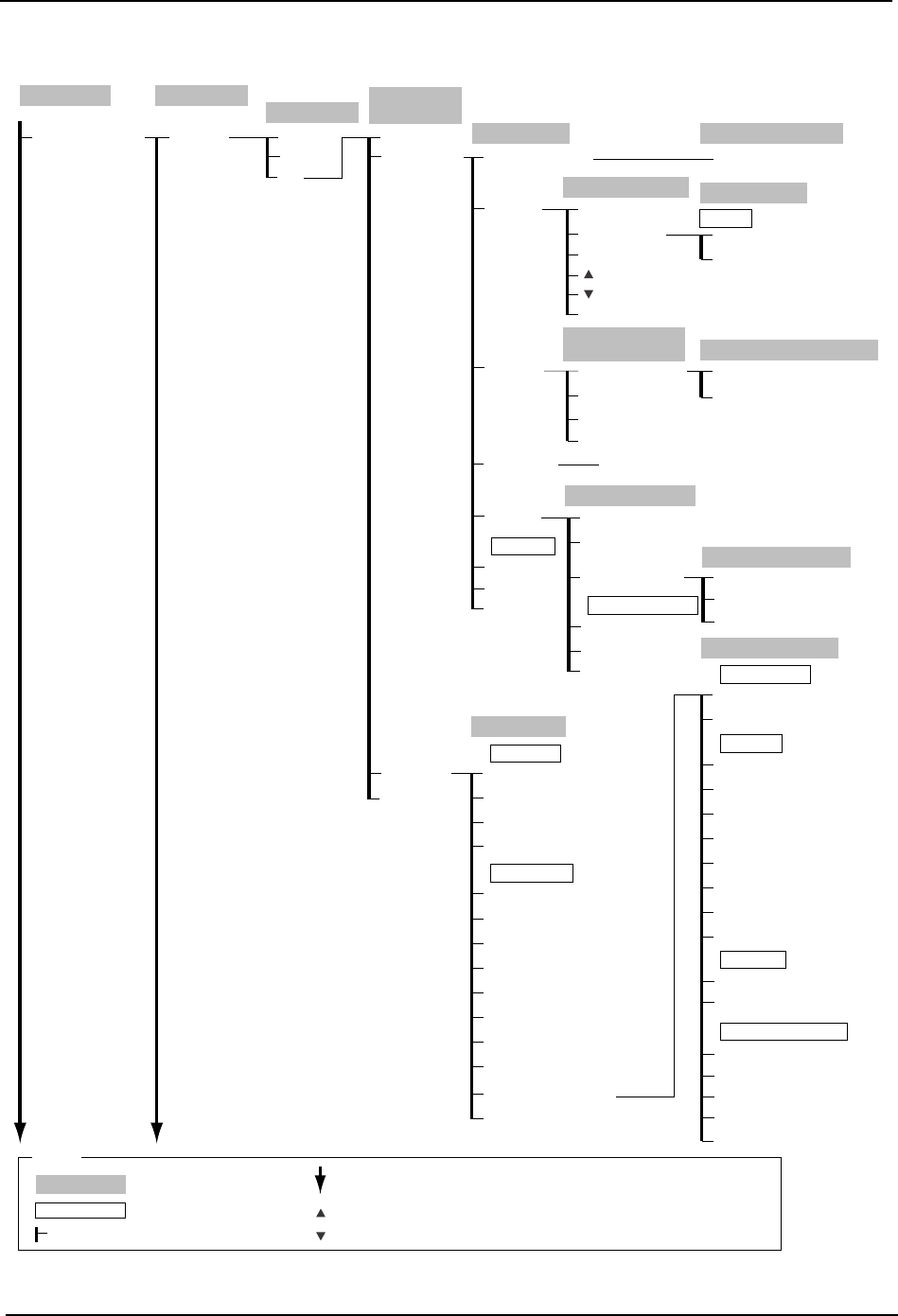
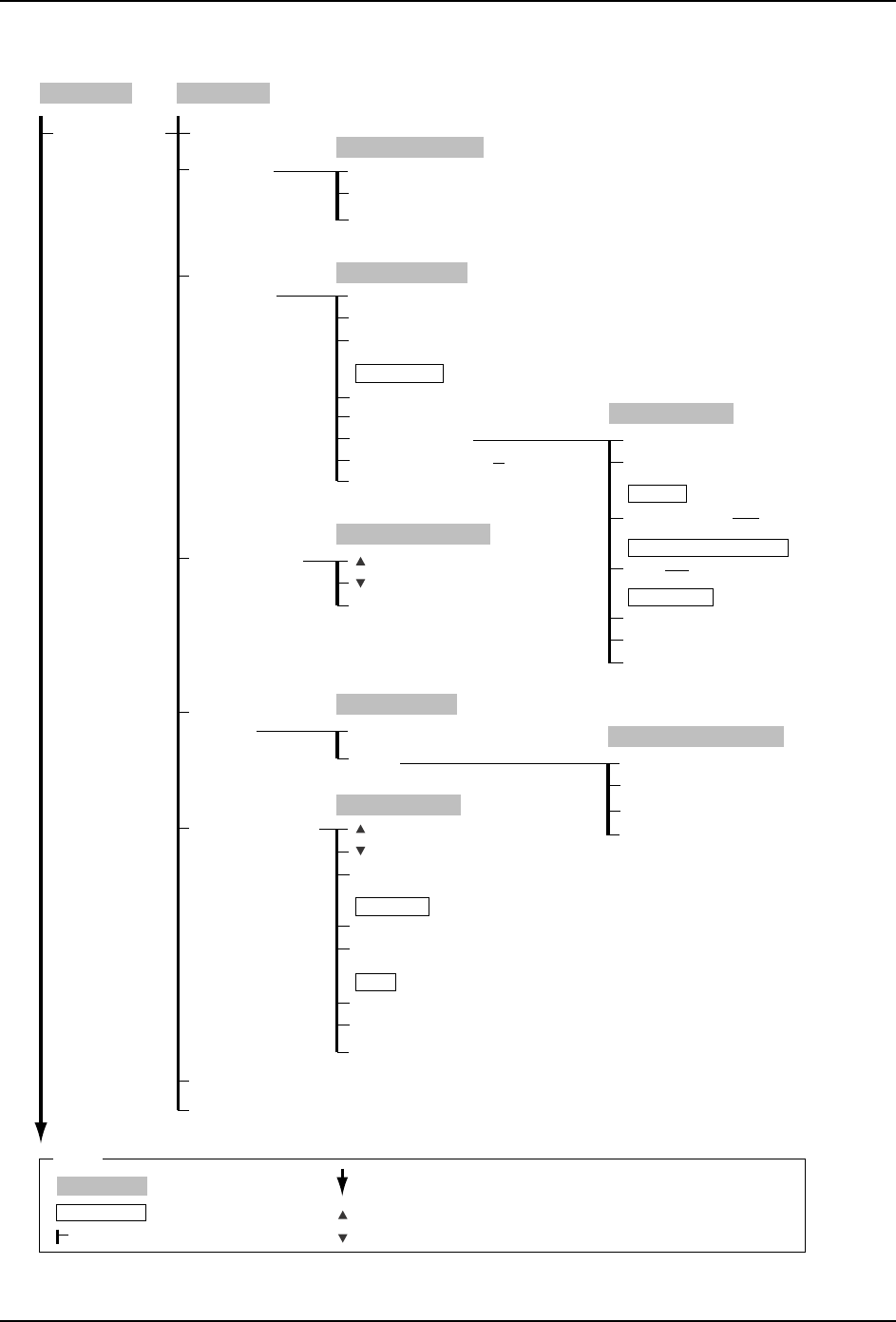
4.Commands SYS-CP842-1.1E 150 CP-842E / CP-842ME System Reference Maintenance Maintenance (Continued) C73SC010E-4 Maintenance for Each Machine Servo Check CAM/NZ Version Up Feeder Check Reader Test Loader Cylinder Measur…
SYS-CP842-1.1E 4.Commands
CP-842E / CP-842ME System Reference 149
Maintenance
Maintenance
C73SC010E-3
Maintenance for
Each Machine
PAM Measure
100%
80%
OK
PAM Equip
PAM Measure
Close
Panel Loader
Results
Close
File Save
Indicate
Distribution
Renewal
Continue
Step
Move Mode
1/1
1/2
Compensation Values
Measurement Edit Offset Tolerance
Measurement Result
Edit Offset Tolerance
Change Nozzle
Close
Show Deviation
Edit USL/LSL
USL/LSL Editor
USL/LSL
Set
→
Numeric Keypad
Placement accuracy
distribution
Change Data Display
Close
Change Head Display
Change Nozzle Display
Update Proper Data
Change Nozzle Display
Close
Copy Calib. Data
Upadate Calibration
Data
Set
→
Numeric Keypad
Close
Placement accuracy normal
Change Data Display
Close
Copy Calibration Data
Nozzle 1- 6
Close
[START button]
Copy
Cam Speed Select
Select a PAM
command
Move to Loading Position
Move to Unloading Position
Lifter Up
Lifter Down
Clamp
Unclamp
Move to Loading Position
Move to Unloading Position
Loader Maintenance
Main Conveyer
Load/Unload
Panel Loader
Unload
Close
Load Panel
Load Two Panels
Flush Out
Mid-stopper Up
Mid-stopper Down
Lifter Up
Lifter Down
Carrier Advance
Carrier Retract
Carrier Clamp
Carrier Unclamp
Load Two Panels
Load Panel
Main Conveyor Pick-up
In-carrier Pick-up
Out-lifter Pick-up
Out-carrier Pick-up
Command
Step-action
Panel Transport Position
Actuator Position
In-side
Close
Out-side
Loader Maintenance
Production
Operation Mode
: Command name
: Screen name
Production
: Command group
: Continued on the next page
: Press to scroll upwards
Legend
: Press to scroll downwards
( )
: General description
[ ]
: Push button
→
: Displays separate dialog box
4.Commands SYS-CP842-1.1E
150 CP-842E / CP-842ME System Reference
Maintenance
Maintenance
(Continued)
C73SC010E-4
Maintenance for
Each Machine
Servo Check CAM/NZ
Version Up
Feeder Check
Reader Test
Loader Cylinder
Measure Vacuum
Pressure
Y-Direction Offset
Servo Check CAM/NY
Close
Version Upgrade
→
OK
Close
Version Upgrade
→
OK
Nozzle (1 - 6)
Jig Check OK
Close
Close
Measure Vacuum Pressure
All Nozzle
(1 - 16)
(1 - 16)
Close
Loader Cylinder Select
Slot settings (1 - 40)
Close
Display mode change
Stage 1
Stage 2
ID reader settings
Feeder reader settings
Displayed stage
Feeder ID Reading
Stage settings (1 - 40)
Slot No.
→
Numeric Keypad
Close
Test Read Start
Move
Laser On
Laser Off
Test Read
Move to Barcode Read Position
Laser Settings
ID reader settings
Stage No.
→
Numeric Keypad
[START button]
[START button]
[START button]
Stage 1
Stage 2
Slot No.
→
Numeric Keypad
Clear
Clear All
Select Stage
Data
Y-Direction Offset
Holder (1 - 6)
Close
Nozzle Allocation
(1 - 40)
(1 - 40)
Peripheral dev ver up
Production
Operation Mode
: Command name
: Screen name
Production
: Command group
: Continued on the next page
: Press to scroll upwards
Legend
: Press to scroll downwards
( )
: General description
[ ]
: Push button
→
: Displays separate dialog box
SYS-CP842-1.1E 4.Commands
CP-842E / CP-842ME System Reference 151
4.2 Command Descriptions
This chapter gives an alphabetical list of the commands that occur on the machine.
This list is designed to provide the operator with a basic outline of each command.
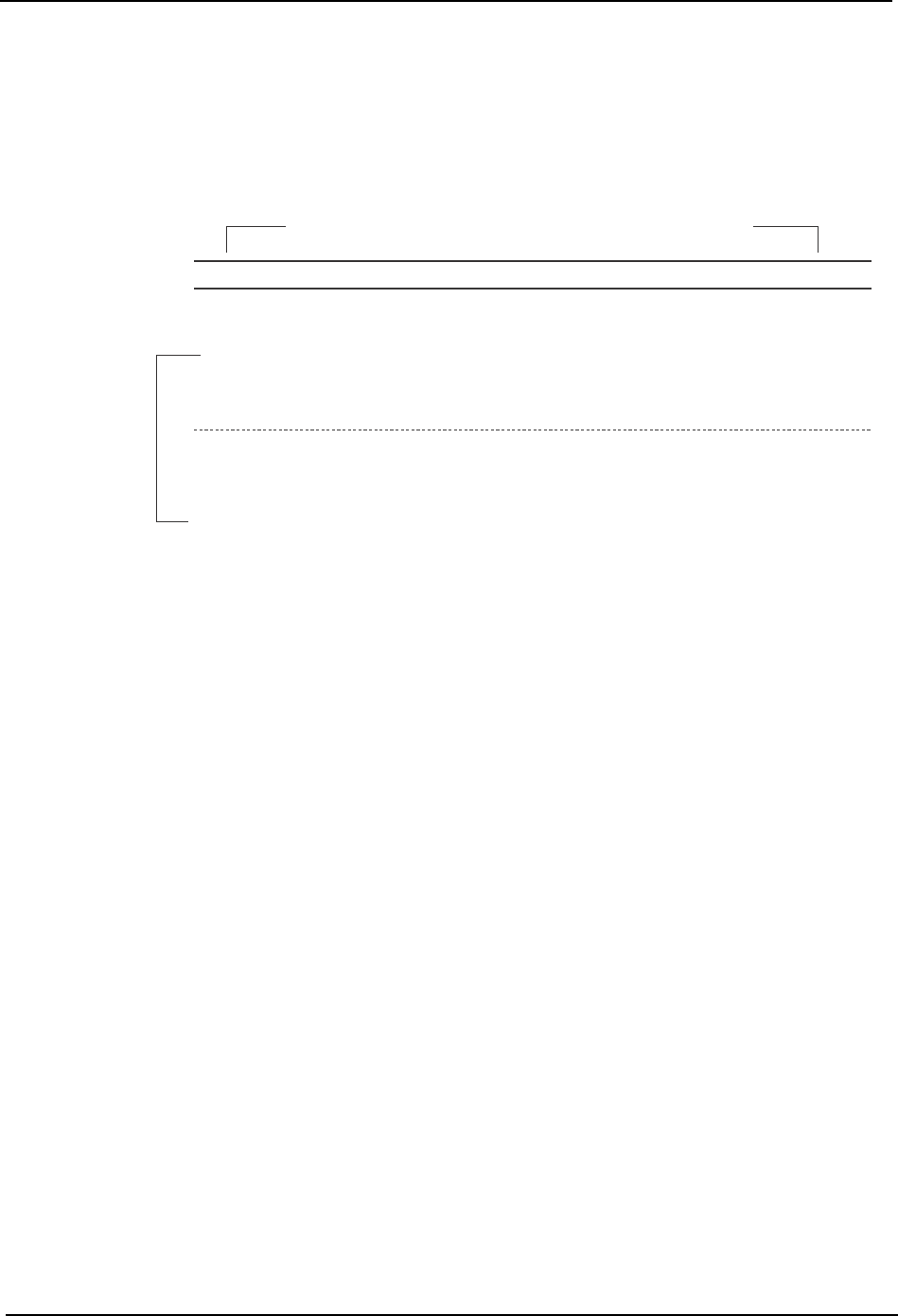
Each entry in the following list is presented in the manner shown below.
Explanation:
The title bar of each command list item contains the name of the command and the
name of the screen at which the command is located. The title of the screen is not nec-
essarily identical to the name of the command by which the screen has been accessed.
The command path is given immediately after each command title. The command
path lists the sequence of commands by which the command in question can be
accessed. The command path need not always be a sequence of commands. It often
includes the START button and, in some cases, it is necessary to select a nozzle before
a command can be selected.
The command path is followed by the command description. The command descrip-
tion gives a brief outline of the function of the command. When required, a note con-
taining additional information is included.
Finally, the revision history is given for each entry. The revision history item gives
information on the latest version in which changes have been made to the command in
question.
Note: To gain an understanding of the use of a command in specific operations, refer to part 2 Machine System.
Load Panel Panel loade
r
Command path: [Panel loader] [Load Panel]
Press to load a panel onto the main conveyor.
Note: Push the START button to execute the operation.
Revision history: V1.00
Command name Screen name
Command description
C73SC011