SYS-CP842-1.1E.pdf - 第12页
SYS-CP842-1.1E 1.Safety Guideline CP-842E / CP-842ME System Reference 3 1. Safety Guideline Fuji machines are designed and produced with safety as one of our main co nsiderations. However, even a perfectly de signed mach…
SYS-CP842-1.1E
2 CP-842E / CP-842ME System Reference
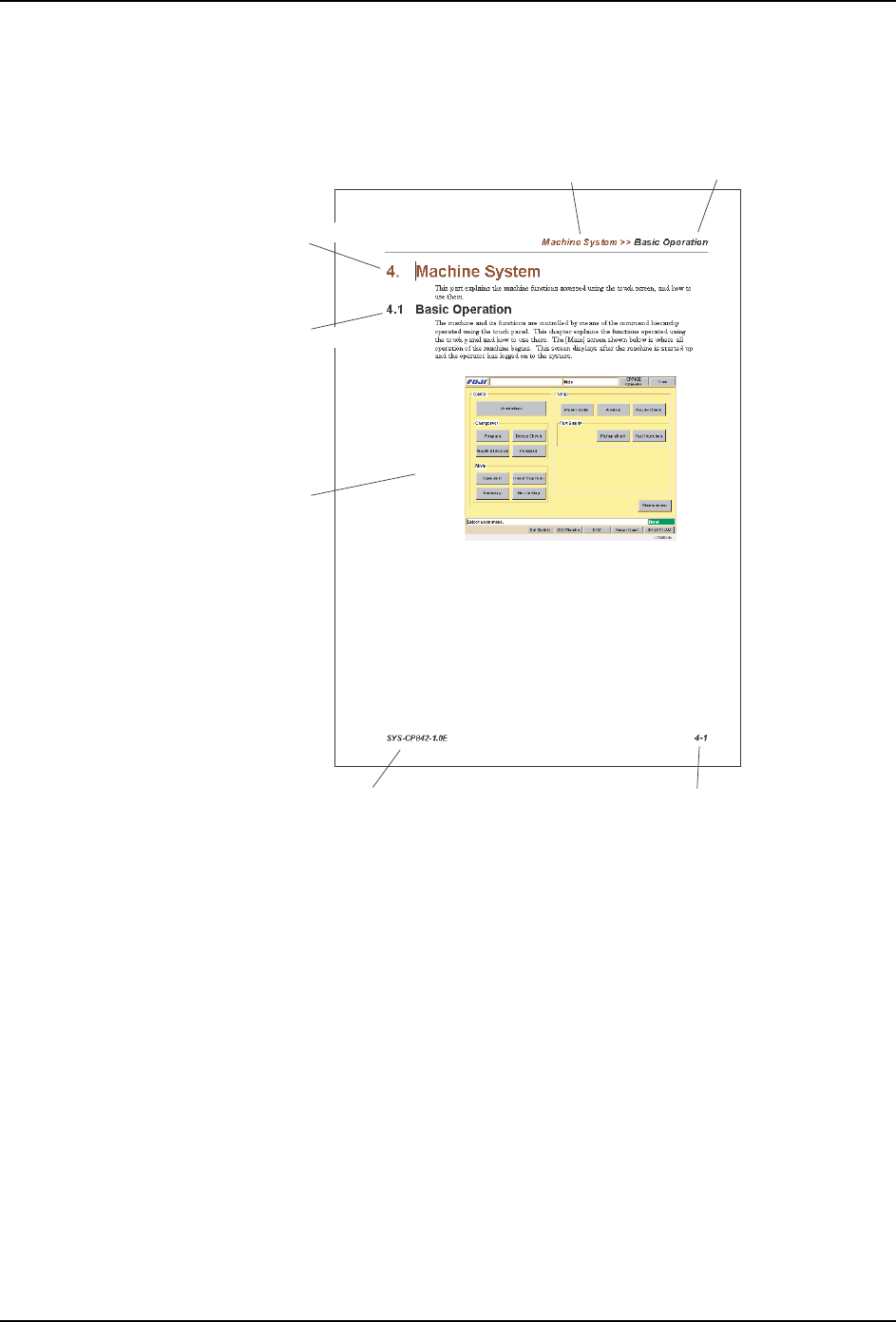
Page Layout
In addition to the main body of the manual, each page includes chapter title, section title,
page number, and the manual title.
Body: Text and illustrations are used to explain procedures.
Chapter title: The chapter number and title are shown on the header of each page.
Section title: Section number and title. A chapter consists of multiple sections, and the
section is also shown on the header.
Manual Title: This identifies the machine and type of manual.
Page Number: This numbers consists of the chapter number and the page number within
that chapter. “1-1” indicates chapter 1, page 1.
Note: :The reference numbers at the bottom right of the illustrations are for administrative purposes only, and
are in no way connected to the content of the manual.
Notation Conventions Used in this Manual
The names of operation buttons, touch screen titles and commands, and keyboard keys are
enclosed in brackets [ ].
C842M1000
Section title
Chapter title
Manual title Page numbe
r
Body
Chapter title
Section title
SYS-CP842-1.1E 1.Safety Guideline
CP-842E / CP-842ME System Reference 3
1. Safety Guideline
Fuji machines are designed and produced with safety as one of our main considerations.
However, even a perfectly designed machine can be damaged, or someone can still be
injured if the user does not follow the safety rules. It is the responsibility of the user to make
sure all safety rules are followed during operation and maintenance.
Be sure to read these safety rules before operating the machine. Keep this manual close
at hand when operating the machine.
1.1 About Symbols
To avoid injury to persons and damage to the machine, Fuji employs a number of messages
and symbols that are used in manuals and on the machines. Be sure you understand the
meanings of these symbols before reading the manual.
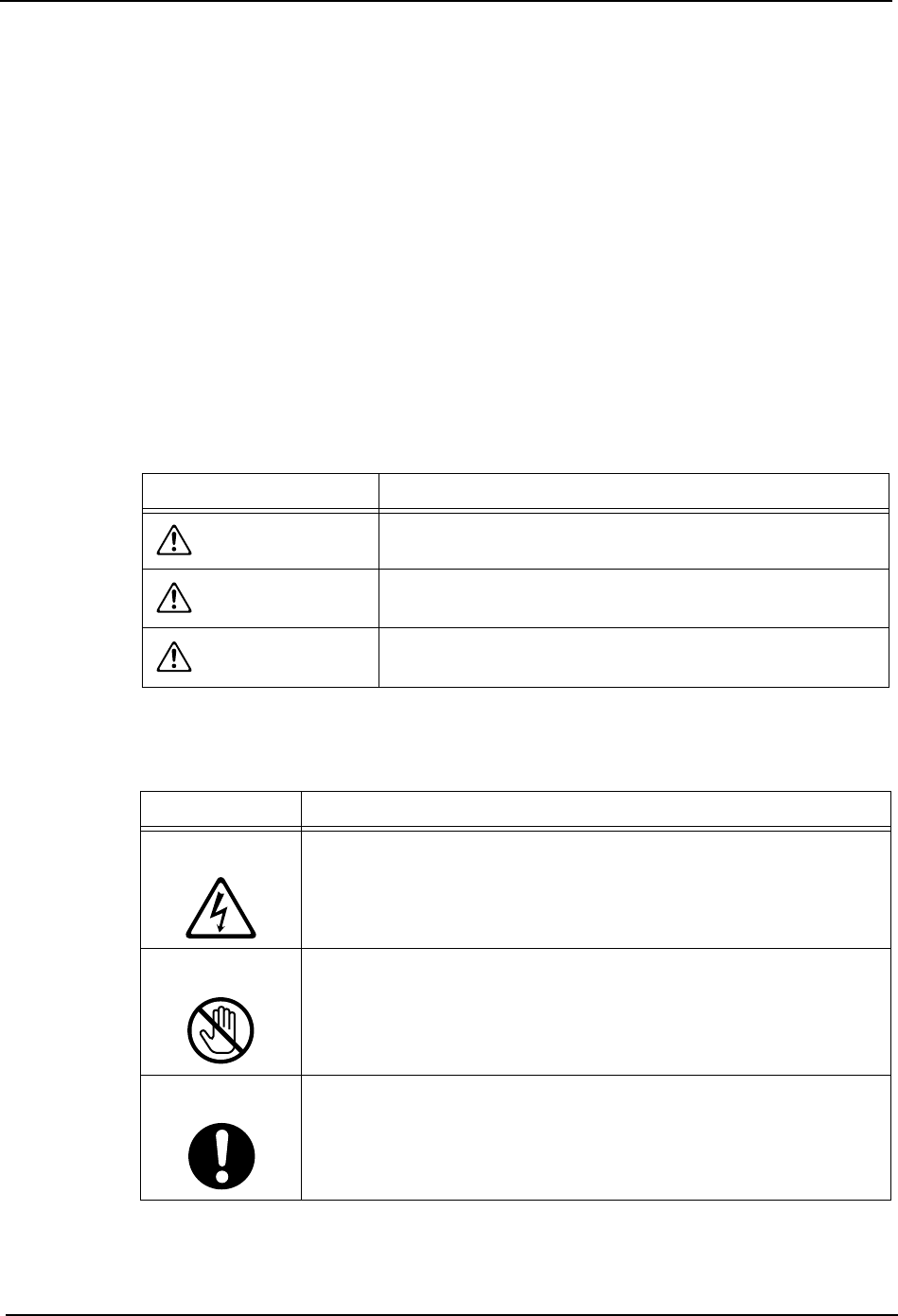
1.1.1 Degree of Hazards
1.1.2 Examples of the Symbols
Symbol Definition
DANGER
Failure to observe this hazard warning will lead to severe
injury or death.
WARNING
Failure to observe this hazard warning may lead to severe
injury or death.
CAUTION
Failure to observe this hazard warning may lead to
personal injury or damage to the machine.
Symbol Explanation
Hazard
A triangle is used to draw your attention to a hazard. The symbol
inside the triangle indicates the nature of the hazard (in this case,
electrical shock).
Prohibition
A circle with a diagonal line is used to draw your attention to an
operation that is prohibited. The symbol inside the circle indicates
the nature of the operation (in this case, disassembly).
A circle with an exclamation mark is used to draw your attention to to
a mandatory action. In other words, you are required to carefully
carry out the given instructions.
1.Safety Guideline SYS-CP842-1.1E
4 CP-842E / CP-842ME System Reference
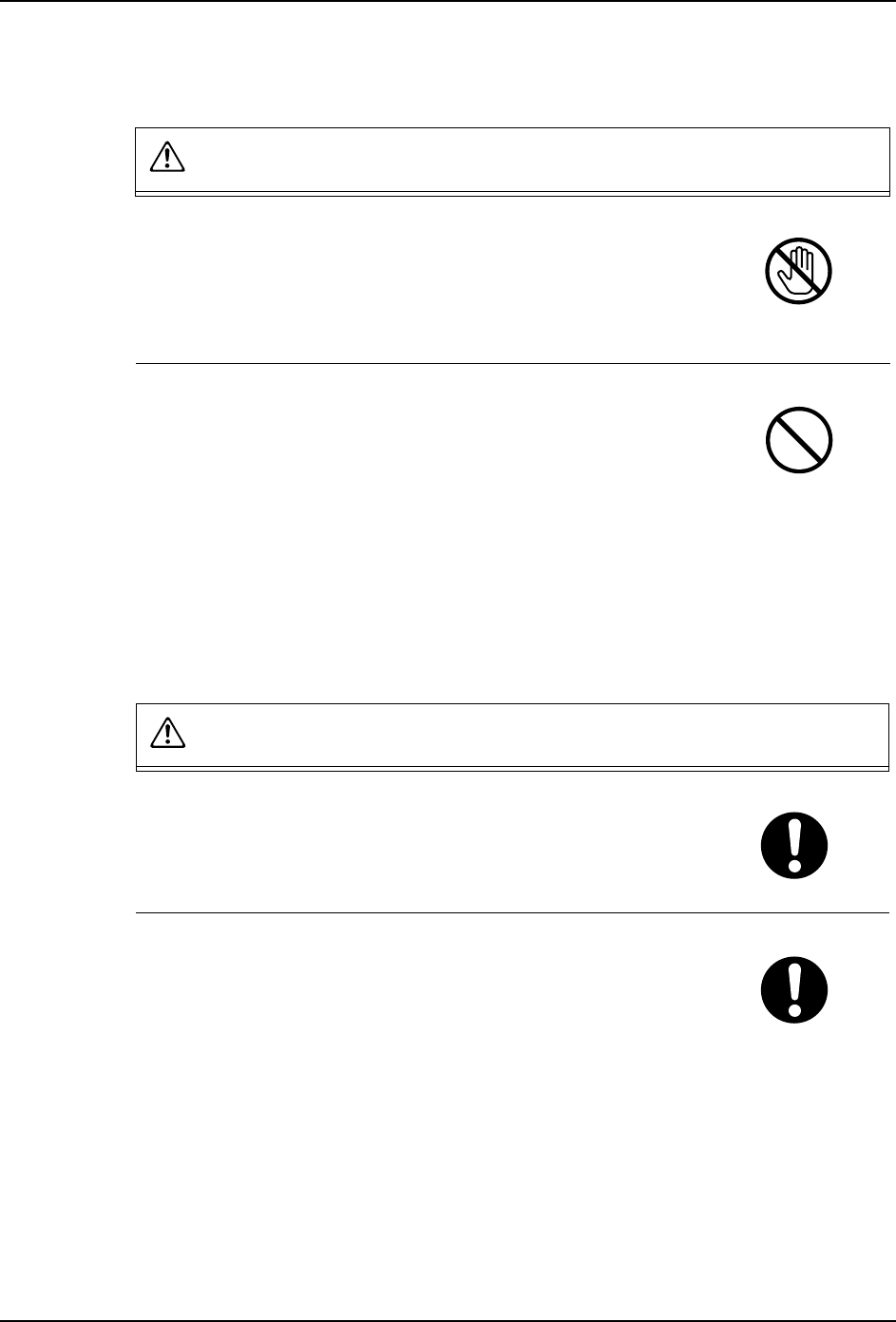
1.2 Safety Rules for All Machine Types
DANGER
Do not approach moving parts during automatic or manual
operation.
• Do not place hands or other body parts inside the machine
during automatic operation or positioning. Body parts or
clothing may be caught in the machine causing personal
injury.
Do not operate the machine with the safety covers or doors
open.
• Do not leave covers or safety doors open, except during
adjustment.
• When adjustments are completed, return the covers and doors
to their original (closed) position.
• When safety covers or doors are removed, body parts or
clothing may be caught in the machine causing personal
injury. Always be sure to replace the safety covers or doors.
WARNING
Always verify the position of the EMERGENCY STOP
buttons before operating the machine.
• Always be aware of the positions of the EMERGENCY STOP
buttons so that they can be pressed quickly in case of an
emergency.
Check the safety functions before starting operation.
• Before starting the machine check the operation of the
EMERGENCY STOP button, the safety switches on the
acrylic covers, the safety switch on the rear fence gate, the
optical sensors on the rear fence and all other machine safety
features.
• Contact a Fuji serviceman immediately if any of the safety
functions fails.