FlexTRAK 2MB Material Handler Addendum Rev 05.pdf - 第104页
FlexTRAK Series 2MB Mater ial Handler Adden dum Tour of HMI Softw are for the Material Handler 5-38 © 2023 Nordson Corporation Figure 5-18 Variable Snapshot S creen Table 5-19 Variable Snapshot Screen Controls and Indica…
FlexTRAK Series 2MB Material Handler Addendum Tour of HMI Software for the Material Handler
© 2023 Nordson Corporation 5-37
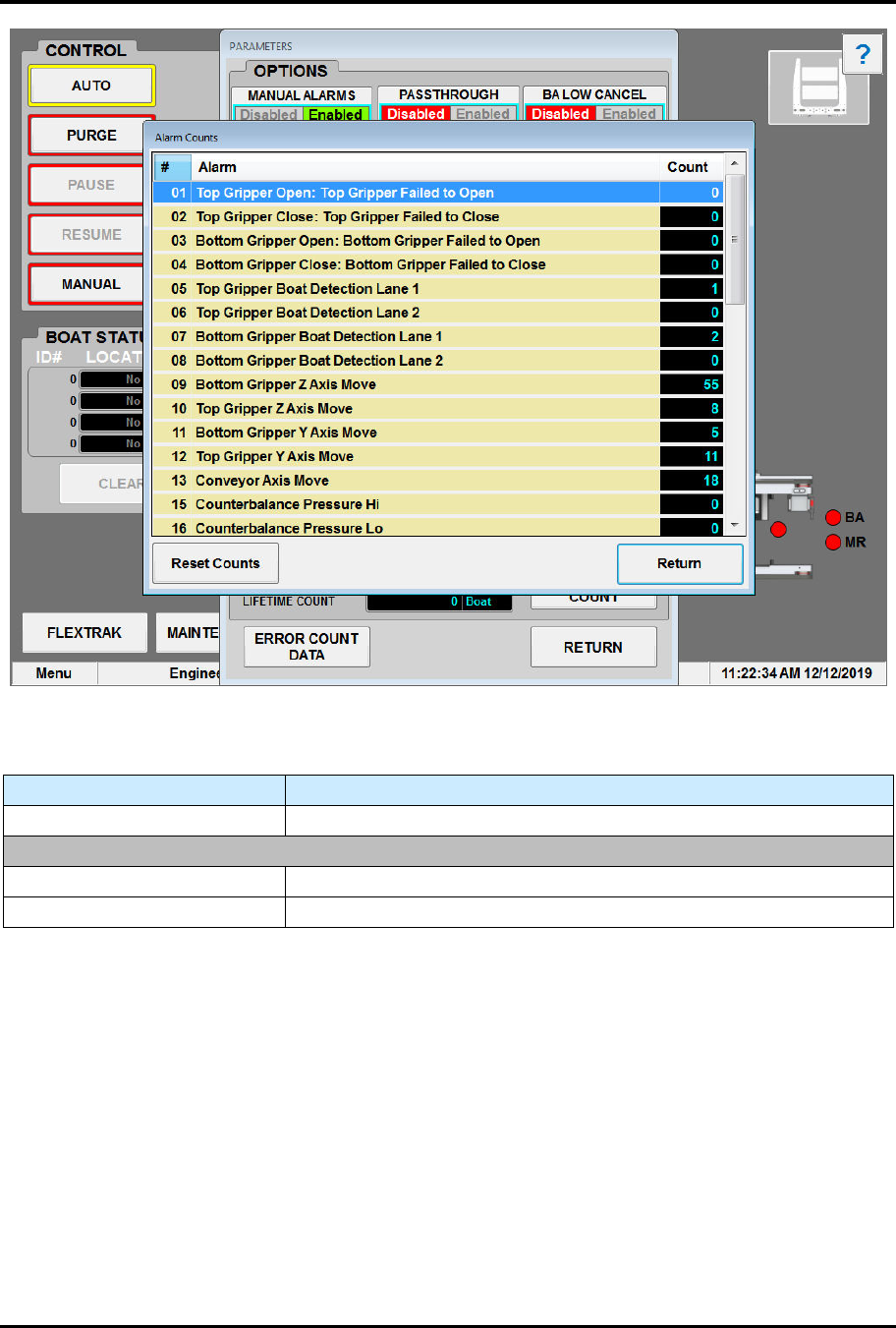
Figure 5-17 Alarm Counts Screen
Table 5-18 Alarm Counts Screen Controls and Indicators
Control Description
RESET COUNTS Touch to reset all alarm counters to zero.
ALARM (NAME) Displays the list of alarms.
(ALARM) COUNT Shows how many times the alarm has been triggered.
5.5.6 Variable Snapshot Screen
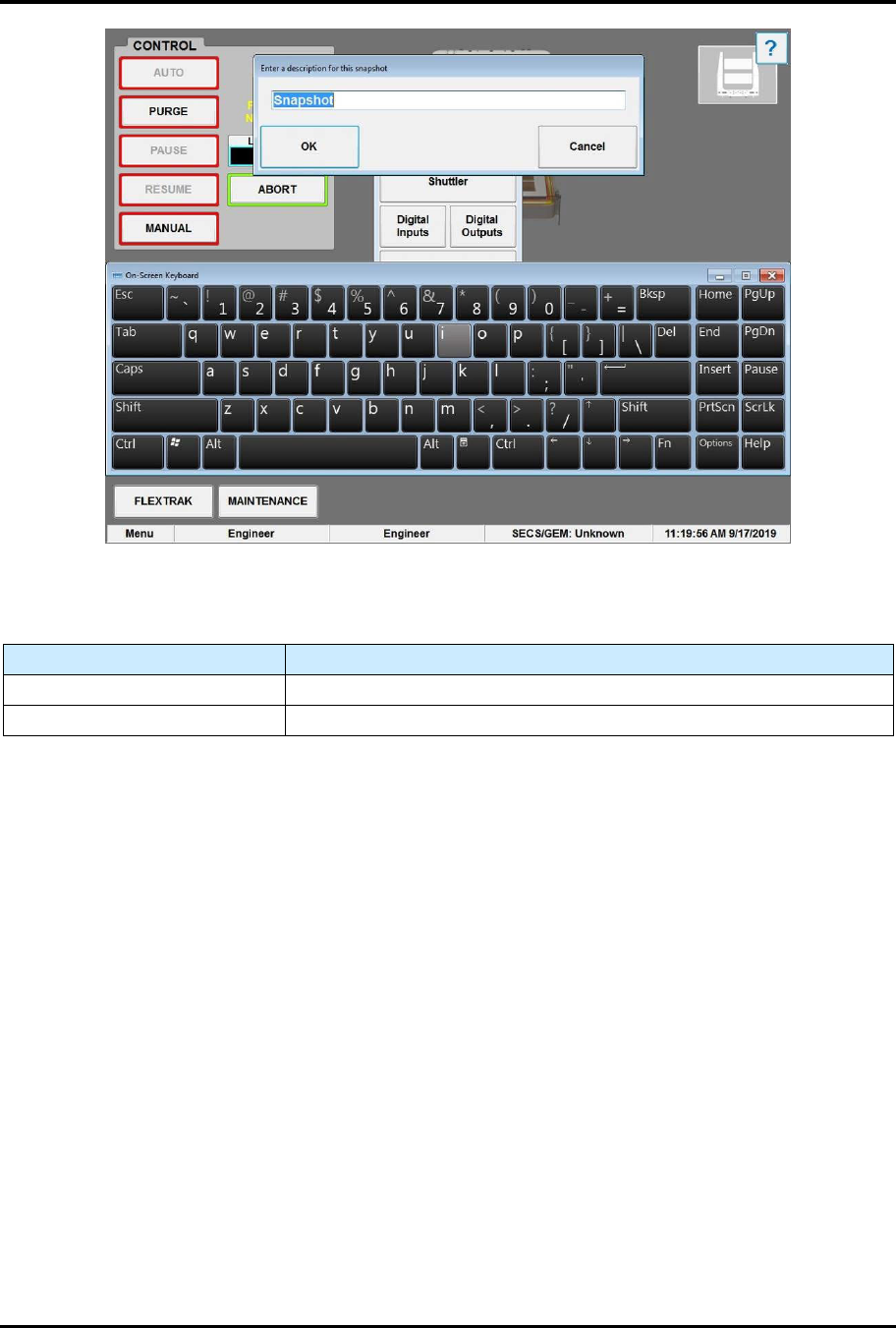
The Variable Snapshot screen (Figure 5-18) creates a snapshot of the machine state that can be sent to
Technical Support for troubleshooting. See Table 5-19 for descriptions of the Variable Snapshot screen
controls and indicators.
To access the parameters screen:
1. Touch the MAINTENANCE button on the MH Overview screen to access maintenance
commands.
„ The Maintenance Master screen opens (Figure 5-5).
2. Touch the VARIABLE SNAPSHOT button.
„ The Variable Snapshot screen opens (Figure 5-18).
FlexTRAK Series 2MB Material Handler Addendum Tour of HMI Software for the Material Handler
5-38 © 2023 Nordson Corporation
Figure 5-18 Variable Snapshot Screen
Table 5-19 Variable Snapshot Screen Controls and Indicators
Control Description
SNAPSHOT DESCRIPTION Touch to enter a description for the snapshot.
OK Touch OK to create a snapshot with the above description.
© 2023 Nordson Corporation 6-1
6 Operations
6.1 Overview
FlexTRAK-2MB System operations can begin only after the 2MB material handler axis positions are
taught, the initial start-up procedure is performed, and the process recipes are properly programmed and
loaded by trained engineering personnel.
For more information about teaching material handler axis positions, see Section 7 Teaching Axis
Positions. For more information about recipes, refer to the FlexTRAK Installation, Operation, and
Maintenance Manual. For information on the FlexTRAK plasma module HMI screens refer to the HMI
Software User Guide.
This section covers the following basic operating information:
q
Stopping The Material Handler
q
Manual Mode
q
System Start
-
up
q
Resetting the Number of Cycles
q
Material Handler Homing Routine
q
Reinitializing System Parameters
q
Automatic (Auto) Mode
6.2 Safety First
Before operating your FlexTRAK-2MB System, see Section 2 - Safety.
WARNING! To prevent exposure to high voltages, RF energy, hot surfaces,
and moving parts, always make sure that all doors are closed and all access
panels are secured.