FlexTRAK 2MB Material Handler Addendum Rev 05.pdf - 第127页
FlexTRAK Series 2MB Mater ial Handler Adden dum Operations © 2023 Nordson Corporation 6-23 6.10 Resetting th e User Boat Count To reset the user boat count: 1. Touch the USER COUNT fiel d. „ The Reset User Boat Cou nt di…
FlexTRAK Series 2MB Material Handler Addendum Operations
6-22 © 2023 Nordson Corporation
6.9 Reinitializing System Parameters
?
NOTE The system can only be reinitialized in the plasma control stop mode.
The system requires reinitialization when a new CPU has been added to the PLC.
CAUTION! Reinitializing the system will reset parameters to their default
values. Record all system parameters and recipes that you wish
to retain before performing reinitialization.
To reinitialize FlexTRAK 2MB MH parameters:
1. Make sure the STOP button on the PM Overview screen is highlighted green, indicating
that the system is in stop mode.
„ If not, touch the STOP button.
2. On the MH Overview screen, touch the MAINTENANCE button.
„ The Maintenance Master screen opens (Figure 5-5).
3. Touch the SYSTEM button.
„ The Parameters screen opens (Figure 5-15).
4. Touch the REINITIALIZE button.
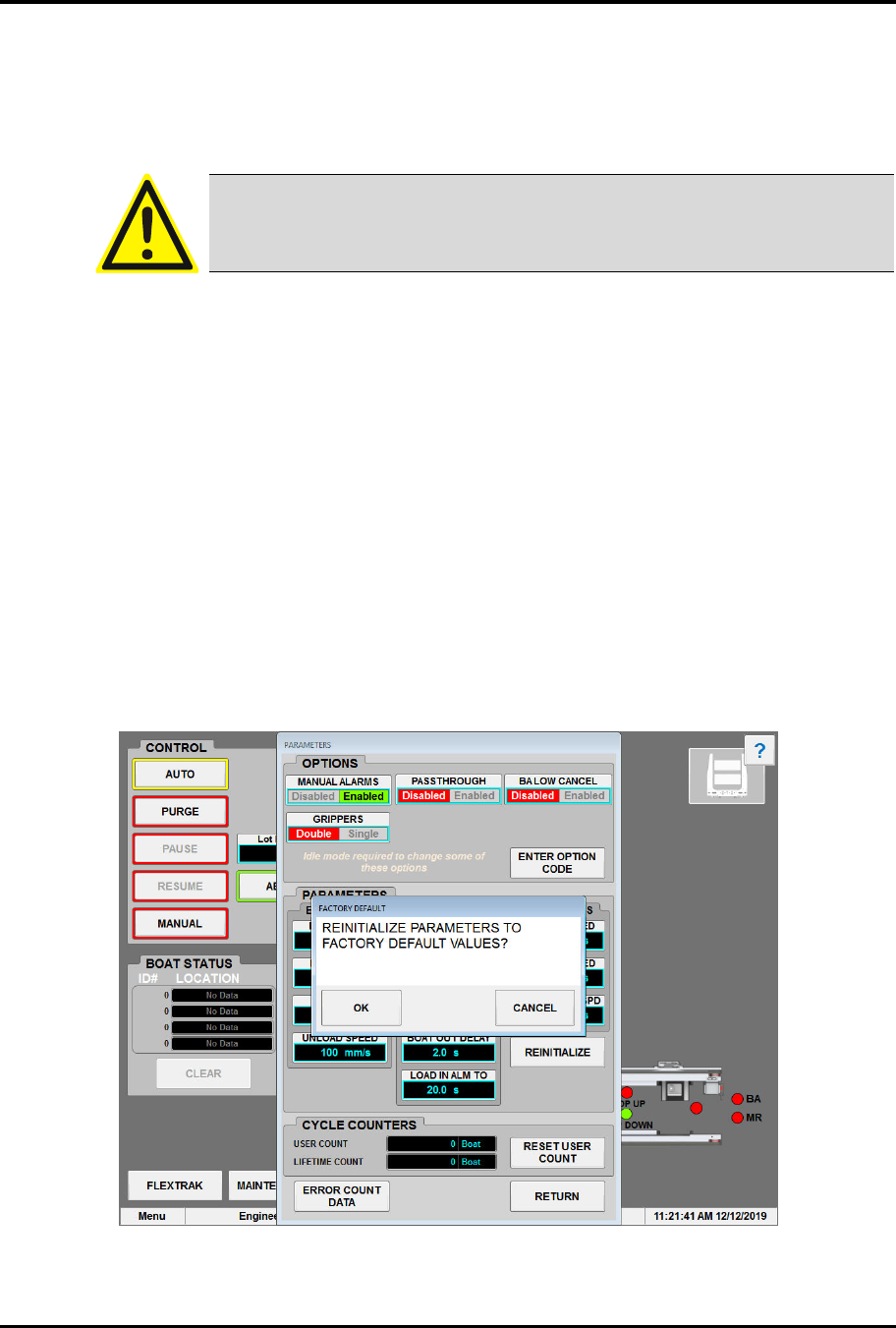
„ The prompt “Reinitialize Parameters to Factory Default Values?” appears.
5. To reinitialize, touch OK. To cancel, touch CANCEL.
Figure 6-18 Reinitializing System Parameters
FlexTRAK Series 2MB Material Handler Addendum Operations
© 2023 Nordson Corporation 6-23
6.10 Resetting the User Boat Count
To reset the user boat count:
1. Touch the USER COUNT field.
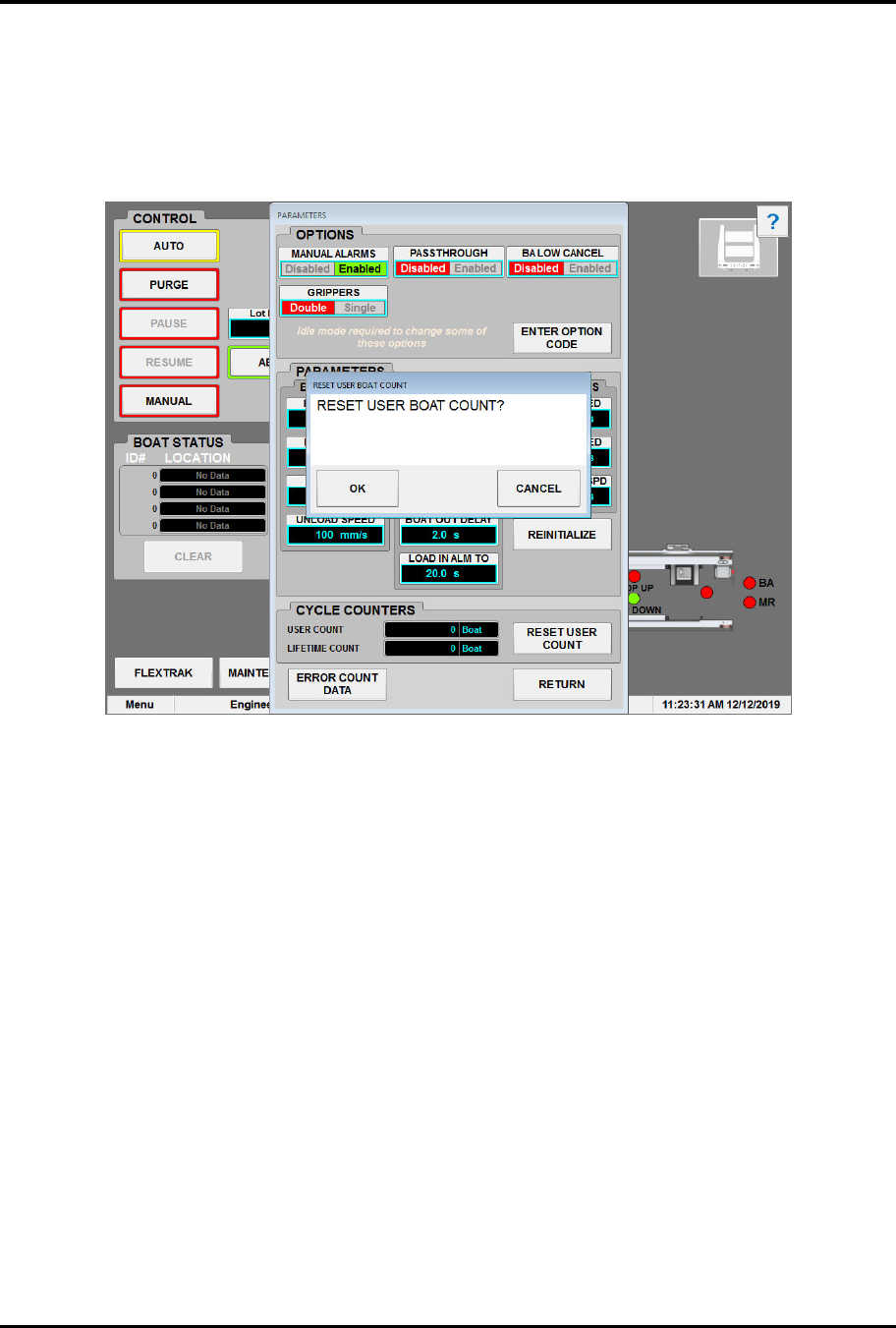
„ The Reset User Boat Count dialog box opens (Figure 6-19).
Figure 6-19 Reset User Boat Count Dialog Box
2. Touch OK.
„ The user boat count will reset to zero (0).