FlexTRAK 2MB Material Handler Addendum Rev 05.pdf - 第118页
FlexTRAK Series 2MB Mater ial Handler Adden dum Operations 6-14 © 2023 Nordson Corporation To manually c ontrol the shuttler system: 1. Touch the MANUAL button on the MH Overview screen to switch the MH to Manual mode. 2…
FlexTRAK Series 2MB Material Handler Addendum Operations
© 2023 Nordson Corporation 6-13
13. Use the tool to process and unload the workpiece.
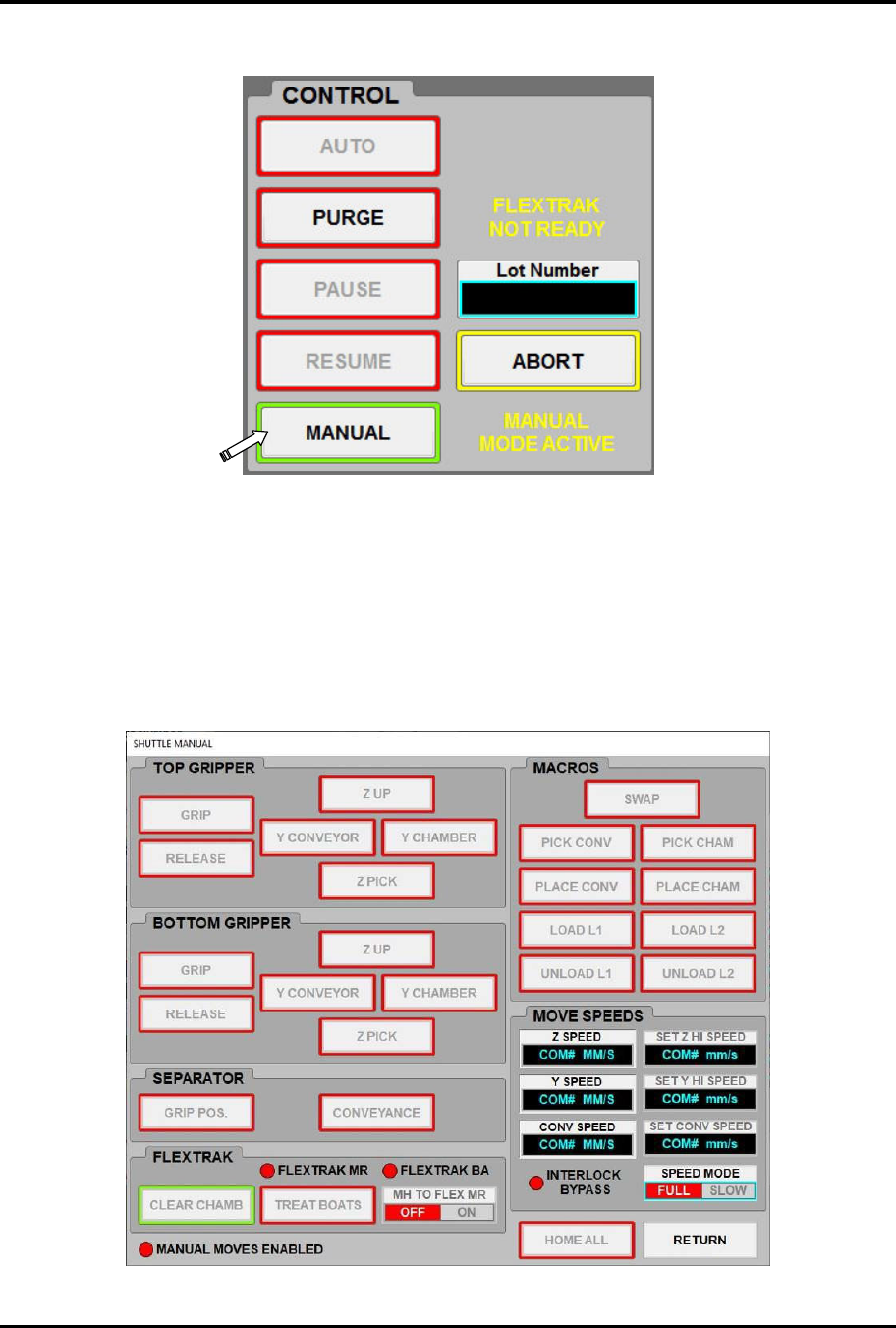
Figure 6-12 MH Overview Screen - Manual Mode
6.7.2 Manually Controlling the Shuttler System
The Shuttle Manual screen provides manual control of the shuttler system when the MH is in Manual
mode.
Manual mode must be enabled to control and manipulate shuttler and conveyor movements. When the
system is not in manual mode, the MANUAL MOVES ENABLED radio button is red and the Shuttle
Manual screen controls are inactive (Figure 6-13).
Figure 6-13 Manual Moves Disabled
FlexTRAK Series 2MB Material Handler Addendum Operations
6-14 © 2023 Nordson Corporation
To manually control the shuttler system:
1. Touch the MANUAL button on the MH Overview screen to switch the MH to Manual
mode.
2. Touch the MAINTENANCE button to access maintenance commands.
3. Touch the SHUTTLER button.
„ The Axis Status screen opens (Figure 5-6).
4. Touch the SHUTTLE MOVE button.
„ The Shuttle Move screen opens (Figure 5-10).
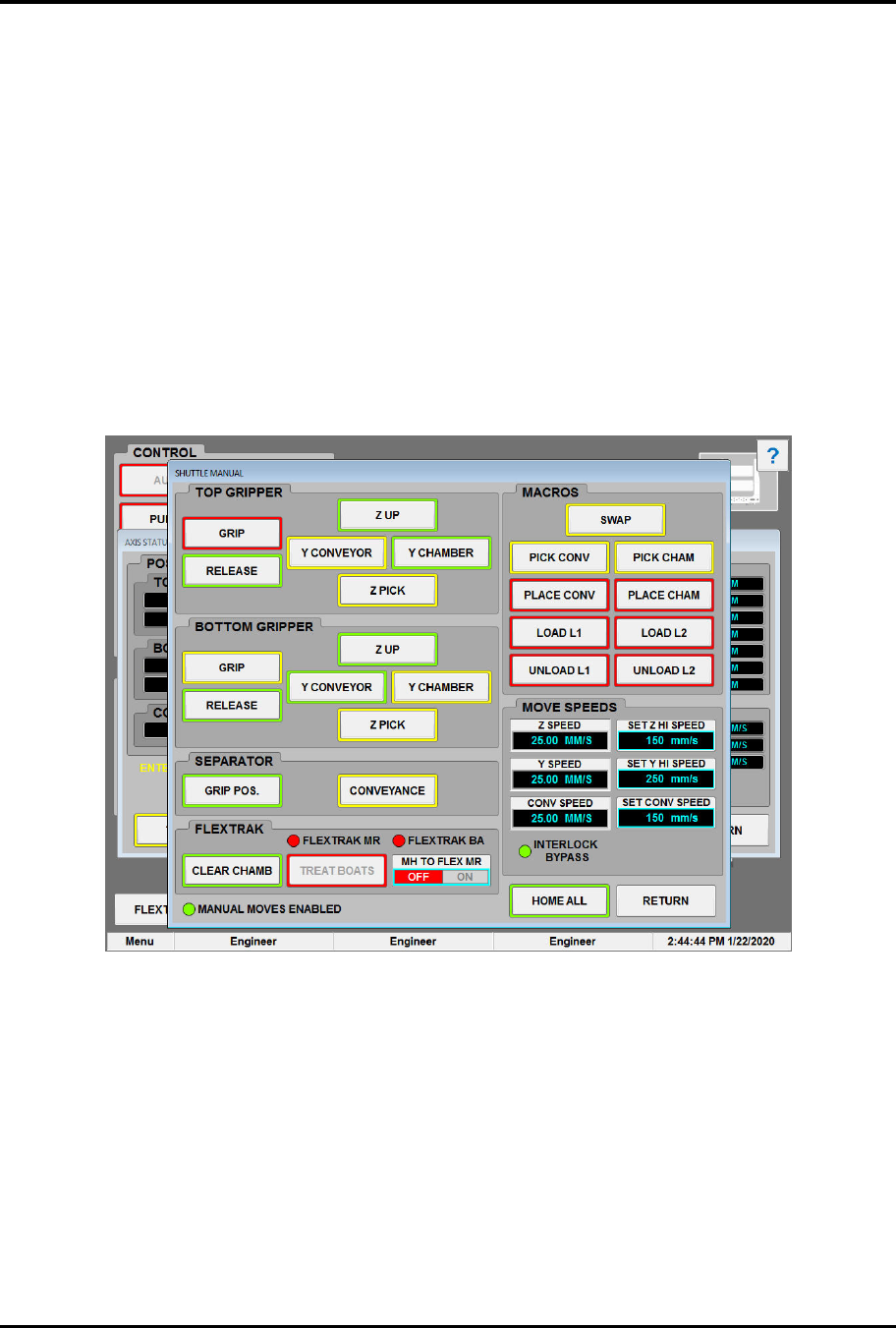
5. Use the manual shuttle controls (Figure 6-14) to manipulate the upper and lower grippers
and the separator.
„ See Table 5-12 for descriptions of the controls and indicators.
Figure 6-14 Shuttle Manual Screen - Manual Enabled
6.7.3 Using the Process Cycle Mode (PCM) Control
Process Cycle Mode is a routine that will continuously run the material handling system for diagnostic
purposes, such as testing a new process carrier or cycling the system during down times.
?
NOTE The FlexTRAK system must be in Stop mode when operating PCM Control with CYCLE
CHAMBER disabled. The FlexTRAK system must be in automatic mode when operating
PCM Control with CYCLE CHAMBER enabled.
FlexTRAK Series 2MB Material Handler Addendum Operations
© 2023 Nordson Corporation 6-15
To use the PCM control:
1. If necessary, return to the PM Overview screen (Figure 6-6) and touch either the AUTO or
STOP button.
2. Touch the MATERIAL HANDLER OVERVIEW button.
„ The MH Overview screen opens (Figure 5-4).
3. Touch the MAINTENANCE button.
„ The Maintenance Master screen opens (Figure 5-5).
4. Touch the SHUTTLER button.
„ The Axis Status screen opens (Figure 5-6).
5. Touch the PCM CONTROL button.
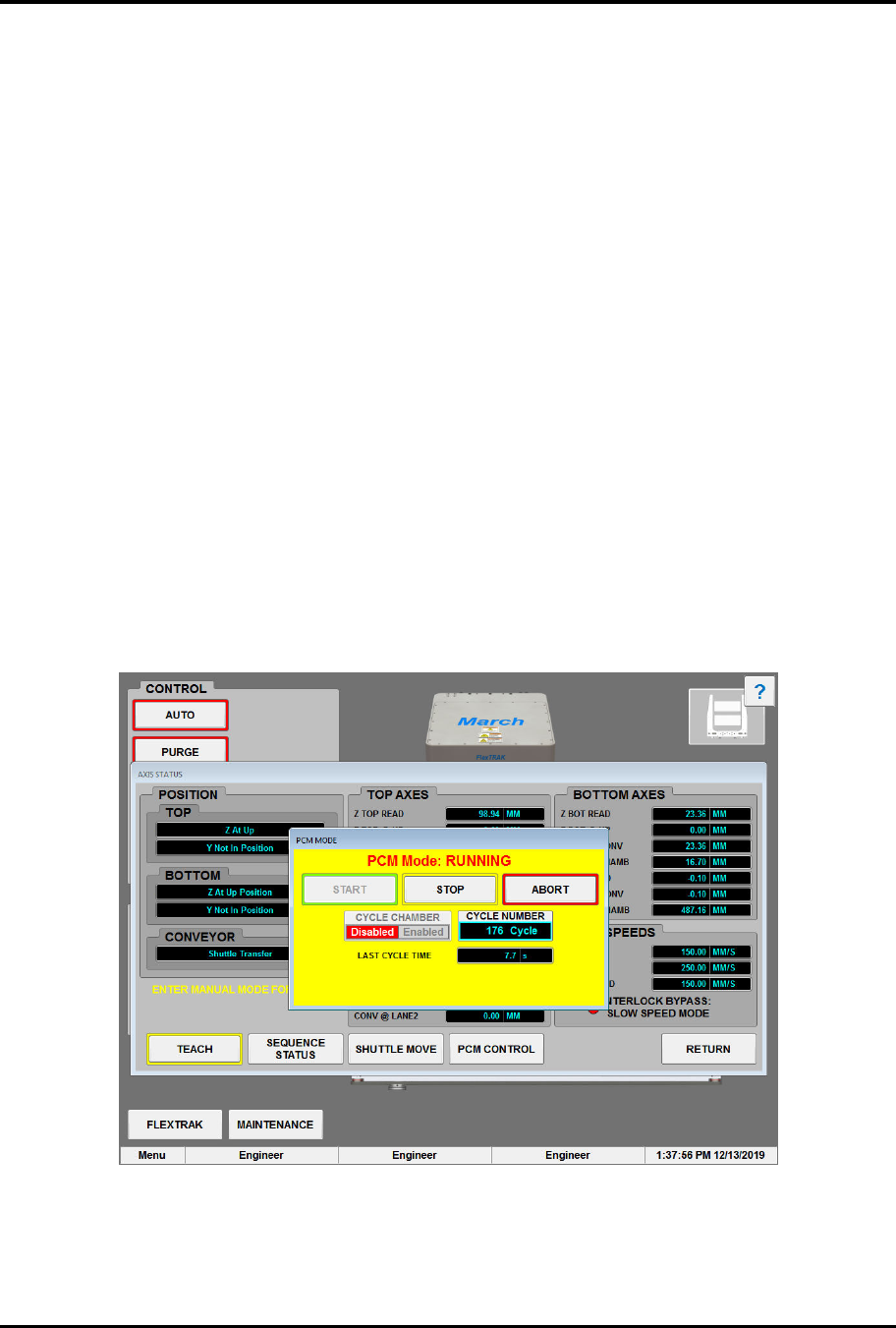
„ The PCM Mode screen opens (Figure 6-15).
„ Default PCM Mode is disabled.
6. Touch the START button.
„ The system will repeat the process cycle until stopped.
7. Touch the STOP button to stop the PCM at the end of the next cycle.
OR
Touch the ABORT button to stop the PCM at the current position. The MH will finish the
current move but not the complete cycle.
Figure 6-15 PCM Mode Dialog Box - Running
8. Touch the RETURN button to close the Axis Status screen.