Spectrum+Operating+Manual.pdf - 第101页
S2-9 XXX Se ri es Dispensing Sys te m IOM Man ual Calibration and Adjustme nt © 2023 Nordson C orporatio n 5-25 4. Click on Se tup . T he li st box opens. 5. I n the li st box, do ub le - clic k the heater to be cal ib…
S2-9XXX Series Dispensing System IOM Manual Calibration and Adjustment
5-24 © 2023 Nordson Corporation
5.14 Calibrating the Heaters
To ensure that the workpiece is heated to the proper temperature, the heater must be calibrated. The
difference between the programmed (setpoint) temperature and the actual temperature of the heater
tooling must be determined and entered into the software.
NOTE Perform this procedure on each of the conveyor heater channels/stations.
5.14.1 Verifying Heater Calibration
To verify heater calibration:
1. Power on the dispensing system, see 4.3 Powering on the Dispensing System.
2. Start Fluidmove. Refer to the Fluidmove User Guide or Fluidmove Online Help.
3. In the Fluidmove Main Window, click on
Run a Program .
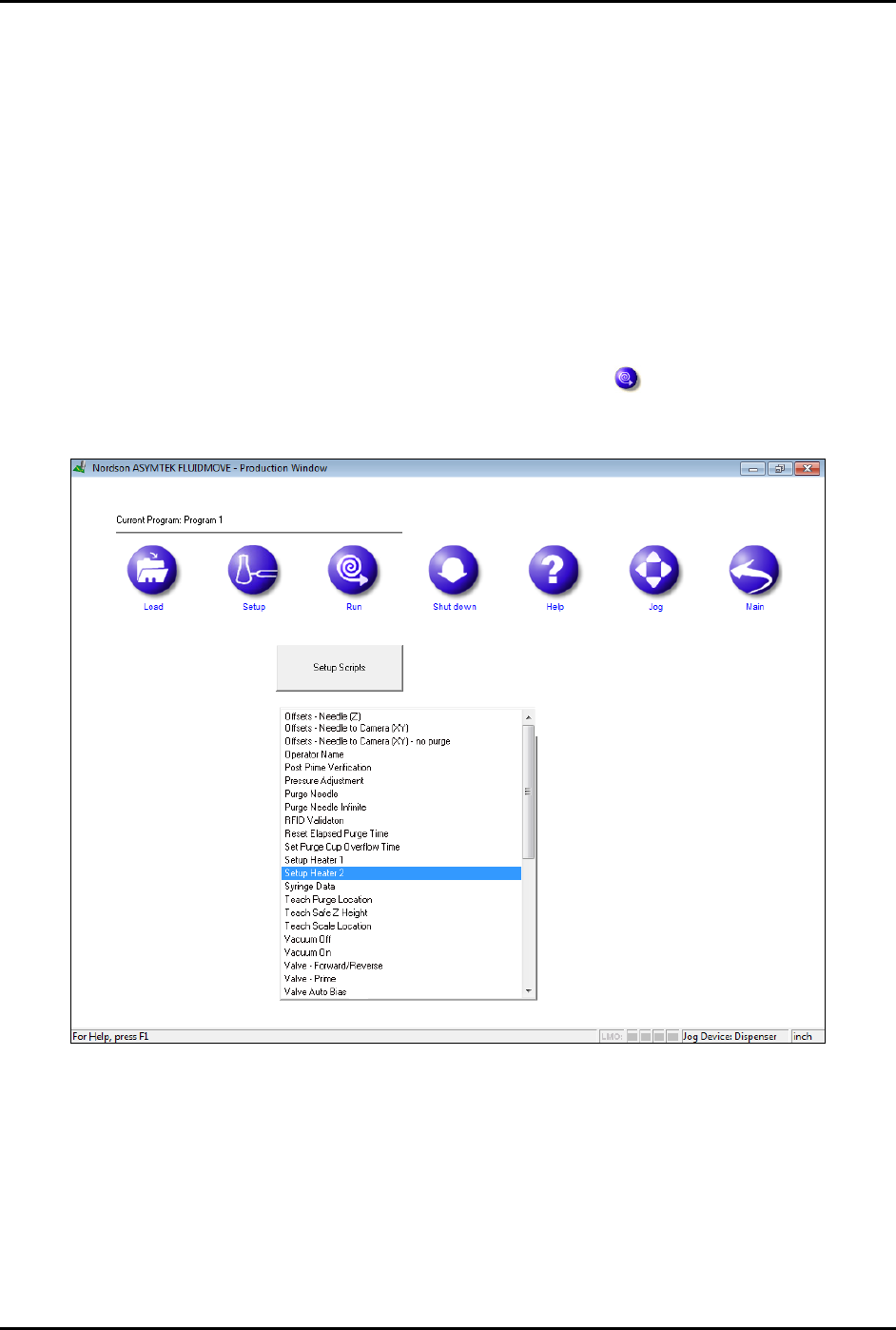
The Production Window opens (Figure 5-29).
Figure 5-25 Production Window
S2-9XXX Series Dispensing System IOM Manual Calibration and Adjustment
© 2023 Nordson Corporation 5-25
4. Click on Setup .
The list box opens.
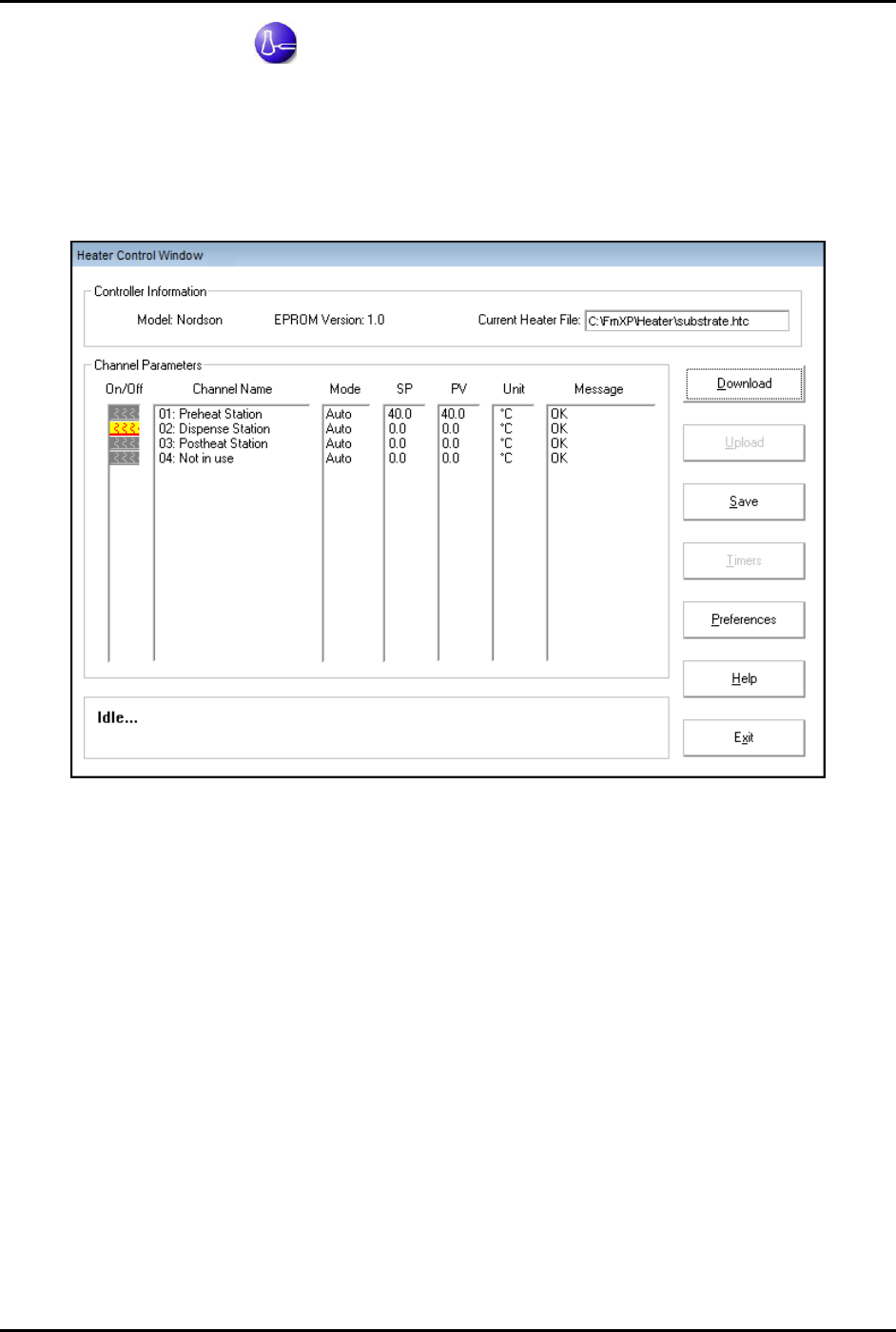
5. In the list box, double-click the heater to be calibrated. Generally, Heater 1 is the needle
heater and Heater 2 is the substrate heater.
The Heater Control Window opens (Figure 5-30).
Figure 5-26 Heater Control Window
6. Enter a setpoint temperature value.
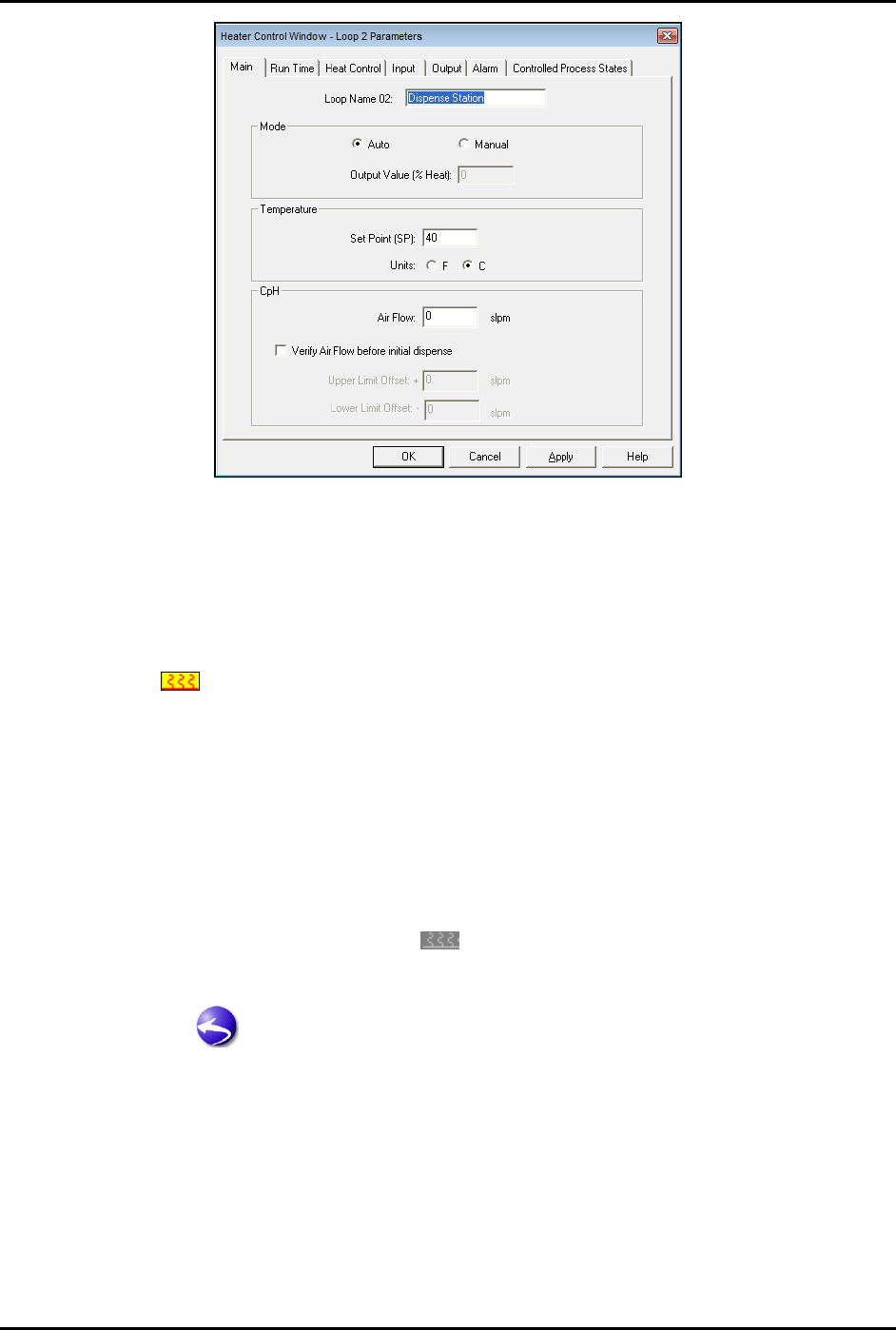
a. Double click on the channel name.
The Heater Parameters window opens (Figure 5-31).
b. Enter the setpoint value and click on
OK.
c. Repeat for each channel.
S2-9XXX Series Dispensing System IOM Manual Calibration and Adjustment
5-26 © 2023 Nordson Corporation
Figure 5-27 Heater Parameters Window
7. Select OK.
The Heater Parameters Window closes and you will return to the Heater Control
Window.
8. Activate the heater by double clicking the icon in the On/Off column until the heater loop
icon
turns yellow and red.
Allow time for the heater to reach the setpoint temperature.
9. Use a thermal measuring device to measure the temperature on the heating tooling.
If the temperature is different from the setpoint temperature, the heaters should be
calibrated, see 5.14.2 Heater Calibration.
10. If heater calibration is required, leave the heater on. If not, double-click the Heater On/Off
icon to turn the heater off.
The Heater On/Off icon is gray
when the heater is off.
11. Click on
Exit to exit the Heater Control Window.
12. Click on
to return to the Fluidmove Main Menu.