Spectrum+Operating+Manual.pdf - 第200页
S2-9 XX X Se ri es Disp ensi n g Syst em IOM Man ual Parts Replacement 8-48 © 2023 Nordson Corporatio n 7. Install the new 5A fus e in to the f use h older. See Figu re 8 - 37 a nd Fi g ur e 8- 38 for fus e location. 8…
S2-9XXX Series Dispensing System IOM Manual Parts Replacement
© 2023 Nordson Corporation 8-47
8.18.2 Board Mounted Fuses
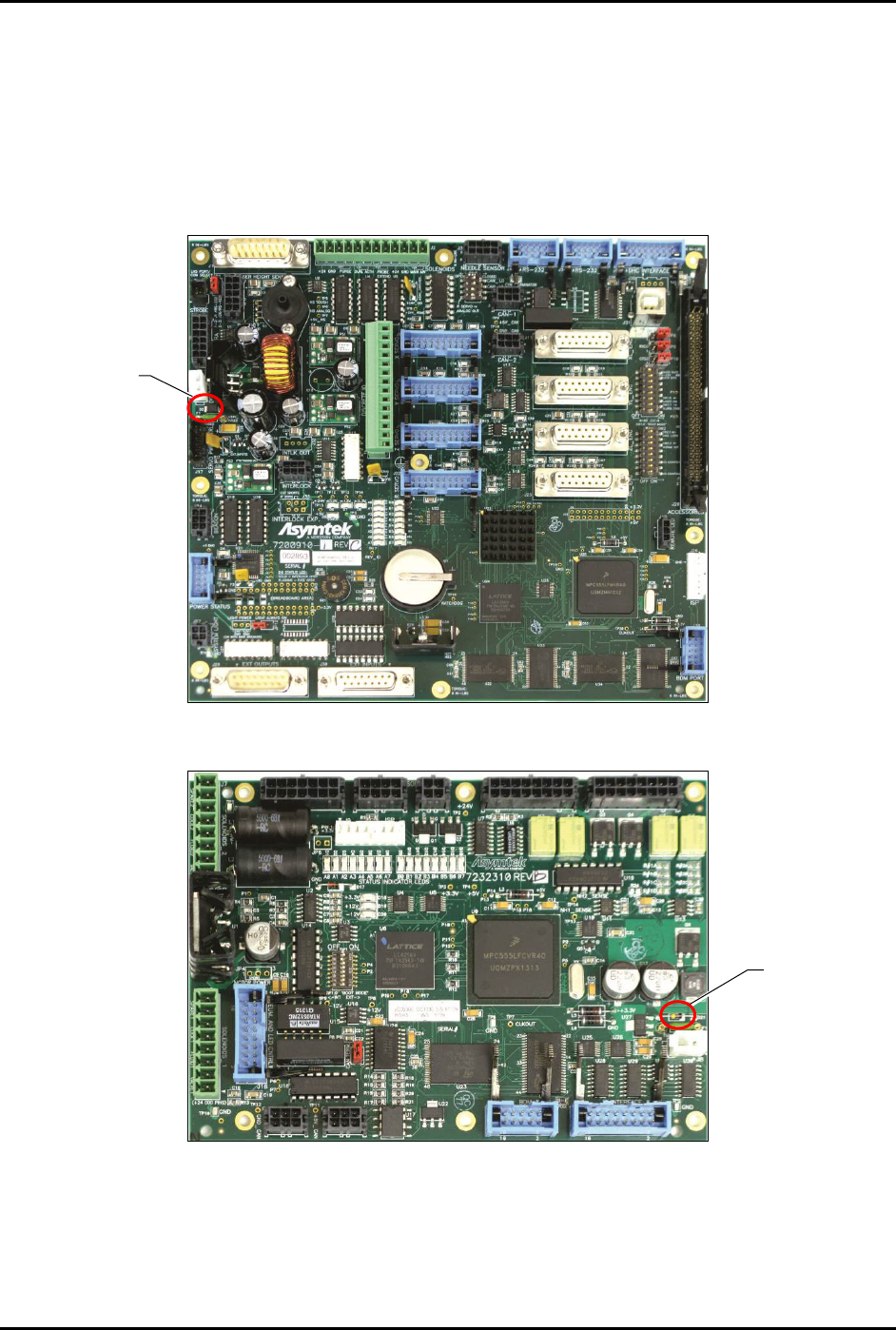
This circuit board fuse is mounted in a holder on the main PWA and Piezo Dispense Head Controller
(PDHC) located in the back of the dispensing system. The fuse protects the PDHC from damage caused
by electrical overloads from +24V supplied circuits.
To remove and replace the main PWA and PDHC board-mounted fuses:
1. Perform a service shutdown, see 2.14 Service Shutdown.
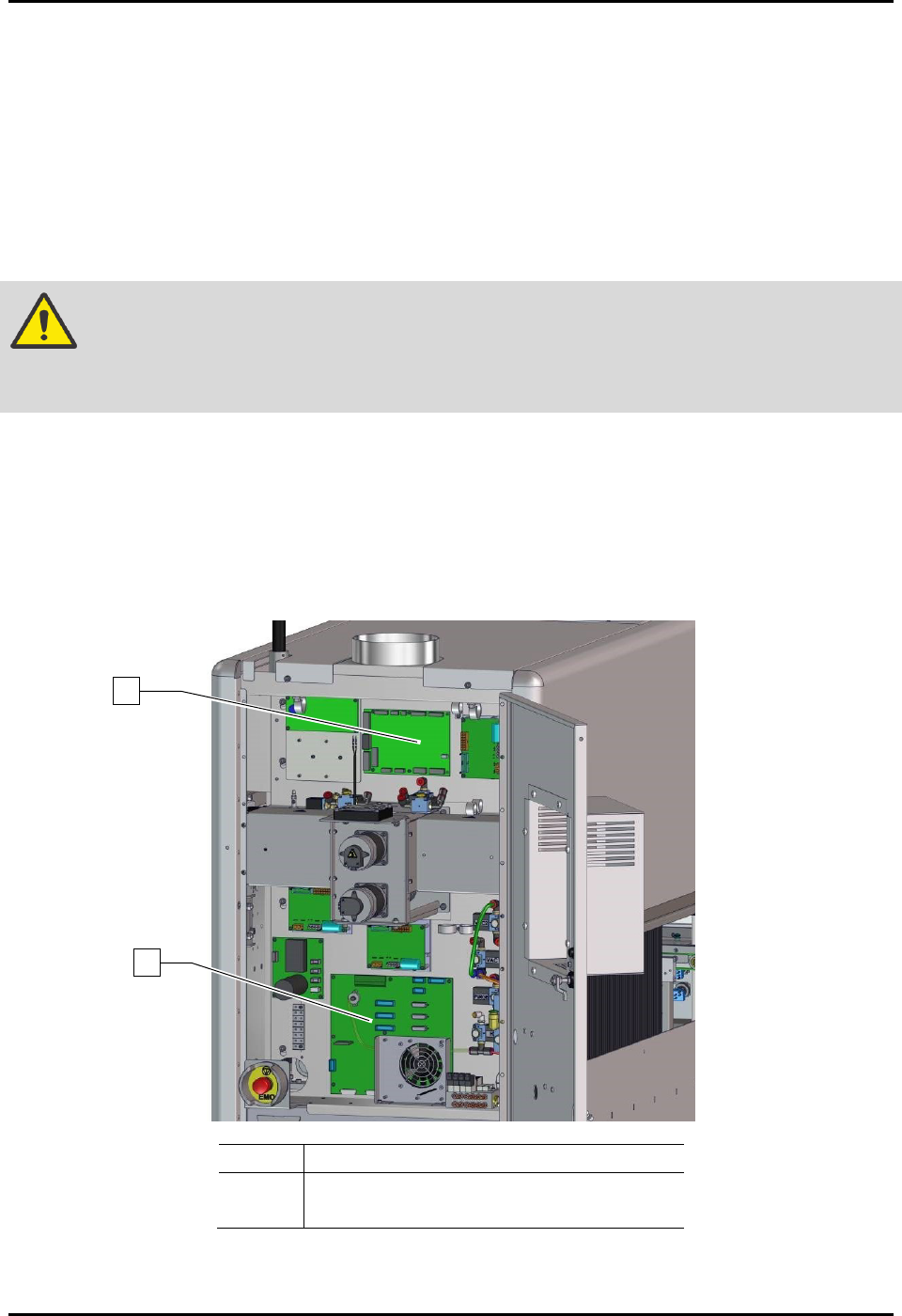
2. Open the rear dispensing area door and locate the board (Figure 8-36).
CAUTION! The circuit board and its components are susceptible to damage by electrostatic
discharge. Observe all ESD protection protocols while performing this
procedure.
3. Remove and properly dispose of the old fuse.
4. Verify that you will be installing the correct replacement fuse.
5. Trim the leads on the replacement fuse and bend the leads in same orientation as the old 5A
fuse.
6. Properly dispose of the replaced 5A fuse.
Item
Description
1
PWA, PDHC Programmed (Item 37)
2
Main PWA (Item 32)
Figure 8-36 Rear Cabinet
1
2
S2-9XXX Series Dispensing System IOM Manual Parts Replacement
8-48 © 2023 Nordson Corporation
7. Install the new 5A fuse into the fuse holder.
See Figure 8-37 and Figure 8-38 for fuse location.
8. Power on the dispensing system, see 4.3 Powering on the Dispensing System.
9. Verify that the LEDs on the board are now lit.
10. Close the rear dispensing area door.
Figure 8-37 Main PWA Fuse Location
Figure 8-38 PDHC Fuse Location
NOTE The 5A fuses are the only replaceable board fuses. Replacement fuses (Item 59) are
included in Tools & Spares Kit (Item 59).
5A Fuse
5A Fuse
S2-9XXX Series Dispensing System IOM Manual Parts Replacement
© 2023 Nordson Corporation 8-49
8.18.3 Panel Mounted Fuses
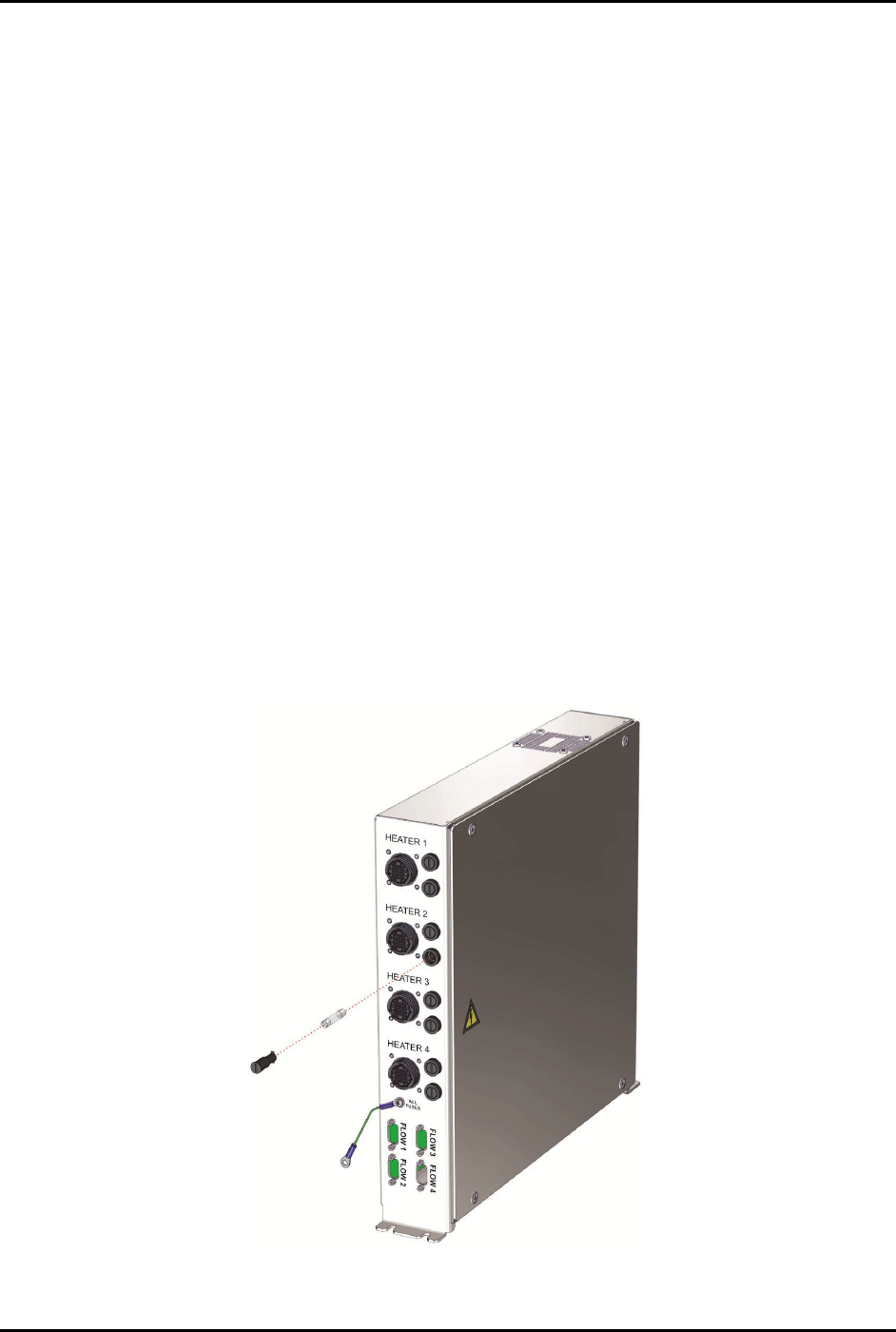
These glass fuses are located on the front panel of the conveyor/heater module. The fuses protect the
module from damage caused by power surges from the heater tooling.
To remove and replace panel-mounted fuses (Figure 8-39):
1. Perform a service shutdown, see 2.14 Service Shutdown.
2. Open the lower front door.
3. With your fingers, gently push in and turn the fuse holder counterclockwise until the head
of the fuse holder pops out enough to allow you to grasp it.
4. Pull the fuse holder out of its socket.
5. Measure the fuse impedance.
6. If the fuse impedance reads infinity, the fuse is bad.
7. Discard the damaged fuse.
8. Verify that you will be installing the correct replacement fuse and then insert the new fuse
into the fuse holder.
9. With your fingers, simultaneously push and twist the fuse holder clockwise into the socket
until it locks into place.
10. Close the lower front door.
11. Power on the dispensing system, see 4.3 Powering on the Dispensing System.
Figure 8-39 Replacing a Panel-Mounted Fuse