Spectrum+Operating+Manual.pdf - 第84页
S2-9 XX X Se ri es Disp ensi n g Syst em IOM Man ual Calibration and Adjus tment 5-8 © 2023 Nordson Corporatio n 5. Cl ick on the A dv anced tab ( Figure 5-7). Figure 5-7 Setup Scale - Advan ced Tab 6. Verif y that the c…
S2-9XXX Series Dispensing System IOM Manual Calibration and Adjustment
© 2023 Nordson Corporation 5-7
5.6 Calibrating the Scale
NOTE The scale should only need to be calibrated once during installation. However, if the scale
is moved, recalibration is recommended.
Tools and Materials Needed:
• 50g Calibration Weight
• Screwdriver
• Latex gloves or tweezers
To calibrate the scale:
1. Power on the dispensing system, see 4.3 Powering on the Dispensing System.
2. Start Fluidmove. Refer to the Fluidmove User Guide or Fluidmove Online Help.
3. Select
Configuration > Setup Scale from the Main Window.
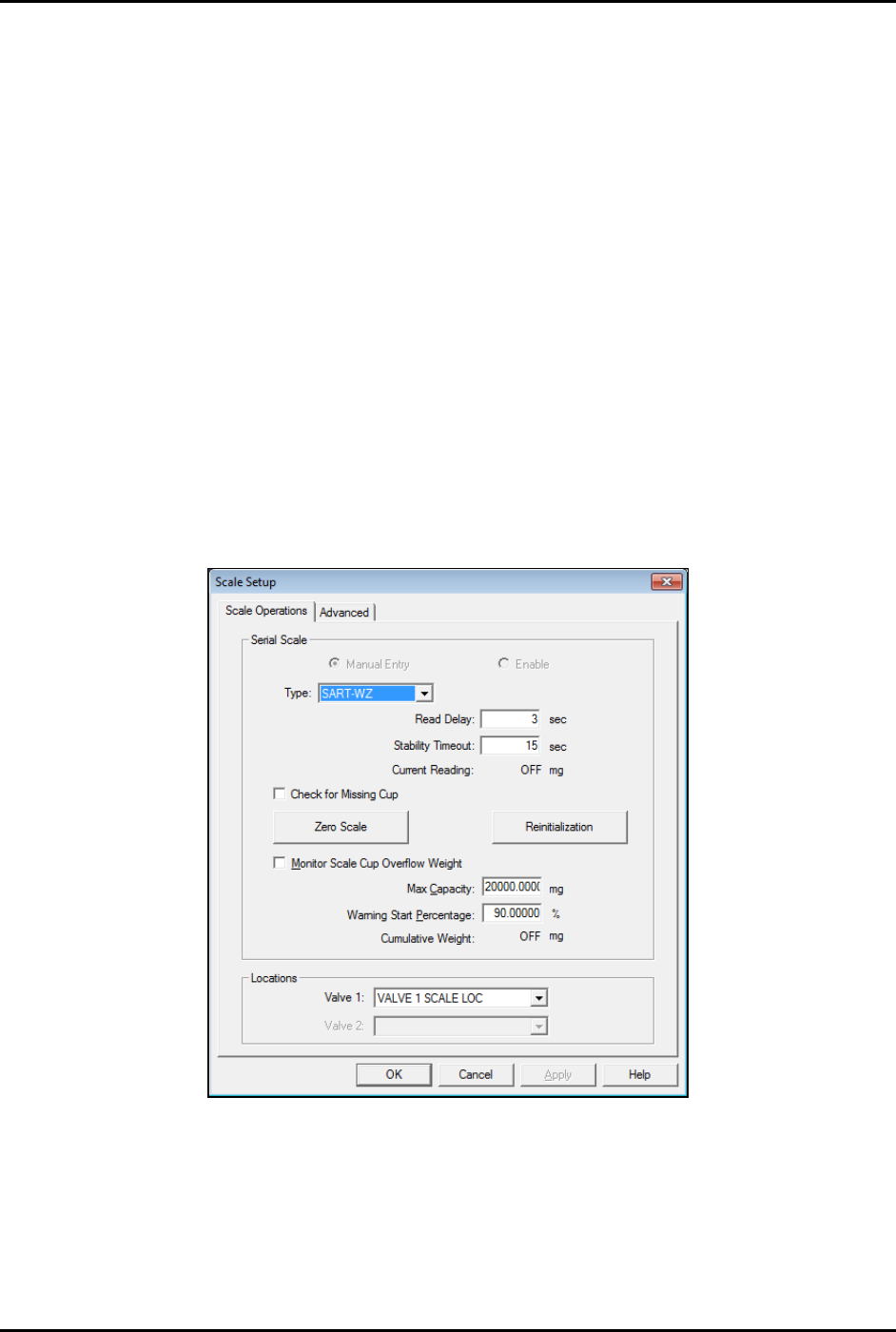
The Scale Setup window opens (Figure 5-6).
4. Select “SART-WZ” from the Type pull-down menu.
Figure 5-6 Setup Scale - Scale Operations Tab
S2-9XXX Series Dispensing System IOM Manual Calibration and Adjustment
5-8 © 2023 Nordson Corporation
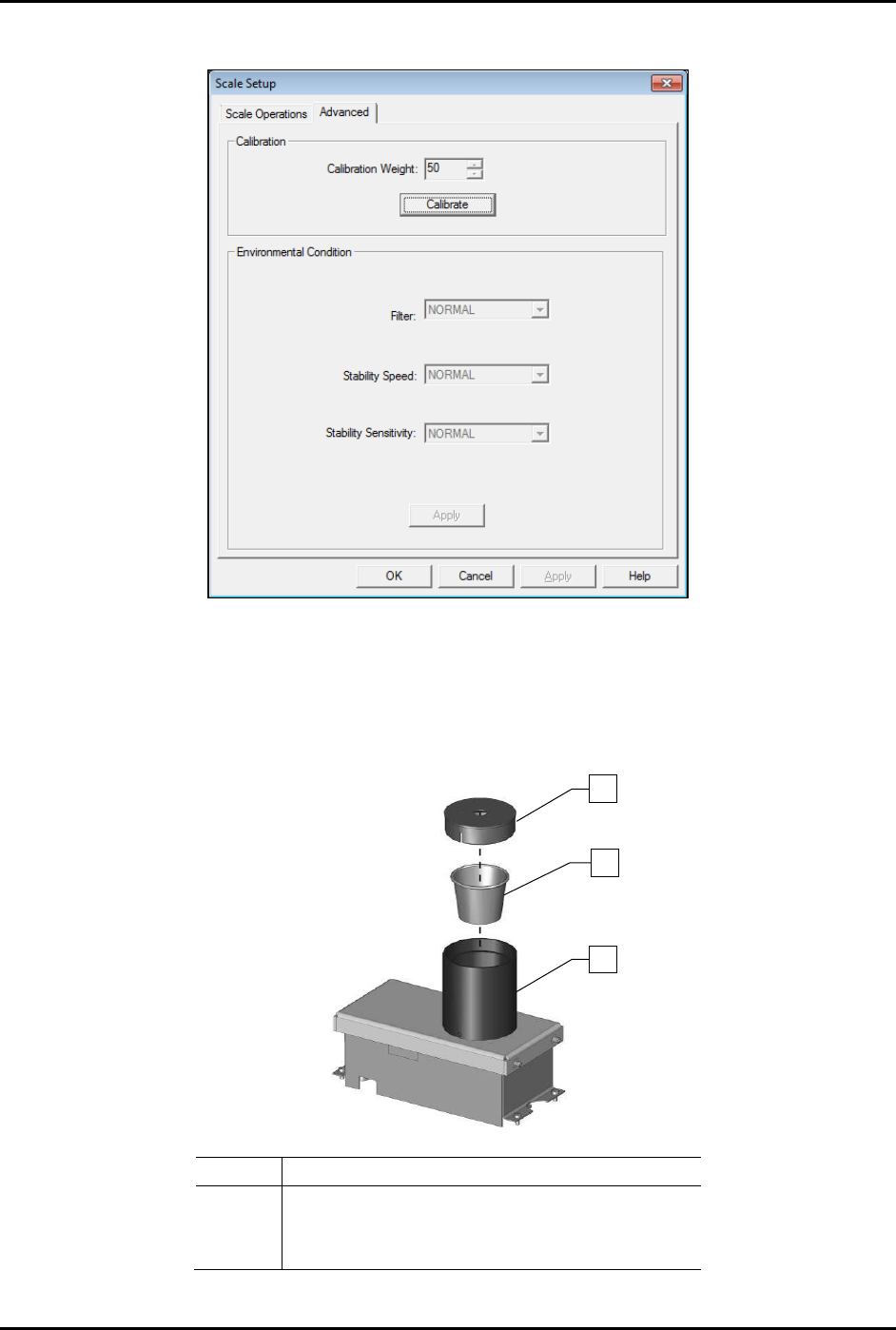
5. Click on the Advanced tab (Figure 5-7).
Figure 5-7 Setup Scale - Advanced Tab
6. Verify that the calibration weight is set to 50 and click on Calibrate.
Fluidmove will prompt you to place the weight on the scale.
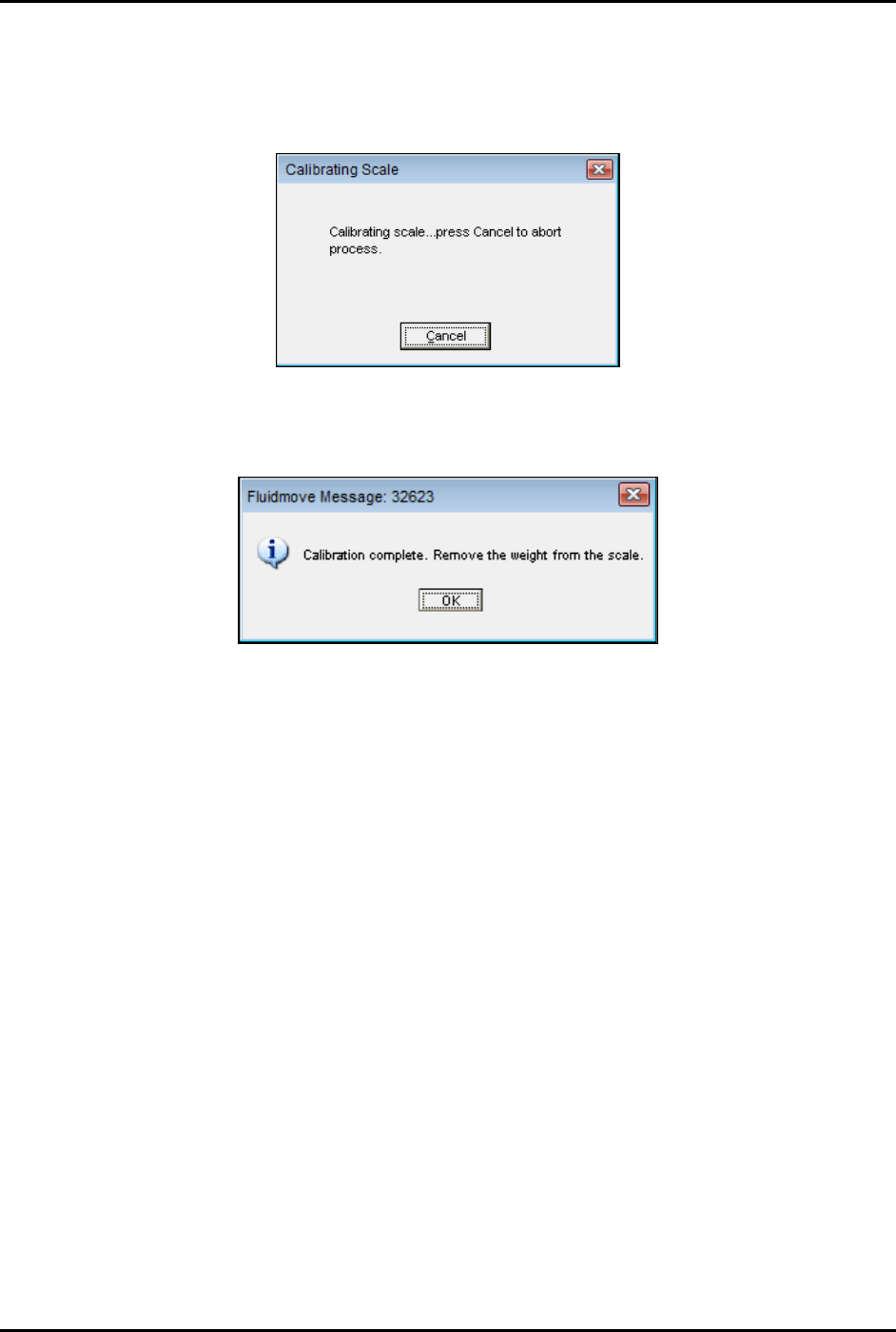
7. Remove the scale cover and cup (Figure 5-8).
Item
Description
1
Scale Cover (Item 30)
2
Scale Cup (Item 30)
3
Pedestal (inside)
Figure 5-8 Removing the Scale Cover and Cup
1
2
3
S2-9XXX Series Dispensing System IOM Manual Calibration and Adjustment
© 2023 Nordson Corporation 5-9
8. Using gloves or tweezers, place the 50g calibration weight on the pedestal.
9. Replace the scale cover and click
OK.
Fluidmove will display the following message (Figure 5-9):
Figure 5-9 Fluidmove Calibrating Scale Message
10. Upon completion, Fluidmove displays the following message (Figure 5-10):
Figure 5-10 Fluidmove Calibration Complete Message
11. Remove the scale cover.
12. Remove the weight from the scale.
13. Click
OK.
14. Replace the cup.
15. Replace the cup and scale cover, wait 10 seconds, then click
OK.