Spectrum+Operating+Manual.pdf - 第105页
S2-9 XXX Se ri es Dispensing Sys te m IOM Man ual Calibration and Adjustme nt © 2023 Nordson C orporatio n 5-29 To confi gure CpH : NOTE CpH can b e added t o an y station a nd eac h station is confi gured indepe nd en…
S2-9XXX Series Dispensing System IOM Manual Calibration and Adjustment
5-28 © 2023 Nordson Corporation
5.15 Controlled Process Heat
Asymtek’s Controlled Process Heat (CpH) manages heat levels (e.g., warm up, process ramp, cool down,
etc.) with programmable shut-off timers and “step-down” or “no-heat” capability when a part is not
present.
NOTE This procedure applies to systems equipped with impingement heaters and CpH only.
5.15.1 CpH Configuration
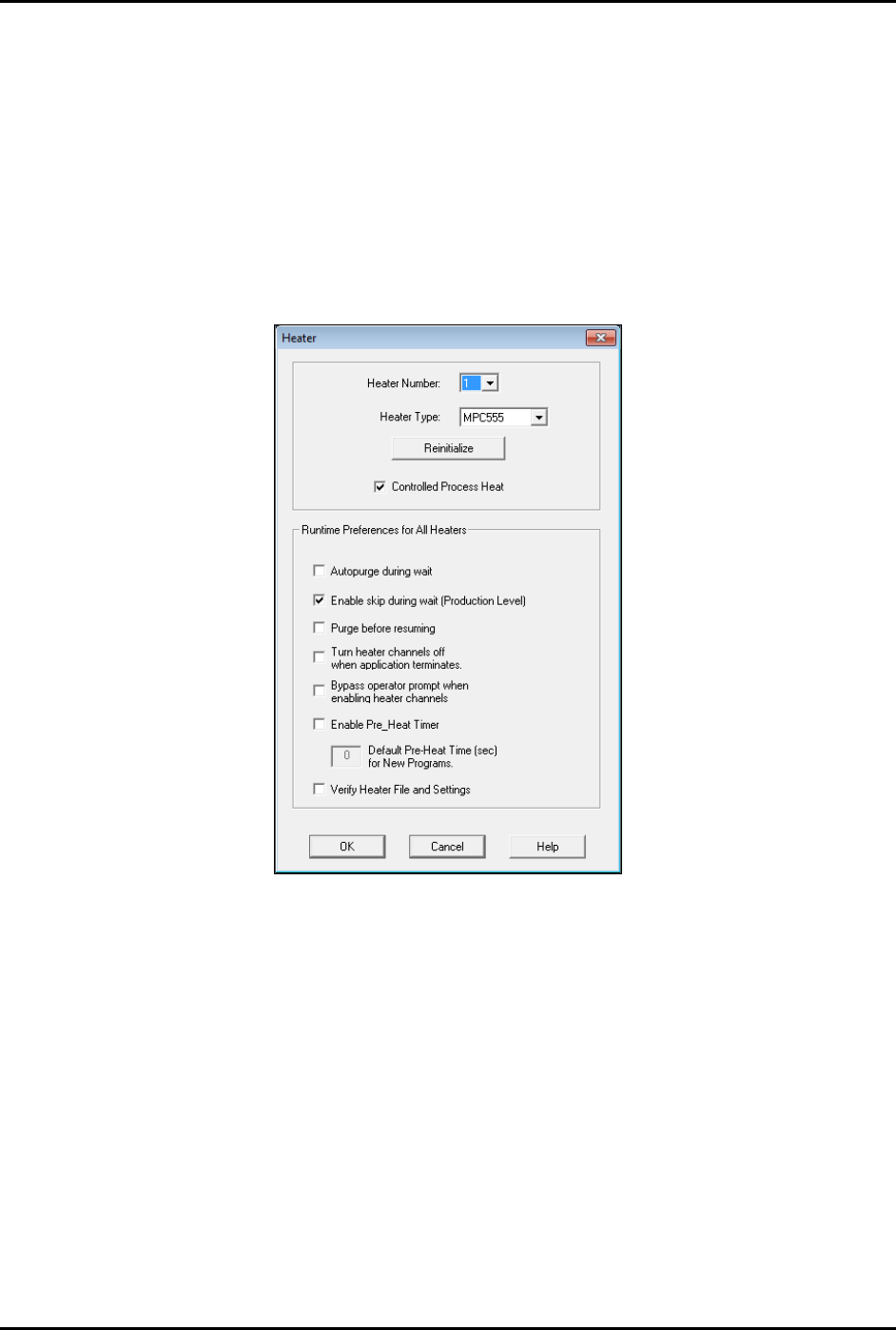
If the dispensing system is equipped with CpH, make sure that option is selected in the Fluidmove Heater
Setup window (Figure 5-34).
Figure 5-30 Heater Setup Window - Controlled Process Heat Enabled
S2-9XXX Series Dispensing System IOM Manual Calibration and Adjustment
© 2023 Nordson Corporation 5-29
To configure CpH:
NOTE CpH can be added to any station and each station is configured independently.
1. In the Fluidmove Main window, select
Tools > Terminal.
2. Select
Heater 2 (Conveyor 1) or Heater 3 (Conveyor 2).
The Heater Control Window opens (Figure 5-30).
3. Double click on the station that you want to configure.
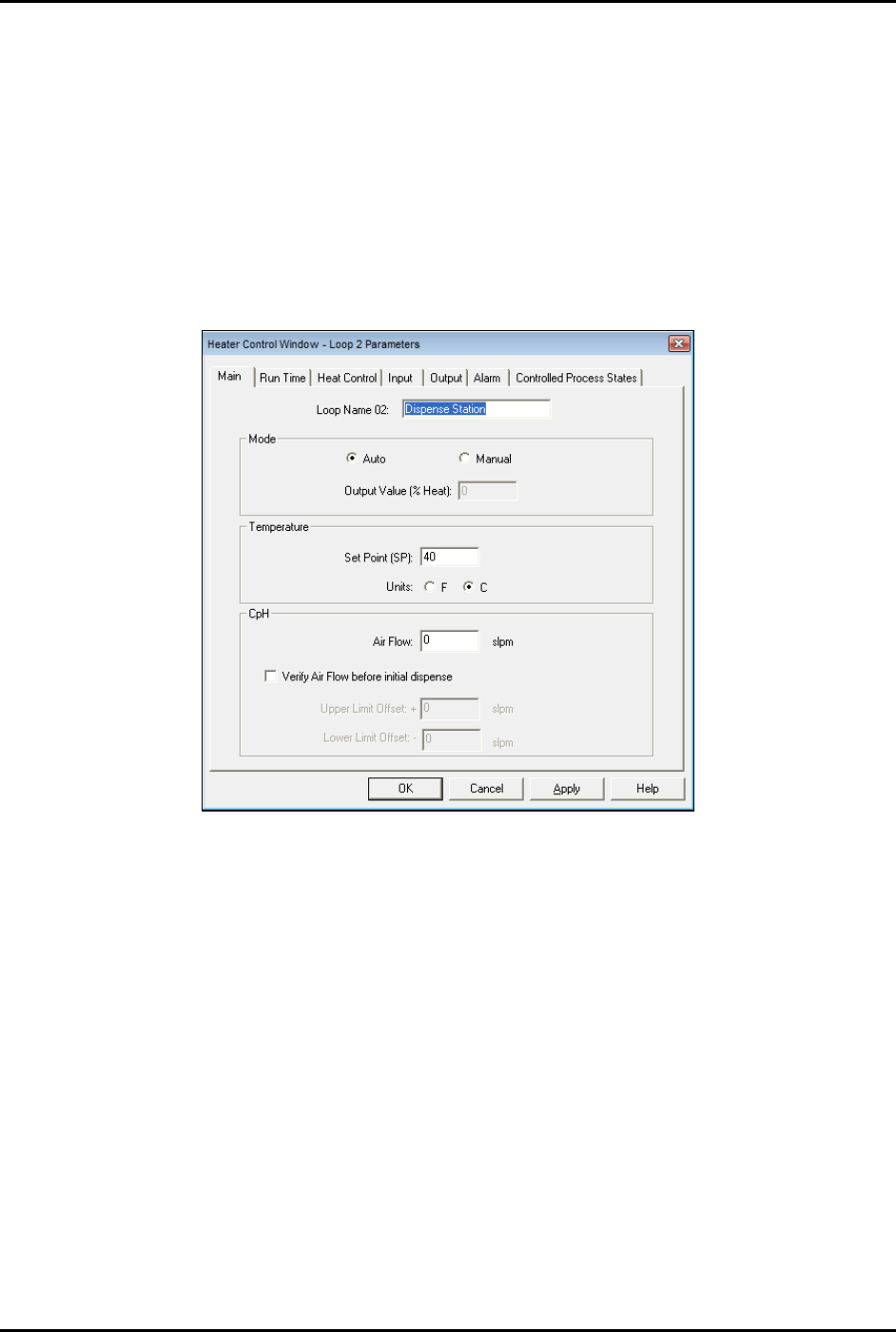
The Heater Control Loop Parameters Window opens (Figure 5-35).
Figure 5-31 Heater Control Loop Parameters Window - Main Tab
4. Enter the desired settings on the Main tab.
5. If you want to set ramp and standby options, go to Step 6, otherwise skip to Step 9.
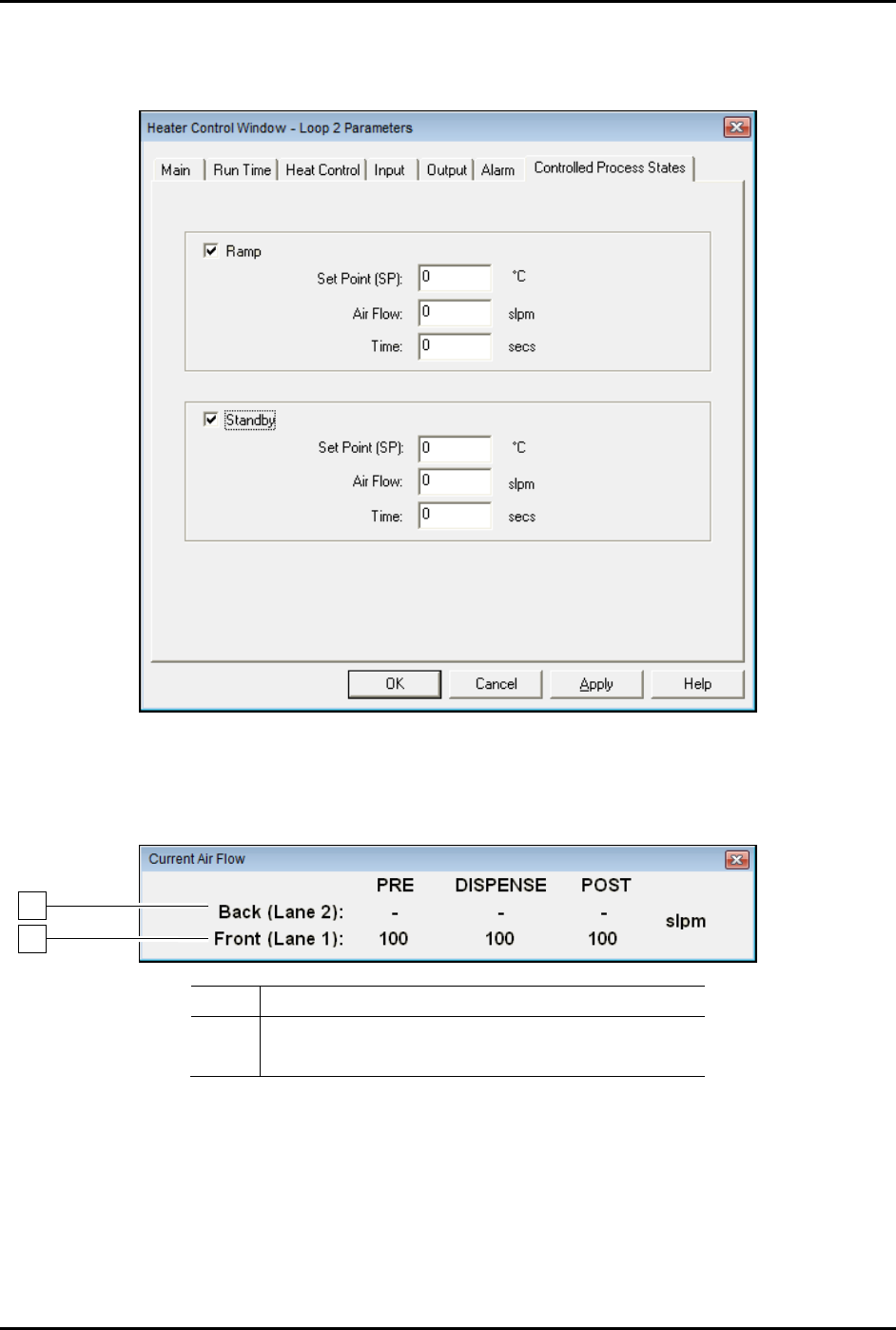
6. Click on the Controlled Process States tab (Figure 5-36).
7. Enter the desired ramp temperature, airflow, and time.
The ramp temperature is generally higher than the dispense station temperature and is
used to quickly heat a part in the pre-dispense station.
8. Enter the desired standby temperature, airflow, and time.
The standby temperature is generally lower than the dispense station temperature and is
used to reduce energy when a board is not received for a specified amount of time.
S2-9XXX Series Dispensing System IOM Manual Calibration and Adjustment
5-30 © 2023 Nordson Corporation
9. Click on OK to close the Heater Control Window.
10. Click on
Main to return to the Fluidmove Main Window.
Figure 5-32 Heater Control Window - Controlled Process States
11. You may press [Ctrl + A] in any Fluidmove window to toggle the Current Air Flow toolbar
ON and OFF (Figure 5-37).
Item
Description
1
Conveyor 1 Impingement Airflow
2 Conveyor 2 Impingement Airflow
Figure 5-33 Current Air Flow Toolbar
1
2