Spectrum+Operating+Manual.pdf - 第85页
S2-9 XXX Se ri es Dispensing Sys te m IOM Man ual Calibration and Adjustme nt © 2023 Nordson C orporatio n 5-9 8. U si ng gloves or tweezers , place the 50 g calib r a tion weight on the pede stal. 9. Replac e the scale …
S2-9XXX Series Dispensing System IOM Manual Calibration and Adjustment
5-8 © 2023 Nordson Corporation
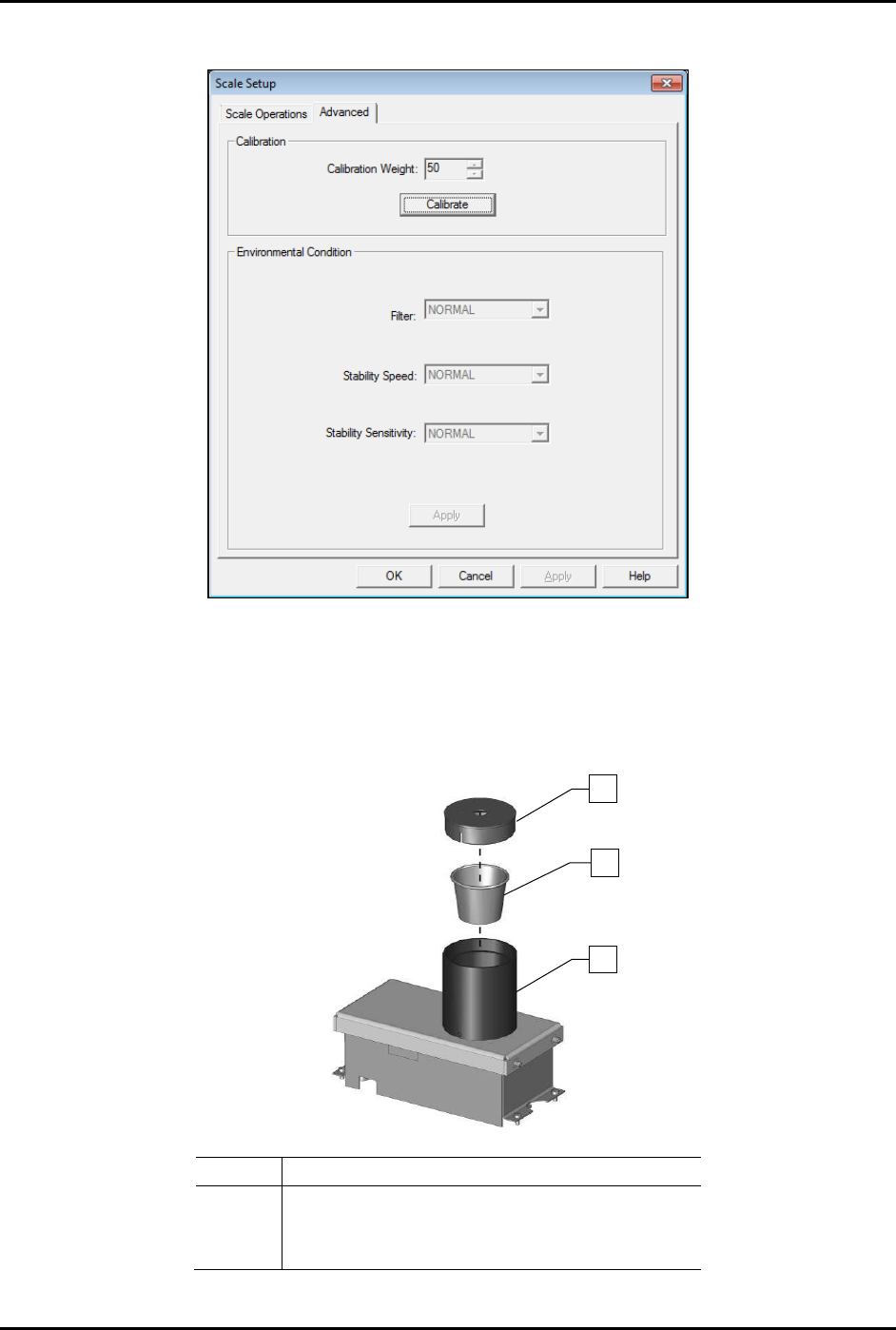
5. Click on the Advanced tab (Figure 5-7).
Figure 5-7 Setup Scale - Advanced Tab
6. Verify that the calibration weight is set to 50 and click on Calibrate.
Fluidmove will prompt you to place the weight on the scale.
7. Remove the scale cover and cup (Figure 5-8).
Item
Description
1
Scale Cover (Item 30)
2
Scale Cup (Item 30)
3
Pedestal (inside)
Figure 5-8 Removing the Scale Cover and Cup
1
2
3
S2-9XXX Series Dispensing System IOM Manual Calibration and Adjustment
© 2023 Nordson Corporation 5-9
8. Using gloves or tweezers, place the 50g calibration weight on the pedestal.
9. Replace the scale cover and click
OK.
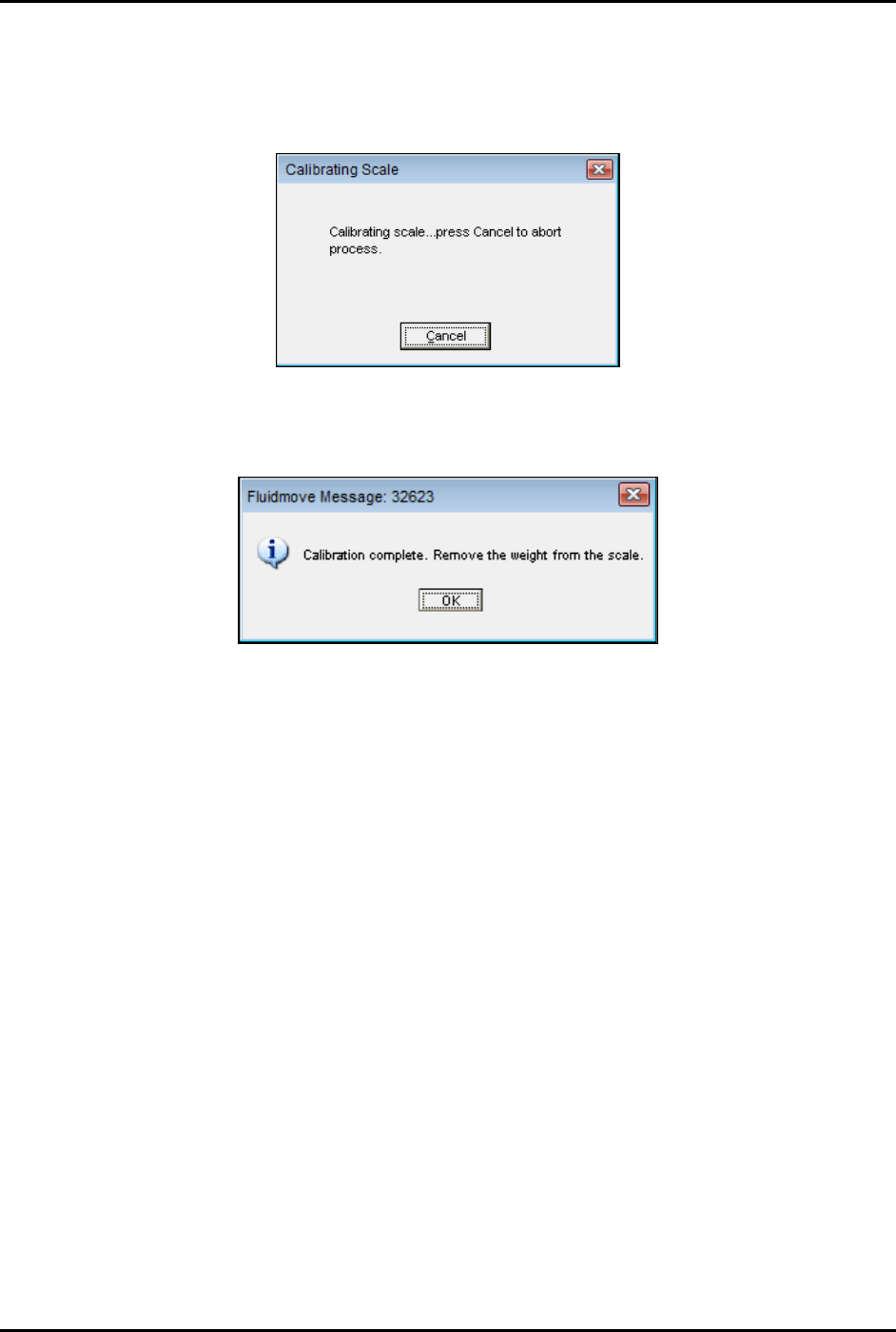
Fluidmove will display the following message (Figure 5-9):
Figure 5-9 Fluidmove Calibrating Scale Message
10. Upon completion, Fluidmove displays the following message (Figure 5-10):
Figure 5-10 Fluidmove Calibration Complete Message
11. Remove the scale cover.
12. Remove the weight from the scale.
13. Click
OK.
14. Replace the cup.
15. Replace the cup and scale cover, wait 10 seconds, then click
OK.
S2-9XXX Series Dispensing System IOM Manual Calibration and Adjustment
5-10 © 2023 Nordson Corporation
5.7 Adjusting the Z-Head Counterbalance Force
The counterbalance balances the load on the Z-axis. It can be set to accommodate various payloads. When
the Z-head is properly balanced, it enables the system to quickly position the Z-axis accurately. This
procedure assumes the valve(s), cabling, and fluid lines are installed.
To adjust the Z-head counterbalance:
1. Power down the system, see 4.8.1 Post-Production Shutdown.
2. Open the dispensing area door.
3. Disconnect the camera and light source cables.
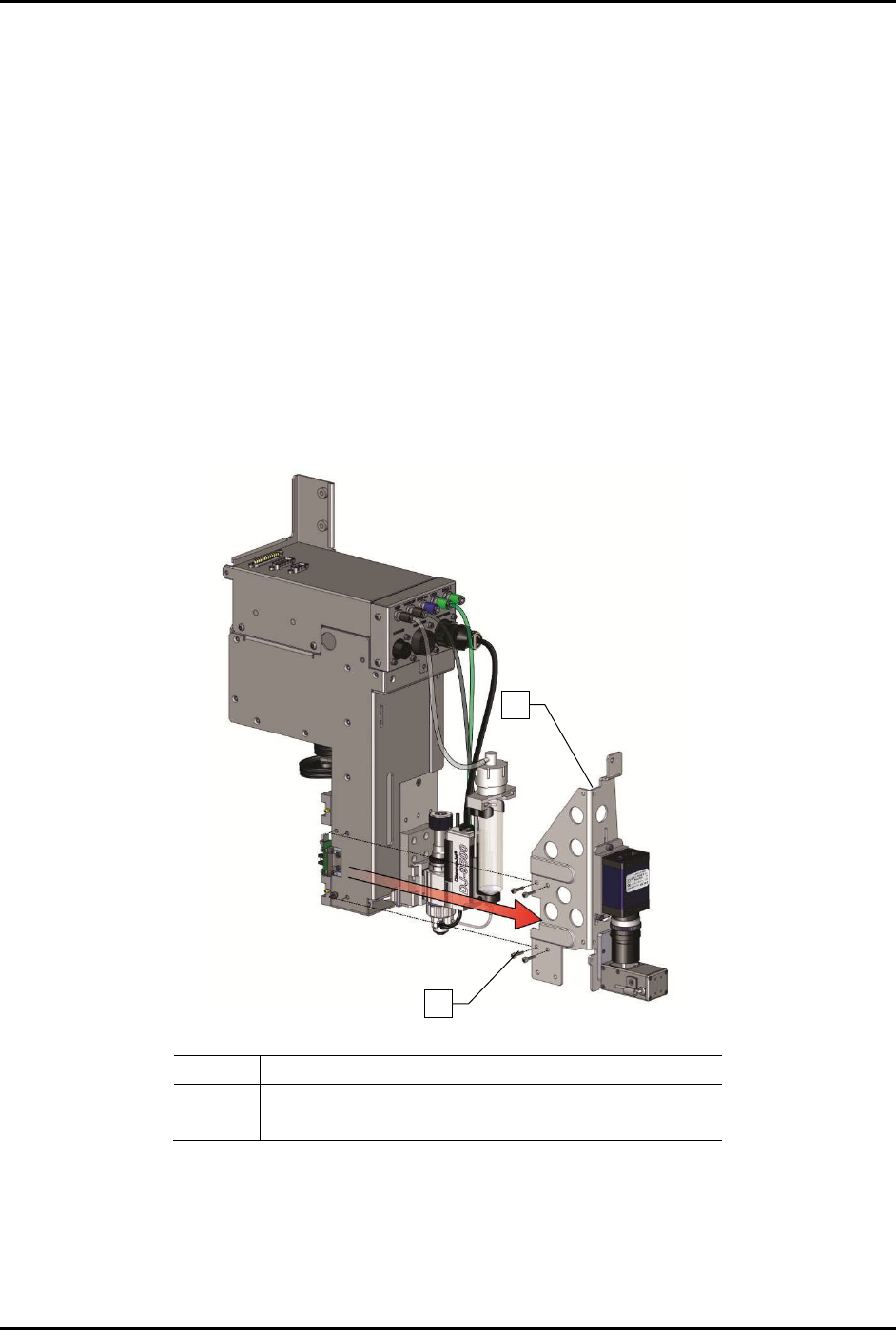
4. Remove the four (4) screws securing the camera and bracket to the Z-head and carefully
remove the camera and bracket (Figure 5-11) and place to the side.
NOTE If the dispensing head is configured with a tactile height sensor assembly, it is
not necessary to remove it to adjust the Z-head counterbalance force.
.
Item
Description
1
Camera Bracket
2
Bracket Mounting Screws
Figure 5-11 Removing the Camera and Height Sensor
5. Loosen the Z-head counterbalance force adjustment screw (Figure 5-12).
6. Slide the screw assembly to the desired position (Table 5-1).
7. Tighten the Z-head counterbalance force adjustment screw.
1
2
4x