Spectrum+Operating+Manual.pdf - 第184页
S2-9 XX X Se ri es Disp ensi n g Syst em IOM Man ual Parts Replacement 8-32 © 2023 Nordson Corporatio n To install the off switch (F igu re 8- 23 ): 1. Inst all th e mo men tary actu a tor in the fro nt of th e co ntrol …
S2-9XXX Series Dispensing System IOM Manual Parts Replacement
© 2023 Nordson Corporation 8-31
8.15.4 Replacing the OFF Switch
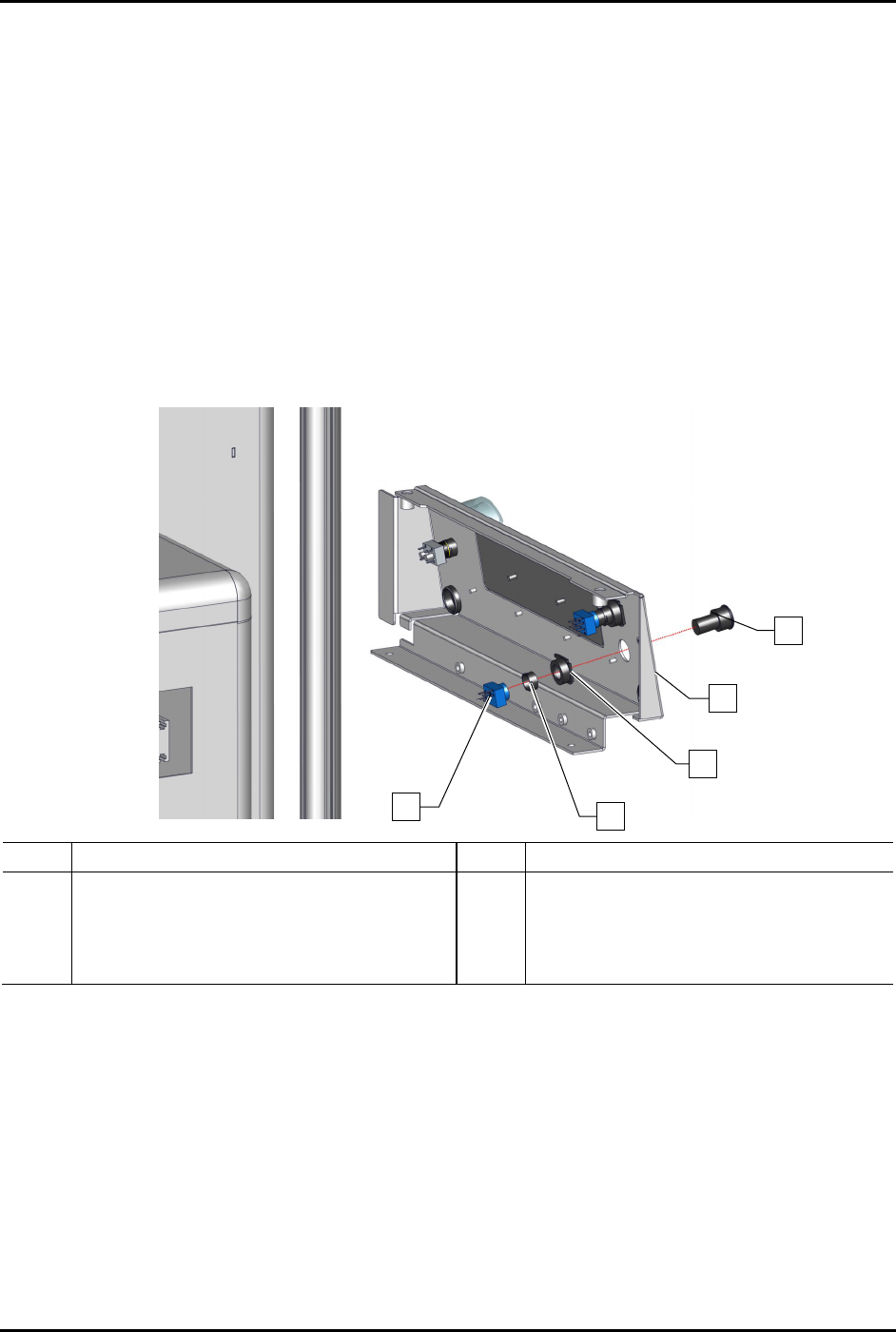
To remove the off switch (Figure 8-23):
1. Perform a service shutdown, see 2.14 Service Shutdown.
2. Remove the control panel, see 8.13.1 Removing and Installing the Control Panel.
3. Disconnect the power control cables from the contact block.
4. Disconnect the contact block from the metal flush mount adapter.
5. From rear of the control panel using the switch mounting tool, remove the nut securing the
metal flush mount adapter.
6. Remove the metal flush mount adapter from the rear of the control panel and the black
switch from the front of the control panel.
Item Description Item Description
1
Switch, 2P-NC, MOM, Black Flush
(Item 15)
4 Metal Mounting Nut
2 Control Panel 5 Contact Block (Item 15)
3 Metal Flush Mount Adapter
Figure 8-23 Replacing the Off Switch (Wiring No Shown for Clarity)
1
2
3
4
5
S2-9XXX Series Dispensing System IOM Manual Parts Replacement
8-32 © 2023 Nordson Corporation
To install the off switch (Figure 8-23):
1. Install the momentary actuator in the front of the control panel.
2. Install the metal flush mount adapter and metal mounting nut onto the momentary actuator
from the rear of the control panel.
3. Apply one small drop of plastic thread locker onto the threads of the metal mounting nut.
4. Install the metal flush mount adapter and metal mounting nut from the rear of the control
panel onto the switch assembly.
5. Tighten the nut utilizing the switch mounting tool.
6. Connect the contact block to the momentary actuator.
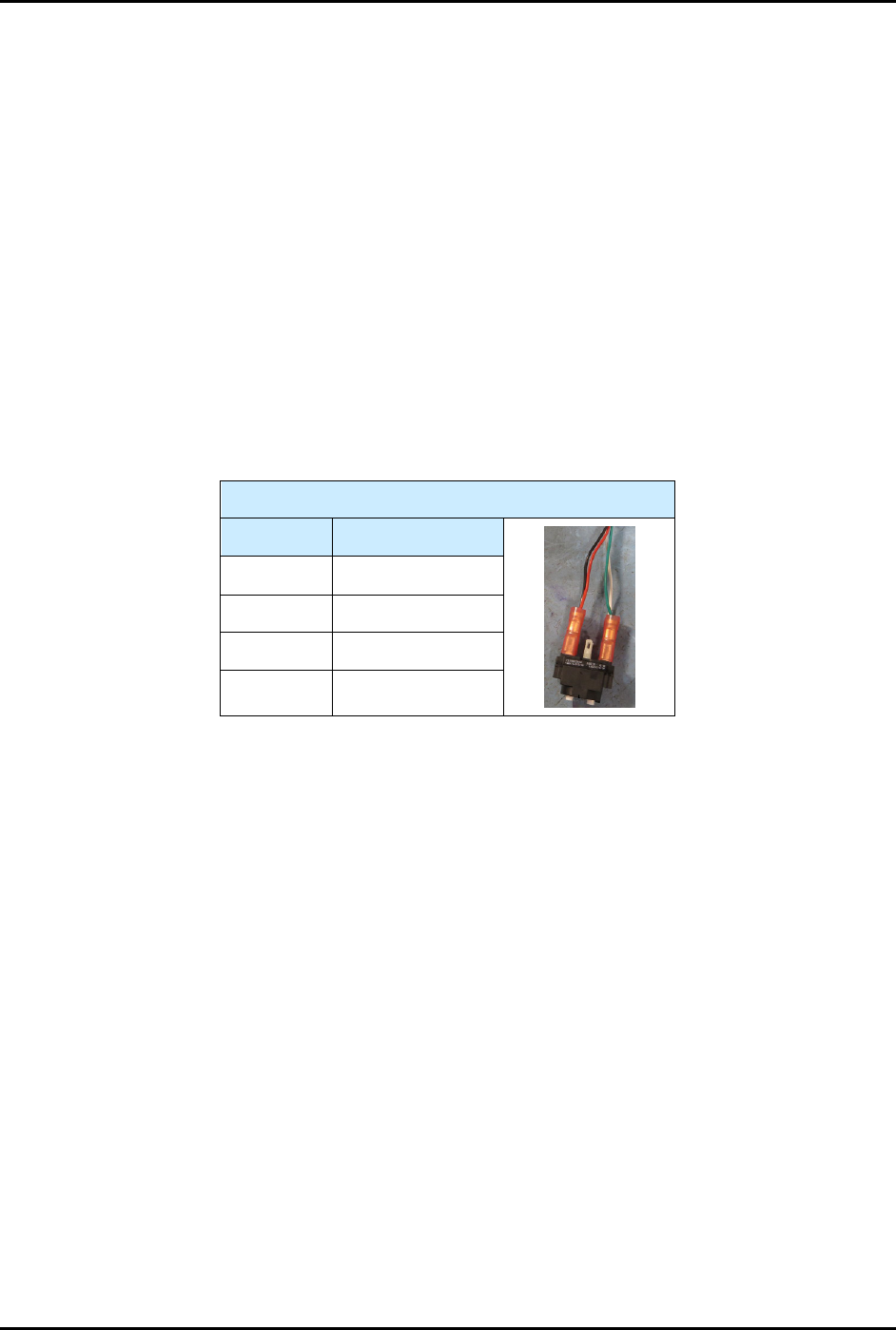
7. Connect the power control cables to the contact block, see Table 8-3.
8. Reinstall the control panel, see 8.13.1 Removing and Installing the Control Panel.
Table 8-3 Power Control Cable Connections (OFF Switch)
OFF Switch
Contact # Color
11 Black
12 Red
21 White
22
Green
S2-9XXX Series Dispensing System IOM Manual Parts Replacement
© 2023 Nordson Corporation 8-33
8.16 Replacing Components Inside the Lower Front Door
Tools and Materials Needed:
• Hex Key Set (Item 59)
WARNING! Ensure the dispensing system has been completely shutdown before attempting to
remove or install any panel, electrical component, or pneumatic component.
8.16.1 Removing and Installing the Pneumatics Panel
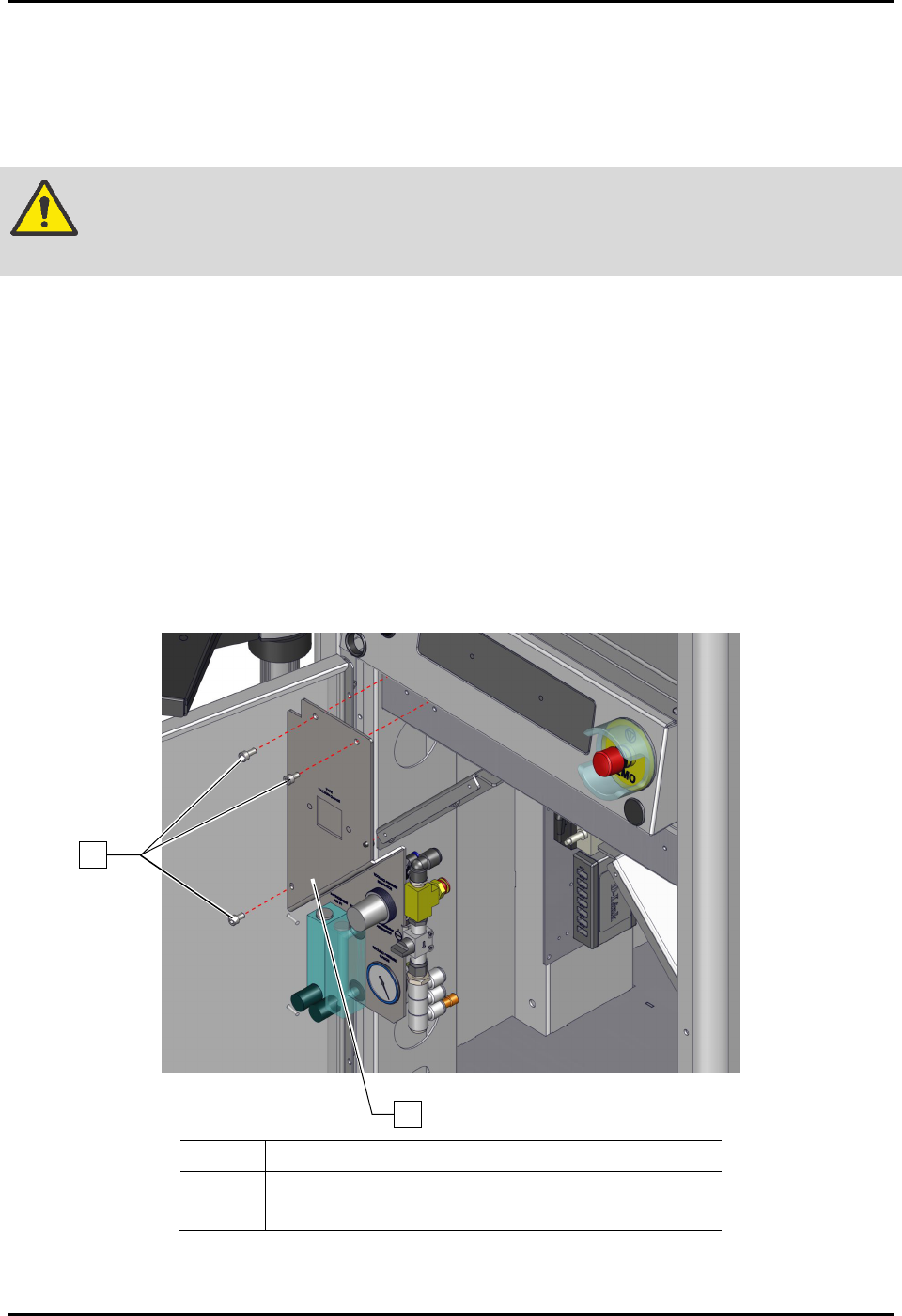
To remove the pneumatics panel (Figure 8-24):
1. Perform a service shutdown, see 2.14 Service Shutdown.
2. Open the lower front door.
3. Rotate the pressure regulator knobs counterclockwise until the pressure gauge registers
zero (0).
4. Remove the three (3) screws and nuts securing the pneumatics panel to the dispensing
system.
5. Remove the pneumatics panel from the dispensing system.
Item
Description
1 Screws
2 Pneumatics Panel
Figure 8-24 Replacing the Pneumatics Panel
2
1