Spectrum+Operating+Manual.pdf - 第93页
S2-9 XXX Se ri es Dispensing Sys te m IOM Man ual Calibration and Adjustment © 2023 Nordson C orporatio n 5-17 5.10.2 Adju sting the Tooling Air Pressure The t ooling a ir pre ss ure regul ates air supplie d to the st op…
S2-9XXX Series Dispensing System IOM Manual Calibration and Adjustment
5-16 © 2023 Nordson Corporation
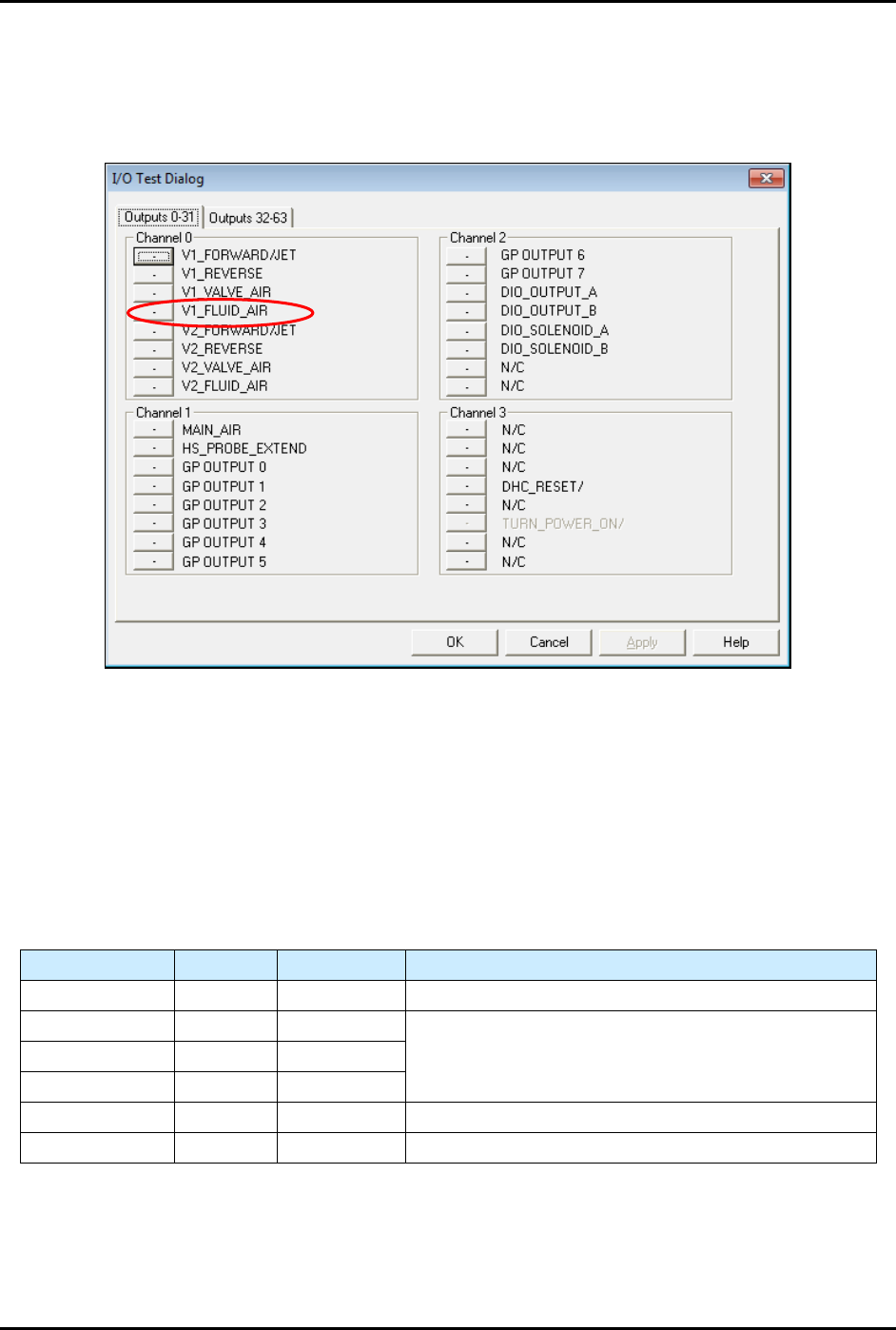
NOTE If the fluid pressure does register on the digital gauge, you must manually
enable the fluid pressure output by selecting
Tools>Dispenser from the
Fluidmove Main Window and toggling the Valve 1 Fluid Air (V1_Fluid_Air)
(Figure 5-18).
Figure 5-18 I/O Test Dialog
5.10 Adjusting the Air Pressure
5.10.1 Air Regulators and Gauges
Air pressure is set manually at the regulator or in the Fluidmove software if the E/P (electronically controlled
pneumatic) regulators option is installed.
Refer to the Fluidmove User Guide or Fluidmove Online Help for
instructions on using the E/P option.
Table 5-2 Manual or E/P Option
Air Pressure Manual E/P Option
Main Air Yes No See 3.13 Adjusting the Main Air Pressure.
Coax/Cooling Yes Yes
See 5.10.3 Adjusting the Cooling/Coaxial, Valve, and
Fluid Air Pressure.
Valve Air Yes Yes
Fluid Air Yes Yes
Lift Table Yes No See 5.10.2 Adjusting the Tooling Air Pressure.
Heater Yes No See 5.14 Calibrating the Heaters.
S2-9XXX Series Dispensing System IOM Manual Calibration and Adjustment
© 2023 Nordson Corporation 5-17
5.10.2 Adjusting the Tooling Air Pressure
The tooling air pressure regulates air supplied to the stop pins and lift tables. The regulator receives air
from the main air regulator located on the back of the dispensing system.
To adjust the tooling air pressure (Figure 5-19):
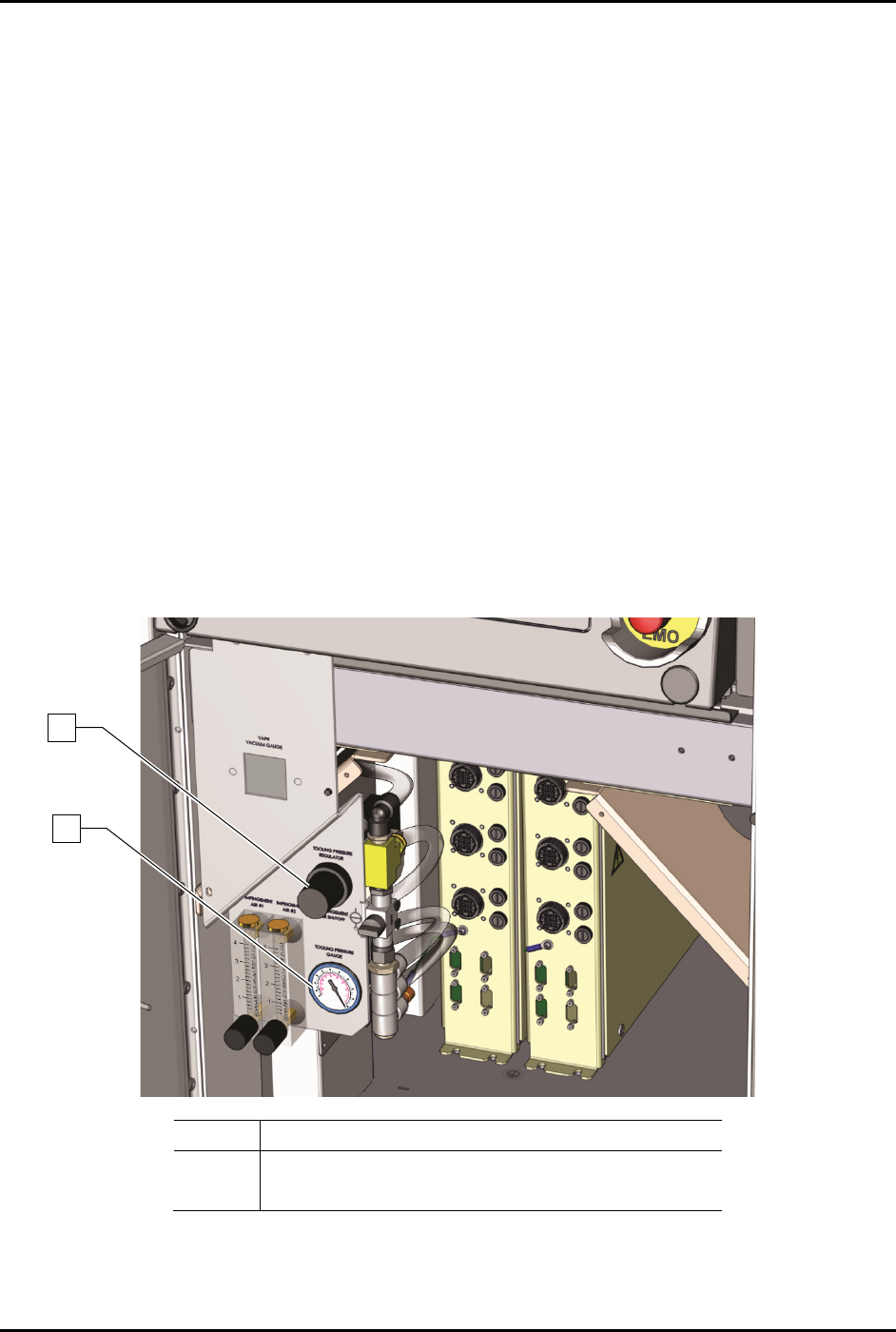
1. Locate the tooling air pressure regulator adjustment knob in the front cabinet.
2. Rotate the adjustment knob counterclockwise until the gauge registers 0 psi.
3. Rotate the adjustment knob clockwise until the associated gauge registers the air pressure
value (kPa or psi) required by your dispensing application.
For accurate pressure adjustment, lower the pressure below the desired level and then
increase to the desired pressure.
NOTE Pressure settings depend on the fluid being dispensed and dispensing valve
being used. Refer to the applicable dispensing valve manual for additional
information.
4. Monitor the tooling pressure gauge to make sure that pressure builds at a steady rate. A drop
in air pressure can indicate an air leak.
If there is an air leak, identify the source, shut off the facility air, and fix the leak before
proceeding.
Item
Description
1 Tooling Pressure Regulator
2
Tooling Pressure Gauge
Figure 5-19 Adjusting the Tooling Pressure Regulator
1
2
S2-9XXX Series Dispensing System IOM Manual Calibration and Adjustment
5-18 © 2023 Nordson Corporation
5.10.3 Adjusting the Cooling/Coaxial, Valve, and Fluid Air Pressure
To adjust the cooling/coaxial, valve, and fluid air pressure (Figure 5-20):
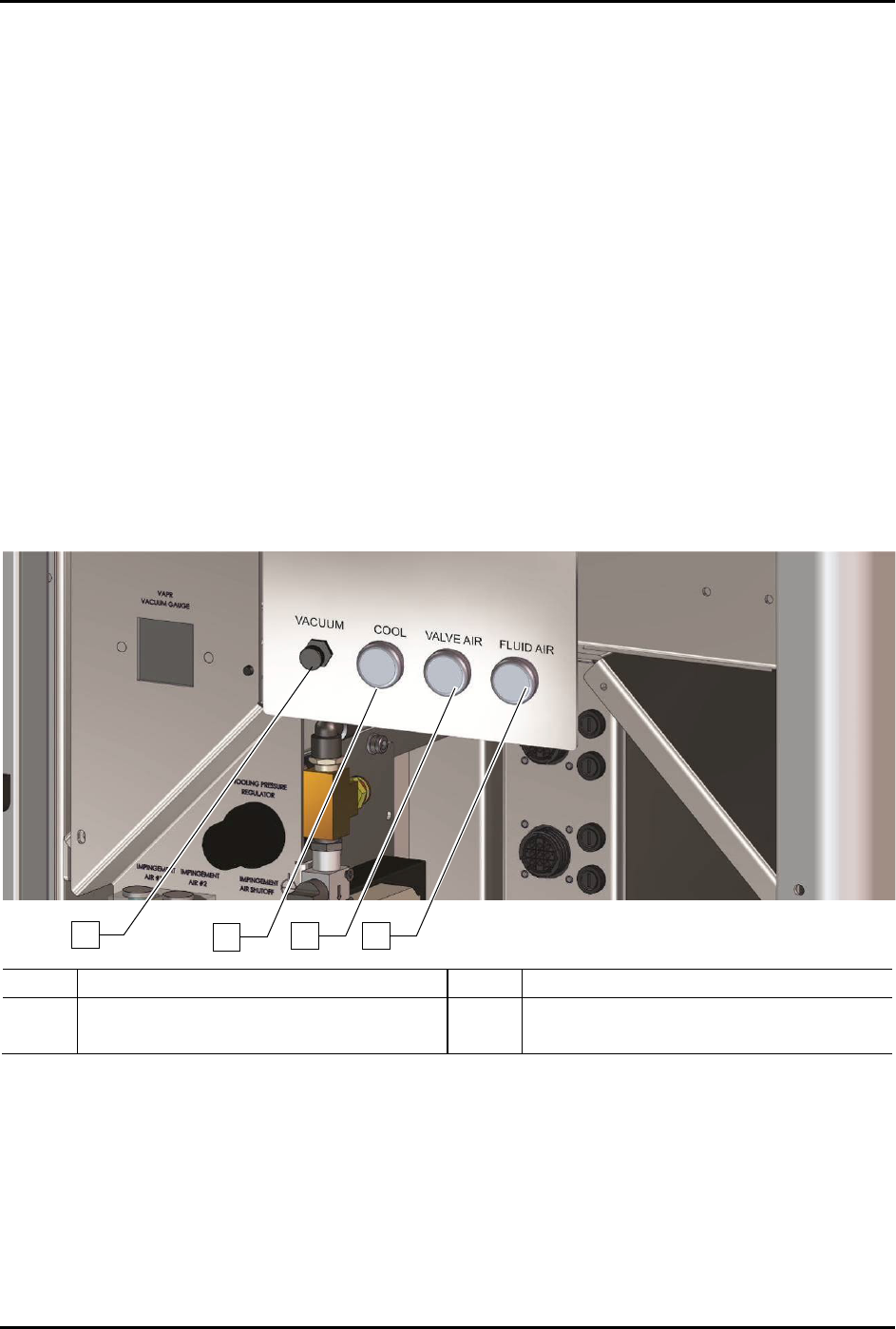
1. Locate the desired air pressure regulator adjustment knobs in the front cabinet.
2. Rotate the adjustment knob counterclockwise until the gauge registers 0 psi.
3. Rotate the adjustment knob clockwise until the associated gauge registers the air pressure
value (kPa or psi) required by your dispensing application.
For accurate pressure adjustment, lower the pressure below the desired level and then
increase to the desired pressure.
NOTE Pressure settings depend on the fluid being dispensed and dispensing valve
being used. Refer to the applicable dispensing valve manual for additional
information.
4. Monitor the pressure gauge to make sure that pressure builds at a steady rate. A drop in air
pressure can indicate an air leak.
If there is an air leak, identify the source, shut off the facility air, and fix the leak before
proceeding.
Item
Description
Item
Description
1
Vacuum Control Regulator
3
Valve Air Regulator
2
Cooling/Coaxial Air Regulator
4
Fluid Air Regulator
Figure 5-20 Adjusting the Valve and Fluid Pressure Regulators (S2-9XX/A shown)
NOTE Programmable fluid and valve pressure is an option. Refer to the Fluidmove User Guide
or Fluidmove Online Help for instructions on using the E/P option.
1
2
3
4