Spectrum+Operating+Manual.pdf - 第197页
S2-9 XXX Se ri es Dispensing Sys te m IOM Man ual Parts Replacement © 2023 Nordson C orpor ation 8-45 8.17.7 Replaci ng the Conveyor Controller To remove the conveyor c ontroller assembly ( Figure 8- 35 ): 1. Perform a s…
S2-9XXX Series Dispensing System IOM Manual Parts Replacement
8-44 © 2023 Nordson Corporation
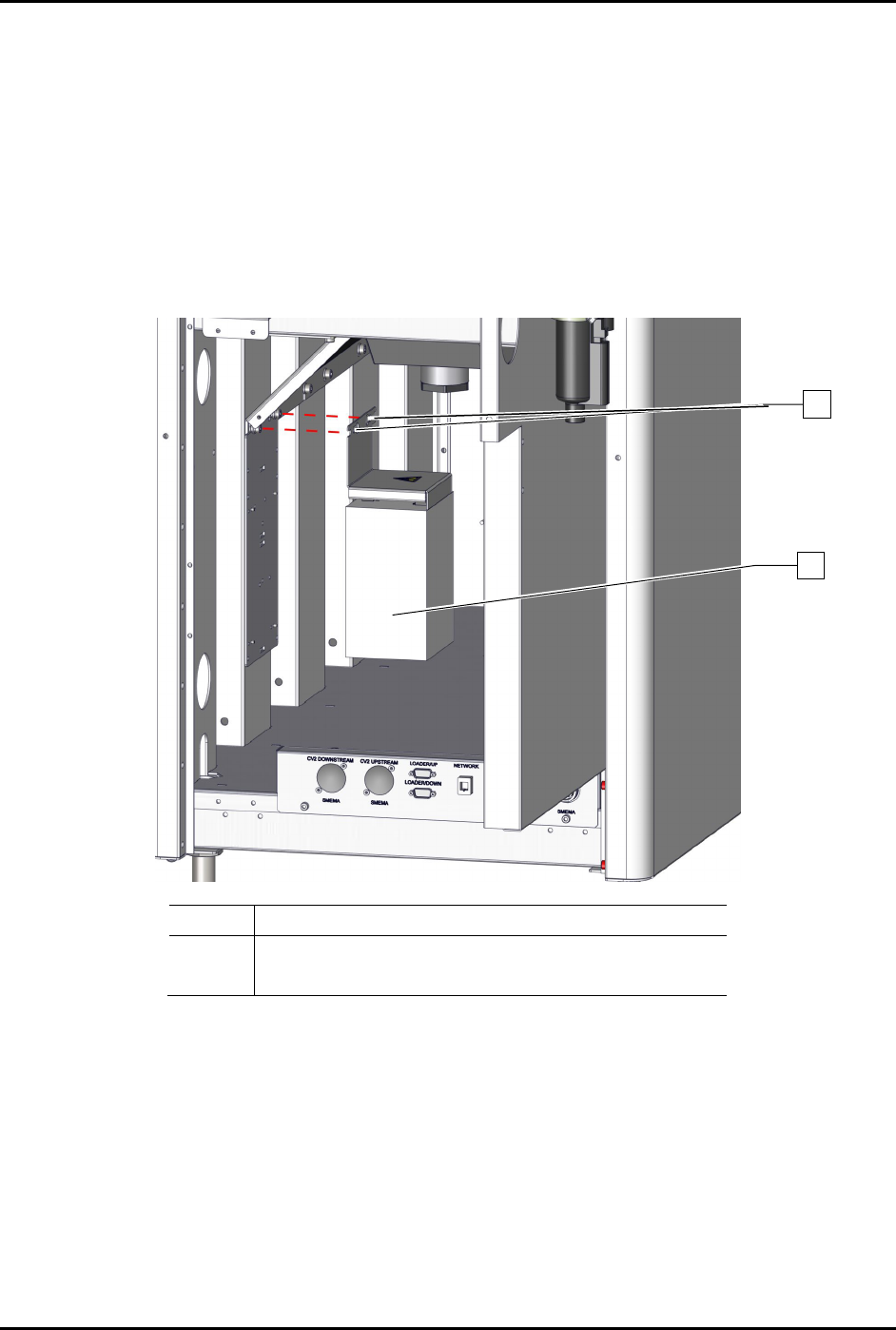
8.17.6 Replacing the Servo Power Supply
To remove the power supply (Figure 8-34):
1. Perform a service shutdown, see 2.14 Service Shutdown.
2. Open the rear door of the dispensing system.
3. Disconnect all electrical connections to the servo power supply.
4. Loosen the two (2) screws securing the servo power supply to the dispensing system.
5. Remove the servo power supply.
Item
Description
1 Screws (2)
2
Power Supply, 600W, 48 VDC, Switch (Item 52)
Figure 8-34 Replacing the Servo Power Supply
To install the servo power supply (Figure 8-34):
1. Tighten the two (2) screws securing the servo power supply to the dispensing system.
2. Torque the two (2) screws to 1.4 Nm (12 in-lbs).
3. Connect all electrical connections to the servo power supply.
4. Close the rear door of the dispensing system.
2
1
S2-9XXX Series Dispensing System IOM Manual Parts Replacement
© 2023 Nordson Corporation 8-45
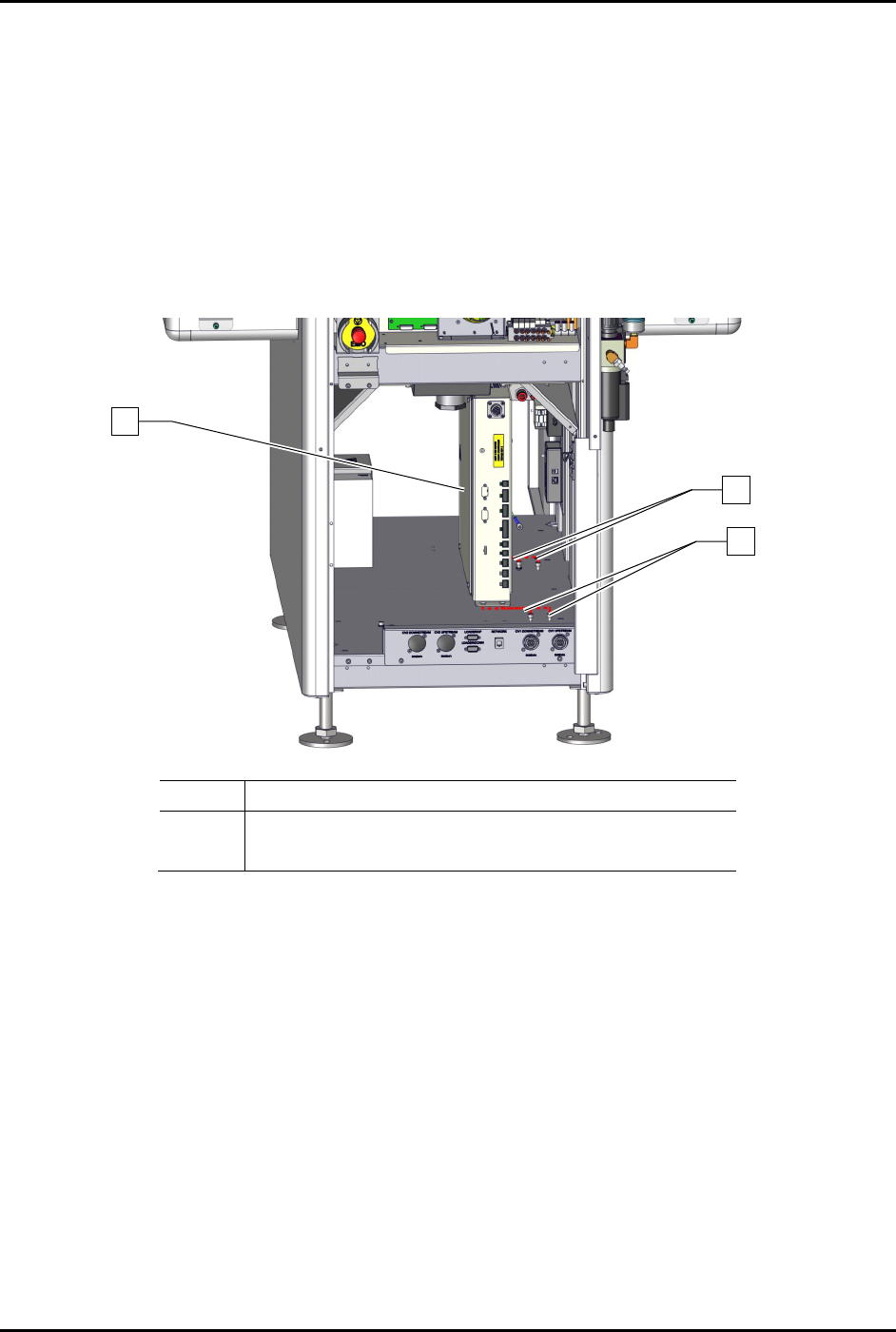
8.17.7 Replacing the Conveyor Controller
To remove the conveyor controller assembly (Figure 8-35):
1. Perform a service shutdown, see 2.14 Service Shutdown.
2. Open the rear door of the dispensing system.
3. Disconnect all electrical connections to the conveyor controller.
4. Loosen the four (4) screws securing the conveyor controller to the dispensing system.
5. Remove the conveyor controller.
Item
Description
1 Base, Conveyor Controller w/USB (Item 53)
2 Screws (4)
Figure 8-35 Replacing the Conveyor Controller
To install the conveyor controller (Figure 8-35):
1. Tighten the four (4) screws securing the conveyor controller to the dispensing system.
2. Connect all electrical connections to the conveyor controller assembly.
3. Close the rear door of the dispensing system.
1
2
2
S2-9XXX Series Dispensing System IOM Manual Parts Replacement
8-46 © 2023 Nordson Corporation
8.18 Replacing Fuses
Use the following procedures to remove and replace a fuse.
Tools and Materials Needed
• ESD Grounding Strap
• Replacement Fuse (Table 8-5)
• Small Flat Head Screwdriver (Item 59)
• Phillips Screwdriver (Item 59)
WARNING! Always replace fuses with fuses of identical rating and size. Failure to do so may
not protect components from damage.
WARNING! This procedure should be performed by a trained service technician only.
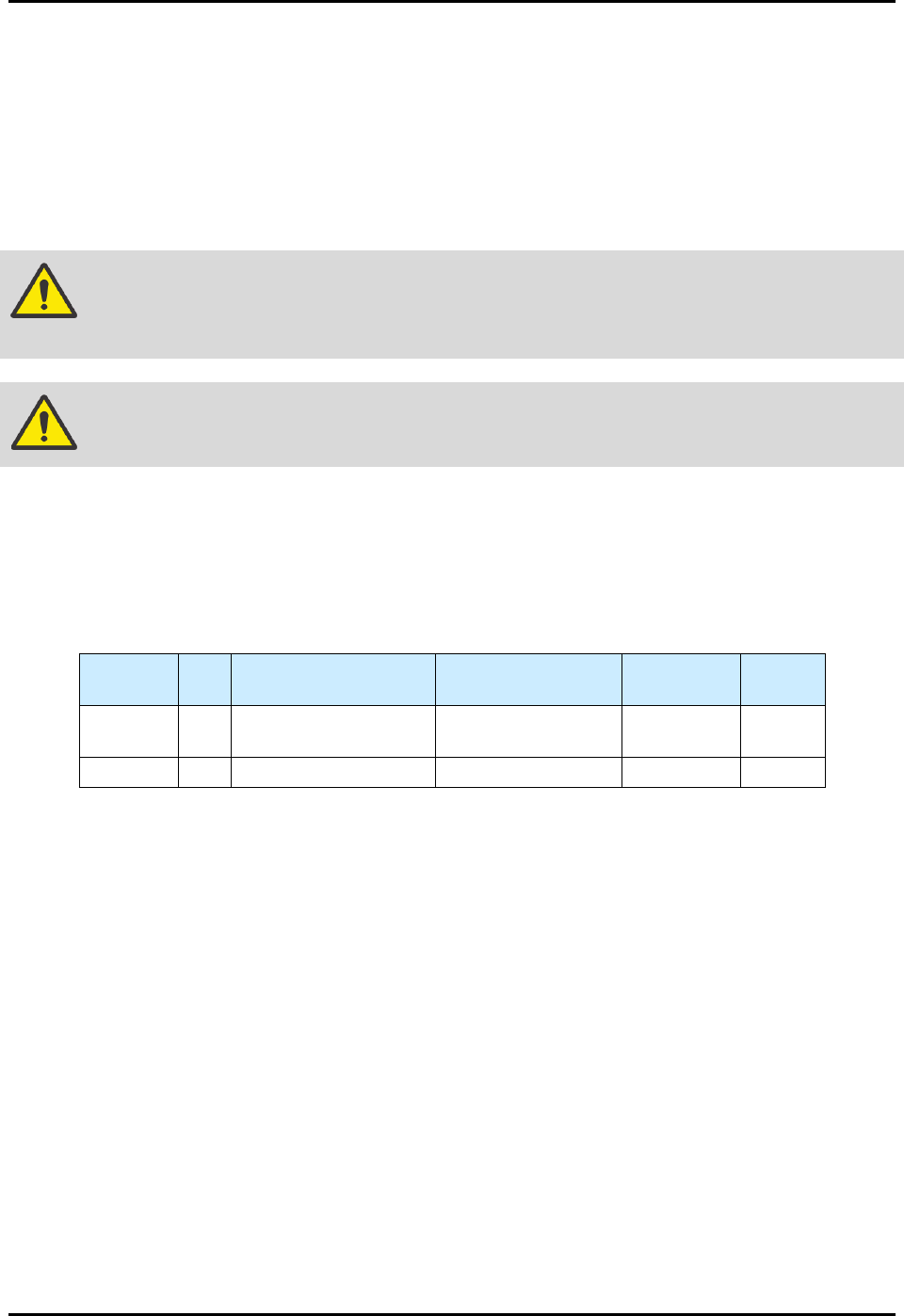
8.18.1 Replacement Fuses
There are approximately ten (10) replaceable fuses (Table 8-5) on the standard S2-9XXX Series
Dispensing System. This number may vary depending on system configuration. All fuse locations are
clearly labeled.
Table 8-5 Replaceable Fuses
Item
Number
Qty. Location Rating Size
Mount
Type
Item 59 2
Main PWA (1)
PWA, PDHC (1)
5A, 125V 280 mil Board
Item 59 8 Heater Relay Module 6.3A, 250V, SLOW 5 x 20 mm Panel