Spectrum+Operating+Manual.pdf - 第167页
S2-9 XXX Se ri es Dispensing Sys te m IOM Man ual Parts Replacement © 2023 Nordson C orpor ation 8-15 8.13 Replacing Compon ents Inside the Dispen sing Area Door Tools and Materials Needed : • Hex Key Set (Item 59) • Tor…
S2-9XXX Series Dispensing System IOM Manual Parts Replacement
8-14 © 2023 Nordson Corporation
8.12.2 Replacing the Mechanical/Tactile Height Sensor Probe
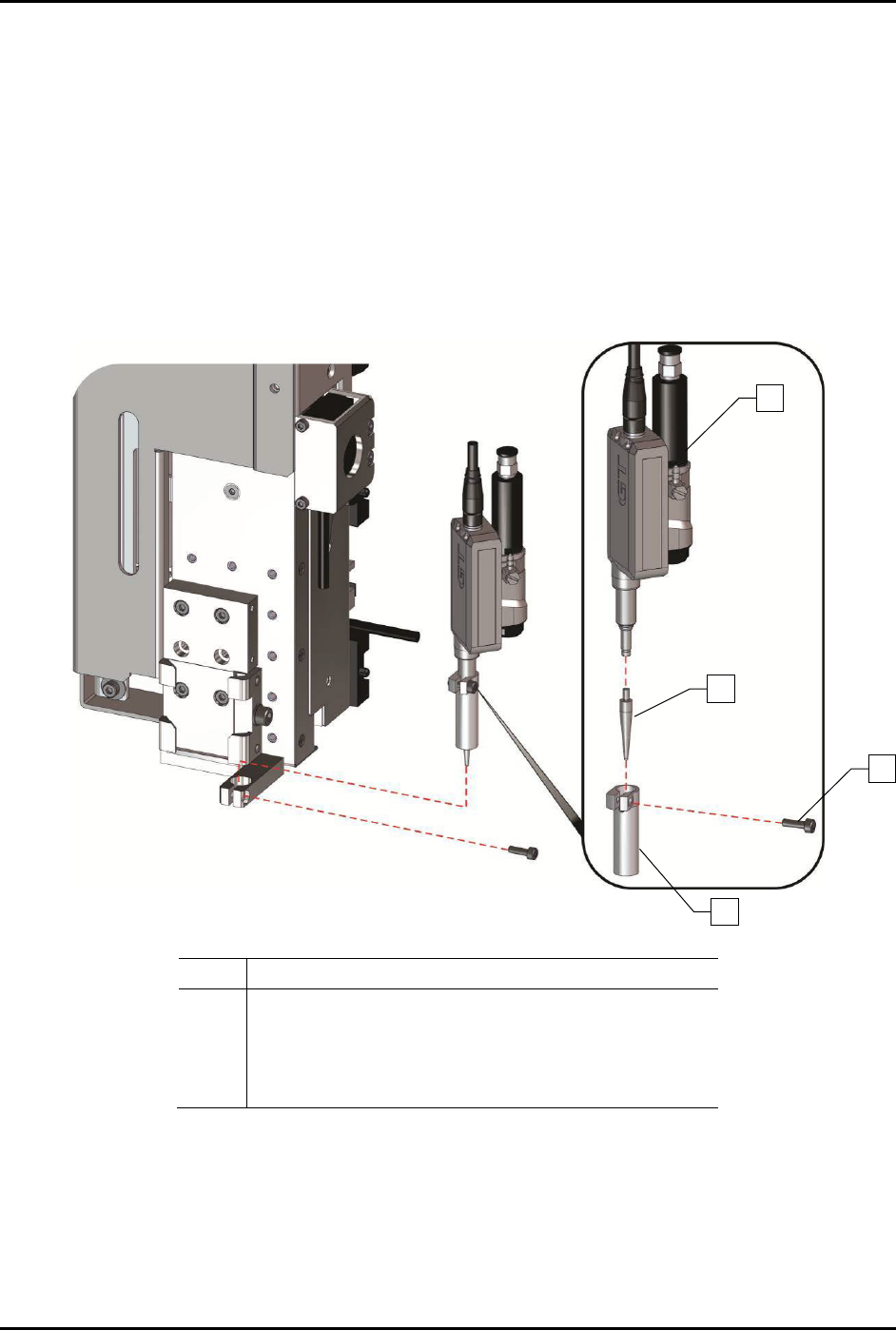
To replace the height sensor probe (Figure 8-11):
1. Pull the height sensor probe down.
2. Loosen the height sensor locking screw on the front of the height sensor assembly and
remove the height sensor sleeve.
3. Remove the height sensor probe by turning it counterclockwise and sliding it out.
4. Install a new height sensor probe and turn it clockwise to tighten it.
5. Replace the height sensor sleeve and tighten the locking screw.
Item
Description
1 Height Sensor Assembly (Item 54)
2 Height Sensor Probe
3 Height Sensor Probe Locking Screw (front)
4 Height Sensor Sleeve
Figure 8-11 Replacing the Height Sensor Probe
1
2
3
4
S2-9XXX Series Dispensing System IOM Manual Parts Replacement
© 2023 Nordson Corporation 8-15
8.13 Replacing Components Inside the Dispensing Area
Door
Tools and Materials Needed:
• Hex Key Set (Item 59)
• Torque Wrench
• Adjustable Wrench
WARNING! Ensure the dispensing system has been completely shutdown before attempting
to remove or install any panel, electrical component, or pneumatic component.
8.13.1 Replacing the LED Light
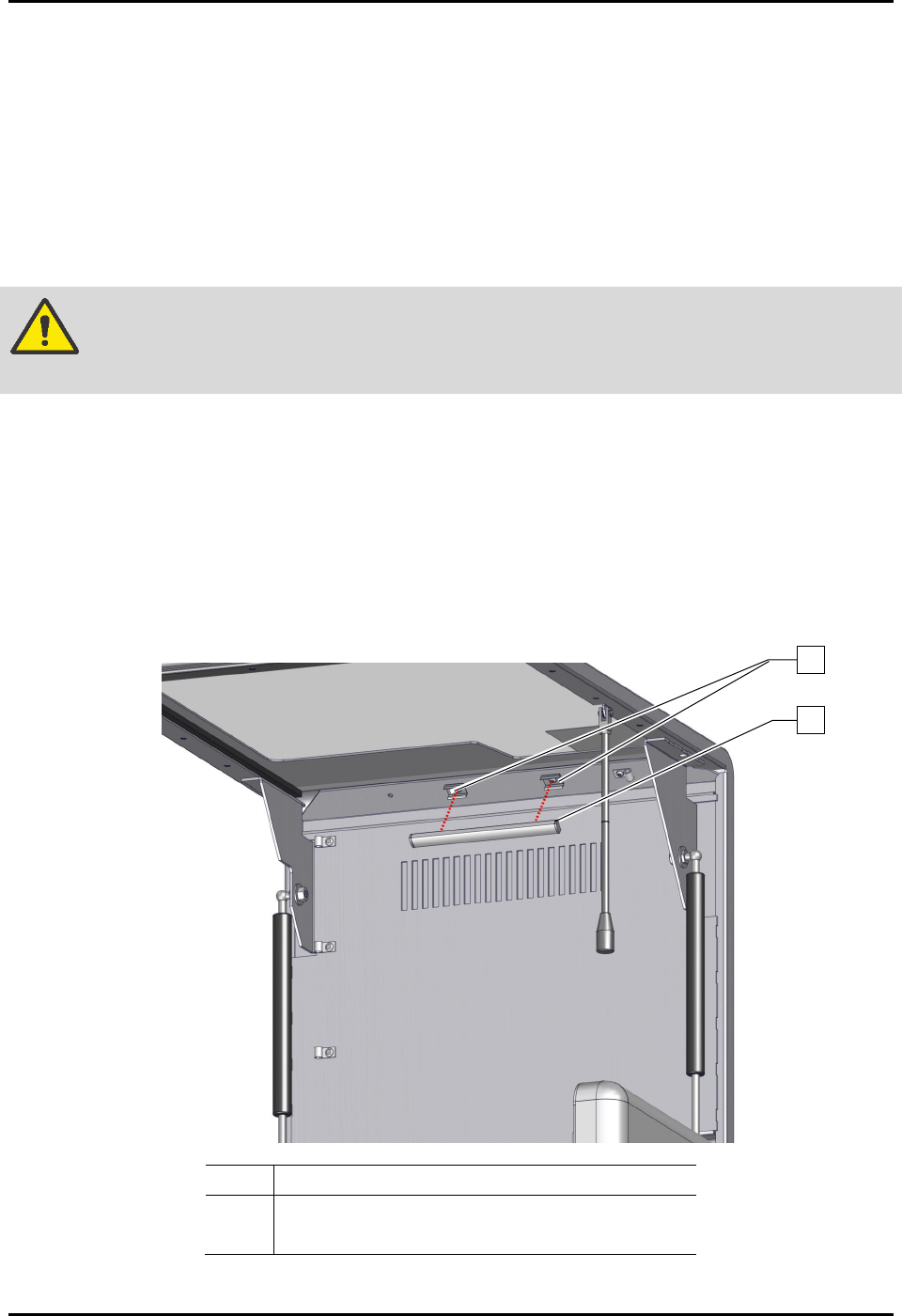
To remove the LED light (Figure 8-12):
1. Perform a service shutdown, see 2.14 Service Shutdown.
2. Open the dispensing area door.
3. Disconnect the electrical connection to the LED light.
4. Remove the LED light from the LED lens clips.
Item
Description
1 LED Lens Clips
2 LED, Lens, Clips, Kit, 12V, 6” (Item 45)
Figure 8-12 Replacing the LED Light (Wiring Not Shown for Clarity)
1
2
S2-9XXX Series Dispensing System IOM Manual Parts Replacement
8-16 © 2023 Nordson Corporation
To install the LED light (Figure 8-12):
1. Install the LED light into the LED lens clips.
2. Connect the electrical connection to the LED light.
3. Close the dispensing area door.
8.13.2 Replacing the Standoff
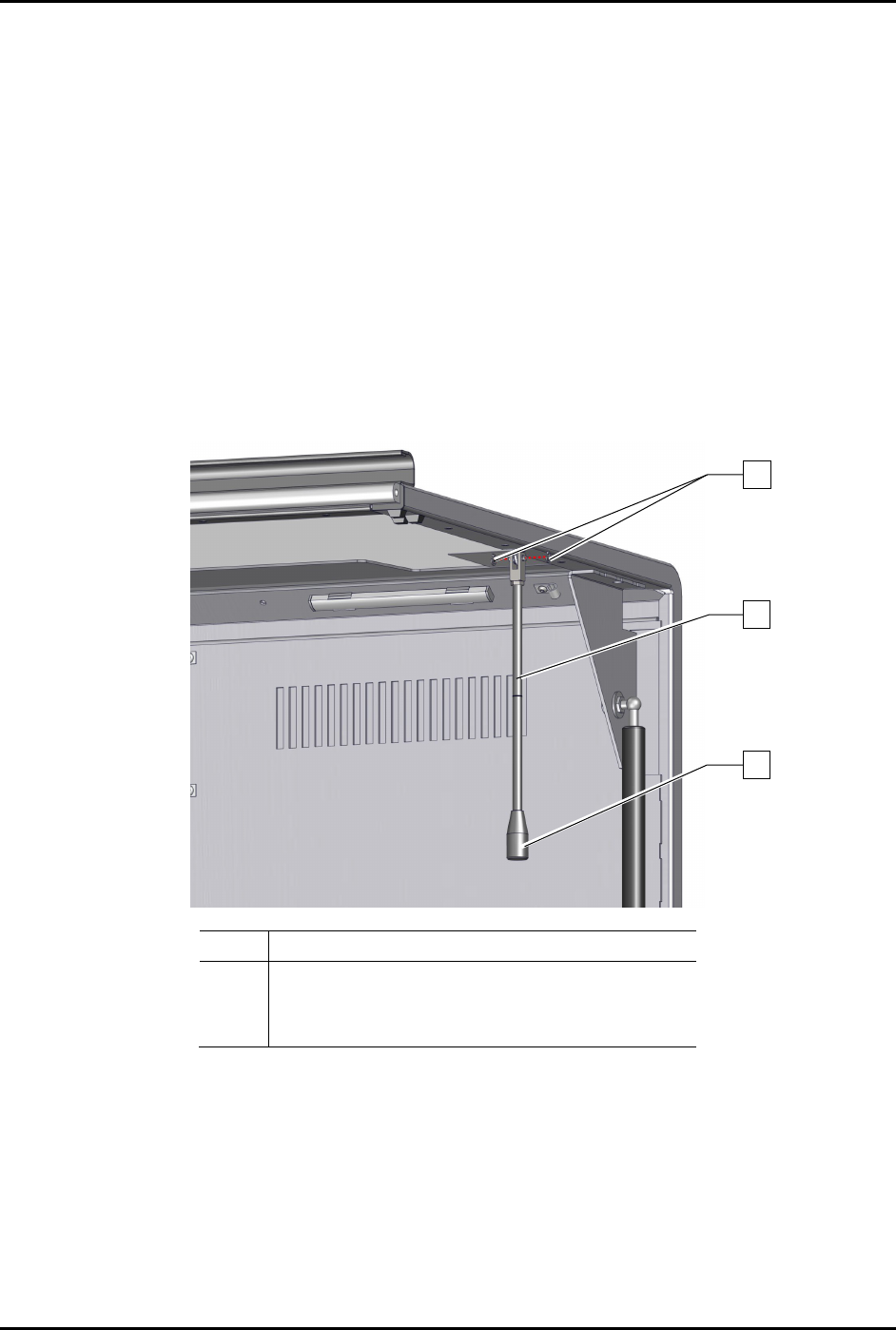
To remove the standoff (Figure 8-13):
1. Perform a service shutdown, see 2.14 Service Shutdown.
2. Open the dispensing area door.
3. Remove the two (2) C-clips securing the standoff to the dispensing area door.
4. Remove the standoff from the dispensing area door.
Item Description
1
2
C-Clips (2)
Standoff (Item 46)
3
Handle (Item 46)
Figure 8-13 Replacing the Standoff
To install the standoff (Figure 8-13):
1. Install the two (2) C-clips securing the standoff to the dispensing area door.
2. Close the dispensing area door.
3
2
1