Spectrum+Operating+Manual.pdf - 第171页
S2-9 XXX Se ri es Dispensing Sys te m IOM Man ual Parts Replacement © 2023 Nordson C orpor ation 8-19 4. Remove the hex nut and two (2 ) washers securing the gas spri ng to the dispensing system ( Fi g ure 8- 15 ). 5. Re…
S2-9XXX Series Dispensing System IOM Manual Parts Replacement
8-18 © 2023 Nordson Corporation
8.13.3.2 Replacing the Gas Spring and Ball Joint
This procedure assumes that a retaining clip securing the gas spring to the dispensing system IS NOT
installed. Repeat this procedure for both the left and right gas spring as necessary.
To remove the gas spring and ball joint:
1. Perform a service shutdown, see 2.14 Service Shutdown.
2. Open and support the dispensing area door during removal and installation.
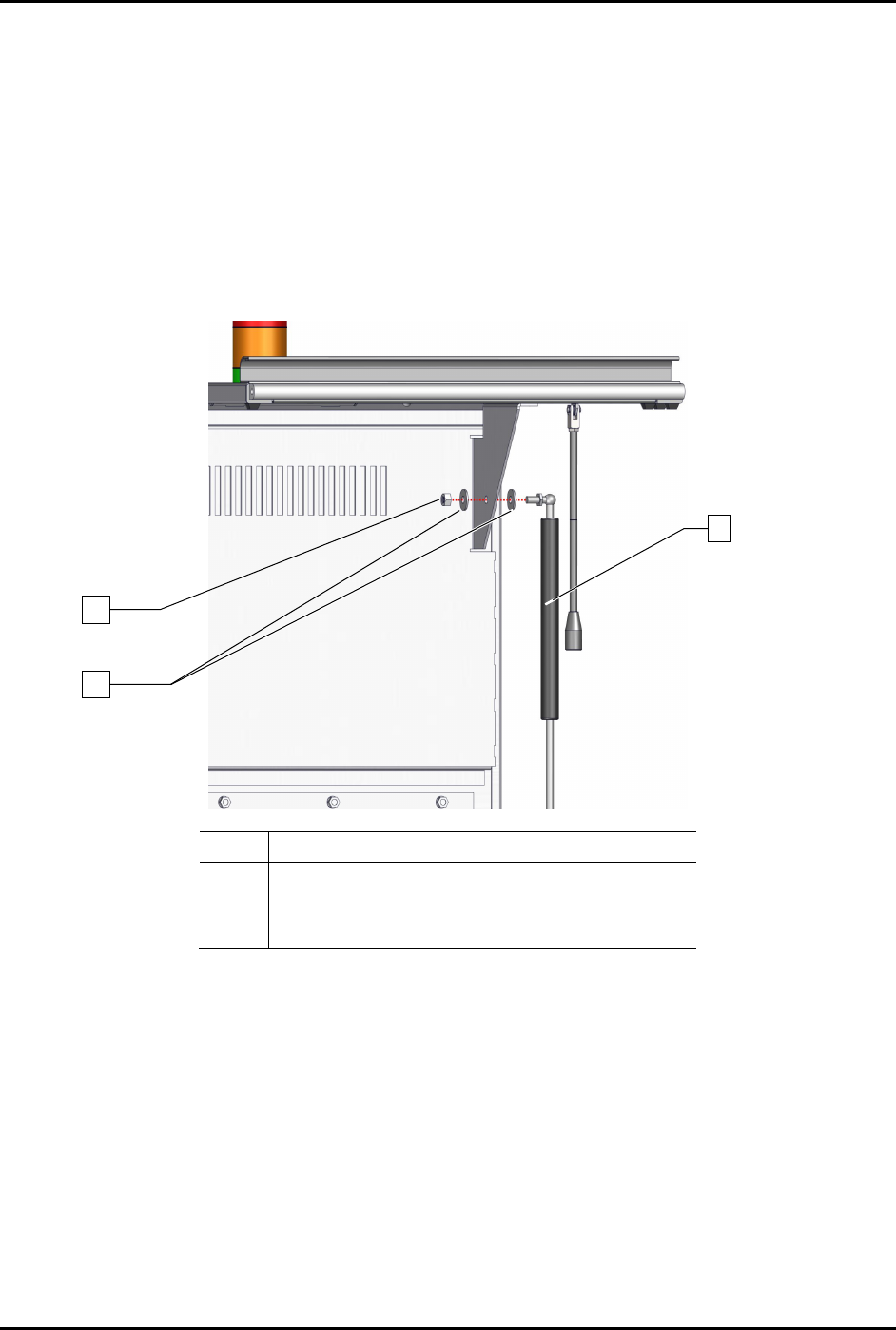
3. Remove the hex nut
and two (2) washers securing the gas spring to the dispensing area door
(Figure 8-15).
Item
Description
1
2
Hex Nut
Washers (2)
3 Spring, Gas 30LB, 15.23” Long (Item 27)
Figure 8-15 Replacing the Upper Portion of the Gas Spring
1
2
3
S2-9XXX Series Dispensing System IOM Manual Parts Replacement
© 2023 Nordson Corporation 8-19
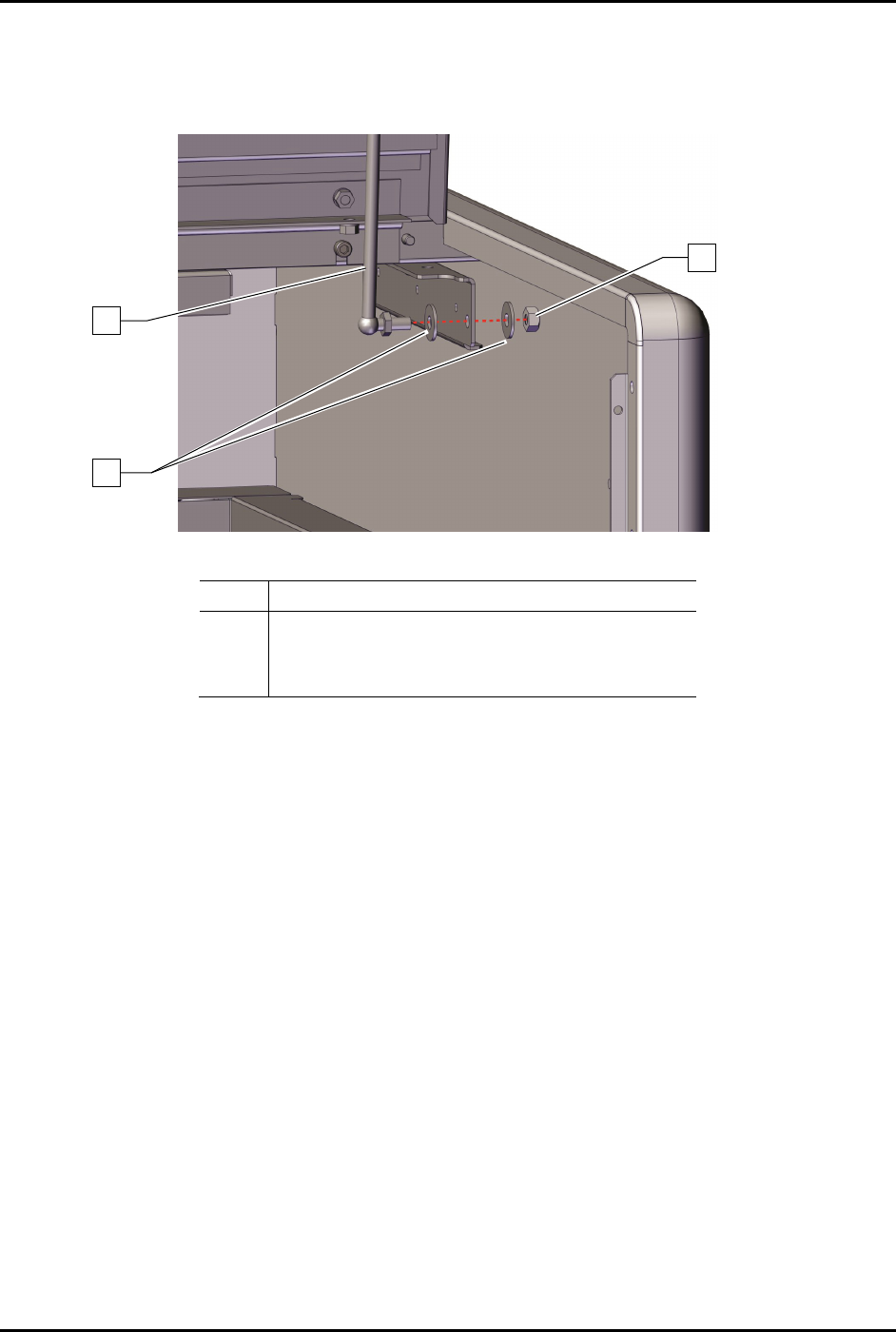
4. Remove the hex nut and two (2) washers securing the gas spring to the dispensing system
(Figure 8-15).
5. Remove the gas spring from the dispensing system (Figure 8-16).
Item
Description
1
2
C-Clips (2)
Standoff (Item 46)
3
Handle (Item 46)
Figure 8-16 Replacing the Lower Portion of the Gas Spring
To install the gas spring and ball joint:
1. Install the hex nut and two (2) washers securing the gas spring to the dispensing area door
(Figure 8-15).
2. Install the hex nut and two (2) washers securing the gas spring to the dispensing system.
(Figure 8-16).
3. Torque the two (2) hex nuts to 9.8 Nm (87 in-lbs) (Figure 8-15 and Figure 8-16).
4. Install a retaining clip, see 8.11.3.1 Replacing the
Gas Spring and Retaining Clip.
5. Close the dispensing area door.
3
2
1
S2-9XXX Series Dispensing System IOM Manual Parts Replacement
8-20 © 2023 Nordson Corporation
8.13.4 Replacing the Interlock Switch
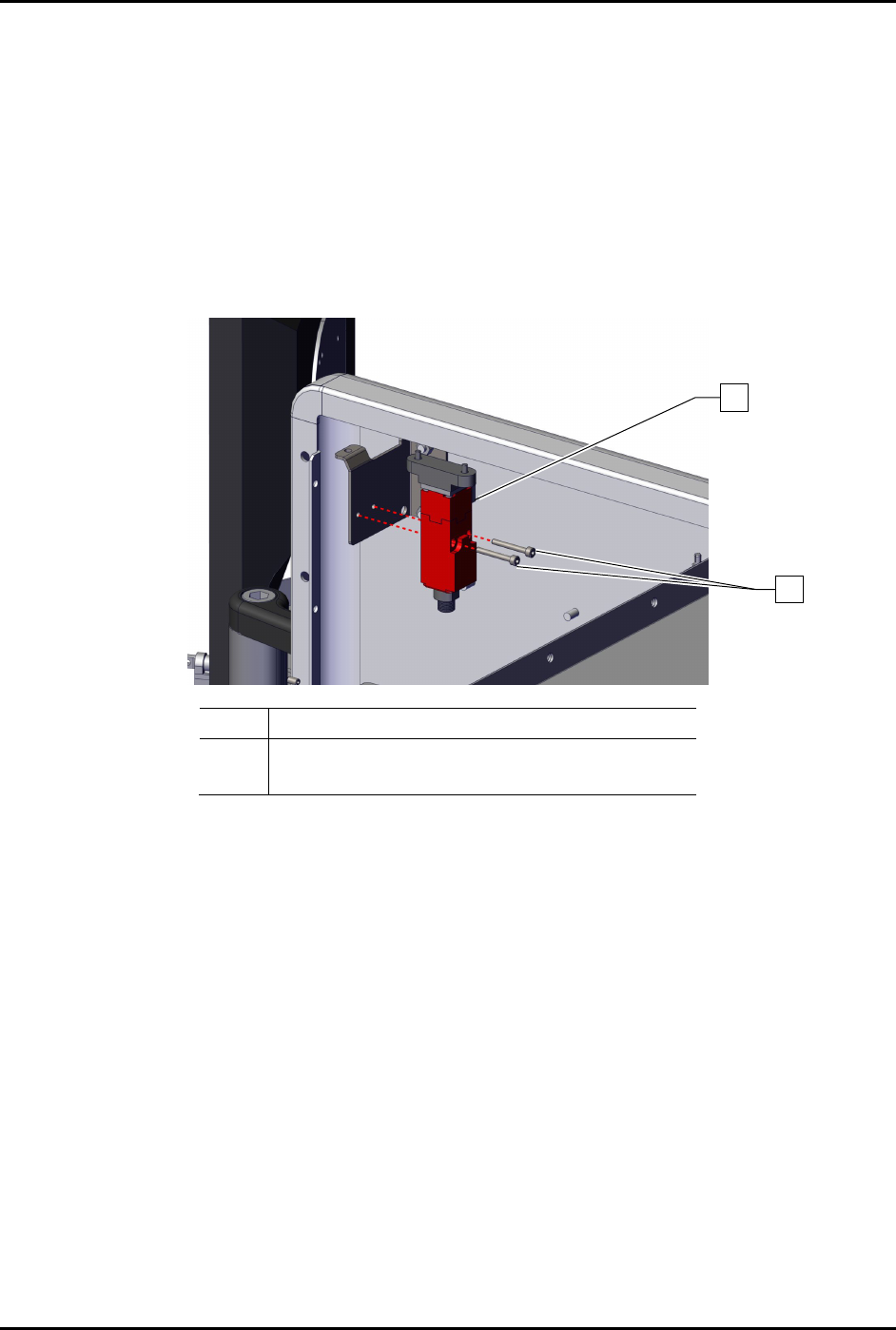
To remove the interlock switch (Figure 8-17):
1. Perform a service shutdown, see 2.14 Service Shutdown.
2. Open the dispensing area door.
3. Disconnect the electrical connection to the interlock switch.
4. Remove the two (2) screws securing the interlock switch to the dispensing system.
5. Remove the interlock switch.
Item
Description
1
2
Switch, Interlock, AB “ELF” (Item 47)
Screws (2)
Figure 8-17 Replacing the Interlock Switch (Wiring Removed for Clarity)
To install the interlock switch (Figure 8-17):
1. Install the interlock switch to the dispensing system with two (2) screws.
2. Torque the two (2) screws to 1.4 Nm (12 in-lbs).
3. Connect the electrical connection to the interlock switch.
4. Close the dispensing area door.
1
2