Spectrum+Operating+Manual.pdf - 第61页
S2-9 XXX Se ri es Dispensing Sys te m IOM Man ual Installation © 2023 Nordson Co rporat ion 3-9 4. Place the purge station cup inside of the purge station ( Figu re 3-8). 5. Replace the pu rge station cover. Ite m Descri…
S2-9XXX Series Dispensing System IOM Manual Installation
3-8 © 2023 Nordson Corporation
3.8 Setting Up the Service Station
The service station consists of both the scale station and purge station. The scale is standard on
S2-9XXP Dispensing Systems and an option on the S2-9XXX Dispensing Systems.
To setup the service station:
1. Perform a service shutdown, see 2.14 Service Shutdown.
2. Open the dispensing area door.
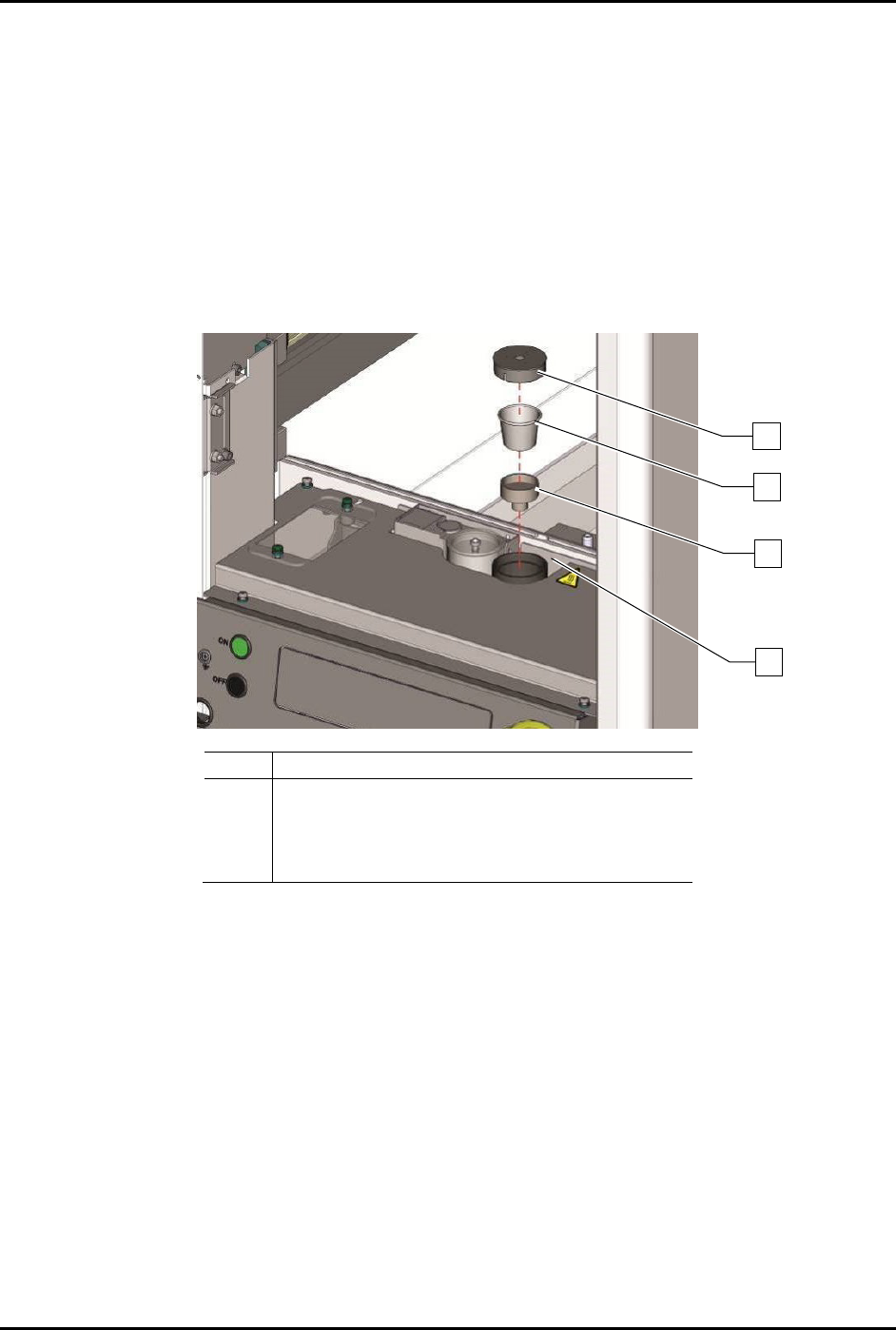
3. Place the scale station cover, scale station cup, pedestal, and breeze shield on the scale
station (Figure 3-7).
Item
Description
1
Scale Station Cover
2
Scale Station Cup
3
Pedestal
4
Breeze Shield
Figure 3-7 Setting up the Scale Station
3
4
2
1
S2-9XXX Series Dispensing System IOM Manual Installation
© 2023 Nordson Corporation 3-9
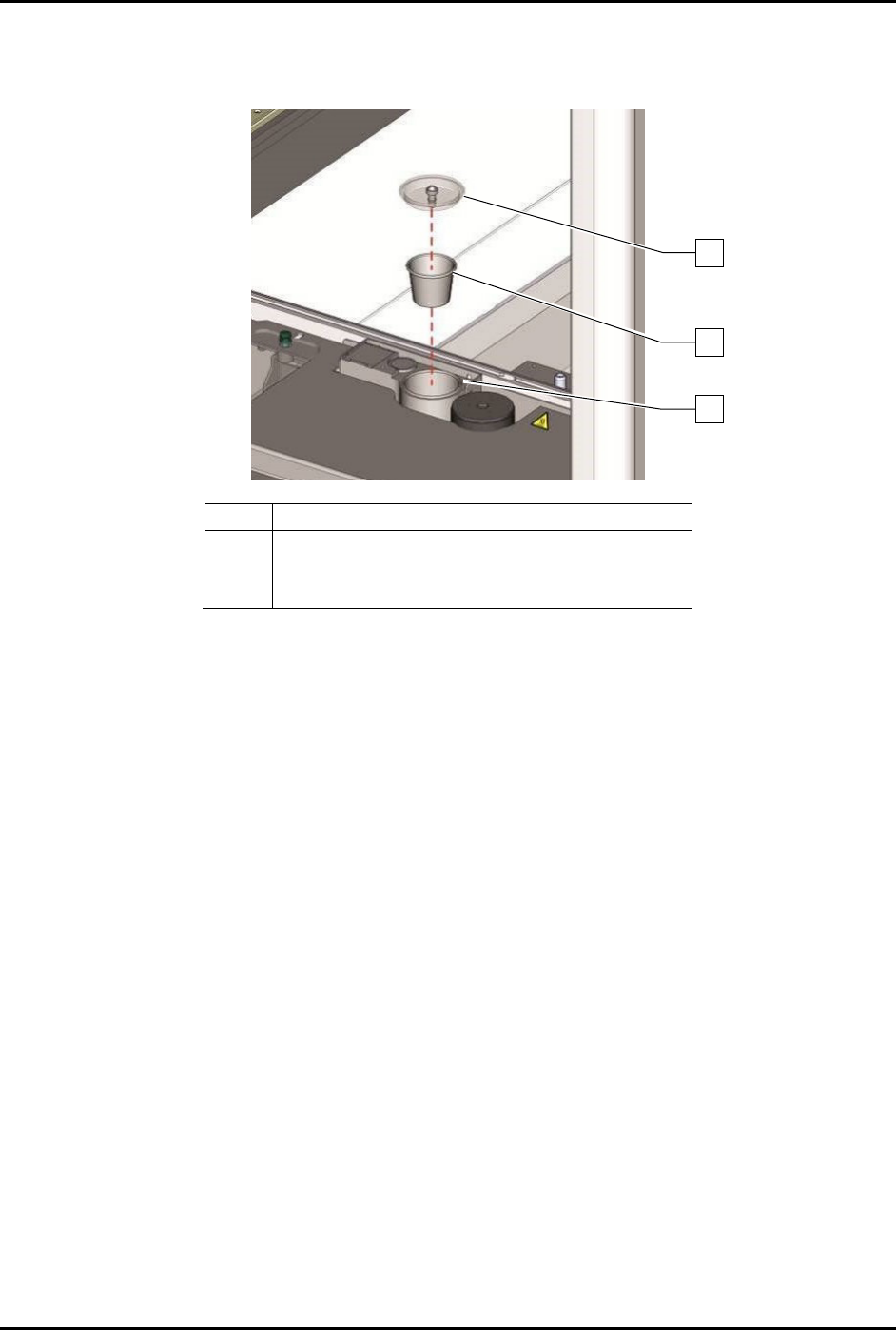
4. Place the purge station cup inside of the purge station (Figure 3-8).
5. Replace the purge station cover.
Item
Description
1
Purge Station Cover
2
Purge Station Cup
3
Purge Station
Figure 3-8 Purge Station
1
2
3
S2-9XXX Series Dispensing System IOM Manual Installation
3-10 © 2023 Nordson Corporation
3.9 Installing the Light Beacon
1. Remove the light beacon from the storage area behind the front door panel and unwrap.
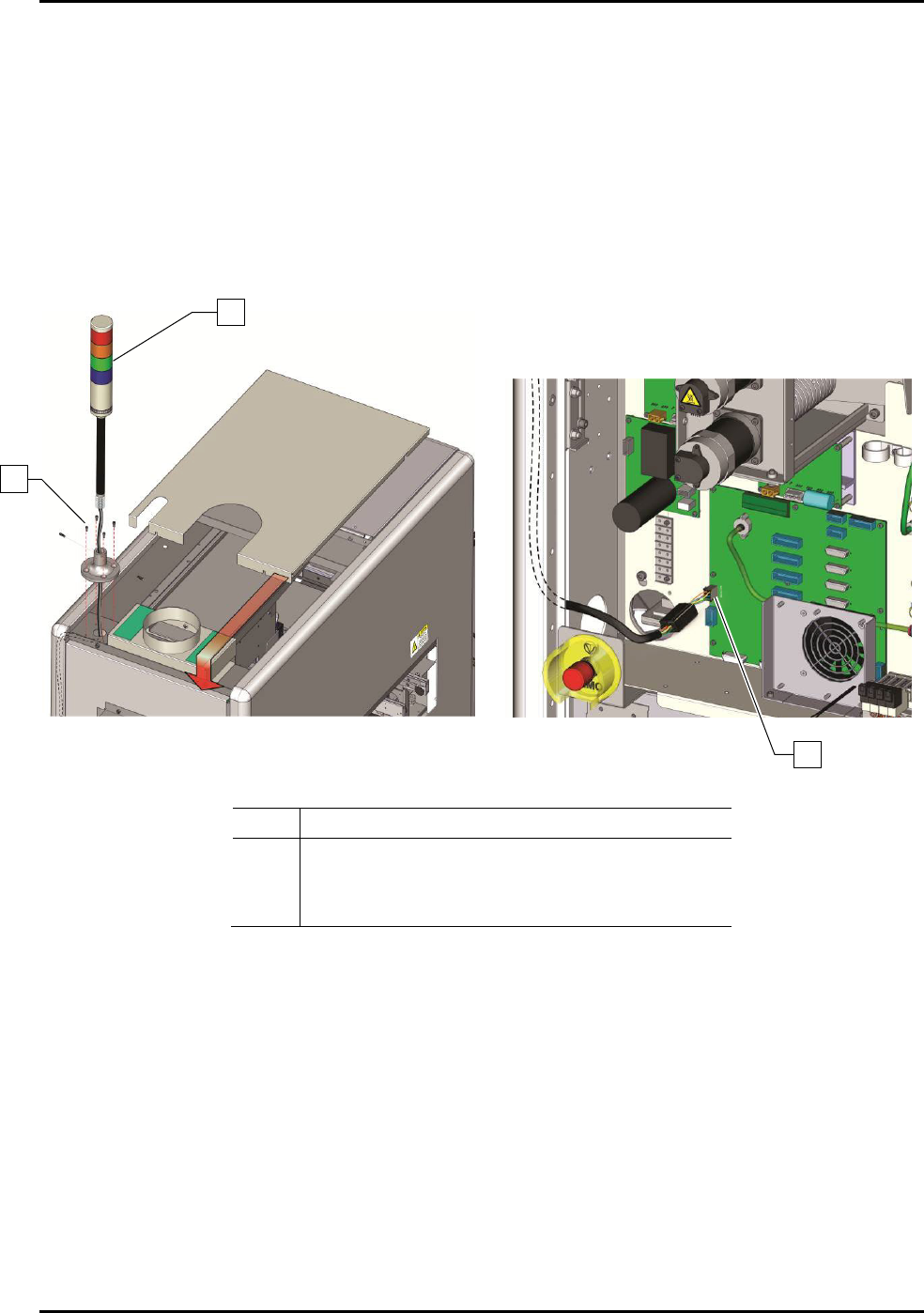
2. Remove the dispensing system top cover (Figure 3-9A).
3. Attach the light beacon to the top panel using the four (4) screws temporarily installed
(Figure 3-9A).
4. Make the beacon electrical connection to J24 on the main board (Figure 3-9B).
Figure 3-9A
Figure 3-9B
Item Description
1 Light Beacon
2
Screws (4)
3 Beacon Electrical Connection
Figure 3-9 Installing the Light Beacon
1
2
3