3OM-1050-002.pdf - 第105页
*2 [Minimize], [Maximize], [Restore], and [Close] Buttons [Minimize] Button ( ) Minimizing a window reduces the window to an icon. [Maximize] Button ( ) When a window is not at its maximum size, this button appears in th…
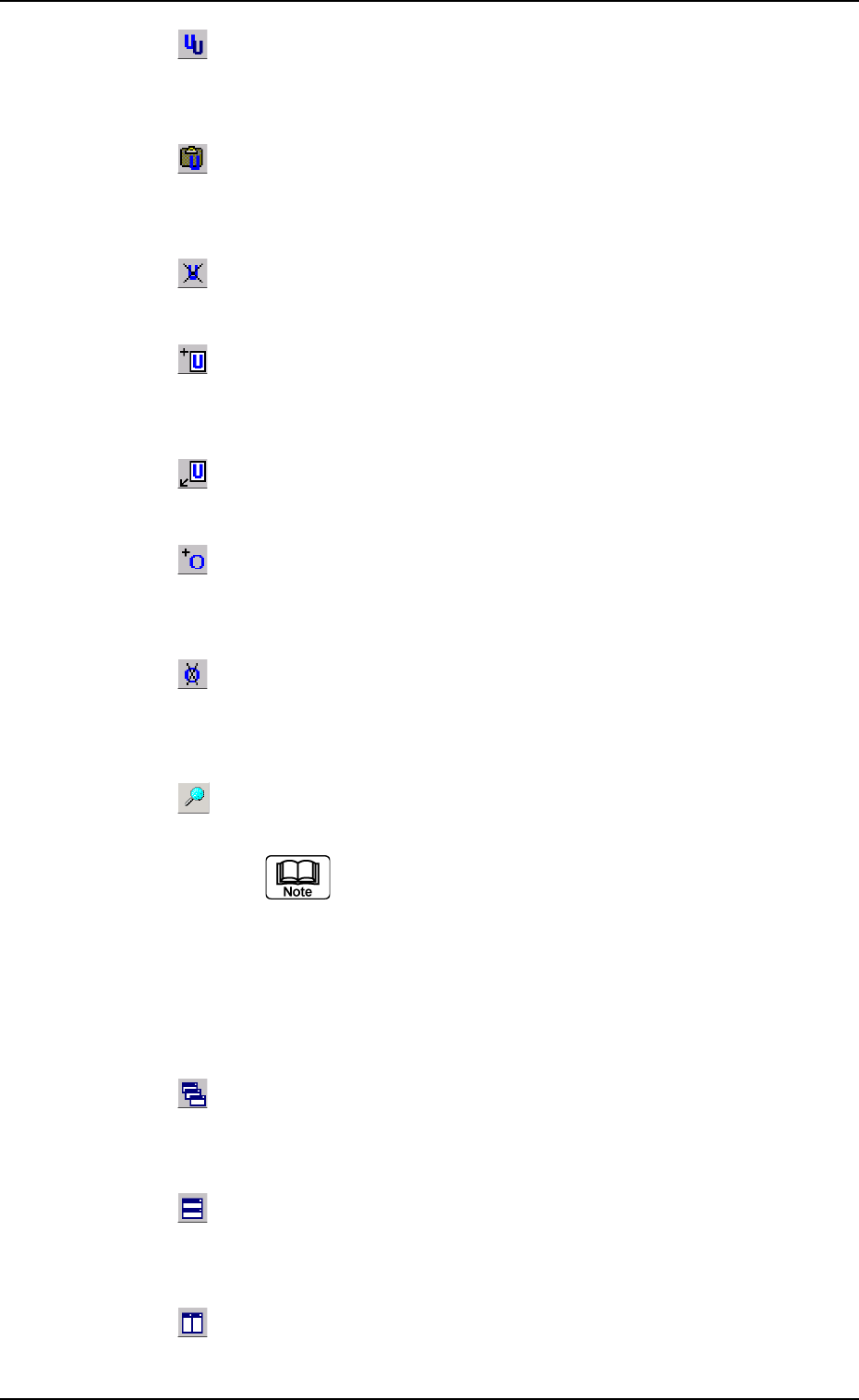
: Copy Unit
When pressed, this transfers the selection (U data) to the
Clipboard without removing the selection.
: Paste Unit
When pressed, this copies the selection (U data) at the
insertion point’s location.
: Delete Unit
When pressed, this deletes the currently displayed U data.
: Add New Unit
When pressed, this adds the current U data to the last
line.
: Insert New Unit
When pressed, this inserts the U data behind the cur-
rently displayed "U##" tab sheet.
: Add O Data
When pressed, this adds the O data to the currently se-
lected U data.
: Delete O Data
When pressed, this deletes the O data from the currently
selected U data.
: When pressed, this searches the data.
The "Search" dialog box opens.
"*" (asterisk) and "?" (question mark) can be used
as wild cards.
abc*: The search function retrieves the data
which starts with "abc".
a?c : The search function retrieves the data
which starts with "a" and contains "c" as
the third character.
: Cascade
The currently opened windows (programs) are cascaded
(overlaid), making each title bar visible.
: Tile Horizontally
When pressed, this re-arranges the currently opened "Pat-
tern Program" windows up and down.
: Tile Vertically
The currently opened windows (programs) are re-arranged
side by side.
0307-005 2-83
AFO01EDTP
4.1 Basic Operations in Edit Windows
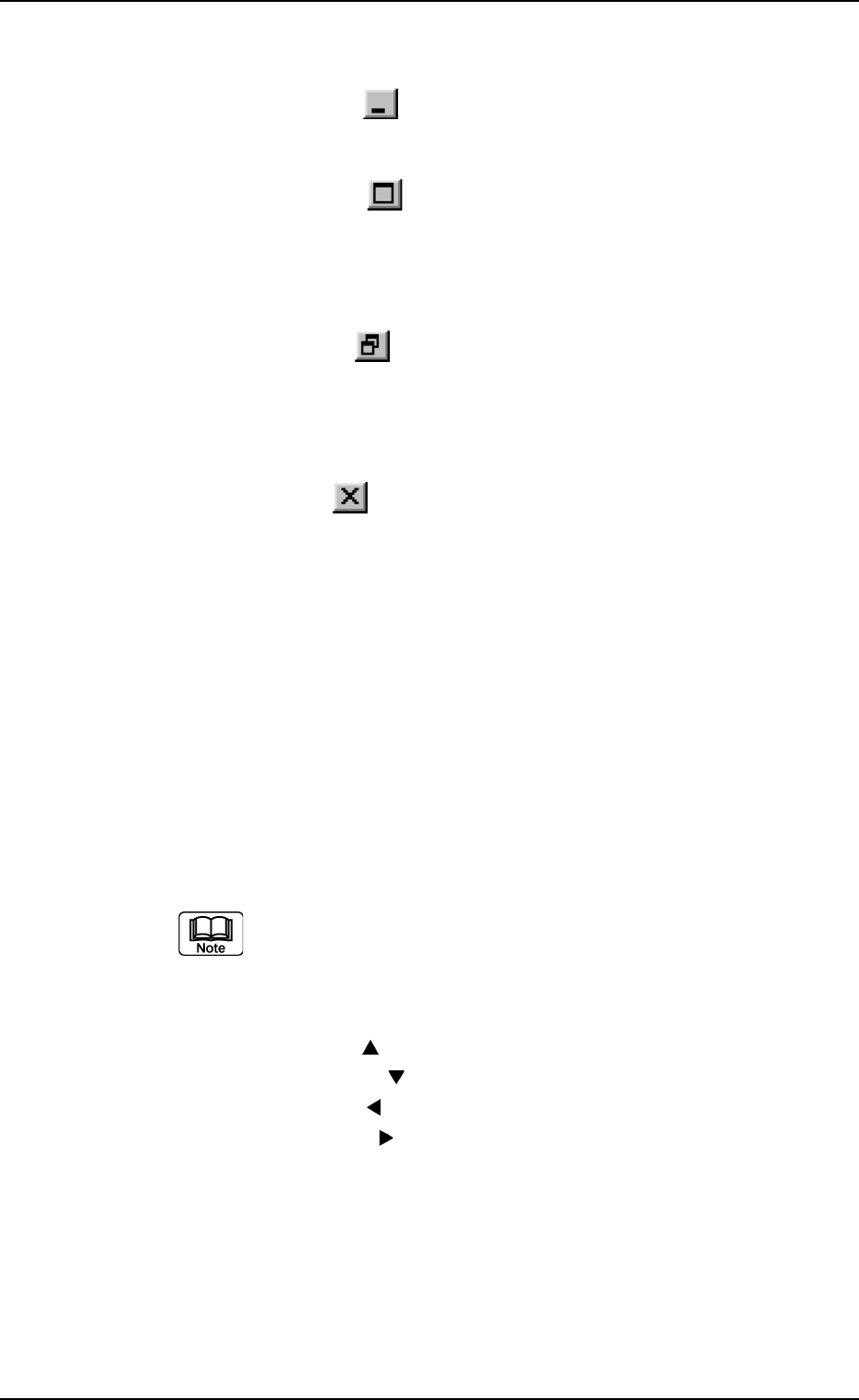
*2 [Minimize], [Maximize], [Restore], and [Close] Buttons
[Minimize] Button (
)
Minimizing a window reduces the window to an icon.
[Maximize] Button (
)
When a window is not at its maximum size, this button appears in
the window’s upper-right corner. When pressed, this enlarges the
edit window to its maximum size.
[Restore] Button (
)
When a window is already at its maximum size, the [Maximize] but-
ton switches to the [Restore] button, which returns the window to its
previous size.
[Close] Button (
)
When pressed, this closes the active window.
*3 Tab Sheets
The provided tab sheets enable the operator to edit the pattern pro-
gram.
*4 Drop-Down List
When you double-click a text box, the text box is changed to a combo
box that has a down arrow on the right side.
When you click the down arrow, a drop-down list box opens.
Set a parameter by selecting one of the options in the drop-down list
box.
A scrollbar might appear on the right side of a drop-down
list when there are many options.
*5 Scrollbars
When the up arrow (
) is pressed, the window scrolls up.
When the down arrow (
) is pressed, the window scrolls down.
When the left arrow (
) is pressed, the window scrolls left.
When the right arrow (
) is pressed, the window scrolls right.
0110-003 2-84
AFO01EDTP
4.1 Basic Operations in Edit Windows
4.1.3 Basic Usage of Text Boxes
• How to enter numerical values
Follow the procedure below to enter numerical values in the text boxes
that require numerical values.
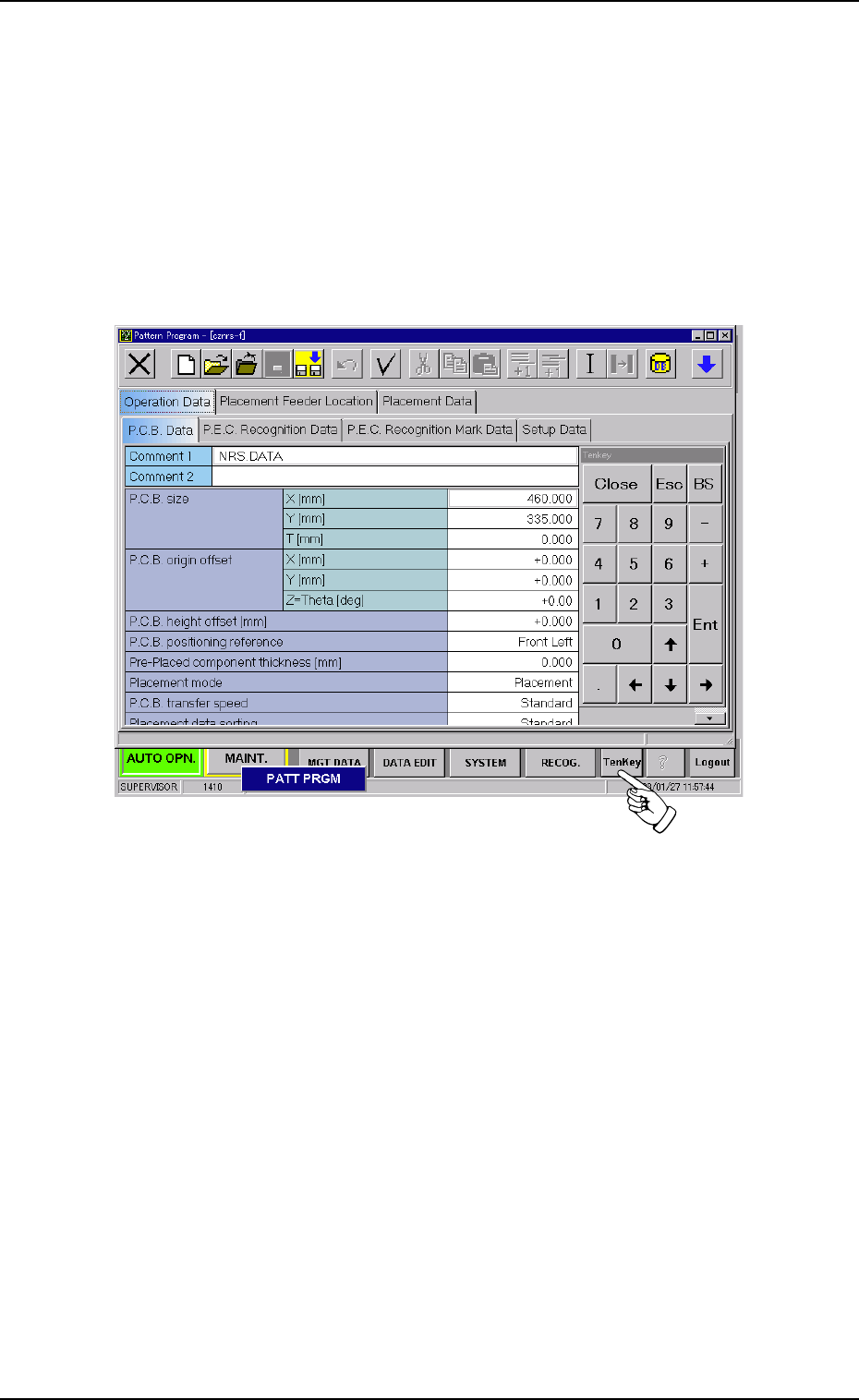
Using the "Tenkey" window
(1) Press the [TenKey] button on the main menu bar. The "Tenkey" win-
dow appears.
Fig. 3B134
0301-005 2-85
AFO01EDTP
4.1 Basic Operations in Edit Windows